1. ആമുഖം
This manual provides essential information for the proper use and maintenance of the LAUNCH Original Main Cable. This cable is designed as a direct replacement for the main diagnostic cable used with specific LAUNCH OBD2 diagnostic scanners, ensuring reliable connection and data transfer for vehicle diagnostics.
It is compatible with LAUNCH CRP123, CRP129, Creader VII+, and Creader VIII models. For optimal performance and longevity, please follow the instructions outlined in this guide.
2. സജ്ജീകരണം
The LAUNCH Original Main Cable is designed for straightforward connection to your compatible diagnostic scanner and vehicle's OBD-II port.
2.1 അൺപാക്കിംഗും പരിശോധനയും
- Carefully remove the main cable from its packaging.
- Inspect the cable for any visible damage, such as cuts, kinks, or bent pins on the connectors. If any damage is found, do not use the cable and contact customer support.
2.2 കേബിൾ ബന്ധിപ്പിക്കുന്നു
- Connect to Diagnostic Scanner: Locate the D-sub 15-pin port on your LAUNCH CRP123, CRP129, Creader VII+, or Creader VIII diagnostic scanner. Align the 15-pin connector of the main cable with this port and gently push it in until it is securely seated. Ensure the retaining screws (if present on your scanner) are tightened to prevent accidental disconnection.
- Connect to Vehicle OBD-II Port: Locate the 16-pin OBD-II diagnostic port in your vehicle. This port is typically found under the dashboard on the driver's side. Align the OBD-II connector of the main cable with the vehicle's port and push it firmly until it clicks into place.
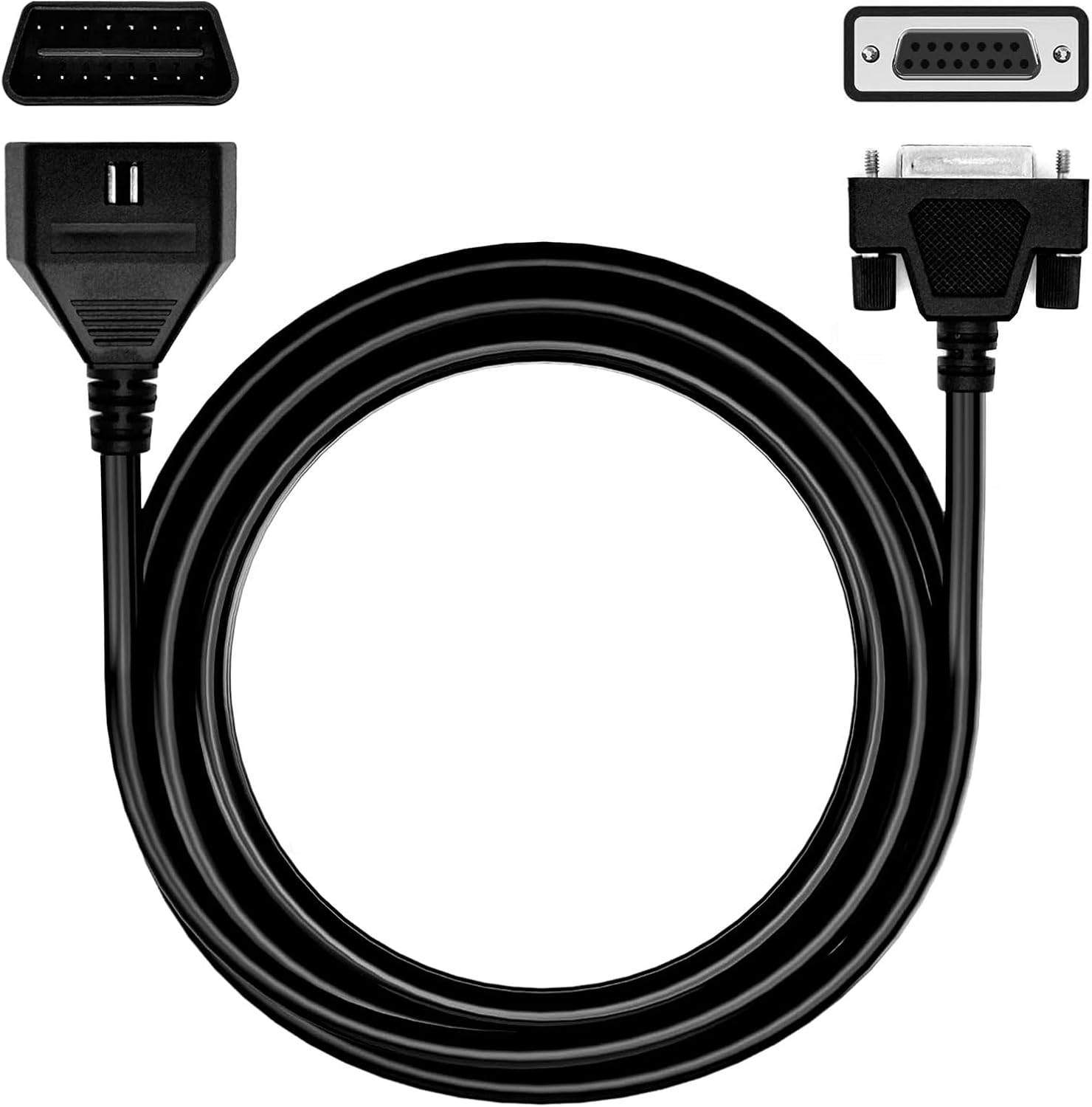
Figure 2.1: The LAUNCH Original Main Cable showing its OBD-II connector (top left) and 15-pin D-sub connector (top right), with the coiled cable in the center. This cable serves as a direct replacement for connecting your LAUNCH diagnostic tool to a vehicle.

Figure 2.2: The LAUNCH Original Main Cable laid out, featuring the "LAUNCH ORIGINAL CABLE" branding prominently. This image confirms the authenticity of the replacement cable.
3. ഓപ്പറേഷൻ
Once the LAUNCH Original Main Cable is securely connected to both your diagnostic scanner and the vehicle's OBD-II port, you can proceed with diagnostic operations as per your scanner's specific user manual.
3.1 അനുയോജ്യത
This cable is specifically designed for and fully compatible with the following LAUNCH diagnostic scanner models:
- LAUNCH CRP123
- LAUNCH CRP129
- LAUNCH Creader VII+
- LAUNCH Creader VIII

Figure 3.1: An illustration showing the LAUNCH Original Main Cable's compatibility with various LAUNCH diagnostic tools, including CRP123, CRP129, Creader VII+, and Creader VIII. Each scanner model is depicted with the cable connected.
3.2 രോഗനിർണയ നടപടിക്രമങ്ങൾ
The cable facilitates communication between your scanner and the vehicle's onboard computer. Refer to your specific LAUNCH scanner's user manual for detailed instructions on:
- ഡയഗ്നോസ്റ്റിക് ട്രബിൾ കോഡുകൾ (ഡിടിസി) വായിച്ച് മായ്ക്കൽ.
- Viewing live data streams.
- Performing I/M readiness tests.
- Accessing vehicle information (VIN, CID, CVN).
Ensure the vehicle's ignition is in the "ON" position (engine off or running, as required by the diagnostic procedure) for proper communication.
4. പരിപാലനം
Proper care and maintenance will extend the lifespan of your LAUNCH Original Main Cable.
4.1 വൃത്തിയാക്കൽ
- Wipe the cable and connectors with a soft, dry cloth after each use to remove dust, dirt, or grease.
- Avoid using harsh chemicals, solvents, or abrasive cleaners, as these can damage the PVC coating and connector materials.
4.2 സംഭരണം
- Store the cable in a clean, dry environment, away from direct sunlight, extreme temperatures, and excessive humidity.
- Avoid tightly coiling or bending the cable at sharp angles, as this can stress the internal wires and PVC coating. The flexible PVC coating is designed for durability, but proper handling is still recommended.
- Do not place heavy objects on the cable during storage.
4.3 കൈകാര്യം ചെയ്യുന്നതിനുള്ള മുൻകരുതലുകൾ
- Always grasp the connector housing when plugging or unplugging the cable, never pull directly on the cable itself.
- Ensure connectors are free of debris before connection to prevent damage to pins. The zinc-plated copper connectors are designed to resist corrosion and oxidation, providing a reliable connection.
5. പ്രശ്നപരിഹാരം
If you encounter issues while using the LAUNCH Original Main Cable, consider the following common troubleshooting steps:
| പ്രശ്നം | സാധ്യമായ കാരണം | പരിഹാരം |
|---|---|---|
| വാഹനവുമായി ആശയവിനിമയമില്ല. |
|
|
| ഇടവിട്ടുള്ള കണക്ഷൻ. |
|
|
| Cable does not fit scanner/vehicle port. |
|
|
If these steps do not resolve the issue, please refer to the "Support" section for further assistance.
6 സ്പെസിഫിക്കേഷനുകൾ
Key specifications for the LAUNCH Original Main Cable:
| ഫീച്ചർ | വിശദാംശങ്ങൾ |
|---|---|
| മോഡൽ നമ്പർ | LAUNCH Original Main Cable |
| ബ്രാൻഡ് | ലോഞ്ച് |
| അനുയോജ്യത | LAUNCH CRP123, CRP129, Creader VII+, Creader VIII |
| കണക്ടർ തരം 1 | OBD-II (16-pin male) |
| കണക്ടർ തരം 2 | D-sub (15-pin male) |
| കേബിൾ മെറ്റീരിയൽ | Flexible PVC coating |
| കണക്റ്റർ മെറ്റീരിയൽ | Zinc-plated copper |
| ഇനത്തിൻ്റെ ഭാരം | 5.6 ഔൺസ് |
| പാക്കേജ് അളവുകൾ | 6.42 x 5.04 x 1.46 ഇഞ്ച് |
| യു.പി.സി | 702732186808 |
| പവർ ഉറവിടം | Corded Electric (powered by diagnostic tool/vehicle) |
7. വാറൻ്റി വിവരങ്ങൾ
The LAUNCH Original Main Cable comes with a ഒരു വർഷത്തെ പരിമിത വാറൻ്റി.
This warranty covers defects in materials and workmanship under normal use. It does not cover damage resulting from misuse, abuse, unauthorized modification, accident, or natural disaster. Please retain your proof of purchase for warranty claims.
8. ഉപഭോക്തൃ പിന്തുണ
For technical assistance, warranty claims, or any questions regarding your LAUNCH Original Main Cable, please contact LAUNCH customer support.
- ഓൺലൈൻ പിന്തുണ: Visit the official LAUNCH website or their Amazon Brand Store for FAQs, product registration, and contact information.
- ആമസോൺ ബ്രാൻഡ് സ്റ്റോർ: LAUNCH Official Store on Amazon
When contacting support, please have your product model number (LAUNCH Original Main Cable) and proof of purchase readily available.