1. ആമുഖം
വാങ്ങിയതിന് നന്ദി.asing the Audizio Naples DAB+ / Internet Radio. This device offers a comprehensive audio experience with multiple playback options, including DAB+, FM, Internet Radio, Bluetooth 5.0, CD player, and USB/Micro SD MP3 playback. This manual provides detailed instructions for setup, operation, and maintenance to ensure optimal performance and longevity of your device.
2 സുരക്ഷാ വിവരങ്ങൾ
Please read these safety instructions carefully before using the device and retain them for future reference.
- ഊർജ്ജ സ്രോതസ്സ്: നിർദ്ദിഷ്ട പവർ അഡാപ്റ്റർ മാത്രം ഉപയോഗിക്കുക. വോളിയം ഉറപ്പാക്കുകtage ഉപകരണത്തിൻ്റെ ആവശ്യകതകളുമായി പൊരുത്തപ്പെടുന്നു.
- ജലവും ഈർപ്പവും: Do not expose the device to rain, moisture, or dripping/splashing liquids. Do not place objects filled with liquids, such as vases, on the device.
- വെൻ്റിലേഷൻ: ആവശ്യത്തിന് വായുസഞ്ചാരം ഉറപ്പാക്കുക. വായുസഞ്ചാര ദ്വാരങ്ങൾ തടയരുത്.
- ചൂട്: റേഡിയേറ്ററുകൾ, ഹീറ്റ് രജിസ്റ്ററുകൾ, സ്റ്റൗകൾ, അല്ലെങ്കിൽ മറ്റ് ഉപകരണങ്ങൾ (ഉൾപ്പെടെ) പോലുള്ള താപ സ്രോതസ്സുകളിൽ നിന്ന് ഉപകരണം അകറ്റി നിർത്തുക. ampലൈഫയറുകൾ) ചൂട് ഉത്പാദിപ്പിക്കുന്നത്.
- വൃത്തിയാക്കൽ: Unplug the device from the power outlet before cleaning. Use a soft, dry cloth. Do not use liquid cleaners or aerosol cleaners.
- സേവനം: ഈ ഉൽപ്പന്നം സ്വയം സേവിക്കാൻ ശ്രമിക്കരുത്. യോഗ്യതയുള്ള സേവന ഉദ്യോഗസ്ഥർക്ക് എല്ലാ സേവനങ്ങളും റഫർ ചെയ്യുക.
- പ്ലേസ്മെൻ്റ്: സുസ്ഥിരവും പരന്നതുമായ പ്രതലത്തിൽ ഉപകരണം സ്ഥാപിക്കുക.
3. പാക്കേജ് ഉള്ളടക്കം
പാക്കേജിൽ എല്ലാ ഇനങ്ങളും ഉണ്ടെന്ന് ഉറപ്പാക്കുക:
- Audizio Naples DAB+ / Internet Radio Unit
- റിമോട്ട് കൺട്രോൾ
- പവർ അഡാപ്റ്റർ
- ഉപയോക്തൃ മാനുവൽ (ഈ പ്രമാണം)
4. ഉൽപ്പന്നം കഴിഞ്ഞുview
The Audizio Naples is a versatile stereo music system designed for various audio sources. It features a sleek design with dual powerful speakers and a clear 2.8-inch LCD display.

ചിത്രം 4.1: മുൻഭാഗം view of the Audizio Naples radio with its remote control.
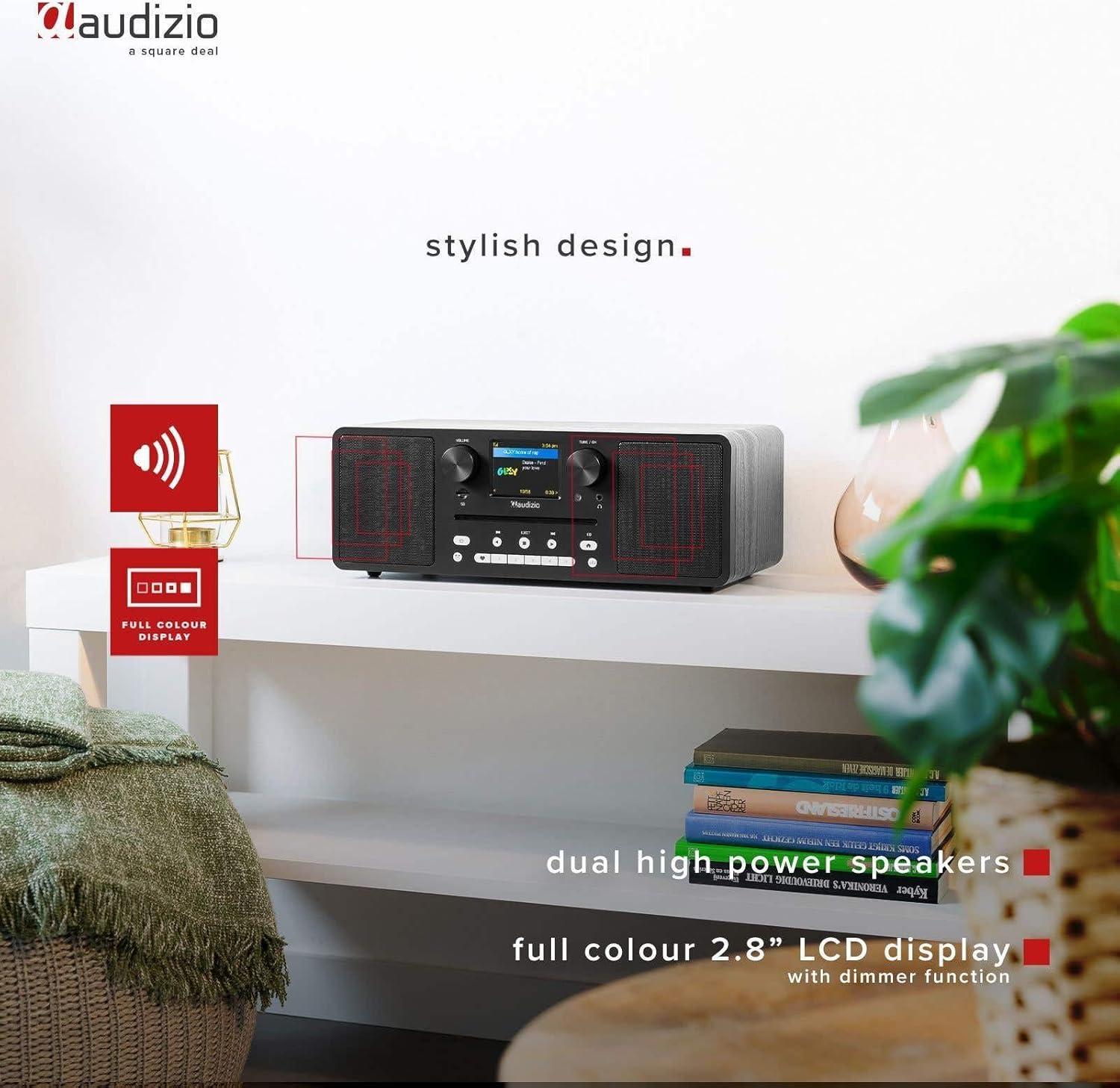
Image 4.2: The Audizio Naples radio highlighting its stylish design, dual high-power speakers, and 2.8-inch full-color LCD display with dimmer function.
4.1 Front Panel Controls and Features
- വോളിയം നോബ്: ഓഡിയോ ഔട്ട്പുട്ട് ലെവൽ ക്രമീകരിക്കുന്നു.
- Tune/OK Knob: മെനുകളിലൂടെ നാവിഗേറ്റ് ചെയ്ത് തിരഞ്ഞെടുപ്പുകൾ സ്ഥിരീകരിക്കുന്നു.
- 2.8 ഇഞ്ച് LCD ഡിസ്പ്ലേ: നിലവിലെ മോഡ്, സ്റ്റേഷൻ വിവരങ്ങൾ, ട്രാക്ക് വിശദാംശങ്ങൾ, മെനു ഓപ്ഷനുകൾ എന്നിവ കാണിക്കുന്നു.
- സിഡി സ്ലോട്ട്: ഓഡിയോ സിഡികൾ ചേർക്കുന്നതിന്.
- നിയന്ത്രണ ബട്ടണുകൾ: Power, Mode, Play/Pause, Skip, Eject, EQ, Presets.
- ഹെഡ്ഫോൺ ജാക്ക്: സ്വകാര്യ ശ്രവണത്തിനായി 3.5mm ഔട്ട്പുട്ട്.
- മൈക്രോ എസ്ഡി സ്ലോട്ട്: MP3 പ്ലേ ചെയ്യുന്നതിന് fileഒരു മൈക്രോ എസ്ഡി കാർഡിൽ നിന്നുള്ളത്.
4.2 പിൻ പാനൽ കണക്ഷനുകൾ
- DC 12V: വൈദ്യുതി ഇൻപുട്ട്.
- ഓൺ/ഓഫ് സ്വിച്ച്: പ്രധാന പവർ സ്വിച്ച്.
- USB പോർട്ട്: MP3 പ്ലേ ചെയ്യുന്നതിന് fileഒരു USB ഡ്രൈവിൽ നിന്നുള്ള എസ്.
- ഓക്സ് ഇൻ: ബാഹ്യ ഓഡിയോ ഉപകരണങ്ങൾ ബന്ധിപ്പിക്കുന്നതിനുള്ള 3.5mm ഇൻപുട്ട്.
- ലൈൻ Uട്ട്: 3.5mm output for connecting to external ampലൈഫയർമാർ അല്ലെങ്കിൽ സ്പീക്കറുകൾ.

ചിത്രം 4.3: വശം view highlighting the universal headphone output, line out, and Aux input connections.

Image 4.4: Close-up of the Audizio Naples radio showing the USB port, micro SD slot, and the CD player slot.
5. സജ്ജീകരണം
5.1 പവർ കണക്ഷൻ
- Connect the provided power adapter to the "DC IN 12V" port on the rear of the Audizio Naples.
- പവർ അഡാപ്റ്റർ അനുയോജ്യമായ ഒരു മതിൽ ഔട്ട്ലെറ്റിലേക്ക് പ്ലഗ് ചെയ്യുക.
- Flip the "ON/OFF" switch on the rear panel to the "ON" position. The display will light up.
5.2 പ്രാരംഭ സജ്ജീകരണവും വൈ-ഫൈ കണക്ഷനും
Upon first power-on, the device will guide you through the initial setup, including language selection and network configuration for Internet Radio functionality.
- നിങ്ങളുടെ ഇഷ്ടപ്പെട്ട ഭാഷ തിരഞ്ഞെടുക്കാൻ ഓൺ-സ്ക്രീൻ നിർദ്ദേശങ്ങൾ പാലിക്കുക.
- The device will scan for available Wi-Fi networks. Select your network from the list.
- Enter your Wi-Fi password using the Tune/OK knob to navigate and select characters. Press OK to confirm each character and the entire password.
- Once connected, the device will confirm the successful Wi-Fi connection.
6. പ്രവർത്തന നിർദ്ദേശങ്ങൾ
6.1 മോഡ് തിരഞ്ഞെടുക്കൽ
അമർത്തുക മോഡ് button on the front panel or remote control to cycle through available modes: Internet Radio, DAB+, FM, Bluetooth, CD, USB, Micro SD, AUX In.
6.2 ഇൻ്റർനെറ്റ് റേഡിയോ
നിങ്ങളുടെ Wi-Fi കണക്ഷൻ വഴി ലോകമെമ്പാടുമുള്ള ആയിരക്കണക്കിന് റേഡിയോ സ്റ്റേഷനുകൾ ആക്സസ് ചെയ്യുക.

Image 6.1: The Audizio Naples radio demonstrating its Internet Radio capability, connecting to global stations.
- Select "Internet Radio" mode.
- Use the Tune/OK knob to browse stations by location, genre, or search.
- Press OK to select a station.
- To save a station as a preset, press and hold one of the numbered preset buttons (1-5) on the front panel or remote.
6.3 DAB+ / FM Radio
Enjoy digital (DAB+) and analog (FM) radio broadcasts.
- Select "DAB+" or "FM" mode.
- For DAB+, the radio will automatically scan for available stations on first use. For FM, use the Tune/OK knob to manually tune or press and hold to auto-scan.
- Use the Tune/OK knob to select a station from the list.
- Save presets as described for Internet Radio.
6.4 ബ്ലൂടൂത്ത് പ്ലേബാക്ക്
നിങ്ങളുടെ ബ്ലൂടൂത്ത് പ്രാപ്തമാക്കിയ ഉപകരണങ്ങളിൽ നിന്ന് വയർലെസ് ആയി ഓഡിയോ സ്ട്രീം ചെയ്യുക.
- Select "Bluetooth" mode. The display will show "Pairing".
- On your smartphone or other Bluetooth device, enable Bluetooth and search for "Audizio Naples".
- Select "Audizio Naples" to pair. Once connected, you will hear a confirmation sound.
- നിങ്ങളുടെ കണക്റ്റുചെയ്ത ഉപകരണത്തിൽ ഓഡിയോ പ്ലേ ചെയ്യാൻ ആരംഭിക്കുക.
6.5 CD / USB / Micro SD Playback
Play audio from CDs, USB drives, or Micro SD cards. The device supports CD, CD-R, CD-RW, and MP3 CD formats.

Image 6.2: A CD being inserted into the slot-loading CD player of the Audizio Naples radio.
- സിഡി: Insert a CD into the slot. The device will automatically switch to CD mode and begin playback. Use the Play/Pause, Skip buttons for control. Press EJECT to remove the CD.
- USB/Micro SD: Insert a USB drive into the USB port or a Micro SD card into the Micro SD slot. Select "USB" or "Micro SD" mode. The device will display the file structure, allowing you to navigate and select MP3 fileപ്ലേബാക്കിനായി.
6.6 AUX ഇൻ
ഒരു 3.5mm ഓഡിയോ കേബിൾ ഉപയോഗിച്ച് ബാഹ്യ ഓഡിയോ ഉറവിടങ്ങൾ ബന്ധിപ്പിക്കുക.
- Connect your external device (e.g., MP3 player) to the "AUX IN" port using a 3.5mm audio cable.
- Select "AUX In" mode.
- നിങ്ങളുടെ ബാഹ്യ ഉപകരണത്തിൽ നിന്ന് പ്ലേബാക്ക് നിയന്ത്രിക്കുക.
6.7 അലാറം ക്ലോക്കും സ്ലീപ്പ് ടൈമറും
The Audizio Naples features a dual alarm clock and a sleep timer function.
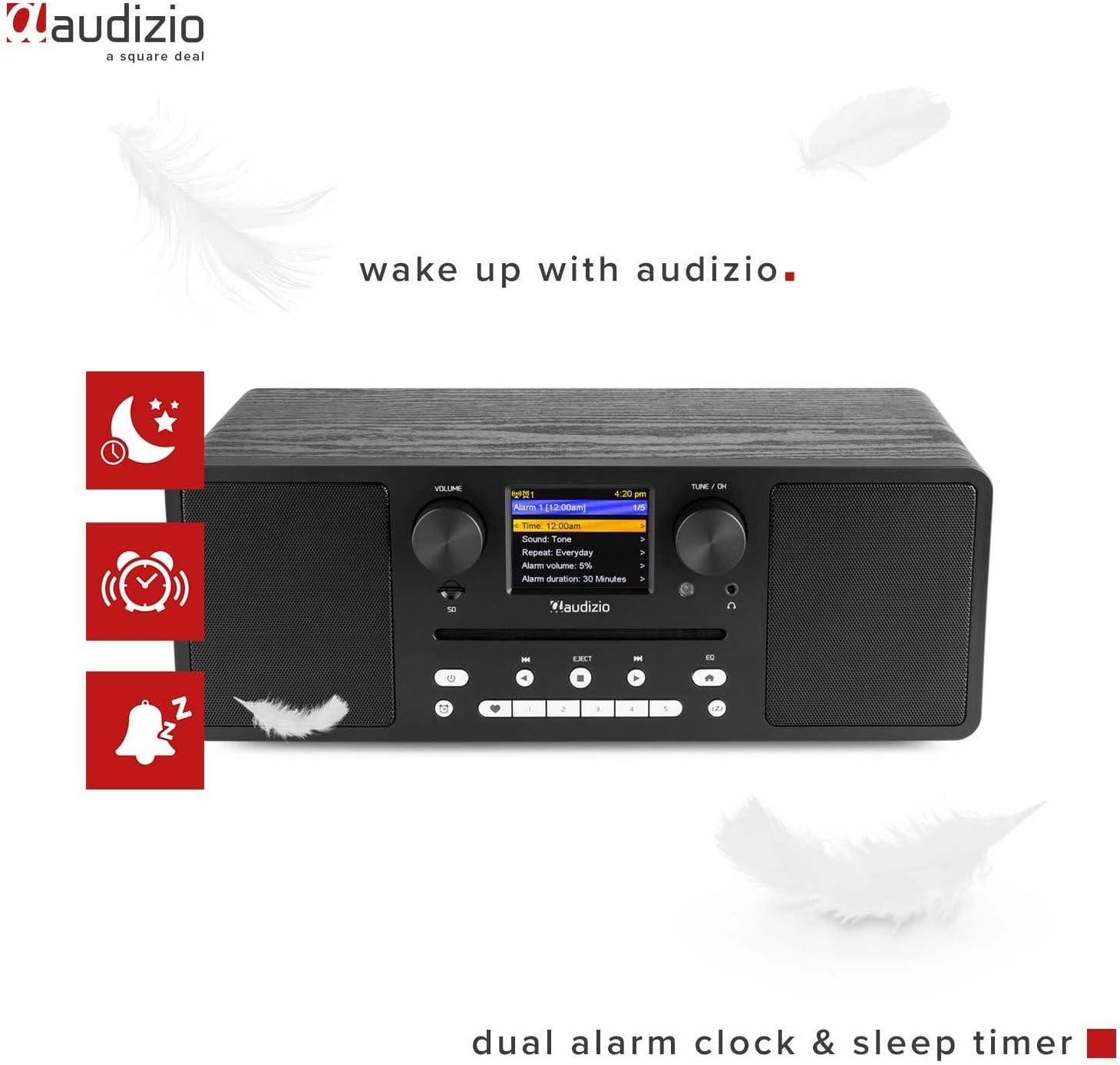
Image 6.3: The Audizio Naples radio showing icons related to its dual alarm clock and sleep timer functions.
- അലാറം സജ്ജീകരണം: Access the alarm settings through the system menu. You can set two independent alarms with customizable sources (buzzer, radio station) and volume.
- സ്ലീപ്പ് ടൈമർ: Set a timer for the radio to automatically turn off after a specified duration. This can be found in the system settings.
6.8 സമനില ക്രമീകരണങ്ങൾ
Adjust the audio output with various equalizer presets.
- അമർത്തുക EQ button on the front panel or remote.
- Cycle through presets like Rock, Pop, Classical, Jazz, or a custom setting.
6.9 വിദൂര നിയന്ത്രണം
ഉൾപ്പെടുത്തിയിരിക്കുന്ന റിമോട്ട് കൺട്രോൾ ദൂരെ നിന്ന് എല്ലാ പ്രവർത്തനങ്ങളിലേക്കും സൗകര്യപ്രദമായ പ്രവേശനം നൽകുന്നു.

Image 6.4: The Audizio Naples radio shown with its dedicated remote control.
- ബാറ്ററികൾ ശരിയായി ചേർത്തിട്ടുണ്ടെന്ന് ഉറപ്പാക്കുക.
- Point the remote control towards the front panel of the radio.
- Buttons on the remote mirror most functions available on the unit itself, including power, mode, volume, tuning, presets, EQ, and info.
7. പരിപാലനം
7.1 വൃത്തിയാക്കൽ
- വൃത്തിയാക്കുന്നതിന് മുമ്പ് എല്ലായ്പ്പോഴും ഉപകരണം അൺപ്ലഗ് ചെയ്യുക.
- പുറംഭാഗങ്ങൾ തുടയ്ക്കാൻ മൃദുവായതും ഉണങ്ങിയതും ലിന്റ് രഹിതവുമായ ഒരു തുണി ഉപയോഗിക്കുക.
- അബ്രാസീവ് ക്ലീനറുകൾ, മെഴുക് അല്ലെങ്കിൽ ലായകങ്ങൾ എന്നിവ ഉപയോഗിക്കരുത്, കാരണം അവ ഫിനിഷിന് കേടുവരുത്തും.
7.2 സിഡി പ്ലെയർ കെയർ
- Handle CDs by the edges to avoid fingerprints and scratches.
- Clean CDs with a soft, dry cloth, wiping from the center outwards.
- Do not insert damaged or irregularly shaped discs into the CD slot.
8. പ്രശ്നപരിഹാരം
| പ്രശ്നം | സാധ്യമായ കാരണം | പരിഹാരം |
|---|---|---|
| ശക്തിയില്ല | Power adapter not connected; ON/OFF switch is OFF. | Ensure power adapter is securely connected and the ON/OFF switch is in the ON position. |
| ശബ്ദമില്ല | Volume too low; Mute activated; Incorrect input mode. | Increase volume; Check if mute is active; Select the correct input mode (e.g., CD, Bluetooth). |
| Wi-Fi-യിലേക്ക് കണക്റ്റുചെയ്യാൻ കഴിയില്ല | Incorrect password; Router too far; Network issues. | Verify Wi-Fi password; Move radio closer to router; Restart router; Check network settings. |
| DAB/FM reception poor | ദുർബലമായ സിഗ്നൽ; ആന്റിന നീട്ടിയിട്ടില്ല. | Extend the telescopic antenna fully; Reposition the radio for better signal reception. |
| ബ്ലൂടൂത്ത് ജോടിയാക്കൽ പരാജയപ്പെടുന്നു | Device not in pairing mode; Other device connected. | Ensure the radio is in Bluetooth pairing mode; Disconnect any other Bluetooth devices from the radio; Restart Bluetooth on your device. |
| സിഡി പ്ലേ ചെയ്യുന്നില്ല | CD inserted incorrectly; Disc is dirty or scratched; Unsupported format. | Re-insert CD correctly; Clean the disc; Ensure it is an audio CD or MP3 CD. |
9 സ്പെസിഫിക്കേഷനുകൾ
| ഫീച്ചർ | വിശദാംശങ്ങൾ |
|---|---|
| ബ്രാൻഡ് | ഓഡിസിയോ |
| മോഡൽ നമ്പർ | നേപ്പിൾസ് |
| പവർ ഔട്ട്പുട്ട് | 60 വാട്ട്സ് |
| കണക്റ്റിവിറ്റി ടെക്നോളജി | Bluetooth 5.0, USB, Wi-Fi (802.11b/g/n) |
| റേഡിയോ ട്യൂണർ | DAB+, Internet Radio, FM |
| സിഡി പ്ലെയർ | Slot-loading, compatible with CD, CD-R, CD-RW, MP3 CD |
| മീഡിയ പ്ലേബാക്ക് | USB, Micro SD (MP3 files) |
| പ്രദർശിപ്പിക്കുക | 2.8-inch LCD with dimmer function |
| ഓഡിയോ p ട്ട്പുട്ടുകൾ | 3.5mm Headphone Jack, 3.5mm Line Out |
| ഓഡിയോ ഇൻപുട്ടുകൾ | 3.5mm AUX In |
| ഇക്വലൈസർ | Presets (Rock, Pop, Classical, Jazz) |
| പ്രത്യേക സവിശേഷതകൾ | Dual Alarm Clock, Sleep Timer, Remote Control |
| നിറം | കറുപ്പ് |
| അളവുകൾ (L x W x H) | 350 x 195 x 127 മിമി |
| ഭാരം | 3.2 കി.ഗ്രാം |
| പവർ വോളിയംtage | 230Vac/50Hz |
10. വാറൻ്റിയും പിന്തുണയും
For warranty information and technical support, please refer to the documentation provided with your purchase or contact Audizio customer service. Keep your proof of purchase for warranty claims.
For further assistance, visit the official Audizio webസൈറ്റ് അല്ലെങ്കിൽ നിങ്ങളുടെ പ്രാദേശിക ഡീലറെ ബന്ധപ്പെടുക.


