1. ഉൽപ്പന്നം കഴിഞ്ഞുview
The CP PLUS CP-E31A is a versatile 3 MP Wi-Fi Pan-Tilt (PT) camera designed for indoor and outdoor security monitoring. It offers high-resolution video capture, Wi-Fi connectivity for mobile viewing, and integration with smart home assistants like Amazon Alexa and Google Assistant. This manual provides essential information for setting up, operating, and maintaining your camera.
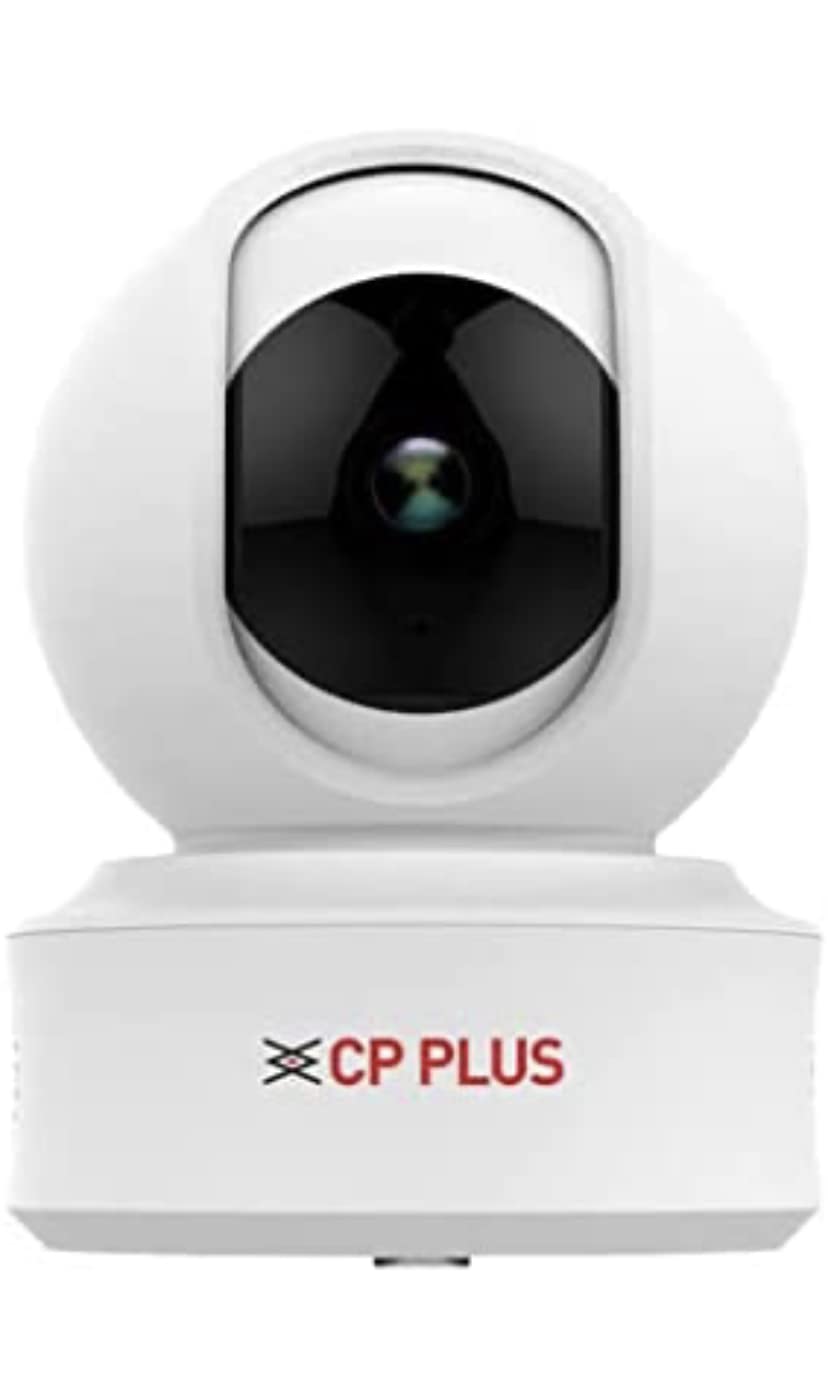
Figure 1: CP PLUS CP-E31A Wi-Fi PT Camera
This image displays the CP PLUS CP-E31A Wi-Fi PT Camera from a frontal perspective, highlighting its compact design and the prominent camera lens.


ചിത്രം 2: വിവിധ views of the CP PLUS CP-E31A Camera
These images provide different perspectives of the CP-E31A camera, including top, front, and side viewഎസ്, ഷോസിasing its design from multiple angles.
2. പാക്കേജ് ഉള്ളടക്കം
താഴെ പറയുന്ന ഇനങ്ങൾക്കായി ബോക്സ് ചെക്ക് ചെയ്യുക:
- CP PLUS CP-E31A Wi-Fi PT Camera Unit
- പവർ അഡാപ്റ്റർ
- മൗണ്ടിംഗ് ഹാർഡ്വെയർ (സ്ക്രൂകൾ, വാൾ പ്ലഗുകൾ)
- ഉപയോക്തൃ മാനുവൽ (ഈ പ്രമാണം)
3. ഉൽപ്പന്ന സവിശേഷതകളും സവിശേഷതകളും
The CP-E31A camera is equipped with advanced features for reliable surveillance:

Figure 3: Key Features of CP PLUS CP-E31A Camera
This image highlights the main technical specifications and features of the CP-E31A camera, including sensor type, lens, video compression, and smart assistant compatibility.
| ഫീച്ചർ | വിവരണം |
|---|---|
| മോഡലിൻ്റെ പേര് | CP PLUS CP E31A |
| ഇമേജ് സെൻസർ | 1/3" 3MP CMOS (0.84667cm) |
| ലെൻസ് | 3.6 മി.മീ |
| വീഡിയോ കംപ്രഷൻ | H.265 ഹൈ പ്രോfile |
| പരമാവധി ഫ്രെയിം നിരക്ക് | 25fps@3MP |
| IR ദൂരം | 15 മീറ്റർ |
| കണക്റ്റിവിറ്റി | വൈഫൈ (2.4GHz മാത്രം) |
| പവർ ഉറവിടം | കോർഡഡ് ഇലക്ട്രിക് |
| കൺട്രോളർ തരം | ആമസോൺ അലക്സ, ഗൂഗിൾ അസിസ്റ്റൻ്റ് |
| ഉപയോഗ പരിസ്ഥിതി | ഇൻഡോർ/ഔട്ട്ഡോർ |
| അളവുകൾ (LxWxH) | 15 x 8 x 8 സെൻ്റീമീറ്റർ |
| ഭാരം | 350 ഗ്രാം |
4. സജ്ജീകരണ ഗൈഡ്
4.1 ഫിസിക്കൽ ഇൻസ്റ്റലേഷൻ
The CP-E31A camera supports embedded mounting for secure placement.

Figure 4: Mounting Type and Included Components
This image illustrates the embedded mounting type for the CP-E31A camera and confirms that an adapter is included for power.
- ഒരു ലൊക്കേഷൻ തിരഞ്ഞെടുക്കുക: ആവശ്യമുള്ളത് നൽകുന്ന അനുയോജ്യമായ ഒരു ഇൻഡോർ അല്ലെങ്കിൽ ഔട്ട്ഡോർ സ്ഥലം തിരഞ്ഞെടുക്കുക viewing angle and is within range of your Wi-Fi network. Ensure the surface is stable for mounting.
- മൗണ്ടിംഗ്: Use the provided mounting hardware to securely attach the camera to the chosen surface. The camera is designed for embedded mounting.
- പവർ കണക്ഷൻ: Connect the included power adapter to the camera's power input and then plug it into a standard electrical outlet. The camera will power on.
4.2 നെറ്റ്വർക്ക് കണക്ഷൻ (വൈ-ഫൈ)
A stable Wi-Fi internet connection is mandatory for mobile viewing and full functionality of the camera.

Figure 5: Wi-Fi Requirement for Mobile Viewing Context
This image shows the CP-E31A camera in a typical home environment, emphasizing its reliance on a Wi-Fi internet connection for remote mobile viewപ്രവർത്തനവും പ്രവർത്തനവും.
- ആപ്പ് ഡൗൺലോഡ് ചെയ്യുക: ഇതിനായി തിരയുക the official CP PLUS mobile application on your smartphone's app store (Google Play Store for Android or Apple App Store for iOS). Install the application.
- ഒരു അക്കൗണ്ട് സൃഷ്ടിക്കുക: ആപ്പ് തുറന്ന് സ്ക്രീനിലെ നിർദ്ദേശങ്ങൾ പാലിച്ച് പുതിയൊരു ഉപയോക്തൃ അക്കൗണ്ട് സൃഷ്ടിക്കുക അല്ലെങ്കിൽ നിങ്ങൾക്ക് ഇതിനകം ഒരു അക്കൗണ്ട് ഉണ്ടെങ്കിൽ ലോഗിൻ ചെയ്യുക.
- ഉപകരണം ചേർക്കുക: In the app, select the option to "Add Device" or "Add Camera." Follow the prompts to scan the QR code on your camera (if available) or manually select your camera model.
- വൈഫൈയിലേക്ക് കണക്റ്റുചെയ്യുക: The app will guide you through connecting the camera to your 2.4GHz Wi-Fi network. Ensure your phone is connected to the same Wi-Fi network during this process.
- ജോടിയാക്കൽ: Once connected, the camera will pair with your account. You can then name your camera and begin live viewing.
5. ക്യാമറ പ്രവർത്തിപ്പിക്കുക
5.1 മൊബൈൽ Viewഇംഗും നിയന്ത്രണവും
The CP-E31A camera is primarily controlled and viewed via its dedicated mobile application.
- തത്സമയം View: Open the CP PLUS app and select your camera to access the live video feed.
- Pan-Tilt Control: Use the directional controls within the app to remotely pan (horizontal movement) and tilt (vertical movement) the camera lens to adjust the viewing ഏരിയ.
- ടു-വേ ഓഡിയോ: If supported, use the microphone and speaker icons in the app to communicate through the camera.
- Recording and Snapshots: Capture video recordings or still images directly from the live view ഇൻ്റർഫേസ്.
- പ്ലേബാക്ക്: റെക്കോർഡ് ചെയ്ത foo ആക്സസ് ചെയ്യുകtage stored on a microSD card (if installed) or cloud storage (if subscribed) through the app's playback feature.
5.2 Smart Assistant Integration
The camera supports integration with Amazon Alexa and Google Assistant for voice control and smart home automation.
- കഴിവ്/പ്രവർത്തനം പ്രാപ്തമാക്കുക: In your Alexa or Google Home app, search for and enable the "CP PLUS" skill or action.
- അക്കൗണ്ട് ലിങ്ക് ചെയ്യുക: Link your CP PLUS account with your Amazon or Google account by following the on-screen instructions.
- ഉപകരണങ്ങൾ കണ്ടെത്തുക: Once linked, ask your smart assistant to "discover devices" or manually add the camera.
- വോയ്സ് കമാൻഡുകൾ: You can now use voice commands to view your camera feed on compatible smart displays (e.g., "Alexa, show me the living room camera") or perform other supported actions.
6. പരിപാലനം
- വൃത്തിയാക്കൽ: മൃദുവായതും ഉണങ്ങിയതുമായ തുണി ഉപയോഗിച്ച് ക്യാമറ ലെൻസും ബോഡിയും സൌമ്യമായി തുടയ്ക്കുക. കഠിനമായ രാസവസ്തുക്കളോ ഉരച്ചിലുകളോ ഉള്ള വസ്തുക്കൾ ഉപയോഗിക്കുന്നത് ഒഴിവാക്കുക.
- ഫേംവെയർ അപ്ഡേറ്റുകൾ: Regularly check the CP PLUS app for available firmware updates. Keeping your camera's firmware up-to-date ensures optimal performance, security, and access to new features.
- നെറ്റ്വർക്ക് സ്ഥിരത: Ensure your Wi-Fi network remains stable and strong for uninterrupted camera operation.
7. പ്രശ്നപരിഹാരം
| പ്രശ്നം | സാധ്യമായ പരിഹാരം |
|---|---|
| ക്യാമറ വൈഫൈയിലേക്ക് കണക്റ്റ് ചെയ്യുന്നില്ല |
|
| തത്സമയം ഇല്ല view or offline status |
|
| Camera not rotating (Pan-Tilt function) |
|
| മോശം ചിത്ര നിലവാരം |
|
8. വാറൻ്റിയും പിന്തുണയും
For product support, technical assistance, or warranty inquiries, please contact CP PLUS customer service.
- ഉപഭോക്തൃ പിന്തുണയുമായി ബന്ധപ്പെടുക: +91 9031221921
- Please have your product model number (CP-E31A) and purchase details ready when contacting support.
Note: Warranty terms and conditions may vary. Please refer to your purchase documentation or contact customer support for detailed warranty information.


