ആമുഖം
This user manual provides detailed instructions for the installation, operation, and maintenance of your Linkind Smart Edison Bulbs. These tunable white Wi-Fi bulbs offer convenient control via app, voice, or the included remote, enhancing your home lighting experience.
ശരിയായ പ്രവർത്തനക്ഷമതയും സുരക്ഷയും ഉറപ്പാക്കാൻ ഉപയോഗിക്കുന്നതിന് മുമ്പ് ദയവായി ഈ മാനുവൽ നന്നായി വായിക്കുക.
ബോക്സിൽ എന്താണുള്ളത്
- Linkind Smart Edison Bulbs (2x ST19/ST58)
- Remote Control (pre-paired)
- ഉപയോക്തൃ മാനുവൽ (ഈ പ്രമാണം)

പ്രധാനപ്പെട്ട സുരക്ഷാ വിവരങ്ങൾ
- മുന്നറിയിപ്പ്: Not for use with standard dimmer switches. Use only with the AiDot APP, voice control, or the provided remote control for dimming.
- Ensure power is OFF before installation or removal.
- ബൾബ് വേർപെടുത്തുകയോ പരിഷ്കരിക്കുകയോ ചെയ്യരുത്.
- ഇൻഡോർ ഉപയോഗത്തിന് മാത്രം അനുയോജ്യം.
- Avoid exposure to water or excessive humidity.
- നിർദ്ദിഷ്ട വോള്യത്തിനുള്ളിൽ പ്രവർത്തിക്കുകtagഇ ശ്രേണി (100-120V, 60Hz).
സജ്ജീകരണ ഗൈഡ്
1. ഫിസിക്കൽ ഇൻസ്റ്റലേഷൻ
- Ensure the power to the light fixture is turned OFF at the switch before installing the bulb.
- Carefully screw the Linkind Smart Edison Bulb into a standard E26 light socket. Do not overtighten.
- Turn the power ON at the switch. The bulb should light up.

2. AiDot App Installation & Pairing
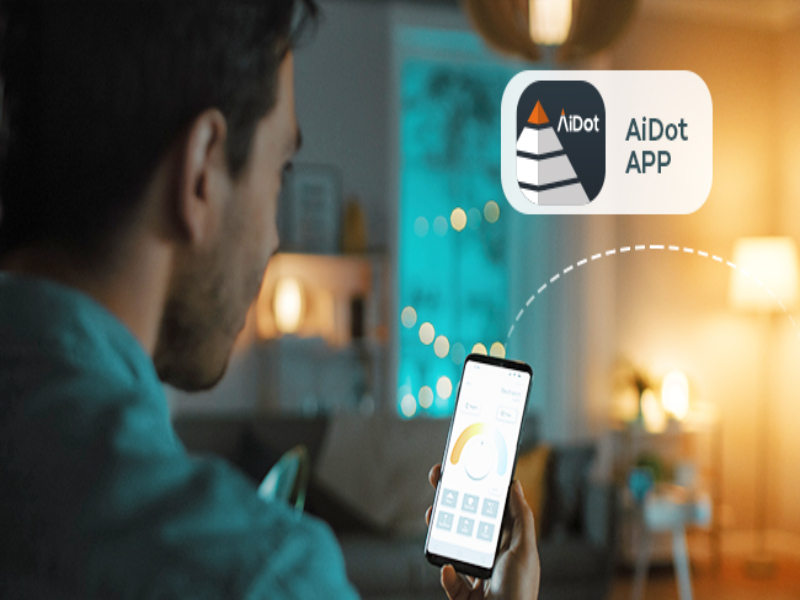
- ഡൗൺലോഡ് ചെയ്യുക AiDot APP ആപ്പ് സ്റ്റോറിൽ (iOS) നിന്നോ ഗൂഗിൾ പ്ലേ സ്റ്റോറിൽ (ആൻഡ്രോയിഡ്) നിന്നോ.
- Register or log in to your AiDot account.
- Ensure your mobile device is connected to a 2.4GHz Wi-Fi network. (5GHz networks are not supported for initial setup).
- In the AiDot APP, tap the "+" icon to add a new device.
- Select "Lighting & Control" then "Wi-Fi Light Bulb".
- Follow the on-screen instructions to put the bulb into pairing mode (usually by turning it off and on several times until it blinks).
- Confirm the bulb is blinking and proceed with the app's pairing process.
- Once detected, select your Wi-Fi network and enter the password.
- The bulb will connect to your Wi-Fi network. Once connected, you can rename the bulb and assign it to a room.

3. Remote Control Pairing (Pre-paired)
The included remote control is typically pre-paired with the bulbs. If re-pairing is needed, follow these steps:
- ബൾബ് ഓണാണെന്ന് ഉറപ്പാക്കുക.
- Press the remote control button three times quickly to enter pairing mode. The bulb will blink once to confirm successful pairing.
പ്രവർത്തന നിർദ്ദേശങ്ങൾ
1. Control via AiDot App
- ഓൺ/ഓഫ്: Tap the power icon next to the bulb in the app.
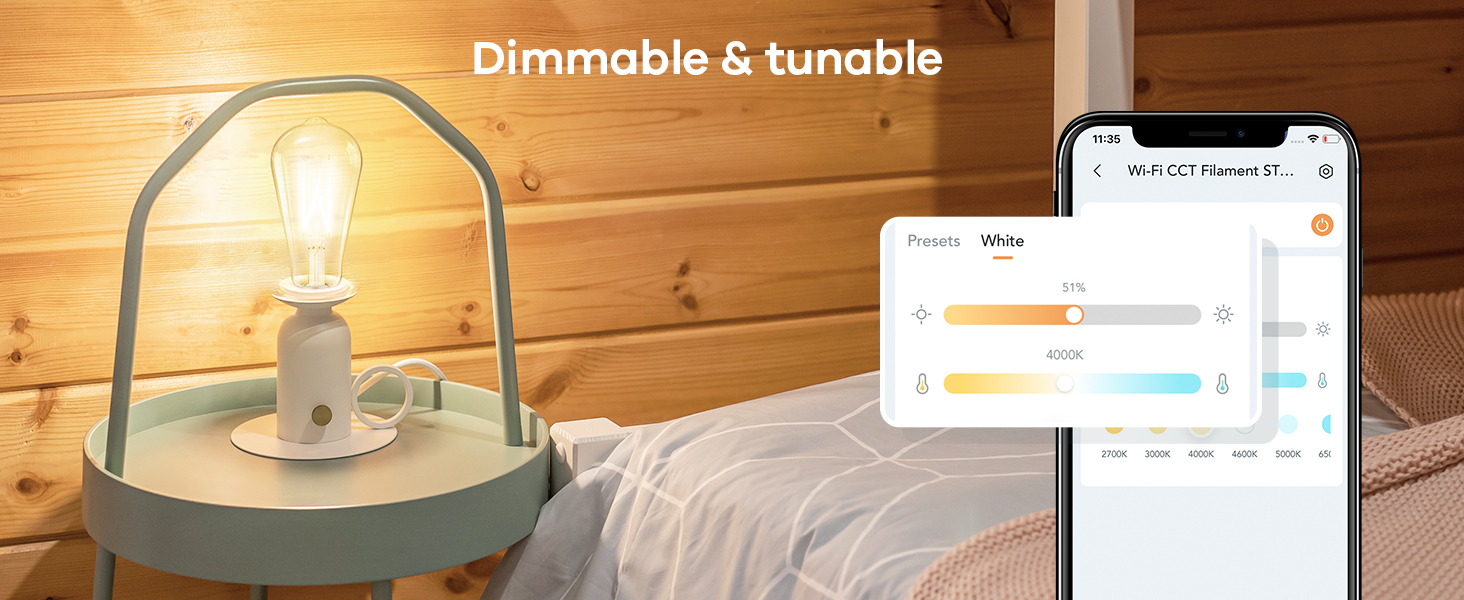
- മങ്ങുന്നു: Adjust the brightness slider from 1% to 100%.
- വർണ്ണ താപനില: Change the white light from warm (2700K) to cool (6500K) using the color temperature slider.
- Time Schedule: Set schedules for automatic turning on/off at specific times.
- ഗ്രൂപ്പ് നിയന്ത്രണം: Group multiple bulbs to control them simultaneously.
- പ്രീസെറ്റുകൾ: Utilize pre-set lighting scenes or create your own.


2. Control via Remote Control
- ഒറ്റ ക്ലിക്ക്: Turn the bulb ON or OFF.
- ഇരട്ട ഞെക്കിലൂടെ: Adjust the color temperature (cycles through warm, neutral, cool white).
- ലോംഗ് പ്രസ്സ്: Adjust brightness (dim or brighten continuously).

3. ശബ്ദ നിയന്ത്രണം (അലക്സാ & ഗൂഗിൾ ഹോം)
Once integrated with Alexa or Google Home, you can control your bulbs using voice commands. Ensure your AiDot account is linked to your smart assistant app.
- "Alexa, turn on the [Room Name] lights."
- "Hey Google, dim the [Bulb Name] to 50%."
- "Alexa, set [Bulb Name] to warm white."
മെയിൻ്റനൻസ്
- വൃത്തിയാക്കൽ: വൃത്തിയാക്കുന്നതിനുമുമ്പ് ബൾബ് ഓഫ് ചെയ്ത് തണുപ്പിച്ചിട്ടുണ്ടെന്ന് ഉറപ്പാക്കുക. മൃദുവായതും ഉണങ്ങിയതുമായ തുണി ഉപയോഗിച്ച് തുടയ്ക്കുക. ലിക്വിഡ് ക്ലീനറുകളോ ഉരച്ചിലുകളുള്ള വസ്തുക്കളോ ഉപയോഗിക്കരുത്.
- സംഭരണം: If storing the bulbs for an extended period, keep them in a cool, dry place away from direct sunlight.
- ഫേംവെയർ അപ്ഡേറ്റുകൾ: Periodically check the AiDot APP for firmware updates to ensure optimal performance and security.
ട്രബിൾഷൂട്ടിംഗ്
ബൾബ് ഓണാക്കുന്നില്ല
- Check if the light fixture switch is ON.
- ബൾബ് ശരിയായും സുരക്ഷിതമായും സ്ക്രൂ ചെയ്തിട്ടുണ്ടെന്ന് ഉറപ്പാക്കുക.
- Verify power to the fixture by testing with another working bulb.
Bulb Not Connecting to Wi-Fi / App
- Ensure your Wi-Fi network is 2.4GHz. These bulbs do not support 5GHz Wi-Fi.
- Check your Wi-Fi signal strength at the bulb's location. Move the router closer if necessary.
- Confirm you entered the correct Wi-Fi password.
- Try resetting the bulb to factory settings (turn off/on 5 times rapidly) and re-attempt pairing.
- Ensure Bluetooth is enabled on your phone for initial discovery.
റിമോട്ട് കൺട്രോൾ പ്രവർത്തിക്കുന്നില്ല
- Ensure the remote control is within the 98ft operating range of the bulb.
- Check the remote control's battery. Replace if necessary (1 Lithium Ion battery required).
- Re-pair the remote control with the bulb as described in the Setup section.
Flickering or Dimming Issues
- പ്രധാനപ്പെട്ടത്: These bulbs are NOT compatible with traditional dimmer switches. Using them with a dimmer switch can cause flickering and damage. Ensure the fixture is controlled by a standard ON/OFF switch.
- Check for electrical interference from other appliances.
സ്പെസിഫിക്കേഷനുകൾ
| ഫീച്ചർ | വിശദാംശങ്ങൾ |
|---|---|
| ബ്രാൻഡ് | ലിങ്കിൻഡ് |
| മോഡൽ | ST19 (ST58) |
| ലൈറ്റ് തരം | എൽഇഡി |
| വാട്ട്tage | 8 വാട്ട്സ് |
| ജ്വലിക്കുന്ന തുല്യത | 60 വാട്ട്സ് |
| തെളിച്ചം | 800 ല്യൂമെൻസ് |
| വർണ്ണ താപനില | 2700K-6500K (ട്യൂണബിൾ വൈറ്റ്) |
| മങ്ങിയത് | Yes (via App/Voice/Remote, NOT traditional dimmers) |
| ബൾബ് ബേസ് | E26 |
| വാല്യംtage | 100-120 വോൾട്ട്, 60 ഹെർട്സ് |
| കണക്റ്റിവിറ്റി | Wi-Fi (2.4GHz), ബ്ലൂടൂത്ത് |
| കൺട്രോളർ തരം | Google Assistant, Remote, Amazon Alexa, AiDot APP |
| ശരാശരി ജീവിതം | 25,000 മണിക്കൂർ |
| മെറ്റീരിയൽ | ഗ്ലാസ് |
| ഇൻഡോർ/ഔട്ട്ഡോർ ഉപയോഗം | ഇൻഡോർ |
വാറൻ്റി & പിന്തുണ
Linkind products come with a 1 വർഷത്തെ വാറൻ്റി വാങ്ങിയ തീയതി മുതൽ. സാധാരണ ഉപയോഗത്തിലുള്ള മെറ്റീരിയലുകളിലെയും വർക്ക്മാൻഷിപ്പുകളിലെയും വൈകല്യങ്ങൾ ഈ വാറന്റി ഉൾക്കൊള്ളുന്നു.
For technical support, troubleshooting assistance, or warranty claims, please contact Linkind Customer Service:
- ഫോൺ: 1-877-770-5727
- മണിക്കൂർ: തിങ്കൾ - വെള്ളി, രാവിലെ 9 - വൈകുന്നേരം 5 PST
- ഓൺലൈൻ പിന്തുണ: സന്ദർശിക്കുക Linkind Brand Store on Amazon പതിവുചോദ്യങ്ങൾക്കും അധിക ഉറവിടങ്ങൾക്കും.


