ആമുഖം
This instruction manual provides comprehensive guidance for installing and operating your BRIKSMAX LED Lighting Kit, specifically designed to illuminate the LEGO 75313 AT-AT building blocks model. This kit enhances the visual appeal of your model, bringing it to life with dynamic lighting effects. Please note that the LEGO 75313 AT-AT model itself is not included with this lighting kit.
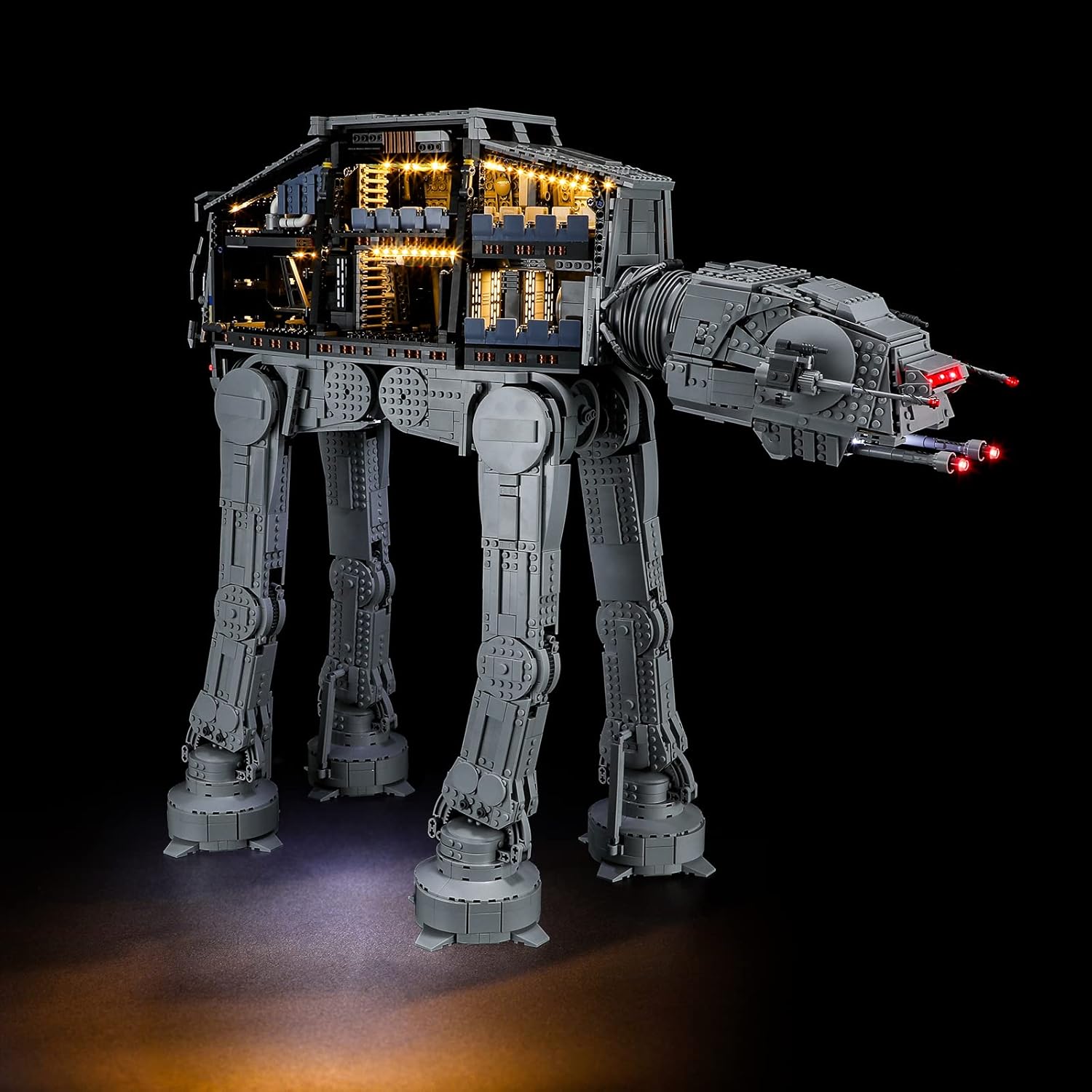
Image: The LEGO AT-AT model with the BRIKSMAX LED lighting kit installed, demonstrating the illuminated interior and glowing blaster cannons.
പാക്കേജ് ഉള്ളടക്കം
Before beginning installation, please verify that all components listed below are present in your BRIKSMAX LED Lighting Kit package. Refer to the image for visual confirmation of each item.

Image: A detailed layout of the kit's contents, including LED strips, connecting cables, expansion boards, and the battery box.
ഉൾപ്പെടുത്തിയ ഘടകങ്ങൾ:
- 4 x 30cm വൈറ്റ് ഡോട്ട് ലൈറ്റുകൾ
- 5 x 30cm Red Dot Lights
- 2 x 30cm Red Dot Lights (L)
- 1 x 30cm Large White Round Light
- 2 x Adhesive Light Strip Warm White
- 3 x Warm White Strip Lights (S)
- 6 x Adhesive Strip Light - Warm White
- 1 x Red Strip Lights (15cm)
- 3 x 6-പോർട്ട് എക്സ്പാൻഷൻ ബോർഡുകൾ
- 3 x 12-പോർട്ട് എക്സ്പാൻഷൻ ബോർഡുകൾ
- 3 x 5cm കണക്റ്റിംഗ് കേബിളുകൾ
- 8 x 15cm കണക്റ്റിംഗ് കേബിളുകൾ
- 3 x 30cm കണക്റ്റിംഗ് കേബിളുകൾ
- 2 x 50cm കണക്റ്റിംഗ് കേബിളുകൾ
- 1 x Multiple Function Boards
- 1 x 30cm USB പവർ കേബിൾ
- 3 x പശ ചതുരങ്ങൾ
- 4 x Block Part (Random Color)
- 4 x Block Part (Random Color)
- 1 x ട്വീസർ
- 1 x Building Block Type Battery Box (AA battery compatible)
സജ്ജീകരണവും ഇൻസ്റ്റാളേഷനും
The BRIKSMAX LED Lighting Kit is designed for straightforward installation. A detailed, step-by-step instruction manual is included in your package to guide you through the process. It is highly recommended to follow these instructions carefully, paying close attention to the visual diagrams provided.
പ്രധാന കുറിപ്പ്: Some users have reported that the visual instructions can be challenging to interpret at certain steps, particularly regarding wire routing. Take your time, examine the images closely, and consider the logical path for wires to ensure a clean and effective installation. The components are delicate and should be handled with care.
പൊതു ഇൻസ്റ്റാളേഷൻ ഘട്ടങ്ങൾ:
- Prepare Your LEGO Model: Ensure your LEGO 75313 AT-AT model is fully assembled and stable. You may need to partially disassemble certain sections to integrate the lighting components.
- ഘടകങ്ങൾ തിരിച്ചറിയുക: Match the components from your kit with the parts list and diagrams in the instruction manual.
- ഘട്ടം ഘട്ടമായുള്ള നിർദ്ദേശങ്ങൾ പാലിക്കുക: Proceed through the included manual, installing lights and routing cables as indicated. The manual will guide you on where to place each LED and how to connect them to the expansion boards and power source.
- പവർ ബന്ധിപ്പിക്കുക: Once all lights are installed and connected, attach the USB Power Cable or insert AA batteries into the Building Block Type Battery Box.
- ടെസ്റ്റ് പ്രവർത്തനം: Before reassembling any disassembled LEGO sections, test the lighting system to ensure all lights are functioning correctly.

ചിത്രം: ഉൾഭാഗം view of the AT-AT with installed lighting, highlighting the detailed illumination.
പ്രവർത്തന നിർദ്ദേശങ്ങൾ
Once the BRIKSMAX LED Lighting Kit is fully installed, operating it is simple.
വിളക്കുകൾ പ്രകാശിപ്പിക്കൽ:
- ബാറ്ററി ബോക്സ്: If using the Building Block Type Battery Box, ensure 3 AA batteries (not included) are correctly inserted. The battery box typically has an on/off switch to control the lights.
- USB പവർ കേബിൾ: Alternatively, connect the 30cm USB Power Cable to a compatible USB power source (e.g., a USB wall adapter, power bank, or computer USB port).
ബാറ്ററി ലൈഫ്: When powered by AA batteries, the lights can operate for approximately 12 hours before battery replacement is needed. For extended use, consider using the USB power option.

Image: A visual comparison showing the AT-AT model with the lights on and off, illustrating the impact of the lighting kit.
മെയിൻ്റനൻസ്
Proper maintenance will ensure the longevity and optimal performance of your BRIKSMAX LED Lighting Kit.
- ശ്രദ്ധയോടെ കൈകാര്യം ചെയ്യുക: The LED lights and thin connecting wires are delicate. Avoid excessive pulling, bending, or sharp folds, which can damage the internal wiring.
- പൊടിയിടൽ: Regularly dust your LEGO model and the installed lights using a soft brush or compressed air to prevent dust buildup from obscuring the light output.
- ഊർജ്ജ സ്രോതസ്സ്: If using batteries, remove them if the kit will not be used for an extended period to prevent leakage.
- വൃത്തിയാക്കൽ: Do not use liquid cleaners directly on the LED components or wiring. If necessary, gently wipe surfaces with a dry, soft cloth.
ട്രബിൾഷൂട്ടിംഗ്
If you encounter issues with your lighting kit, please refer to the following common troubleshooting steps:
- ലൈറ്റുകൾ ഓണാക്കുന്നില്ല:
- Check the power source: Ensure batteries are fresh and correctly inserted, or the USB cable is securely connected to a working power outlet.
- Verify all connections: Make sure all LED wires are firmly plugged into the expansion boards, and the expansion boards are connected to the main power source.
- Check the on/off switch on the battery box.
- ചില ലൈറ്റുകൾ പ്രവർത്തിക്കുന്നില്ല:
- Inspect the specific non-working LED and its connecting wire for any visible damage or loose connections.
- Ensure the wire is correctly inserted into the expansion board port. Try plugging it into a different port on the expansion board to rule out a faulty port.
- Instructions Difficult to Follow:
- While the included instructions are primarily visual, take your time to carefully analyze each step.
- Focus on the arrows and highlighted areas in the diagrams to understand wire routing.
- If a step remains unclear, try to infer the logical connection based on the overall design and the function of the lights.
ഈ ഘട്ടങ്ങൾ നിങ്ങളുടെ പ്രശ്നം പരിഹരിക്കുന്നില്ലെങ്കിൽ, കൂടുതൽ സഹായത്തിനായി ദയവായി BRIKSMAX ഉപഭോക്തൃ പിന്തുണയുമായി ബന്ധപ്പെടുക.
സ്പെസിഫിക്കേഷനുകൾ
| ഫീച്ചർ | വിശദാംശങ്ങൾ |
|---|---|
| ഉൽപ്പന്ന അളവുകൾ | 6.69 x 4.72 x 2.17 ഇഞ്ച് |
| ഇനത്തിൻ്റെ ഭാരം | 12 ഔൺസ് |
| മോഡൽ നമ്പർ | 75313 (for LEGO AT-AT) |
| നിർമ്മാതാവ് ശുപാർശ ചെയ്യുന്ന പ്രായം | 8 വർഷവും അതിൽ കൂടുതലും |
| നിർമ്മാതാവ് | ബ്രിക്സ്മാക്സ് |
| പവർ ഉറവിടം | 3 x AA Batteries (not included) or USB Power |
വാറൻ്റിയും പിന്തുണയും
BRIKSMAX is committed to providing high-quality products and excellent customer service. If you encounter any difficulties with your product, require assistance with installation, or have questions regarding its operation, please do not hesitate to contact us.
ബന്ധപ്പെടാനുള്ള വിവരങ്ങൾ:
- For support, please send us an email. We are dedicated to helping you solve any problems in a timely manner.
- ഉദ്യോഗസ്ഥനെ സന്ദർശിക്കുക ആമസോണിലെ BRIKSMAX സ്റ്റോർ കൂടുതൽ വിവരങ്ങൾക്കും ഉൽപ്പന്ന വാഗ്ദാനങ്ങൾക്കും.


