ആമുഖം
This manual provides instructions for the proper use and maintenance of your 1MORE Omthing AirFree Buds wireless earbuds. Please read this manual thoroughly before using the product to ensure optimal performance and longevity.
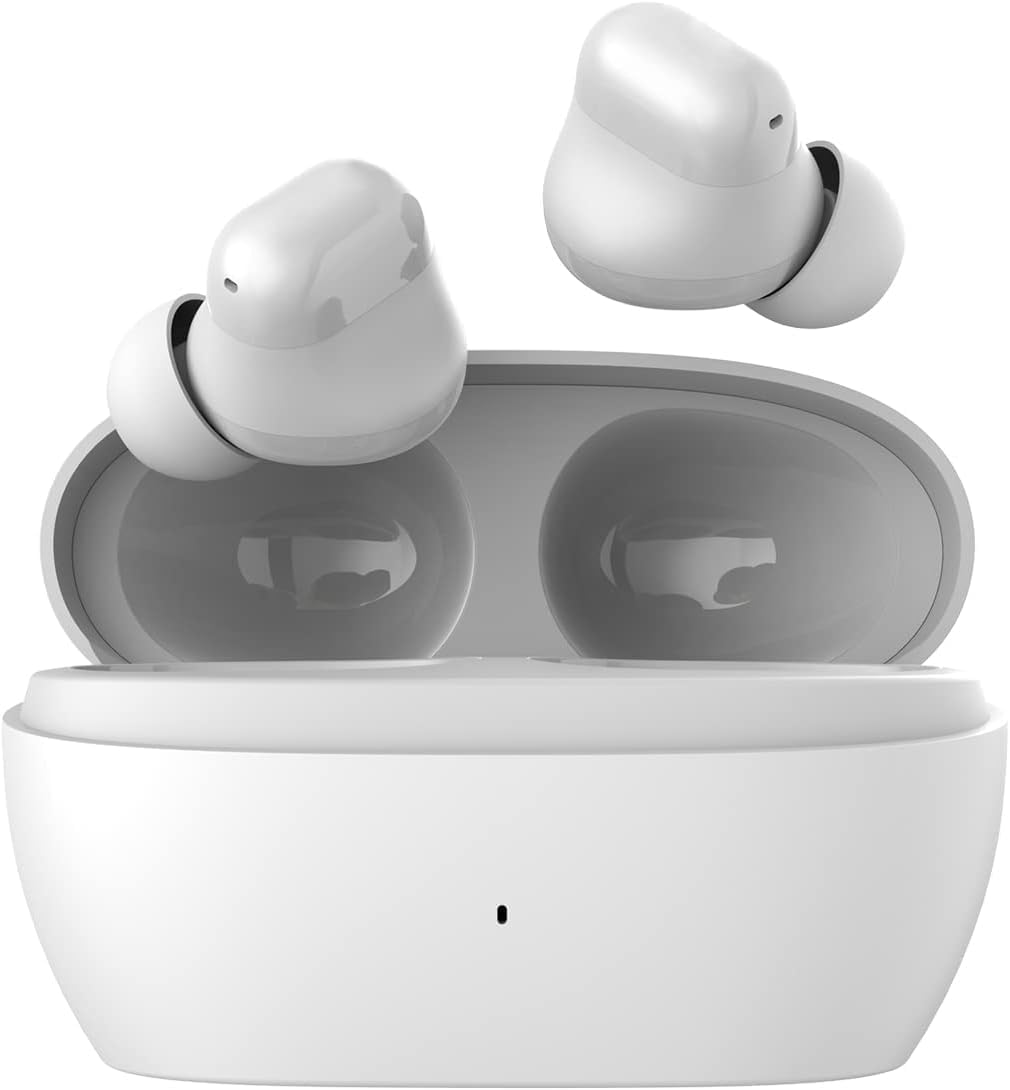
Image: The 1MORE Omthing AirFree Buds, white wireless earbuds, are shown resting inside their matching white charging case. The case is open, revealing the earbuds nestled in their charging slots.
പാക്കേജ് ഉള്ളടക്കം
നിങ്ങളുടെ പാക്കേജിൽ എല്ലാ ഇനങ്ങളും ഉണ്ടെന്ന് ഉറപ്പാക്കുക:
- 1MORE Omthing AirFree Buds (Left and Right Earbuds)
- ചാർജിംഗ് കേസ്
- യുഎസ്ബി ചാർജിംഗ് കേബിൾ
- ഉപയോക്തൃ മാനുവൽ (ഈ പ്രമാണം)
- ഇയർടിപ്പുകൾ (വിവിധ വലുപ്പങ്ങൾ)

Image: The front of the product box for the 1MORE Omthing AirFree Buds. The box is white with an orange accent, displaying the brand logo and an image of the earbuds.
സജ്ജമാക്കുക
1. ഇയർബഡുകളും കേസും ചാർജ് ചെയ്യുന്നു
Before first use, fully charge the earbuds and charging case. The charging case provides additional power for the earbuds on the go.
- ഇയർബഡ് പ്ലേടൈം: ഒറ്റ ചാർജിൽ 7 മണിക്കൂർ വരെ.
- കേസുള്ള ആകെ പ്ലേടൈം: 44 മണിക്കൂർ വരെ.
- കേസ് ചാർജിംഗ് സമയം: ഏകദേശം 165 മിനിറ്റ്.
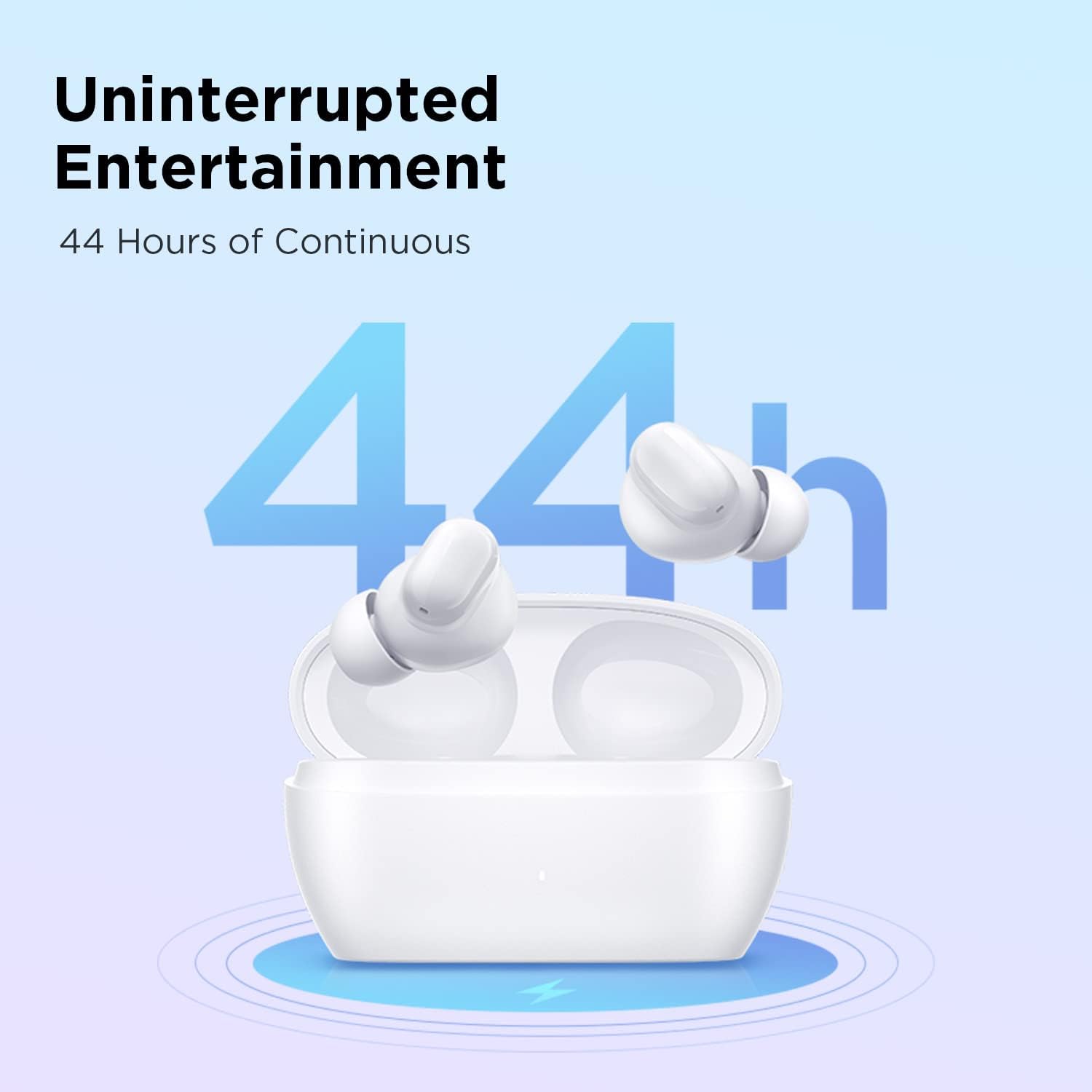
Image: A graphic showing the 1MORE Omthing AirFree Buds in their charging case, with a large "44h" indicating the total battery life. A charging symbol is visible below the case.
2. നിങ്ങളുടെ ഉപകരണവുമായി ജോടിയാക്കുന്നു
The AirFree Buds utilize Bluetooth 5.3 for a stable and efficient wireless connection.
- ചാർജിംഗ് കേസ് തുറക്കുക. ഇയർബഡുകൾ സ്വയമേവ ജോടിയാക്കൽ മോഡിലേക്ക് പ്രവേശിക്കും.
- നിങ്ങളുടെ ഉപകരണത്തിൽ (സ്മാർട്ട്ഫോൺ, ടാബ്ലെറ്റ് മുതലായവ), ബ്ലൂടൂത്ത് പ്രവർത്തനക്ഷമമാക്കുക.
- ഇതിനായി തിരയുക "omthing AirFree Buds" in the list of available Bluetooth devices.
- Select "omthing AirFree Buds" to connect. A confirmation sound will indicate successful pairing.

Image: A smartphone screen displaying the Bluetooth pairing interface, showing "omthing AirFree Buds" as an available device to connect. The earbuds in their open charging case are depicted below the phone.

Image: A stylized graphic of a microchip with "Bluetooth 5.3" prominently displayed, illustrating the advanced connectivity technology of the earbuds.
3. ഇയർബഡുകൾ ധരിക്കുന്നു
Choose the eartips that provide the best fit and seal for optimal sound quality and comfort. The earbuds are designed to be lightweight for extended wear.

Image: A selection of white, skin-friendly eartips in different sizes, designed for a comfortable and secure fit.

Image: Two white earbuds are depicted resting on soft white feathers, emphasizing their lightweight and comfortable design.
പ്രവർത്തന നിർദ്ദേശങ്ങൾ
ടച്ച് നിയന്ത്രണങ്ങൾ
The earbuds feature intuitive touch controls for managing playback and calls:
- പ്ലേ/താൽക്കാലികമായി നിർത്തുക: ഇയർബഡുകളിലൊന്നിൽ രണ്ടുതവണ ടാപ്പ് ചെയ്യുക.
- വോയ്സ് അസിസ്റ്റന്റ്: ഇയർബഡുകളിലൊന്നിൽ മൂന്ന് തവണ ടാപ്പ് ചെയ്യുക.
- ദീർഘനേരം അമർത്തുക (2 സെക്കൻഡ്): Function may vary based on settings (e.g., skip track, answer/reject call). Refer to the app for customization.
Adjustable EQ Modes
Customize your audio experience using the companion app. You can select from preset equalizer modes or create your own custom settings.
- Choose from 6 EQ presets (including Default).
- Set 2 custom equalizer profiles to match your preferred music genres.

Image: A smartphone screen displaying an equalizer interface within an app, allowing users to adjust audio frequencies for a personalized sound experience. Earbuds are shown on either side of the phone.
Smart Call Noise Cancellation
The earbuds are equipped with microphones and an advanced Deep Neural Network (DNN) algorithm to enhance call clarity by suppressing environmental noise and accurately capturing your voice.
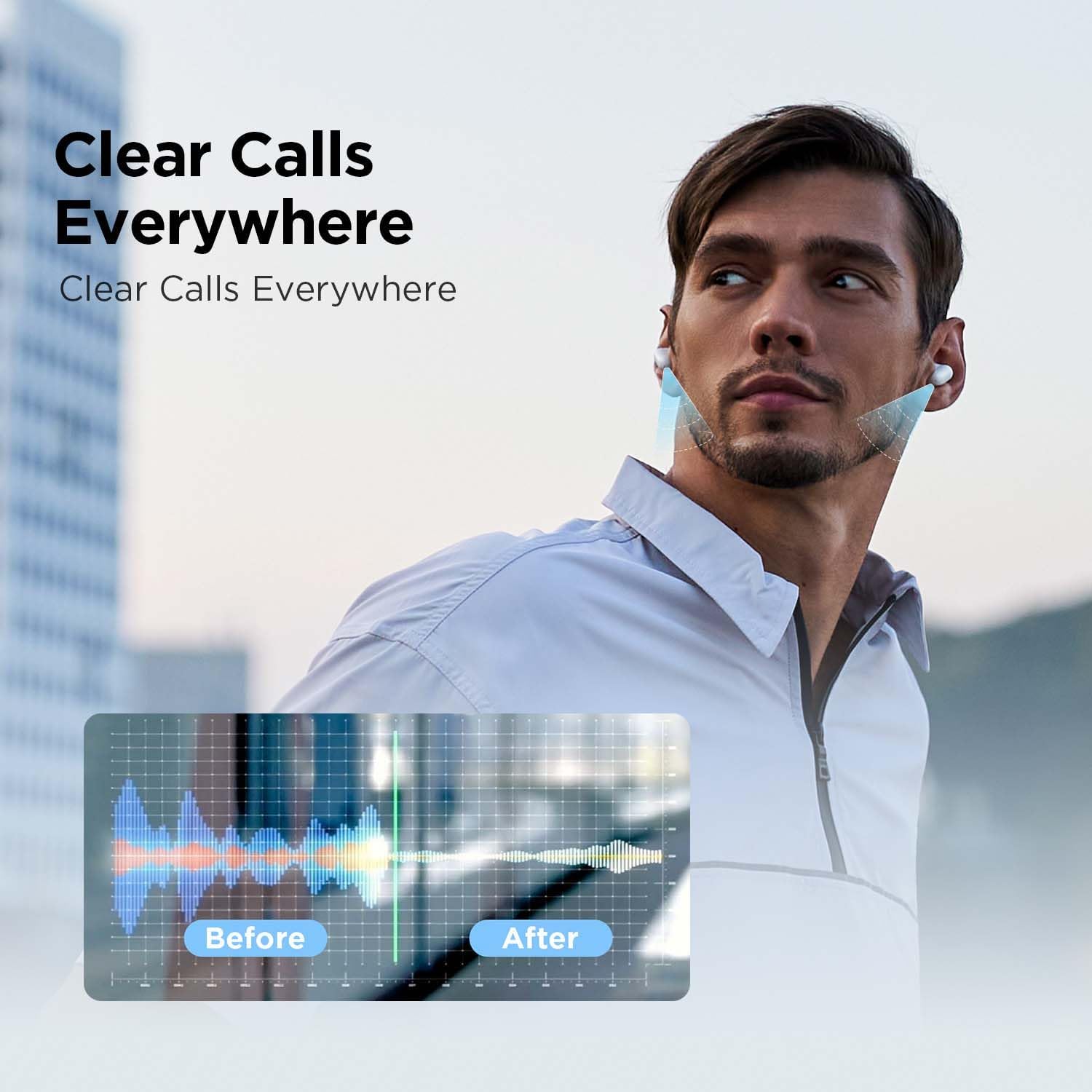
Image: A graphic demonstrating the effect of call noise cancellation. It shows a "Before" waveform with significant background noise and an "After" waveform with a clearer, more isolated voice signal.
മെയിൻ്റനൻസ്
To ensure the longevity and optimal performance of your AirFree Buds, follow these maintenance guidelines:
- വൃത്തിയാക്കൽ: ഇയർബഡുകളും ചാർജിംഗ് കെയ്സും മൃദുവായതും ഉണങ്ങിയതും ലിന്റ് രഹിതവുമായ തുണി ഉപയോഗിച്ച് പതിവായി തുടയ്ക്കുക. അബ്രാസീവ് ക്ലീനറുകളോ ലായകങ്ങളോ ഉപയോഗിക്കരുത്.
- ഇയർടിപ്പുകൾ: ഇടയ്ക്കിടെ ഇയർടിപ്പുകൾ നീക്കം ചെയ്ത് പരസ്യം ഉപയോഗിച്ച് വൃത്തിയാക്കുക.amp തുണി. വീണ്ടും ഘടിപ്പിക്കുന്നതിന് മുമ്പ് അവ പൂർണ്ണമായും ഉണങ്ങിയെന്ന് ഉറപ്പാക്കുക.
- ചാർജിംഗ് പോർട്ടുകൾ: Keep the charging contacts on the earbuds and inside the case clean and free of debris.
- സംഭരണം: ഉപയോഗത്തിലില്ലാത്തപ്പോൾ, പൊടിയിൽ നിന്നും കേടുപാടുകളിൽ നിന്നും സംരക്ഷിക്കാൻ ഇയർബഡുകൾ അവയുടെ ചാർജിംഗ് കേസിൽ സൂക്ഷിക്കുക.
- ജല പ്രതിരോധം: The earbuds feature IPX4 water resistance, meaning they are protected against splashing water from any direction. Do not submerge them in water or expose them to heavy rain.
ട്രബിൾഷൂട്ടിംഗ്
If you encounter issues with your AirFree Buds, try the following solutions:
- ശബ്ദമില്ല:
- ഇയർബഡുകൾ ചാർജ് ചെയ്തിട്ടുണ്ടെന്ന് ഉറപ്പാക്കുക.
- നിങ്ങളുടെ ഉപകരണത്തിലേക്കുള്ള ബ്ലൂടൂത്ത് കണക്ഷൻ പരിശോധിക്കുക.
- നിങ്ങളുടെ ഉപകരണത്തിലും ഇയർബഡുകളിലും വോളിയം ക്രമീകരിക്കുക.
- ജോടിയാക്കൽ പ്രശ്നങ്ങൾ:
- ഇയർബഡുകൾ ജോടിയാക്കൽ മോഡിലാണെന്ന് ഉറപ്പാക്കുക (കേസ് തുറക്കുക).
- നിങ്ങളുടെ ഉപകരണത്തിൽ ബ്ലൂടൂത്ത് ഓഫാക്കി ഓണാക്കുക.
- Forget "omthing AirFree Buds" from your device's Bluetooth list and re-pair.
- മറ്റ് ഉപകരണങ്ങളൊന്നും ഇയർബഡുകളുമായി ബന്ധിപ്പിച്ചിട്ടില്ലെന്ന് ഉറപ്പാക്കുക.
- ഒരു ഇയർബഡ് പ്രവർത്തിക്കുന്നില്ല:
- രണ്ട് ഇയർബഡുകളും ചാർജിംഗ് കെയ്സിൽ തിരികെ വയ്ക്കുക, ലിഡ് അടയ്ക്കുക, കുറച്ച് നിമിഷങ്ങൾ കാത്തിരിക്കുക, തുടർന്ന് വീണ്ടും തുറക്കുക.
- രണ്ട് ഇയർബഡുകളും ചാർജ്ജ് ചെയ്തിട്ടുണ്ടെന്ന് ഉറപ്പാക്കുക.
- മോശം കോൾ നിലവാരം:
- മൈക്രോഫോണുകൾ തടസ്സപ്പെട്ടിട്ടില്ലെന്ന് ഉറപ്പാക്കുക.
- സാധ്യമെങ്കിൽ ശാന്തമായ ഒരു അന്തരീക്ഷത്തിലേക്ക് മാറുക.
- നിങ്ങളുടെ ഫോണിലെ നെറ്റ്വർക്ക് സിഗ്നൽ ശക്തി പരിശോധിക്കുക.
- ചാർജിംഗ് പ്രശ്നങ്ങൾ:
- ചാർജിംഗ് കേബിൾ സുരക്ഷിതമായി ബന്ധിപ്പിച്ചിട്ടുണ്ടെന്ന് ഉറപ്പാക്കുക.
- മറ്റൊരു ചാർജിംഗ് കേബിളോ പവർ അഡാപ്റ്ററോ പരീക്ഷിച്ചുനോക്കൂ.
- ഇയർബഡുകളിലെയും കെയ്സിലെയും ചാർജിംഗ് കോൺടാക്റ്റുകൾ വൃത്തിയാക്കുക.
If problems persist, consult the 1MORE support webസൈറ്റ് അല്ലെങ്കിൽ ഉപഭോക്തൃ സേവനവുമായി ബന്ധപ്പെടുക.
സ്പെസിഫിക്കേഷനുകൾ
| ഫീച്ചർ | വിശദാംശങ്ങൾ |
|---|---|
| മോഡലിൻ്റെ പേര് | AirFree Buds |
| മോഡൽ നമ്പർ | എഒക്സനുമ്ക്സ |
| കണക്റ്റിവിറ്റി ടെക്നോളജി | വയർലെസ്സ് (ബ്ലൂടൂത്ത് 5.3) |
| ഓഡിയോ ഡ്രൈവർ തരം | 8 എംഎം ഡൈനാമിക് ഡ്രൈവർ |
| ഇയർബഡ് ബാറ്ററി ലൈഫ് | 7 മണിക്കൂർ വരെ |
| ആകെ പ്ലേടൈം (കേസിനൊപ്പം) | 44 മണിക്കൂർ വരെ |
| ചാർജിംഗ് സമയം (കേസ്) | ഏകദേശം 165 മിനിറ്റ് |
| ബ്ലൂടൂത്ത് ശ്രേണി | 10 മീറ്റർ |
| ശബ്ദ നിയന്ത്രണം | Smart Call Noise Cancellation |
| പ്രത്യേക സവിശേഷതകൾ | Adjustable EQ Modes, Built-in Voice Assistant, IPX4 Water Resistant |
| ഇനത്തിൻ്റെ ഭാരം | 0.08 കിലോഗ്രാം (2.82 ഔൺസ്) |
| നിർമ്മാതാവ് | 1MORE INC |
| യു.പി.സി | 190280000668 |
വാറൻ്റി വിവരങ്ങൾ
1MORE products are covered by a limited warranty. For detailed warranty terms and conditions, including coverage period and service procedures, please refer to the official 1MORE webസൈറ്റിൽ ബന്ധപ്പെടുക അല്ലെങ്കിൽ അവരുടെ ഉപഭോക്തൃ പിന്തുണയുമായി ബന്ധപ്പെടുക. വാറന്റി ക്ലെയിമുകൾക്കായി നിങ്ങളുടെ വാങ്ങിയതിന്റെ തെളിവ് സൂക്ഷിക്കുക.
ഉപഭോക്തൃ പിന്തുണ
For further assistance, technical support, or inquiries regarding your 1MORE Omthing AirFree Buds, please visit the official 1MORE support page or contact their customer service team. Contact information can typically be found on the 1MORE webസൈറ്റ്.
ഓൺലൈൻ ഉറവിടങ്ങൾ: www.1more.com


