ആമുഖം

Image: The WIKICO 4K 48MP Digital Vlogging Camera, showcasing its compact design and flip screen, ideal for vlogging and photography.
This manual provides comprehensive instructions for the operation, maintenance, and troubleshooting of your WIKICO 4K 48MP Digital Vlogging Camera (Model W02). Designed for ease of use, this camera offers high-resolution photography and video recording capabilities, making it ideal for vlogging, photography, and general use. Please read this manual thoroughly before using your camera to ensure proper function and longevity.
Key features include 4K video and 48MP photo resolution, 16X digital zoom, a 3.0-inch 180-degree flip screen, and support for external lenses like the included 52mm wide-angle and macro lenses. It also offers convenient features such as Wi-Fi connectivity, PC camera mode, HDMI output, and the ability to record while charging.
സജ്ജീകരണ ഗൈഡ്
1. അൺബോക്സിംഗും പാക്കേജ് ഉള്ളടക്കങ്ങളും
പെട്ടിയിൽ നിന്ന് എല്ലാ ഇനങ്ങളും ശ്രദ്ധാപൂർവ്വം അൺപാക്ക് ചെയ്യുക. എല്ലാ ഘടകങ്ങളും ഉണ്ടെന്ന് ഉറപ്പാക്കുക:
- ഡിജിറ്റൽ ക്യാമറ × 1
- Lithium-ion battery × 2
- Wide Lens × 1
- Macro Lens × 1
- USB കേബിൾ × 1
- ഉപയോക്തൃ മാനുവൽ × 1
- അഡാപ്റ്റർ × 1
- 32GB SD Card × 1
- ബാറ്ററി ചാർജർ × 1

Image: A visual representation of the WIKICO Digital Camera and its included accessories, such as the wide-angle lens, macro lens, USB cable, adapter, and user manual.

Image: WIKICO 4K HD Digital Camera showing its 180-degree flip screen and 16x digital zoom capability. This image illustrates the camera's design and key features.
2. ബാറ്ററി ഇൻസ്റ്റാളേഷനും ചാർജിംഗും
The camera uses NP-40 Lithium-ion batteries. Ensure the battery is fully charged before first use.
- ക്യാമറയുടെ അടിയിലുള്ള ബാറ്ററി കമ്പാർട്ട്മെന്റ് കവർ തുറക്കുക.
- Insert the battery, ensuring the correct orientation as indicated inside the compartment.
- ബാറ്ററി കമ്പാർട്ട്മെൻ്റ് കവർ സുരക്ഷിതമായി അടയ്ക്കുക.
- To charge, connect the camera to the adapter using the USB cable, or use the external battery charger for the spare battery. The red indicator light will turn off when charging is complete.
- The camera supports recording while charging, allowing for extended use when connected to a power source.
3. Memory Card Installation and Formatting
The camera supports Micro SD cards up to 128GB (Class 10 recommended).
- മെമ്മറി കാർഡ് സ്ലോട്ട് കണ്ടെത്തുക, സാധാരണയായി ബാറ്ററി കമ്പാർട്ടുമെന്റിന് സമീപം.
- സ്വർണ്ണ കോൺടാക്റ്റുകൾ താഴേക്ക് അഭിമുഖമായി വരുന്ന വിധത്തിൽ മൈക്രോ എസ്ഡി കാർഡ് ഇടുക, അങ്ങനെ അത് സ്ഥലത്ത് ക്ലിക്ക് ആകുന്നതുവരെ.
- For first-time use, it is recommended to format the memory card within the camera. Navigate to the camera's menu, find the "Format" option under "System Settings," and confirm. This prepares the card for optimal performance with your camera.
4. Attaching Lenses
Your camera comes with a detachable 52mm wide-angle lens and a macro lens.
- To attach the wide-angle lens, align it with the camera's main lens and gently twist clockwise until it is securely fastened.
- The macro lens can be used independently or attached to the wide-angle lens for extreme close-up shots.
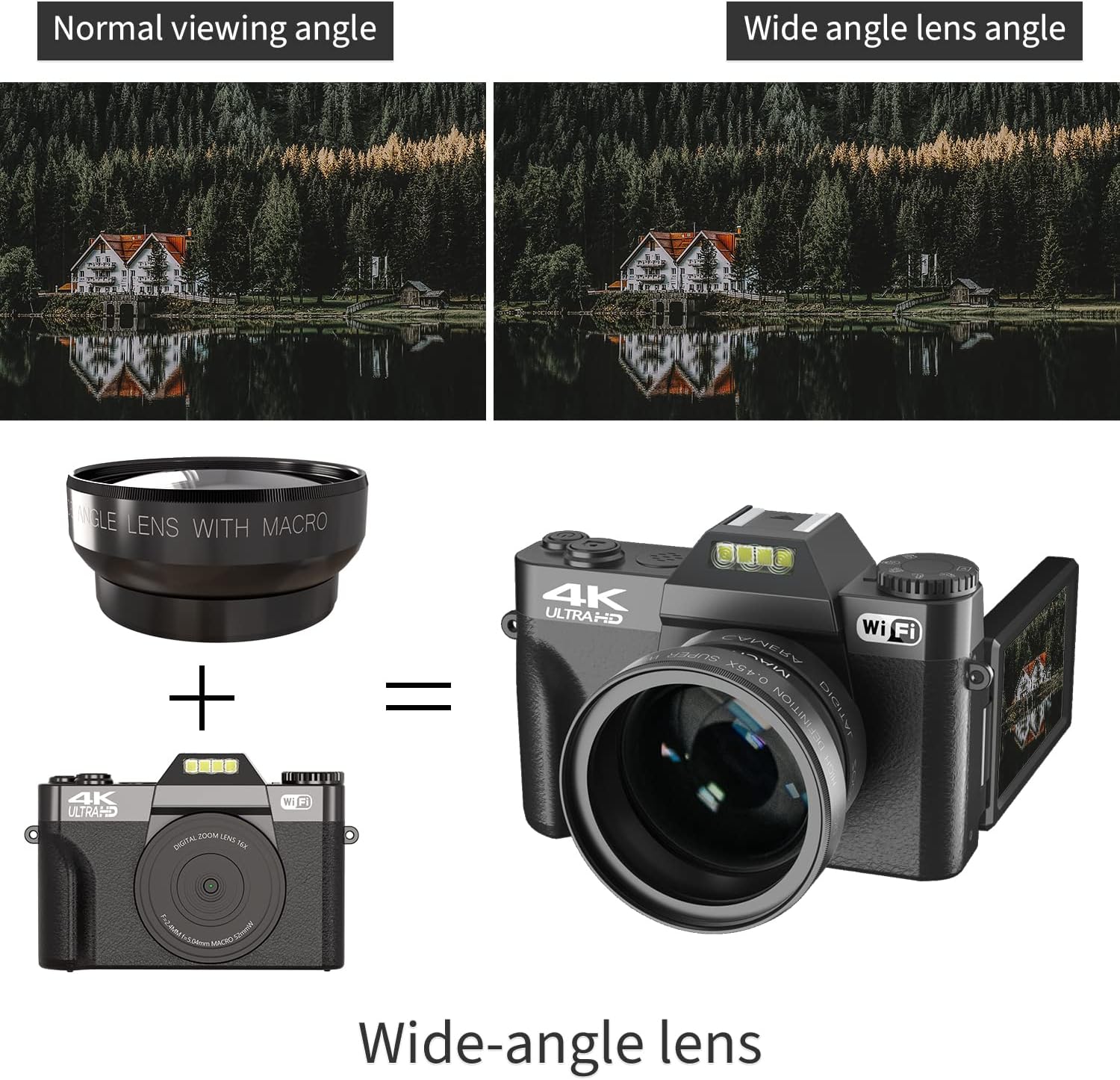
Image: The WIKICO Digital Camera demonstrating the attachment of the wide-angle lens, showing how it enhances the camera's field of view.
പ്രവർത്തന നിർദ്ദേശങ്ങൾ
1. പവർ ഓൺ/ഓഫ്
Press and hold the power button to turn the camera on or off. A "Welcome" message will appear upon startup, and "Goodbye" upon shutdown.
2. മോഡ് തിരഞ്ഞെടുക്കൽ
Use the mode dial on top of the camera to switch between different functions:
- ഫോട്ടോ മോഡ്: For capturing still images. Supports 48MP (interpolation) resolution.
- വീഡിയോ മോഡ്: For recording video. Supports 4K, 2.7K, FHD, and HD resolutions.
- ടൈം-ലാപ്സ് ഫോട്ടോഗ്രാഫി: Capture a series of images over time to create a time-lapse video.
- സ്ലോ മോഷൻ: Record video in slow motion.
- പ്ലേബാക്ക് മോഡ്: Review ഫോട്ടോകളും വീഡിയോകളും പിടിച്ചെടുത്തു.
3. ഫോട്ടോകളും വീഡിയോകളും ക്യാപ്ചർ ചെയ്യുന്നു
To capture a photo or start/stop video recording, press the shutter button. The camera features a 3.0-inch 180-degree flip screen, allowing you to easily frame yourself for vlogging or selfies.
- ഡിജിറ്റൽ സൂം: Use the zoom controls (W/T) to adjust the 16X digital zoom.
- സ്വയം-ടൈമർ: Set a delay (2S, 5S, 10S, 15S, 30S) before taking a photo.
- തുടർച്ചയായ ഷൂട്ടിംഗ്: ഒന്നിലധികം ഫോട്ടോകൾ വേഗത്തിൽ പകർത്തുക.
- Video Pause Function: During video recording, press the power button to pause and resume recording within the same file.
4. മാനുവൽ ഫോക്കസ്
The camera supports manual focus for precise control over sharpness, especially useful with the wide-angle and macro lenses.
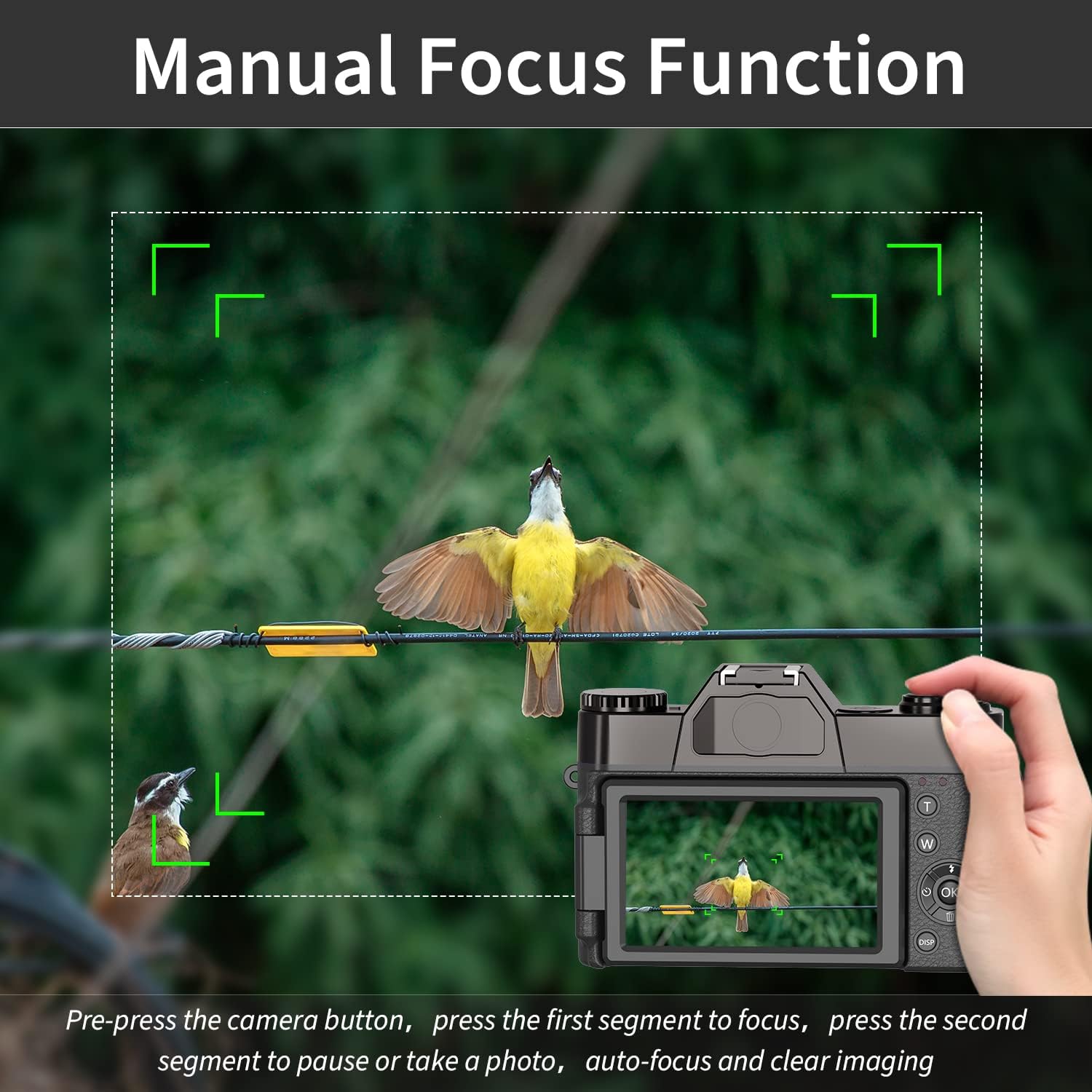
Image: An illustration of the manual focus function on the WIKICO Digital Camera, showing how to achieve sharp images by adjusting focus.
To manually focus, gently press the shutter button halfway down. The camera will display focus indicators. Adjust the focus ring on the lens (if applicable) or use the camera's controls until the subject is sharp, then fully press the shutter button to capture.
5. കണക്റ്റിവിറ്റി
- PC Connection (USB 2.0): Connect the camera to your computer using the provided USB cable. You will be prompted to select a mode:
- മാസ് സ്റ്റോറേജ് മോഡ്: Allows you to transfer photos and videos to your computer.
- PC Camera Mode: Use the camera as a webവീഡിയോ കോളുകൾക്കോ ലൈവ് സ്ട്രീമിംഗിനോ ഉള്ള ക്യാമറ.
- HDMI ഔട്ട്പുട്ട്: ഒരു HDMI കേബിൾ ഉപയോഗിച്ച് ക്യാമറ ഒരു HDTV-യിലേക്ക് ബന്ധിപ്പിക്കുക (ഉൾപ്പെടുത്തിയിട്ടില്ല) view നിങ്ങളുടെ ഫോട്ടോകളും വീഡിയോകളും ഒരു വലിയ സ്ക്രീനിൽ.
- Wi-Fi കണക്ഷൻ: The camera supports Wi-Fi connectivity. This allows for remote control via a smartphone app and easy transfer of files to your mobile device. Scan the QR code displayed on the camera screen to download the companion app.
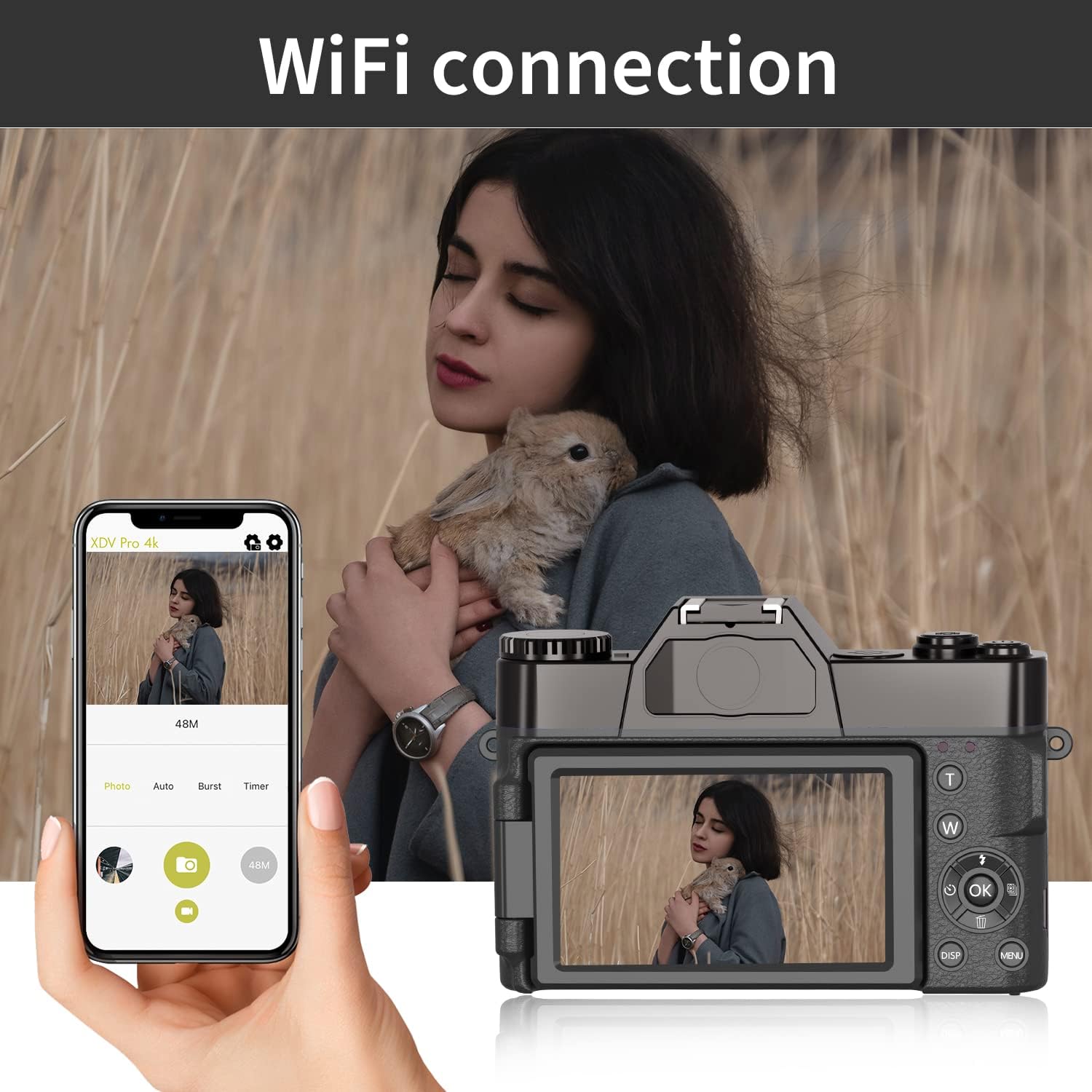
Image: The WIKICO Digital Camera connected via Wi-Fi to a smartphone, illustrating the remote control and file transfer capabilities through the dedicated app.
മെയിൻ്റനൻസ്
ശരിയായ അറ്റകുറ്റപ്പണി നിങ്ങളുടെ ക്യാമറയുടെ ദീർഘായുസ്സും മികച്ച പ്രകടനവും ഉറപ്പാക്കുന്നു.
- ക്യാമറ ബോഡി വൃത്തിയാക്കൽ: ക്യാമറ ബോഡി തുടയ്ക്കാൻ മൃദുവായതും ഉണങ്ങിയതുമായ തുണി ഉപയോഗിക്കുക. കഠിനമായ അഴുക്കിന്, ചെറുതായി dampതുണിയിൽ വെള്ളം ഒഴിക്കുക. കഠിനമായ രാസവസ്തുക്കളോ ലായകങ്ങളോ ഉപയോഗിക്കുന്നത് ഒഴിവാക്കുക.
- ലെൻസുകൾ വൃത്തിയാക്കൽ: പൊടി നീക്കം ചെയ്യാൻ ലെൻസ് ബ്രഷ് അല്ലെങ്കിൽ ബ്ലോവർ ഉപയോഗിക്കുക. കറകൾക്ക്, ഒരു പ്രത്യേക ലെൻസ് ക്ലീനിംഗ് ലായനിയും മൈക്രോ ഫൈബർ തുണിയും ഉപയോഗിക്കുക. നിങ്ങളുടെ വിരലുകൾ കൊണ്ട് ലെൻസ് പ്രതലത്തിൽ ഒരിക്കലും തൊടരുത്.
- ബാറ്ററി കെയർ: Store batteries in a cool, dry place when not in use. Avoid fully discharging batteries frequently. If storing for extended periods, charge them to about 50% capacity.
- സംഭരണം: When not in use, store the camera in a dry, dust-free environment, preferably in a camera bag or case to protect it from impacts and moisture.
ട്രബിൾഷൂട്ടിംഗ്
നിങ്ങളുടെ ക്യാമറയിൽ പ്രശ്നങ്ങൾ നേരിടുകയാണെങ്കിൽ, ഇനിപ്പറയുന്ന പൊതുവായ പ്രശ്നങ്ങളും പരിഹാരങ്ങളും പരിശോധിക്കുക:
| പ്രശ്നം | സാധ്യമായ കാരണം | പരിഹാരം |
|---|---|---|
| ക്യാമറ പവർ ഓൺ ചെയ്യുന്നില്ല. | ബാറ്ററി തീർന്നു അല്ലെങ്കിൽ തെറ്റായി ചേർത്തിരിക്കുന്നു. | Ensure battery is fully charged and correctly inserted. Try the second battery. |
| ഫോട്ടോകൾ/വീഡിയോകൾ എടുക്കാൻ കഴിയില്ല. | Memory card full, not inserted, or not formatted. | Check memory card. Delete unnecessary files, insert correctly, or format if new. |
| ചിത്രങ്ങൾ/വീഡിയോകൾ മങ്ങിയതാണ്. | Incorrect focus, dirty lens, or camera shake. | Ensure proper focus (manual focus if needed). Clean the lens. Hold the camera steady or use a tripod. |
| Power button lags. | Normal operation for startup/shutdown sequence. | Be patient; wait for "Welcome" or "Goodbye" message. |
| Camera gets warm during use. | Normal during extended operation, especially with video recording. | This is generally normal. If it becomes excessively hot, power off and let it cool down. |
സാങ്കേതിക സവിശേഷതകൾ
| ഫീച്ചർ | വിശദാംശങ്ങൾ |
|---|---|
| ഫോട്ടോ ഫോർമാറ്റ് | ജെ.പി.ജി |
| ഫോട്ടോ റെസല്യൂഷൻ | 3M, 5M, 8M, 12M, 20M, 24M, 30M, 48M (interpolation) |
| വീഡിയോ ഫോർമാറ്റ് | MP4 |
| വീഡിയോ റെസല്യൂഷൻ | 4K_3840X2160 (30FPS), 2.7K (30FPS), FHD_1920X1080P (60FPS), FHD_1920X1080P (30FPS), HD_1280x720P (120/60/30FPS) |
| ഡിസ്പ്ലേ സ്ക്രീൻ | 3.0 inch 180 degree flip screen |
| സംഭരണം | Micro SD card, up to 128GB / Class10 |
| ലെൻസ് | Fixed lens F/3.2, f=7.36mm; External lens: 52MM standard mount (Wide Angle & Macro included) |
| ഡിജിറ്റൽ സൂം | 16x ഡിജിറ്റൽ സൂം |
| ബാഹ്യ മൈക്രോഫോൺ | പിന്തുണ |
| വൈറ്റ് ബാലൻസ് | Auto / Sunny / Cloudy / Incandescent / Fluorescent |
| എക്സ്പോഷർ നഷ്ടപരിഹാരം | –3.0EV~+3.0EV |
| സെൽഫി ടൈമർ | ഓഫ് / 2S / 5S / 10S / 15S / 30S |
| കമ്പ്യൂട്ടർ ഇൻ്റർഫേസ് | USB2.0 |
| HDMI | Support (HDMI cable not included) |
| ഓട്ടോ പവർ ഓഫ് | ഓഫ് / 3 മിനിറ്റ് / 5 മിനിറ്റ് / 10 മിനിറ്റ് |
| ഭാഷ | English (default), Spanish, Portuguese, Russian, Simplified Chinese, Traditional Chinese, German, Italian, French, Japanese, Korean, Thai |
| ശക്തി | Lithium-ion battery: NP-40 / 1500mAh (2 included) |
| Charging / Battery Life | 3H / 2H (approximate) |
| അളവുകൾ (ക്യാമറ) | 4.5in (L) × 1.7in (H) × 3in (W) |
| Weight (Camera with battery) | 0.57 പൗണ്ട് |
| മോഡൽ നമ്പർ | W02 |
പിന്തുണയും വാറൻ്റിയും
WIKICO is committed to providing excellent customer support for its products.
ഉപഭോക്തൃ പിന്തുണ
If you have any questions, require assistance, or encounter any issues not covered in this manual, please do not hesitate to contact WIKICO customer service. We aim to provide the best solution within 24 hours.
For contact information, please refer to the product packaging or the official WIKICO webസൈറ്റ്.
വാറൻ്റി വിവരങ്ങൾ
Specific warranty details are typically provided with your product packaging or can be found on the official WIKICO webസൈറ്റ്. വാറന്റി ക്ലെയിമുകൾക്കായി നിങ്ങളുടെ വാങ്ങലിന്റെ തെളിവ് സൂക്ഷിക്കുക.


