1. ആമുഖം
This manual provides essential instructions for the safe and effective use of your JVC Gumy Mini True Wireless Earbuds (Model HAA6TW). Please read this manual thoroughly before using the product and retain it for future reference.
The JVC Gumy Mini True Wireless Earbuds are designed for comfortable listening with a compact and lightweight form factor. They feature Bluetooth 5.1 connectivity, up to 23 hours of total battery life with the charging case, and IPX4 water resistance, making them suitable for various daily activities.
2. ബോക്സിൽ എന്താണുള്ളത്?
- JVC Gumy Mini True Wireless Earbuds (L/R)
- വയർലെസ് ചാർജിംഗ് കേസ്
- യുഎസ്ബി ചാർജിംഗ് കേബിൾ
- Multiple sizes of earpieces (S/M/L)

Image: Contents of the JVC Gumy Mini True Wireless Earbuds package.
3. ഉൽപ്പന്നം കഴിഞ്ഞുview

Image: JVC Gumy Mini True Wireless Earbuds (HAA6TW) in white, alongside their retail packaging.
പ്രധാന സവിശേഷതകൾ:
- ഒതുക്കമുള്ളതും ഭാരം കുറഞ്ഞതുമായ ഡിസൈൻ: Designed for a comfortable and secure fit.
- നീണ്ട ബാറ്ററി ലൈഫ്: ചാർജിംഗ് കേസ് ഉപയോഗിച്ച് മൊത്തം 23 മണിക്കൂർ വരെ പ്ലേബാക്ക്.
- IPX4 ജല പ്രതിരോധം: Resistant to splashes and sweat, suitable for workouts and light rain.
- ടച്ച് സെൻസർ നിയന്ത്രണങ്ങൾ: സംഗീത പ്ലേബാക്കിനും കോളുകൾക്കുമുള്ള അവബോധജന്യമായ നിയന്ത്രണം.
- യാന്ത്രിക കണക്ട്: ഇയർബഡുകൾ കെയ്സിൽ നിന്ന് നീക്കം ചെയ്യുമ്പോൾ സ്വയമേവ ഓണാകുകയും നിങ്ങളുടെ ഉപകരണത്തിലേക്ക് കണക്റ്റ് ചെയ്യുകയും ചെയ്യുന്നു.
- 3 Sound Modes: Choose between Normal, Bass, or Clear sound profiles.

Image: Illustration of the small and ultra-lightweight design of the earbuds.

Image: Earbuds demonstrating touch sensor and auto on/off functionality.

Image: Earbuds illustrating stable wireless connectivity with various devices.
4. സജ്ജീകരണവും ജോടിയാക്കലും
പ്രാരംഭ ജോടിയാക്കൽ:
- Remove both earbuds from the charging case. The earbuds will automatically power on.
- The 'R' indicator on the right earbud will flash once every 5 seconds, and the 'L' indicator on the left earbud will flash repeatedly, indicating they are connected to each other and ready for pairing. A voice message will say "Pairing".
- നിങ്ങളുടെ ഉപകരണത്തിൽ (സ്മാർട്ട്ഫോൺ, ടാബ്ലെറ്റ് മുതലായവ), ബ്ലൂടൂത്ത് പ്രവർത്തനക്ഷമമാക്കി ലഭ്യമായ ഉപകരണങ്ങൾക്കായി തിരയുക.
- Select "JVC HA-A6T" from the list of available devices.
- Once connected, the 'L' and 'R' LEDs will flash every 5 seconds. The earbuds are now ready for use.
Video: Instructions on how to connect and reconnect JVC Gumy Mini True Wireless Earbuds, and how to restore them to default settings.
5. പ്രവർത്തന നിർദ്ദേശങ്ങൾ
ടച്ച് നിയന്ത്രണങ്ങൾ:
The earbuds feature touch-sensitive controls for various functions. Specific actions may vary slightly depending on your device and operating system.
- പ്ലേ/താൽക്കാലികമായി നിർത്തുക: ഇയർബഡുകളിൽ ഏതെങ്കിലുമൊന്നിൽ ഒറ്റ ടാപ്പ് ചെയ്യുക.
- അടുത്ത ട്രാക്ക്: വലതുവശത്തെ ഇയർബഡിൽ രണ്ടുതവണ ടാപ്പ് ചെയ്യുക.
- മുമ്പത്തെ ട്രാക്ക്: ഇടതുവശത്തെ ഇയർബഡിൽ രണ്ടുതവണ ടാപ്പ് ചെയ്യുക.
- ഉത്തരം/അവസാന കോൾ: ഇയർബഡുകളിൽ ഏതെങ്കിലുമൊന്നിൽ ഒറ്റ ടാപ്പ് ചെയ്യുക.
- കോൾ നിരസിക്കുക: ഏതെങ്കിലും ഇയർബഡിൽ 2 സെക്കൻഡ് അമർത്തിപ്പിടിക്കുക.
- വോയ്സ് അസിസ്റ്റന്റിനെ സജീവമാക്കുക: ഇയർബഡുകളിൽ ഏതെങ്കിലുമൊന്നിൽ മൂന്ന് തവണ ടാപ്പ് ചെയ്യുക.
ശബ്ദ മോഡുകൾ:
The earbuds offer three distinct sound modes to enhance your listening experience:
- സാധാരണ: ബാലൻസ്ഡ് സൗണ്ട് പ്രോfile ദൈനംദിന ശ്രവണത്തിനായി.
- ബാസ്: കൂടുതൽ സമ്പന്നവും ശക്തവുമായ ശബ്ദത്തിനായി മെച്ചപ്പെടുത്തിയ ബാസ്.
- മായ്ക്കുക: Optimized for vocal clarity, ideal for podcasts or audiobooks.
To switch between sound modes, refer to your device's audio settings or the JVC app if available.

Image: Visual representation of the three available sound modes.
6. ചാർജിംഗ്
ഇയർബഡുകൾ ചാർജ് ചെയ്യുന്നു:
Place the earbuds into the charging case. The indicators on the earbuds will light up, confirming that charging has started. The earbuds will automatically power off when placed in the case.
കേസ് ചാർജ് ചെയ്യുന്നത്:
Connect the provided USB charging cable to the charging port on the case and to a USB power source. The LED indicators on the case will show the charging status. A full charge provides approximately 15.5 hours of additional battery life for the earbuds, totaling up to 23 hours of playback.
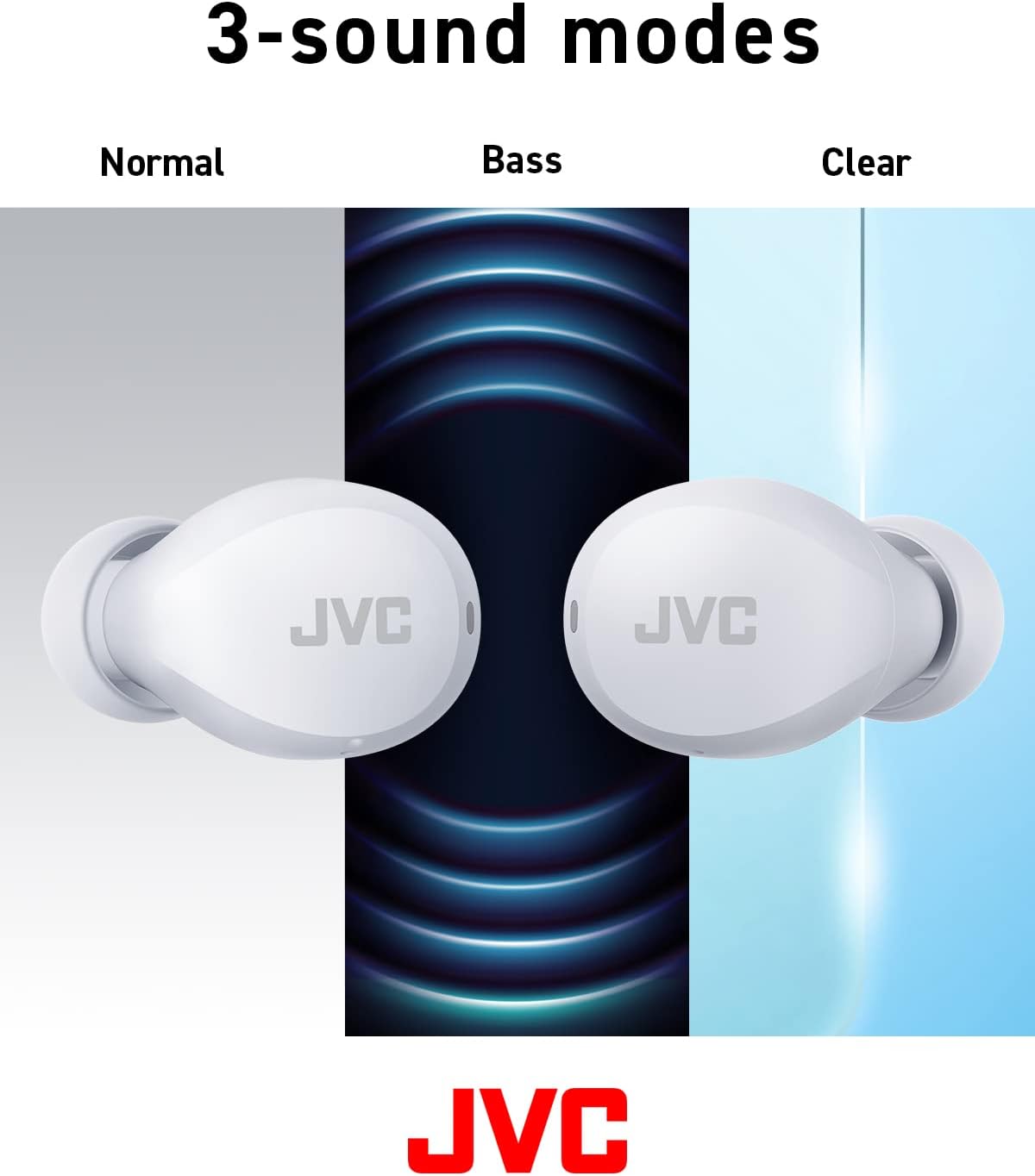
Image: Battery life breakdown for earbuds and charging case.
7. പരിപാലനവും പരിചരണവും
ജല പ്രതിരോധം (IPX4):
The JVC Gumy Mini earbuds are rated IPX4, meaning they are resistant to splashing water from any direction. This makes them suitable for use during workouts or in light rain. However, they are not designed for submersion in water. Do not expose them to strong jets of water or prolonged immersion.

Image: Earbuds demonstrating sweat and splash-proof capabilities.
വൃത്തിയാക്കൽ:
- ഇയർബഡുകളും ചാർജിംഗ് കെയ്സും മൃദുവായതും ഉണങ്ങിയതുമായ തുണി ഉപയോഗിച്ച് തുടയ്ക്കുക.
- അബ്രാസീവ് ക്ലീനറുകൾ, ആൽക്കഹോൾ, കെമിക്കൽ ലായകങ്ങൾ എന്നിവ ഉപയോഗിക്കരുത്.
- ശരിയായ ചാർജിംഗ് ഉറപ്പാക്കാൻ ഇയർബഡുകളിലെയും കേസിലെയും ചാർജിംഗ് കോൺടാക്റ്റുകൾ പതിവായി വൃത്തിയാക്കുക.
8. പ്രശ്നപരിഹാരം
പൊതുവായ പ്രശ്നങ്ങൾ:
- ശബ്ദമില്ല/കുറഞ്ഞ ശബ്ദം: Check device volume, earbud placement, and ensure earbuds are charged.
- ഇയർബഡുകൾ ജോടിയാക്കുന്നില്ല: നിങ്ങളുടെ ഉപകരണത്തിൽ ബ്ലൂടൂത്ത് പ്രവർത്തനക്ഷമമാക്കിയിട്ടുണ്ടെന്നും ഇയർബഡുകൾ ജോടിയാക്കൽ മോഡിലാണെന്നും ഉറപ്പാക്കുക. ഇയർബഡുകൾ പുനഃസജ്ജീകരിക്കാൻ ശ്രമിക്കുക.
- ഇടവിട്ടുള്ള കണക്ഷൻ: Ensure no obstructions between earbuds and device. Move closer to your device.
Restoring to Default Settings:
If you experience persistent issues, restoring the earbuds to factory default settings may resolve them. Refer to the video below for detailed instructions.
Video: Detailed guide on how to connect, reconnect, and restore JVC Gumy Mini True Wireless Earbuds to their default settings.
9 സ്പെസിഫിക്കേഷനുകൾ
| ഫീച്ചർ | സ്പെസിഫിക്കേഷൻ |
|---|---|
| മോഡലിൻ്റെ പേര് | GUMY Mini (HAA6TW) |
| കണക്റ്റിവിറ്റി ടെക്നോളജി | ബ്ലൂടൂത്ത് 5.1 |
| ചെവി പ്ലേസ്മെൻ്റ് | ചെവിയിൽ |
| ജല പ്രതിരോധ നില | IPX4 (വാട്ടർ റെസിസ്റ്റൻ്റ്) |
| ബാറ്ററി ലൈഫ് (ഇയർബഡുകൾ) | 7.5 മണിക്കൂർ വരെ |
| ബാറ്ററി ലൈഫ് (കേസിനൊപ്പം) | 23 മണിക്കൂർ വരെ |
| ഓഡിയോ ഡ്രൈവർ തരം | ഡൈനാമിക് ഡ്രൈവർ |
| ഫ്രീക്വൻസി പ്രതികരണം | 20000 Hz |
| പ്രതിരോധം | 16 ഓം |
| നിയന്ത്രണ തരം | Voice Control, Touch Sensor |
| ഇനത്തിൻ്റെ ഭാരം | 3.36 ഔൺസ് |
| ഉൾപ്പെടുത്തിയ ഘടകങ്ങൾ | Headphones, Wireless Charging Case, Cable |
10. വാറണ്ടിയും പിന്തുണയും
For warranty information and customer support, please refer to the warranty card included with your product or visit the official JVC webസൈറ്റ്. ഏതെങ്കിലും വാറന്റി ക്ലെയിമുകൾക്ക് നിങ്ങളുടെ വാങ്ങലിന്റെ തെളിവ് സൂക്ഷിക്കുക.


