1. ആമുഖം
This manual provides comprehensive instructions for the Tatybo XW2 USB Gaming Headset. It covers product features, setup, operation, maintenance, and troubleshooting to ensure optimal performance and longevity of your headset. Please read this manual carefully before using the product.
2. പാക്കേജ് ഉള്ളടക്കം
പാക്കേജിൽ എല്ലാ ഇനങ്ങളും ഉണ്ടെന്ന് ഉറപ്പാക്കുക:
- Tatybo XW2 USB Gaming Headset (1 unit)
3. ഉൽപ്പന്ന സവിശേഷതകൾ
The Tatybo XW2 USB Gaming Headset is designed for an immersive gaming experience with advanced audio and communication capabilities.
3.1 Real 7.1 Surround Sound

Equipped with high-precision 50mm drivers, the headset delivers virtual 7.1 surround sound, providing clear audio, a vivid soundstage, and stunning positional accuracy for an immersive gaming experience. For full 7.1 surround sound functionality, drivers must be downloaded from the official Tatybo webസൈറ്റ്.
3.2 Light & Comfortable Design

The PC headphones feature ultra-soft and wide protein leather ear cups with memory foam padding for a snug fit. The adjustable headband and 90-degree rotatable earmuffs ensure comfort for various head sizes and allow the ear cups to rest comfortably on your neck when not in use.
3.3 Adjustable Noise-Cancelling Microphone

The 360° adjustable, high-sensitivity microphone utilizes omnidirectional noise reduction technology. This filters out most ambient noise, ensuring your voice is collected clearly for high-quality voice transmission during gaming or communication.
3.4 Durable Construction & LED Lighting

Constructed with a sturdy aluminum frame and a durable braided cord, the headset is designed to withstand daily use. Four distinct LED lighting effects are integrated to enhance your gaming environment.
4. സജ്ജീകരണ ഗൈഡ്
Follow these steps to set up your Tatybo XW2 USB Gaming Headset:
- ഹെഡ്സെറ്റ് ബന്ധിപ്പിക്കുക: Plug the USB connector of the Tatybo XW2 headset into an available USB port on your PC, laptop, PS4, or PS5 console. The headset is not compatible with PS4/PS5 controllers or Xbox One devices.
- Driver Installation (for 7.1 Surround Sound): For optimal 7.1 surround sound experience on PC, download and install the necessary drivers from the official Tatybo website. Without the drivers, the headset will function as a standard stereo headset.
- അനുയോജ്യത പരിശോധിക്കുക: The headset is compatible with PC, laptops, PS4, and PS5 consoles via their USB audio ports.
- ഹെഡ്സെറ്റ് ഫിറ്റ് ക്രമീകരിക്കുക: Place the headset on your head and adjust the headband for a comfortable and secure fit. Ensure the ear cups fully enclose your ears.
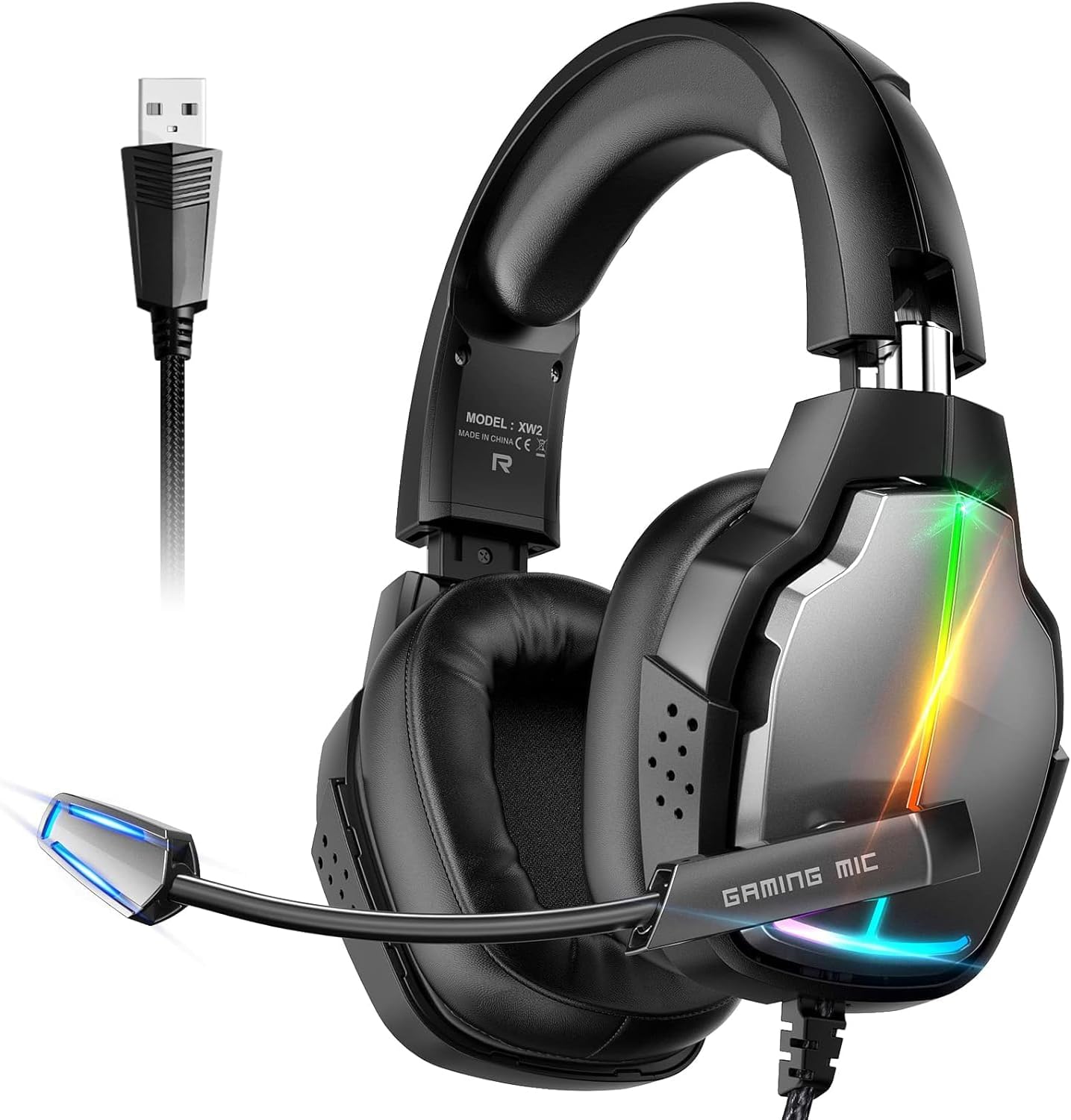
Image: Tatybo XW2 USB Gaming Headset with USB connection.

Image: Multi-platform compatibility overview.
5. പ്രവർത്തന നിർദ്ദേശങ്ങൾ
Learn how to use the key features of your Tatybo XW2 headset:
- മൈക്രോഫോൺ ഉപയോഗം: Adjust the flexible microphone boom to position the microphone near your mouth for clear voice pickup. The 360° adjustable design allows for precise positioning.
- വോളിയം നിയന്ത്രണം: Use the inline remote control to adjust the headset volume.
- മൈക്രോഫോൺ നിശബ്ദമാക്കുക: Use the inline remote control to mute or unmute the microphone as needed.
- LED ലൈറ്റിംഗ്: The headset features integrated LED lights that activate when connected. These lights enhance the gaming atmosphere.
6. പരിപാലനം
ശരിയായ പരിചരണം നിങ്ങളുടെ ഹെഡ്സെറ്റിന്റെ ആയുസ്സ് വർദ്ധിപ്പിക്കും:
- വൃത്തിയാക്കൽ: Use a soft, dry cloth to wipe down the ear cups and headband. Do not use harsh chemicals or abrasive cleaners.
- സംഭരണം: ഹെഡ്സെറ്റ് നേരിട്ട് സൂര്യപ്രകാശം ഏൽക്കാത്തതും ഉയർന്ന താപനില ഏൽക്കാത്തതുമായ ഒരു തണുത്ത വരണ്ട സ്ഥലത്ത് സൂക്ഷിക്കുക.
- കേബിൾ കെയർ: കേബിളിന് കേടുപാടുകൾ സംഭവിക്കാതിരിക്കാൻ മൂർച്ചയുള്ള വളവുകളോ അമിതമായി വലിക്കുന്നതോ ഒഴിവാക്കുക.
7. പ്രശ്നപരിഹാരം
നിങ്ങളുടെ ഹെഡ്സെറ്റിൽ പ്രശ്നങ്ങൾ നേരിടുകയാണെങ്കിൽ, ഇനിപ്പറയുന്ന പൊതുവായ പ്രശ്നങ്ങളും പരിഹാരങ്ങളും പരിശോധിക്കുക:
| പ്രശ്നം | സാധ്യമായ കാരണം | പരിഹാരം |
|---|---|---|
| ഹെഡ്സെറ്റിൽ നിന്ന് ശബ്ദമില്ല | Headset not properly connected; Volume too low; Incorrect audio output device selected. | Ensure USB cable is fully inserted. Increase volume using inline control or system settings. Select the headset as the default audio output device in your system's sound settings. |
| മൈക്രോഫോൺ പ്രവർത്തിക്കുന്നില്ല | മൈക്രോഫോൺ മ്യൂട്ട് ചെയ്തു; തെറ്റായ ഇൻപുട്ട് ഉപകരണം തിരഞ്ഞെടുത്തു; മൈക്രോഫോൺ ശരിയായി സ്ഥാപിച്ചിട്ടില്ല. | Check if the microphone is muted via the inline control. Select the headset microphone as the default input device in your system's sound settings. Adjust microphone boom closer to your mouth. |
| 7.1 സറൗണ്ട് സൗണ്ട് സജീവമല്ല | Drivers not installed (PC only); Software not configured. | Download and install the 7.1 surround sound drivers from the Tatybo website. Ensure the 7.1 feature is enabled in the driver software settings. |
| LED lights not on | Headset not powered; USB connection issue. | Ensure the headset is properly connected to a powered USB port. Try a different USB port. |
8 സ്പെസിഫിക്കേഷനുകൾ
Detailed technical specifications for the Tatybo XW2 USB Gaming Headset:
| മോഡലിൻ്റെ പേര് | XW2 |
| കണക്റ്റിവിറ്റി ടെക്നോളജി | Wired (USB Jack) |
| ഹെഡ്ഫോണുകൾ ജാക്ക് | USB |
| ഓഡിയോ ഡ്രൈവർ വലിപ്പം | 50 മില്ലിമീറ്റർ |
| ഫ്രീക്വൻസി റേഞ്ച് | 20 ഹെർട്സ് - 20,000 ഹെർട്സ് |
| ചെവി പ്ലേസ്മെൻ്റ് | ചെവിക്ക് മുകളിൽ |
| ശബ്ദ നിയന്ത്രണം | ആക്ടീവ് നോയ്സ് റദ്ദാക്കൽ (മൈക്രോഫോൺ) |
| മെറ്റീരിയൽ | Faux Leather (Earcups) |
| കേബിൾ സവിശേഷത | Braided, Retractable |
| അനുയോജ്യമായ ഉപകരണങ്ങൾ | PC, Laptop, PS4, PS5 (via USB audio ports) |
| ഇനത്തിൻ്റെ ഭാരം | 1.08 പൗണ്ട് |
| പാക്കേജ് അളവുകൾ | 8.62 x 7.95 x 4.02 ഇഞ്ച് |
9. വാറൻ്റിയും പിന്തുണയും
For warranty information and customer support, please refer to the documentation included with your purchase or visit the official Tatybo website. Drivers for 7.1 surround sound can also be found on the brand's webസൈറ്റ്.


