1. ആമുഖം
വാങ്ങിയതിന് നന്ദി.asing the Astrum KW340 Wireless Keyboard and Mouse Combo. This product is designed to provide a comfortable and efficient wireless input solution for your computer. It features a reliable 2.4GHz wireless connection, a low-profile keyboard with multimedia keys, and a precise optical mouse. This manual will guide you through the setup, operation, and maintenance of your new device.
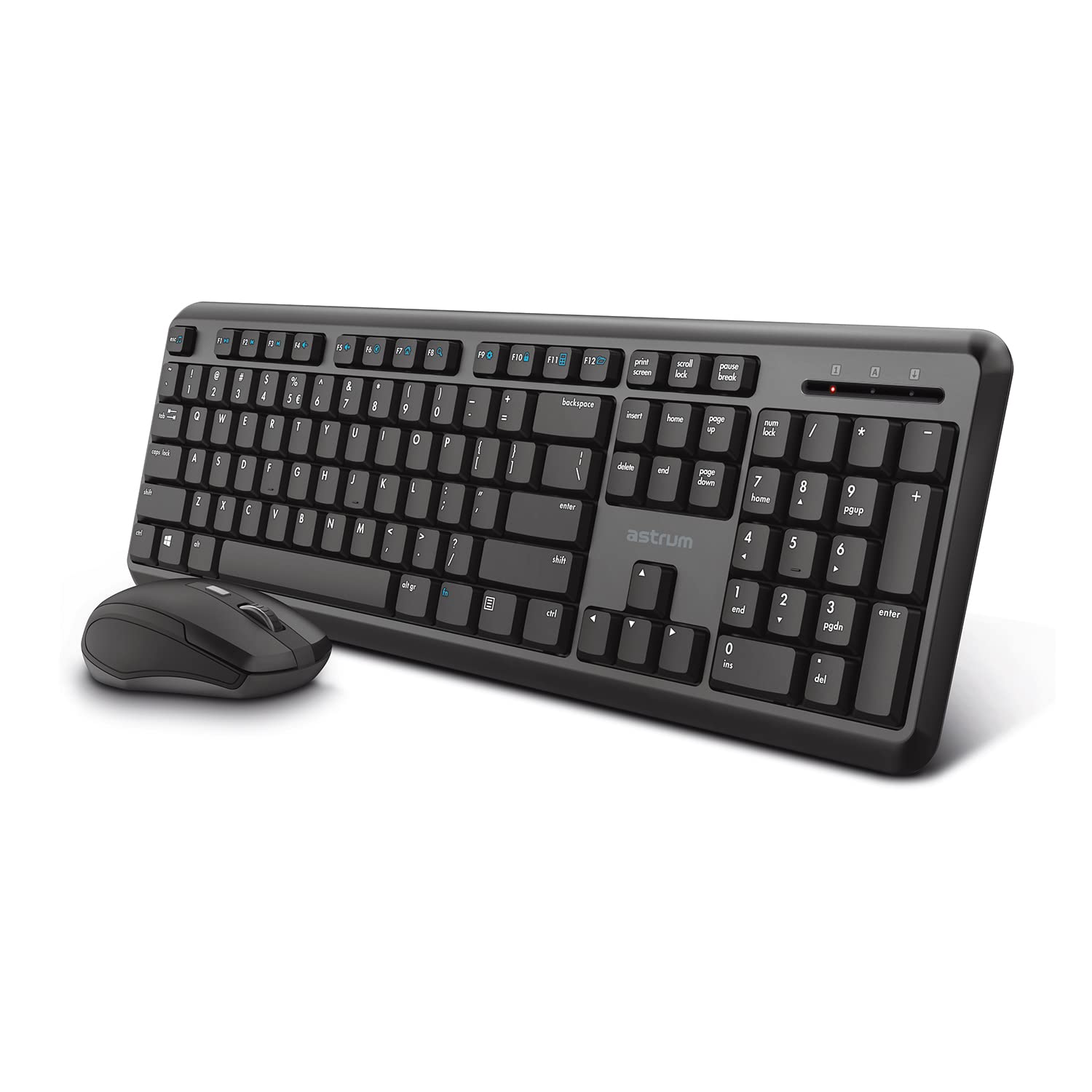
Image 1.1: The Astrum KW340 Wireless Keyboard and Mouse Combo. This image displays the full keyboard and mouse set, highlighting their compact and ergonomic design.
2. പാക്കേജ് ഉള്ളടക്കം
പാക്കേജിലെ ഉള്ളടക്കങ്ങൾ ശ്രദ്ധാപൂർവ്വം പരിശോധിക്കുക. എന്തെങ്കിലും ഇനങ്ങൾ നഷ്ടപ്പെട്ടിട്ടുണ്ടെങ്കിലോ കേടായിട്ടുണ്ടെങ്കിലോ, ദയവായി നിങ്ങളുടെ റീട്ടെയിലറെ ബന്ധപ്പെടുക.
- 1 x Astrum KW340 Wireless Keyboard
- 1 x Astrum Wireless Optical Mouse
- 1 x USB Nano Receiver (for both keyboard and mouse)
- 1 x ഉപയോക്തൃ മാനുവൽ (ഈ പ്രമാണം)
- Note: Batteries are not included and must be purchased separately (typically AA for keyboard, AAA for mouse, or as specified by the device).
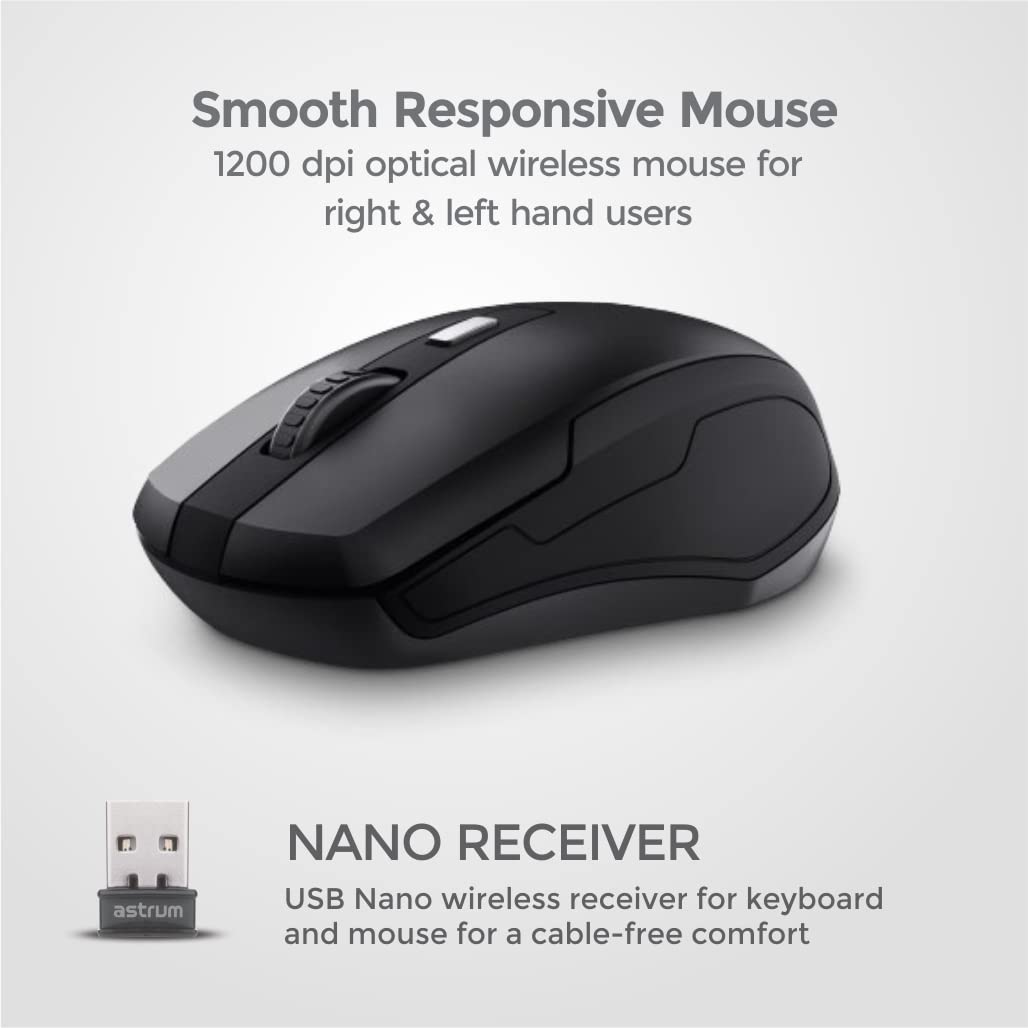
Image 2.1: The Astrum Wireless Mouse and USB Nano Receiver. This image shows the ergonomic wireless mouse and the compact USB receiver, which enables wireless connectivity for both devices.
3. സജ്ജീകരണ ഗൈഡ്
- ബാറ്ററികൾ ഇൻസ്റ്റാൾ ചെയ്യുക:
- കീബോർഡ്: Open the battery compartment on the underside of the keyboard. Insert the required batteries (e.g., 2 x AAA, not included) ensuring correct polarity (+/-). Close the compartment.
- മൗസ്: Open the battery compartment on the underside of the mouse. Insert the required batteries (e.g., 1 x AA, not included) ensuring correct polarity (+/-). Close the compartment.
- യുഎസ്ബി നാനോ റിസീവർ ബന്ധിപ്പിക്കുക: Locate the USB Nano receiver, usually stored within the mouse's battery compartment or packaged separately. Plug the receiver into an available USB port on your computer.
- പവർ ഓൺ: Turn on the keyboard and mouse using their respective power switches (if available, usually on the underside). The devices should automatically connect to your computer.
- ഡ്രൈവർ ഇൻസ്റ്റാളേഷൻ: Your operating system (Windows, Chrome OS, Linux) should automatically detect and install the necessary drivers. No manual driver installation is typically required.
- ടെസ്റ്റ് പ്രവർത്തനം: Open a text editor or browser to test the keyboard and move the mouse to check cursor movement.
4. പ്രവർത്തന നിർദ്ദേശങ്ങൾ
4.1 കീബോർഡ് പ്രവർത്തനങ്ങൾ
The Astrum KW340 keyboard features a standard 104-key QWERTY layout along with 13 multimedia keys for enhanced control.
- സ്റ്റാൻഡേർഡ് കീകൾ: എല്ലാ സ്റ്റാൻഡേർഡ് ആൽഫാന്യൂമെറിക്, ചിഹ്ന കീകളും പ്രതീക്ഷിച്ചതുപോലെ പ്രവർത്തിക്കുന്നു.
- മൾട്ടിമീഡിയ കീകൾ: Located at the top of the keyboard (F1-F12, etc.), these keys provide quick access to functions such as volume control, media playback, web browser, email, and more. Refer to the key legends for specific functions.
- ക്രമീകരിക്കാവുന്ന ആംഗിൾ: The keyboard includes sturdy tilt legs on the underside. Flip these out to adjust the typing angle for improved comfort.
- Silent Keystrokes: ടൈപ്പിംഗ് ശബ്ദം കുറയ്ക്കുന്നതിലൂടെ, നിശബ്ദമായ പ്രവർത്തനത്തിനായി രൂപകൽപ്പന ചെയ്തിരിക്കുന്നു.
- സ്പിൽ-റെസിസ്റ്റന്റ് ഡിസൈൻ: The keyboard features a spill-resistant design to help protect against accidental liquid spills. In case of a spill, immediately disconnect the keyboard and allow it to dry completely before reuse.

Image 4.1.1: Close-up of the Slim Wireless Keyboard. This image highlights the 104 classic QWERTY keys and 13 multimedia keys, emphasizing the slim profile.

Image 4.1.2: Ultra Silent Keystrokes feature. This image shows a finger pressing a key, illustrating the quiet operation of the keyboard.

Image 4.1.3: Spill-resistant design of the keyboard. This image depicts water splashing on the keyboard, demonstrating its resistance to accidental liquid spills.

Image 4.1.4: Adjustable angle and multi-OS support. This image shows the keyboard's tilt legs for ergonomic adjustment and icons for Windows, Linux, and Chrome OS compatibility.
4.2 മൗസ് പ്രവർത്തനങ്ങൾ
- ഇടത് ക്ലിക്ക്: തിരഞ്ഞെടുക്കലിനും സജീവമാക്കലിനുമുള്ള പ്രാഥമിക ബട്ടൺ.
- വലത് ക്ലിക്കിൽ: സന്ദർഭ മെനുകൾക്കും അധിക ഓപ്ഷനുകൾക്കുമുള്ള സെക്കൻഡറി ബട്ടൺ.
- സ്ക്രോൾ വീൽ: പ്രമാണങ്ങളിലൂടെ സ്ക്രോൾ ചെയ്യാൻ ഉപയോഗിക്കുന്നു കൂടാതെ web പേജുകൾ. ഒരു മിഡിൽ ക്ലിക്ക് ബട്ടണായും പ്രവർത്തിക്കാം.
- ഒപ്റ്റിക്കൽ സെൻസർ: Provides precise tracking with 1200 DPI resolution, suitable for both left and right-handed users.
5. പരിപാലനം
- വൃത്തിയാക്കൽ: കീബോർഡിന്റെയും മൗസിന്റെയും പ്രതലങ്ങൾ വൃത്തിയാക്കാൻ മൃദുവായതും ഉണങ്ങിയതുമായ തുണി ഉപയോഗിക്കുക. കഠിനമായ അഴുക്കിന്, അല്പം ഡി.amp ഉപകരണത്തിനുള്ളിൽ ദ്രാവകം പ്രവേശിക്കുന്നില്ലെന്ന് ഉറപ്പാക്കാൻ വീര്യം കുറഞ്ഞ സോപ്പുള്ള തുണി ഉപയോഗിക്കാം.
- ബാറ്ററി മാറ്റിസ്ഥാപിക്കൽ: Replace batteries when performance degrades or the low battery indicator (if present) illuminates. Always use fresh batteries of the specified type.
- സംഭരണം: When not in use for extended periods, turn off the devices and store them in a cool, dry place.
- ചോർച്ച മാനേജ്മെന്റ്: In case of liquid spills, immediately power off the device, remove batteries, and allow it to dry completely before attempting to use it again.
6. പ്രശ്നപരിഹാരം
| പ്രശ്നം | സാധ്യമായ കാരണം | പരിഹാരം |
|---|---|---|
| കീബോർഡ്/മൗസ് പ്രതികരിക്കുന്നില്ല |
|
|
| കഴ്സർ ചലനം മന്ദഗതിയിലായതോ ക്രമരഹിതമായതോ ആണ് |
|
|
| മൾട്ടിമീഡിയ കീകൾ പ്രവർത്തിക്കുന്നില്ല |
|
|
7 സ്പെസിഫിക്കേഷനുകൾ
| ബ്രാൻഡ് | Astrum |
| മോഡൽ നമ്പർ | KW340 (Internal Model: KB350) |
| കണക്റ്റിവിറ്റി | 2.4GHz വയർലെസ് (USB നാനോ റിസീവർ) |
| വയർലെസ് ശ്രേണി | 10 മീറ്റർ വരെ |
| കീബോർഡ് ലേഔട്ട് | 104 QWERTY Standard Keys + 13 Multimedia Keys |
| മൗസ് ഡിപിഐ | 1200 DPI Optical |
| പവർ ഉറവിടം | ബാറ്ററി പവർ (ബാറ്ററികൾ ഉൾപ്പെടുത്തിയിട്ടില്ല) |
| അനുയോജ്യമായ OS | Windows, Chrome OS, Linux |
| പ്രത്യേക സവിശേഷതകൾ | Spill-resistant design, Ergonomic, Silent Keystrokes, Adjustable Angle |
| ഇനത്തിൻ്റെ ഭാരം | 568 g (approximate, for the combo) |
| പാക്കേജ് അളവുകൾ | 44.2 x 14.2 x 1.75 സെ.മീ (ഏകദേശം) |
8. വാറൻ്റിയും പിന്തുണയും
The Astrum KW340 Wireless Keyboard and Mouse Combo comes with a 1-വർഷ പരിമിത വാറൻ്റി വാങ്ങിയ തീയതി മുതൽ. സാധാരണ ഉപയോഗത്തിലുള്ള നിർമ്മാണ വൈകല്യങ്ങളും പ്രവർത്തനക്ഷമതയും ഈ വാറന്റി ഉൾക്കൊള്ളുന്നു.
വാറൻ്റി ഉൾപ്പെടുന്നില്ല:
- അപകടം, ദുരുപയോഗം, ദുരുപയോഗം, വെള്ളപ്പൊക്കം, തീ, ഭൂകമ്പം അല്ലെങ്കിൽ മറ്റ് ബാഹ്യ കാരണങ്ങളാൽ ഉണ്ടാകുന്ന നാശനഷ്ടങ്ങൾ.
- Damage caused by operating the product outside the permitted or intended uses described by Astrum.
- Damage caused by service performed by anyone who is not an authorized representative of Astrum.
- Products or parts that have been modified to alter functionality or capability without the written permission of Astrum.
- Consumable parts, such as batteries, unless damage has occurred due to a defect in materials or workmanship.
For technical support or warranty claims, please contact Astrum customer service through their official website or the retailer where the product was purchased. Please have your proof of purchase ready.


