ആമുഖം
This manual provides essential information for setting up, operating, maintaining, and troubleshooting your Apple Watch Series 8 GPS 45mm. Designed for health monitoring, fitness tracking, and seamless connectivity, this smart watch integrates advanced technology to enhance your daily life. Please read this guide thoroughly to ensure proper use and to maximize your device's capabilities.

Image: The Apple Watch Series 8, featuring a Starlight Aluminum Case and a matching Starlight Sport Band. The always-on Retina display shows a classic watch face with additional information such as UV index, temperature, and activity rings.
ബോക്സിൽ എന്താണുള്ളത്
Upon unboxing your Apple Watch Series 8, verify that all the following components are present:
- Apple Watch Series 8 Case (45mm Starlight Aluminum)
- Starlight Sport Band (M/L size, fits 160–210mm wrists)
- 1m Magnetic Charging Cable (USB-C)

Image: A visual representation of the Apple Watch Series 8 packaging contents, showing the watch case, the sport band, and the USB-C magnetic fast charging cable.
സജ്ജമാക്കുക
1. നിങ്ങളുടെ ആപ്പിൾ വാച്ച് ചാർജ് ചെയ്യുന്നു
Before initial use, fully charge your Apple Watch. Connect the magnetic charging cable to the back of your watch and plug the USB-C end into a compatible power adapter (sold separately) or a USB-C port. The watch will display a charging indicator.
2. Attaching the Band
Slide the band pieces into the slots on the top and bottom of the Apple Watch case until you feel and hear a click. Ensure the band is securely fastened before wearing.
3. ഐഫോണുമായി ജോടിയാക്കൽ
- Ensure your iPhone is running the latest iOS version and has Bluetooth and Wi-Fi enabled.
- ആപ്പിൾ ലോഗോ ദൃശ്യമാകുന്നതുവരെ സൈഡ് ബട്ടൺ അമർത്തിപ്പിടിച്ച് നിങ്ങളുടെ ആപ്പിൾ വാച്ച് ഓണാക്കുക.
- നിങ്ങളുടെ ഐഫോൺ ആപ്പിൾ വാച്ചിന് സമീപം കൊണ്ടുവരിക. നിങ്ങളുടെ ഐഫോണിൽ ഒരു ജോടിയാക്കൽ സ്ക്രീൻ ദൃശ്യമാകും. 'തുടരുക' ടാപ്പ് ചെയ്യുക.
- നിങ്ങളുടെ ആപ്പിൾ വാച്ച് ദൃശ്യമാകുന്ന തരത്തിൽ നിങ്ങളുടെ ഐഫോൺ സ്ഥാപിക്കുക viewfinder of the Apple Watch app.
- Follow the on-screen instructions on both devices to complete the pairing process, including setting up a passcode and choosing your preferred settings.
നിങ്ങളുടെ ആപ്പിൾ വാച്ച് പ്രവർത്തിപ്പിക്കുന്നു
നാവിഗേഷനും നിയന്ത്രണങ്ങളും
- ഡിജിറ്റൽ കിരീടം: Rotate to scroll, zoom, or adjust values. Press once to go to the watch face or app launcher. Double-press to switch between recently used apps. Press and hold to activate Siri.
- സൈഡ് ബട്ടൺ: ഡോക്ക് (സമീപകാലത്ത് ഉപയോഗിച്ച ആപ്പുകൾ) തുറക്കാൻ ഒരിക്കൽ അമർത്തുക. എമർജൻസി SOS, മെഡിക്കൽ ഐഡി, പവർ ഓപ്ഷനുകൾ എന്നിവ ആക്സസ് ചെയ്യാൻ അമർത്തിപ്പിടിക്കുക. Apple Pay-യ്ക്കായി രണ്ടുതവണ അമർത്തുക.
- ടച്ച് ഡിസ്പ്ലേ: തിരഞ്ഞെടുക്കാൻ ടാപ്പ് ചെയ്യുക, നാവിഗേറ്റ് ചെയ്യാൻ സ്വൈപ്പ് ചെയ്യുക, അധിക ഓപ്ഷനുകൾക്കായി നിർബന്ധിച്ച് ടച്ച് ചെയ്യുക (പിന്തുണയ്ക്കുന്ന ആപ്പുകളിൽ).
ആരോഗ്യ സവിശേഷതകൾ
- രക്ത ഓക്സിജൻ ആപ്പ്: ആവശ്യാനുസരണം നിങ്ങളുടെ രക്തത്തിലെ ഓക്സിജന്റെ അളവ് അളക്കുക.
- ഇസിജി ആപ്പ്: Generate an electrocardiogram similar to a single-lead ECG.
- താപനില സെൻസിംഗ്: Provides retrospective ovulation estimates and advanced cycle tracking features.
- ഉറക്ക ട്രാക്കിംഗ്: Monitor your sleep stages (REM, Core, Deep) and overall sleep patterns.
- ഹൃദയമിടിപ്പ് നിരീക്ഷണം: Track your heart rate throughout the day and receive notifications for high, low, or irregular rhythms.
സുരക്ഷാ സവിശേഷതകൾ
- ക്രാഷ് ഡിറ്റക്ഷൻ: Automatically detects severe car crashes and connects you with emergency services.
- വീഴ്ച കണ്ടെത്തൽ: Detects hard falls and can initiate an emergency call if you are unresponsive.
- എമർജൻസി SOS: അടിയന്തര സേവനങ്ങളെ വേഗത്തിൽ വിളിക്കാനും നിങ്ങളുടെ അടിയന്തര കോൺടാക്റ്റുകളെ അറിയിക്കാനും സൈഡ് ബട്ടൺ അമർത്തിപ്പിടിക്കുക.
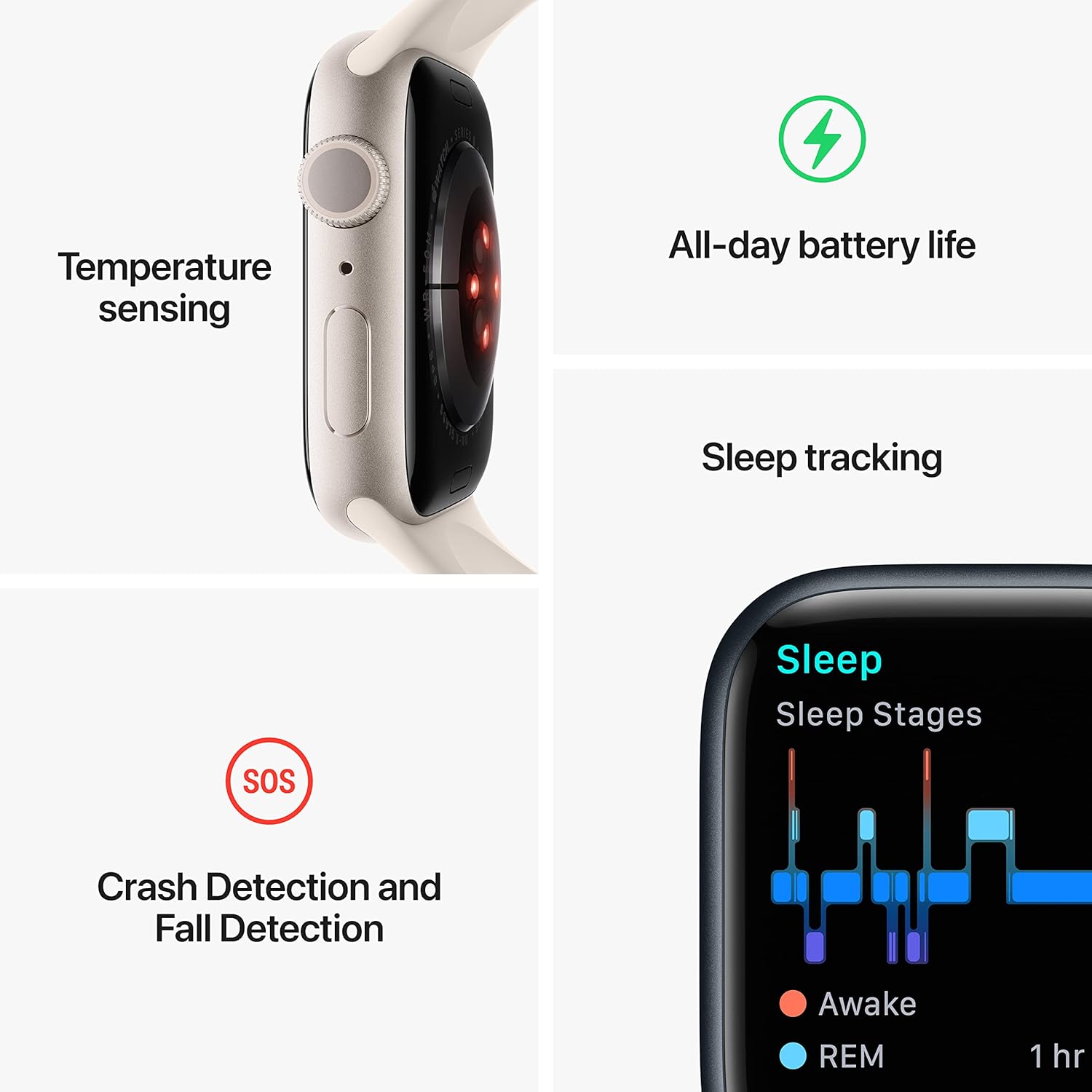
Image: A graphic illustrating key features of the Apple Watch Series 8: temperature sensing, all-day battery life, sleep tracking with sleep stages, and crash detection with fall detection.
ഫിറ്റ്നസ് ട്രാക്കിംഗ്
- വർക്ക്ഔട്ട് ആപ്പ്: Track various workouts with advanced metrics.
- പ്രവർത്തന വളയങ്ങൾ: Monitor your daily Move, Exercise, and Stand goals.
- ജിപിഎസ്: Built-in GPS for accurate tracking of outdoor activities without your iPhone.
കണക്റ്റിവിറ്റിയും ആശയവിനിമയവും
- കോളുകളും വാചകങ്ങളും: Make and receive calls and send messages directly from your wrist when connected to your iPhone or Wi-Fi.
- സിരി: വിവിധ ജോലികൾക്കായി വോയ്സ് കമാൻഡുകൾ ഉപയോഗിക്കുക.
- ആപ്പിൾ പേ: Make secure payments with a double-press of the side button.
- ആപ്പ് സ്റ്റോർ: Access and download thousands of apps directly on your watch.
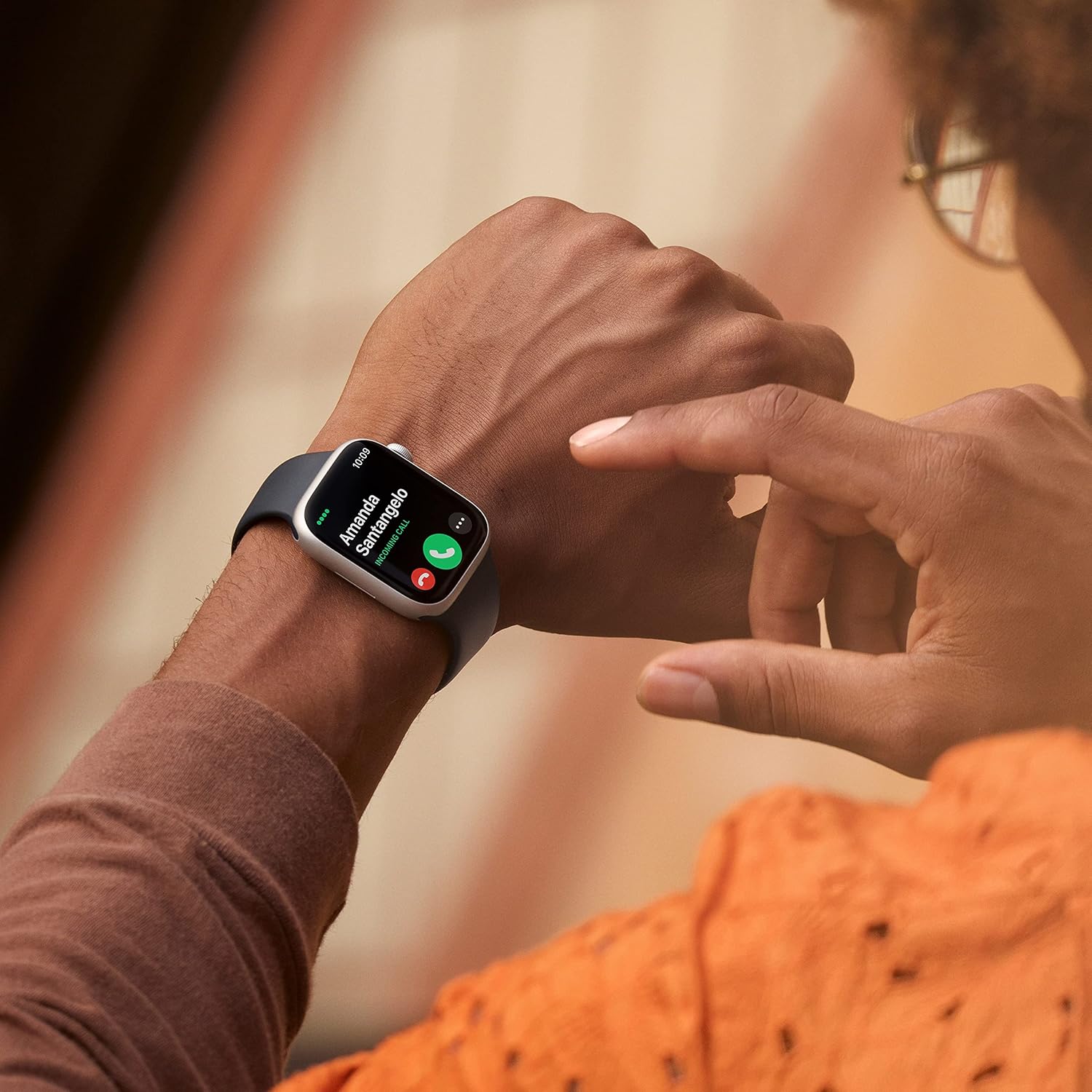
Image: A close-up of a person's wrist wearing an Apple Watch Series 8, displaying an incoming call from 'Amanda Santangelo' with options to accept or decline.
മെയിൻ്റനൻസ്
നിങ്ങളുടെ ആപ്പിൾ വാച്ച് വൃത്തിയാക്കുന്നു
Regularly clean your Apple Watch to maintain its appearance and functionality. Use a soft, lint-free cloth. If necessary, lightly dampen the cloth with fresh water. Avoid using soaps, cleaning products, abrasive materials, or compressed air. Ensure the watch is dry before charging or wearing.
ബാൻഡ് കെയർ
Clean your sport band with a non-abrasive, lint-free cloth. For deeper cleaning, you can use a mild, hypoallergenic hand soap and rinse thoroughly with fresh water. Allow the band to air dry completely before reattaching it to your watch.
സോഫ്റ്റ്വെയർ അപ്ഡേറ്റുകൾ
Keep your Apple Watch software updated to the latest version of watchOS for optimal performance, new features, and security enhancements. Updates can be managed through the Apple Watch app on your iPhone.
ട്രബിൾഷൂട്ടിംഗ്
Watch Not Turning On or Responding
- വാച്ച് ചാർജ് ചെയ്യുക: Ensure the watch is charged. Connect it to the magnetic charging cable and a power source for at least 30 minutes.
- നിർബന്ധിത പുനരാരംഭിക്കുക: Press and hold both the side button and the Digital Crown for at least 10 seconds, until you see the Apple logo.
ജോടിയാക്കൽ പ്രശ്നങ്ങൾ
- Check iPhone Settings: Ensure Bluetooth and Wi-Fi are enabled on your iPhone.
- ഉപകരണങ്ങൾ പുനരാരംഭിക്കുക: Restart both your iPhone and Apple Watch.
- Reset Apple Watch: If pairing fails repeatedly, you may need to erase your Apple Watch and try pairing again. (Go to Settings > General > Reset > Erase All Content and Settings on the watch).
ബാറ്ററി വേഗത്തിൽ തീർന്നു
- Check Battery Usage: In the Apple Watch app on your iPhone, go to My Watch > Battery to see which apps are consuming the most power.
- ക്രമീകരണങ്ങൾ ക്രമീകരിക്കുക: Reduce screen brightness, turn off Always-On Display if not needed, limit background app refresh, and disable unnecessary notifications.
- സോഫ്റ്റ്വെയർ അപ്ഡേറ്റ്: Ensure your watchOS is up to date.
സ്പെസിഫിക്കേഷനുകൾ
| മോഡൽ നമ്പർ | MNUQ3LL/A |
| ബ്രാൻഡ് | ആപ്പിൾ |
| സ്ക്രീൻ വലിപ്പം | 45 മില്ലിമീറ്റർ |
| ആകൃതി | സമചതുരം |
| ജിപിഎസ് | അന്തർനിർമ്മിത ജിപിഎസ് |
| ബാറ്ററി തരം | ലിഥിയം അയോൺ |
| വയർലെസ് കമ്മ്യൂണിക്കേഷൻ സ്റ്റാൻഡേർഡ് | 802.11n |
| കണക്റ്റിവിറ്റി ടെക്നോളജി | USB |
| പ്രത്യേക സവിശേഷതകൾ | ആക്റ്റിവിറ്റി ട്രാക്കർ, ഹൃദയമിടിപ്പ് മോണിറ്റർ, സ്ലീപ്പ് മോണിറ്റർ, രക്തത്തിലെ ഓക്സിജൻ |
| മെമ്മറി സ്റ്റോറേജ് കപ്പാസിറ്റി | 32 ജിബി |
| ഓപ്പറേറ്റിംഗ് സിസ്റ്റം | വാച്ച്ഒഎസ് |
| ഉൽപ്പന്ന അളവുകൾ | 1.73 x 0.42 x 1.5 ഇഞ്ച് |
| ഇനത്തിൻ്റെ ഭാരം | 1.28 ഔൺസ് |
വാറൻ്റിയും പിന്തുണയും
Your Apple Watch Series 8 is covered by Apple's standard limited warranty. For detailed warranty information, please refer to the documentation included with your product or visit the official Apple support website. Apple also provides extensive online support resources, including user guides, troubleshooting articles, and community forums. For technical assistance, contact Apple Support directly.
ഏറ്റവും കാലികമായ വിവരങ്ങൾക്കും പിന്തുണയ്ക്കും, ദയവായി സന്ദർശിക്കുക: സപ്പോർട്ട്.ആപ്പിൾ.കോം/വാച്ച്


