ആമുഖം
This manual provides detailed instructions for the installation, operation, and maintenance of your YESKAMO 360° Auto Tracking Camera, Model AP55. Please read this manual thoroughly before using the product to ensure correct usage and optimal performance. Keep this manual for future reference.

Image: The YESKAMO 360° Auto Tracking Camera, Model AP55, shown with a smartphone displaying its live monitoring capabilities.
പാക്കേജ് ഉള്ളടക്കം
Verify that all items listed below are included in your package. If any items are missing or damaged, please contact YESKAMO support.
- 1 x YESKAMO Outdoor Security Camera (Model AP55)
- 1 x UK Plug (Power Adapter)
- 1 x Quick User Manual
- 1 x Pouch of Screws (for mounting)
- 1 x Tag to Fix Camera (mounting template)
ഉൽപ്പന്നം കഴിഞ്ഞുview
Familiarize yourself with the components of your YESKAMO AP55 camera.

Image: Labeled diagram of the YESKAMO AP55 camera, highlighting Wi-Fi Antennas, Working Status Indicator, Floodlights, PIR Sensor, Lens, Microphone, Power Cable, Speaker, SD Card Slot, and Reset Button.
- വൈഫൈ ആന്റിനകൾ: വയർലെസ് നെറ്റ്വർക്ക് കണക്റ്റിവിറ്റിക്കായി.
- പ്രവർത്തന നില സൂചകം: Displays the camera's current operational status.
- ഫ്ലഡ്ലൈറ്റുകൾ: Provide illumination for color night vision and act as a deterrent.
- പിഐആർ സെൻസർ: Passive Infrared sensor for detecting human motion.
- ലെൻസ്: വീഡിയോ foo ക്യാപ്ചർ ചെയ്യുന്നുtage.
- മൈക്രോഫോൺ: ടു-വേ ഓഡിയോ ആശയവിനിമയത്തിന്.
- Power Cable (3m, USB 2.0): ക്യാമറയെ പവർ അഡാപ്റ്ററുമായി ബന്ധിപ്പിക്കുന്നു.
- സ്പീക്കർ: For two-way audio communication and siren alerts.
- SD കാർഡ് സ്ലോട്ട്: ലോക്കൽ വീഡിയോ സംഭരണത്തിനായി (128GB വരെ പിന്തുണയ്ക്കുന്നു, കാർഡ് ഉൾപ്പെടുത്തിയിട്ടില്ല).
- റീസെറ്റ് ബട്ടൺ: ഫാക്ടറി ക്രമീകരണങ്ങൾ പുനഃസ്ഥാപിക്കാൻ ഉപയോഗിക്കുന്നു.
സജ്ജമാക്കുക
1. ഫിസിക്കൽ ഇൻസ്റ്റലേഷൻ
The camera is designed for outdoor use and can be mounted on a wall or ceiling. Ensure the mounting location provides a clear view and is within Wi-Fi range.
- ഇൻസ്റ്റാളേഷന് അനുയോജ്യമായ സ്ഥലം തിരഞ്ഞെടുക്കുക.
- Use the provided "Tag to Fix Camera" (mounting template) to mark the drill holes.
- ആവശ്യമെങ്കിൽ ദ്വാരങ്ങൾ തുരന്ന് വാൾ ആങ്കറുകൾ ഘടിപ്പിക്കുക.
- Secure the camera base to the wall or ceiling using the provided screws.

Image: The YESKAMO camera mounted on an exterior wall, illustrating its 355° pan and 120° tilt viewകഴിവുകൾ.
2. പവർ കണക്ഷൻ
Connect the camera to a power source using the provided UK Plug and 3-meter USB 2.0 power cable. Ensure the connection is secure and protected from weather elements if installed outdoors.
3. ആപ്പ് ഇൻസ്റ്റാളേഷനും ജോടിയാക്കലും
The YESKAMO AP55 camera operates with the CloudEdge app. Follow these steps to set up your camera:
- Download the "CloudEdge" app from your smartphone's app store (iOS or Android).
- ഒരു പുതിയ അക്കൗണ്ടിനായി രജിസ്റ്റർ ചെയ്യുക അല്ലെങ്കിൽ നിങ്ങൾക്ക് ഇതിനകം ഒന്ന് ഉണ്ടെങ്കിൽ ലോഗിൻ ചെയ്യുക.
- Follow the in-app instructions to add a new device. This typically involves scanning a QR code located on the camera or its packaging.
- Connect the camera to your 2.4GHz Wi-Fi network. (Note: 5GHz Wi-Fi is not supported).
- Once successfully paired, you can view ലൈവ് ഫീഡും കോൺഫിഗർ ക്രമീകരണങ്ങളും.
പ്രവർത്തന നിർദ്ദേശങ്ങൾ
1. 24/7 Monitoring & Auto Tracking
The camera provides continuous monitoring. When a person is detected within its 130° field of view, the camera will automatically track their movement across its 355° horizontal (pan) and 120° vertical (tilt) range. An immediate notification will be sent to your phone. After the target leaves the field of view, the camera will return to its preset angle.
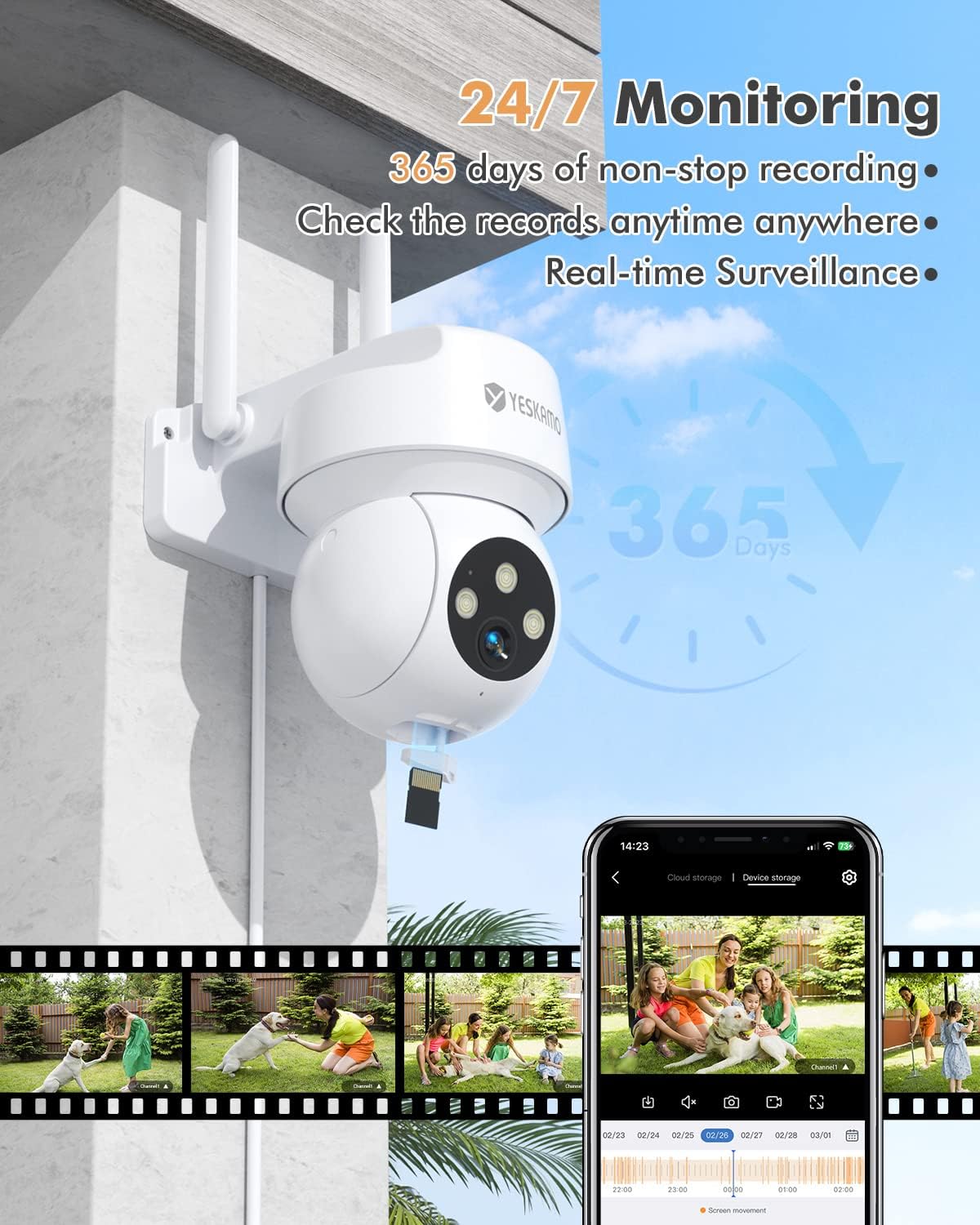
Image: The YESKAMO camera demonstrating 24/7 monitoring capabilities, including continuous recording and real-time surveillance accessible via a smartphone app.
2. Video Quality & Night Vision
The camera delivers 2K/3MP Ultra HD resolution for clear images. It features 4x digital zoom. For night vision, the camera offers:
- Quiet Infrared Mode: സ്റ്റാൻഡേർഡ് കറുപ്പും വെളുപ്പും രാത്രി ദർശനം.
- സ്പോട്ട്ലൈറ്റ് മോഡ്: Floodlights activate upon human detection, providing full-color night vision up to 65 feet (19.8 meters).
- സൈറൺ അലാറം മോഡ്: Floodlights activate and a siren sounds upon human detection.

Image: A visual comparison demonstrating the enhanced clarity of 2K resolution compared to 1080p, captured by the YESKAMO camera.

Image: Illustrations of the camera's three night vision modes: Quiet Infrared (standard B&W), Spotlight (color with floodlights), and Siren Alarm (color with floodlights and siren).
3. Smart Motion Detection and Real-Time Alerts
The camera utilizes an accurate PIR sensor (detects objects at 37°C) combined with AI algorithms for human shape recognition, reducing false alarms. When motion is detected, the camera sends immediate notifications to your smartphone.
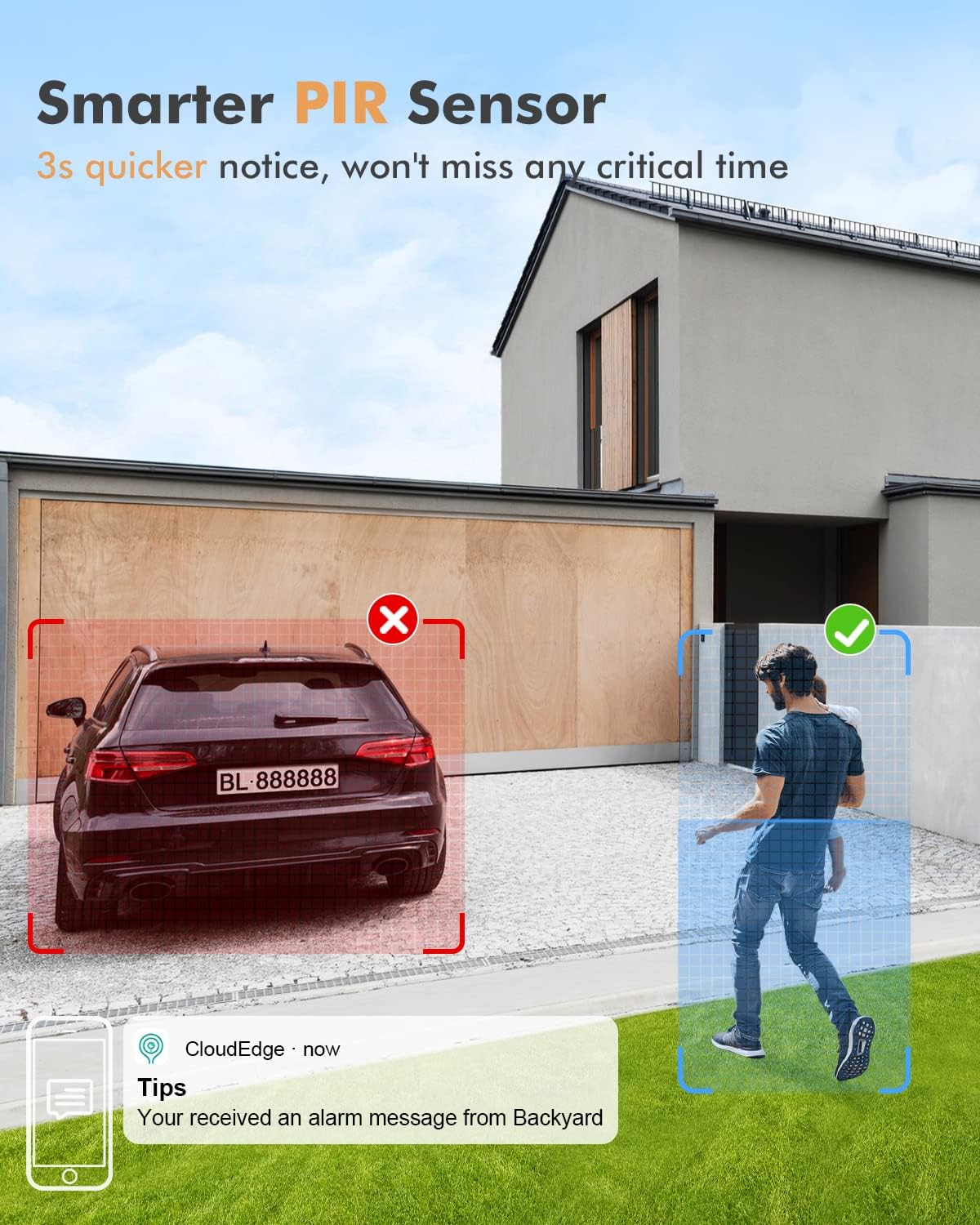
Image: The smart PIR sensor in action, accurately detecting a person entering a monitored zone while disregarding a parked car, accompanied by a smartphone notification.
4. ടു-വേ ഓഡിയോ
The integrated microphone and speaker allow for real-time two-way communication through the CloudEdge app. You can speak to visitors or deter intruders directly from your smartphone.

Image: A smartphone displaying the CloudEdge app interface, highlighting the "Hold to Talk" button for activating two-way audio with the YESKAMO camera.
5. സ്റ്റോറേജ് ഓപ്ഷനുകൾ
The camera supports local storage via an SD card (not included) and cloud storage services (subscription may be required). Insert an SD card into the designated slot for continuous or event-based recording.
6. അലക്സാ ഇന്റഗ്രേഷൻ
The YESKAMO AP55 camera is compatible with Amazon Alexa. You can integrate it with your Alexa-enabled devices for voice control and viewഅനുയോജ്യമായ സ്മാർട്ട് ഡിസ്പ്ലേകളിൽ ലൈവ് ഫീഡുകൾ പിന്തുണയ്ക്കുന്നു.
മെയിൻ്റനൻസ്
- വൃത്തിയാക്കൽ: Periodically clean the camera lens and floodlight covers with a soft, damp വ്യക്തമായ ചിത്ര നിലവാരം ഉറപ്പാക്കാൻ തുണി ഉപയോഗിക്കുക. കഠിനമായ രാസവസ്തുക്കൾ ഉപയോഗിക്കരുത്.
- ഫേംവെയർ അപ്ഡേറ്റുകൾ: Check the CloudEdge app regularly for available firmware updates. Keeping your camera's firmware updated ensures optimal performance and security.
- പരിസ്ഥിതി സംരക്ഷണം: The camera is IP66 waterproof, designed to withstand various outdoor conditions (sun, rain, snow, dust). However, avoid directing high-pressure water jets directly at the camera.
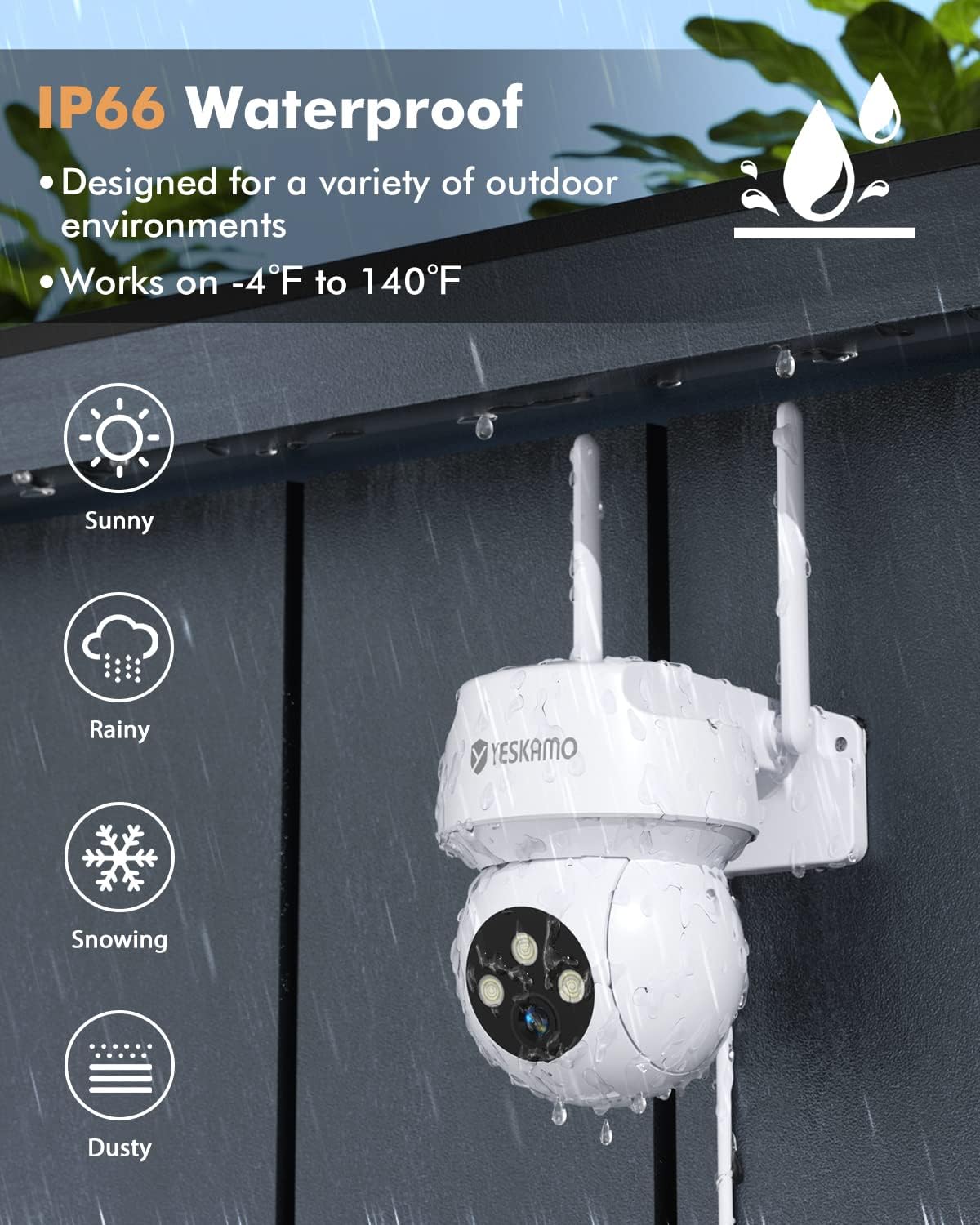
Image: The YESKAMO camera demonstrating its IP66 waterproof and weather-resistant design, suitable for sunny, rainy, snowy, and dusty outdoor environments.
ട്രബിൾഷൂട്ടിംഗ്
If you encounter issues with your YESKAMO AP55 camera, refer to the following common solutions:
| പ്രശ്നം | സാധ്യമായ കാരണം / പരിഹാരം |
|---|---|
| ക്യാമറ വൈഫൈയിലേക്ക് കണക്റ്റ് ചെയ്യുന്നില്ല |
|
| ചലനം കണ്ടെത്തൽ അലേർട്ടുകളൊന്നുമില്ല |
|
| മോശം ചിത്ര നിലവാരം |
|
| രാത്രി കാഴ്ച പ്രവർത്തിക്കുന്നില്ല |
|
For further assistance, please contact YESKAMO support.
സ്പെസിഫിക്കേഷനുകൾ
| ഫീച്ചർ | വിശദാംശങ്ങൾ |
|---|---|
| മോഡൽ നമ്പർ | AP55 |
| വീഡിയോ ക്യാപ്ചർ റെസല്യൂഷൻ | 3 MP (2K Quad HD) |
| Viewing ആംഗിൾ | 130° (Fixed), 355° Pan, 120° Tilt |
| രാത്രി കാഴ്ചാ ശ്രേണി | Up to 19.8 meters (65 feet) with color night vision |
| കണക്റ്റിവിറ്റി ടെക്നോളജി | വയർലെസ്സ് (വൈ-ഫൈ 2.4GHz) |
| ഇൻഡോർ/ഔട്ട്ഡോർ ഉപയോഗം | ഔട്ട്ഡോർ (IP66 വാട്ടർപ്രൂഫ്) |
| പ്രത്യേക സവിശേഷതകൾ | 2-Way Audio, Built-In Floodlight, HD Resolution, Image Sensor, Motion Sensor (PIR + AI), Auto Tracking, Siren |
| പവർ ഉറവിടം | Electric with wire, Mains powered (12 Watt-hours) |
| മൗണ്ടിംഗ് തരം | വാൾ മൗണ്ട്, സീലിംഗ് മൗണ്ട് |
| മെറ്റീരിയൽ | പ്ലാസ്റ്റിക് |
| ഉൽപ്പന്ന അളവുകൾ | 15 x 14 x 12 സെ.മീ; 520 ഗ്രാം |
| പ്രവർത്തന താപനില | -4°F മുതൽ 140°F വരെ (-20°C മുതൽ 60°C വരെ) |
| അനുയോജ്യമായ ഉപകരണങ്ങൾ | സ്മാർട്ട്ഫോൺ, ആമസോൺ അലക്സ |
വാറൻ്റിയും പിന്തുണയും
Your YESKAMO AP55 camera comes with a one-year warranty from the date of purchase. If you encounter any issues or have questions regarding your product, please do not hesitate to contact the YESKAMO support team. We are committed to providing assistance and will reply within 24 hours.
ബന്ധപ്പെടാനുള്ള വിവരങ്ങൾ: Refer to the contact details provided in the Quick User Manual or on the official YESKAMO webസൈറ്റ്.


