1. ആമുഖം
This manual provides detailed instructions for the Edifier WH500 Wireless On-Ear Headphones. Please read this guide thoroughly to ensure proper use, optimal performance, and longevity of your device.
2. പാക്കേജ് ഉള്ളടക്കം
The Edifier WH500 package includes:
- Edifier WH500 Wireless On-Ear Headphones
- ചാർജിംഗ് കേബിൾ
3. ഉൽപ്പന്നം കഴിഞ്ഞുview
The Edifier WH500 headphones are designed for comfort and high-quality audio. They feature a lightweight, foldable design and intuitive physical controls. The headphones are equipped with 30mm dynamic drivers for clear sound and enhanced bass.

ഒരു ഫ്രണ്ട്-ആംഗിൾ view of the black Edifier WH500 wireless on-ear headphones, showcasing their sleek design and earcups.

This image highlights the ergonomic design of the WH500 headphones, emphasizing their foldable nature for portability, comfortable fit, 85dB hearing protection, and lightweight construction at 172 grams.
4. സജ്ജീകരണം
4.1. ഹെഡ്ഫോണുകൾ ചാർജ് ചെയ്യുന്നു
Before first use, fully charge the headphones. Connect the included charging cable to the headphone's charging port and a USB power source. A full charge takes approximately 2 hours and provides up to 40 hours of music playtime. A quick 10-minute charge can provide up to 6 hours of playback.
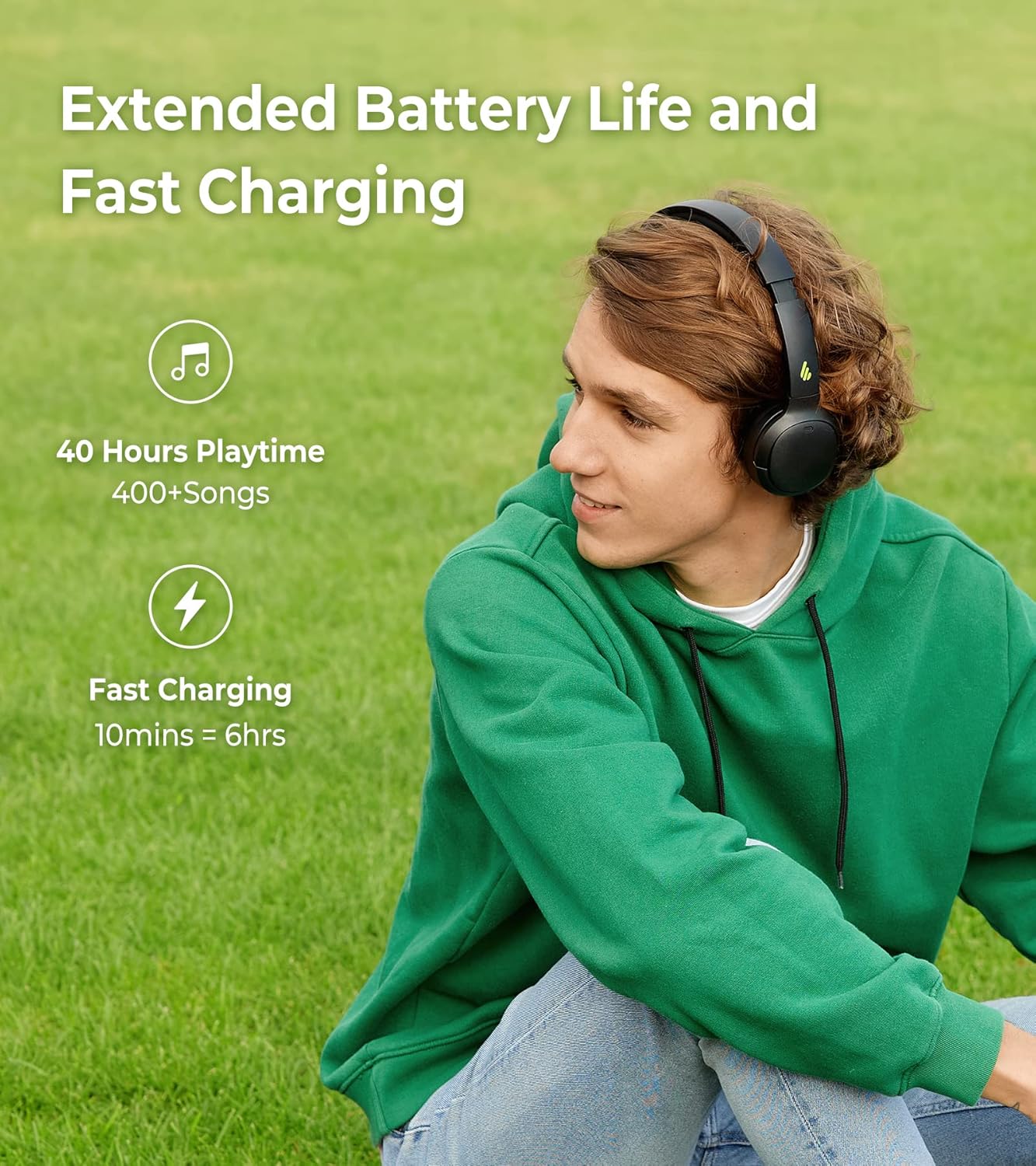
A visual representation of the Edifier WH500's extended battery life, offering 40 hours of playtime, and its fast charging capability, providing 6 hours of use from a 10-minute charge.
4.2. ബ്ലൂടൂത്ത് ജോടിയാക്കൽ
To connect your Edifier WH500 headphones to a device:
- ഹെഡ്ഫോണുകൾ ഓഫാണെന്ന് ഉറപ്പാക്കുക.
- Press and hold the power button until the indicator light flashes rapidly, indicating pairing mode.
- On your device (smartphone, tablet, laptop), enable Bluetooth and search for 'EDIFIER WH500' in the list of available devices.
- Select 'EDIFIER WH500' to connect. The indicator light will turn solid blue once connected.
The headphones support dual device connections, allowing seamless switching between two paired devices.

This image demonstrates the Edifier WH500's Bluetooth 5.2 dual connection feature, allowing the headphones to be simultaneously paired with a laptop and a smartphone for convenient switching.
5. പ്രവർത്തന നിർദ്ദേശങ്ങൾ
5.1. അടിസ്ഥാന നിയന്ത്രണങ്ങൾ
The Edifier WH500 headphones feature physical buttons for easy control:
- പവർ ബട്ടൺ: പവർ ഓൺ/ഓഫ് ചെയ്യാൻ അമർത്തിപ്പിടിക്കുക. സംഗീതം പ്ലേ ചെയ്യാൻ/താൽക്കാലികമായി നിർത്താൻ അല്ലെങ്കിൽ കോളുകൾക്ക് മറുപടി നൽകാൻ/അവസാനിപ്പിക്കാൻ ഹ്രസ്വമായി അമർത്തുക.
- വോളിയം കൂട്ടാനുള്ള ബട്ടൺ: വോളിയം കൂട്ടാൻ ചെറുതായി അമർത്തുക.
- വോളിയം ഡൗൺ ബട്ടൺ: ശബ്ദം കുറയ്ക്കാൻ ഹ്രസ്വമായി അമർത്തുക.
- Multi-function Button (e.g., Power Button): അടുത്ത ട്രാക്കിനായി രണ്ടുതവണ അമർത്തുക, മുമ്പത്തെ ട്രാക്കിനായി ട്രിപ്പിൾ അമർത്തുക.
5.2. Edifier Connect App Features
Enhance your listening experience by downloading the Edifier Connect app. The app allows for:
- ഇഷ്ടാനുസൃതമാക്കാവുന്ന EQ ക്രമീകരണങ്ങൾ: Adjust audio frequencies to your preference or choose from preset sound effects.
- ശ്രവണ സംരക്ഷണം: Activate an 85dB safe volume limit to protect your hearing.
- ഷട്ട്ഡൗൺ ടൈമർ: Set a timer for the headphones to automatically power off.

Screenshots of the Edifier Connect app interface, illustrating how users can customize equalizer settings to fine-tune their audio experience.

An app screenshot displaying the 'Hearing Protection' feature with an 85dB icon, indicating the option to manage safe volume levels for listening.

An app screenshot displaying the 'Shutdown timer' feature, allowing users to set automatic power-off intervals for the headphones.
5.3. കോൾ പ്രവർത്തനം
The integrated microphone with call noise cancellation ensures clear communication during phone calls. Use the power button to answer or end calls.

A visual emphasizing the call noise cancellation feature of the Edifier WH500 headphones, promising clear audio during phone conversations.
6. പരിപാലനം
To ensure the longevity of your Edifier WH500 headphones:
- മൃദുവായതും ഉണങ്ങിയതുമായ തുണി ഉപയോഗിച്ച് ഇയർകപ്പുകളും ഹെഡ്ബാൻഡും പതിവായി വൃത്തിയാക്കുക.
- ഹെഡ്ഫോണുകൾ തീവ്രമായ താപനിലയിലോ, ഈർപ്പംയിലോ, നേരിട്ടുള്ള സൂര്യപ്രകാശത്തിലോ തുറന്നുകാട്ടുന്നത് ഒഴിവാക്കുക.
- Store the headphones in a cool, dry place when not in use, preferably in their folded position to protect them.
7. പ്രശ്നപരിഹാരം
If you encounter issues with your Edifier WH500 headphones, refer to the following common solutions:
- ശക്തിയില്ല: ഹെഡ്ഫോണുകൾ പൂർണ്ണമായും ചാർജ്ജ് ചെയ്തിട്ടുണ്ടെന്ന് ഉറപ്പാക്കുക.
- ജോടിയാക്കാൻ കഴിയില്ല: Make sure the headphones are in pairing mode (rapidly flashing indicator light) and within range of your device. Turn off and on Bluetooth on your device.
- ശബ്ദമില്ല: Check the volume levels on both the headphones and your connected device. Ensure the headphones are properly paired.
- മോശം ശബ്ദ നിലവാരം: Move closer to your connected device to reduce interference. Ensure there are no obstructions between the headphones and the device. Try adjusting EQ settings in the Edifier Connect app.
8 സ്പെസിഫിക്കേഷനുകൾ
Detailed technical specifications for the Edifier WH500 Wireless On-Ear Headphones:
| ഫീച്ചർ | സ്പെസിഫിക്കേഷൻ |
|---|---|
| ബ്രാൻഡ് | എഡിഫയർ |
| മോഡൽ | WH500 |
| കണക്റ്റിവിറ്റി ടെക്നോളജി | വയർലെസ്സ് (ബ്ലൂടൂത്ത് 5.2) |
| ചെവി പ്ലേസ്മെൻ്റ് | ചെവിയിൽ |
| ഡ്രൈവർ വലിപ്പം | 30 മി.മീ |
| ബാറ്ററി ലൈഫ് | 40 മണിക്കൂർ |
| ചാർജിംഗ് സമയം | 2 Hours (10 min fast charge for 6 hrs) |
| ഇനത്തിൻ്റെ ഭാരം | 172 ഗ്രാം |
| നിയന്ത്രണ തരം | Physical buttons, App |
| ഫ്രീക്വൻസി റേഞ്ച് | 20Hz-20KHz |
| പ്രതിരോധം | 16 ഓം |
| ശബ്ദ നിയന്ത്രണം | None (for listening) |
| ഹെഡ്ഫോണുകൾ ജാക്ക് | ജാക്ക് ഇല്ല |
| ഉൾപ്പെടുത്തിയ ഘടകങ്ങൾ | Headphone, Charging Cable |
9. വാറൻ്റിയും പിന്തുണയും
For warranty information and technical support, please refer to the official Edifier website or contact Edifier customer service. Keep your proof of purchase for warranty claims.


