1. ആമുഖം
This manual provides detailed instructions for the Waveshare 4.3-inch MIPI DSI LCD Capacitive Touch Display. This display features an 800×480 IPS panel with a wide viewing angle and a 5-point capacitive touch interface. It is designed for seamless integration with various Raspberry Pi models and other single-board computers, offering a driver-free experience for supported operating systems.
2. പാക്കേജ് ഉള്ളടക്കം
താഴെ ലിസ്റ്റ് ചെയ്തിരിക്കുന്ന എല്ലാ ഇനങ്ങളും നിങ്ങളുടെ പാക്കേജിൽ ഉൾപ്പെടുത്തിയിട്ടുണ്ടെന്ന് ഉറപ്പാക്കുക. ഏതെങ്കിലും ഇനങ്ങൾ നഷ്ടപ്പെട്ടിട്ടുണ്ടെങ്കിലോ കേടായിട്ടുണ്ടെങ്കിലോ, ദയവായി ഉപഭോക്തൃ പിന്തുണയുമായി ബന്ധപ്പെടുക.
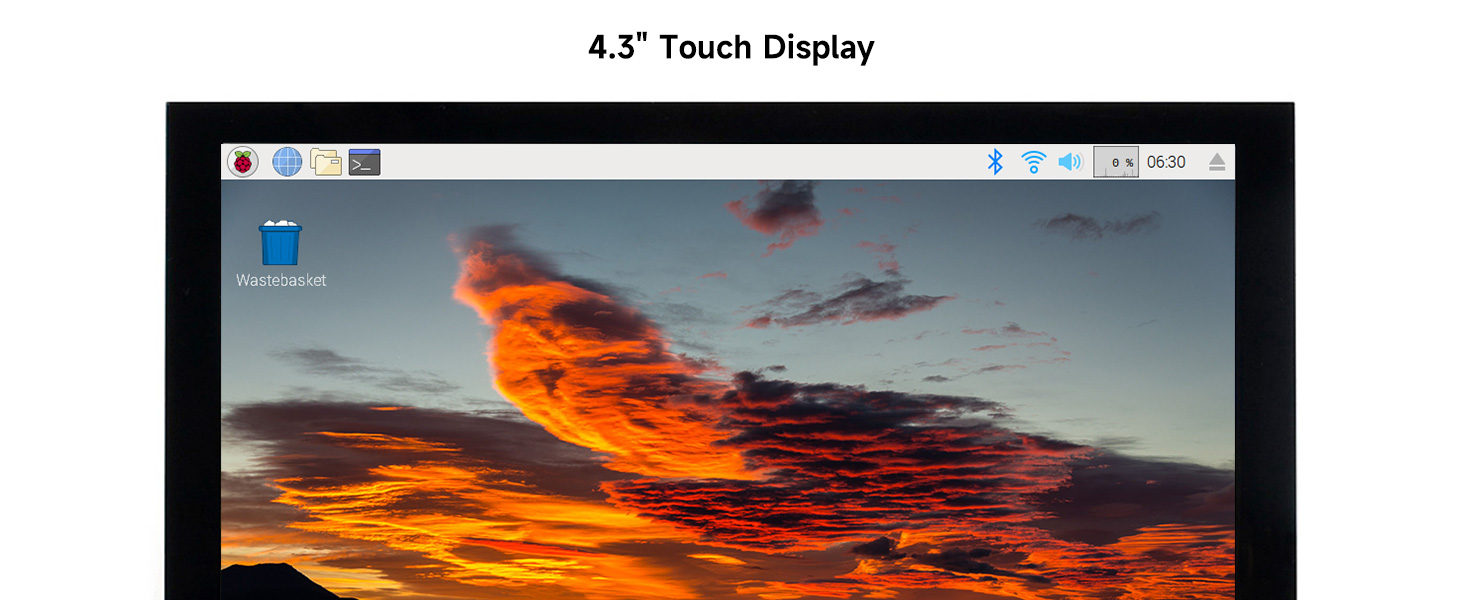
Figure 2.1: Package Contents. This image displays the 4.3-inch DSI LCD, two FPC 15PIN 1.0 pitch cables (50mm and 160mm), one 12cm DSI cable, and a screw pack.
- 4.3inch DSI LCD x1
- FPC 15PIN 1.0 pitch 50mm (opposite sides) x1
- FPC 15PIN 1.0 pitch 160mm (opposite sides) x1
- DSI-Cable-12cm x1
- Screwspack x1
3. സജ്ജീകരണ നിർദ്ദേശങ്ങൾ
Follow these steps to connect your 4.3-inch DSI LCD to a compatible single-board computer, such as a Raspberry Pi.
- നിങ്ങളുടെ റാസ്ബെറി പൈ തയ്യാറാക്കുക: Ensure your Raspberry Pi is powered off before making any connections.
- DSI കേബിൾ ബന്ധിപ്പിക്കുക: Carefully connect one end of the provided DSI cable to the DSI port on the 4.3-inch LCD. Connect the other end to the DSI port on your Raspberry Pi. Ensure the cable is inserted correctly and securely.
- പവർ കണക്ഷൻ: The display typically draws power directly from the Raspberry Pi's DSI interface. No separate power supply is usually required for the display itself. Ensure your Raspberry Pi has an adequate power supply (e.g., 5V/3A or 5V/5A for Raspberry Pi 5).
- മൗണ്ടിംഗ് (ഓപ്ഷണൽ): Use the provided screw pack to securely mount the display to your Raspberry Pi or an enclosure, if desired.
- പവർ ഓൺ: Once all connections are secure, power on your Raspberry Pi. The display should initialize automatically.
For most supported operating systems like Raspberry Pi OS, Ubuntu, Kali, and Retropie, the display operates driver-free. Refer to the connection examples below for visual guidance.
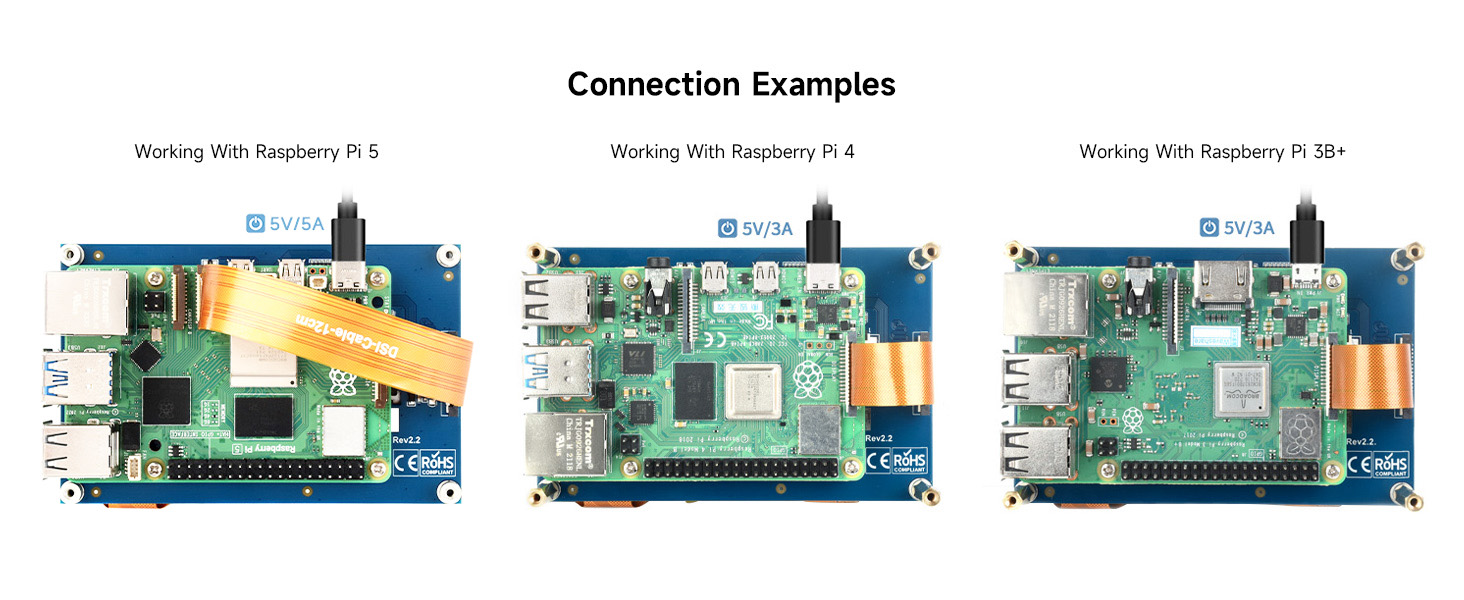
Figure 3.1: Connection Examples. This image illustrates how to connect the DSI LCD to Raspberry Pi 5, Raspberry Pi 4, and Raspberry Pi 3B+ using the DSI cable.
4. പ്രവർത്തന നിർദ്ദേശങ്ങൾ
4.1 Display Functionality
The 4.3-inch DSI LCD provides an 800x480 resolution display with an IPS panel, ensuring wide viewing angles and consistent color reproduction. The display refreshes at up to 60Hz.
4.2 Capacitive Touch Control
The display features a capacitive touch panel that supports up to 5-point multi-touch, depending on the operating system. This allows for intuitive interaction with the graphical user interface of your connected device.

Figure 4.1: Touch Control. This image illustrates a user interacting with the display's capacitive touch screen to navigate a menu.
4.3 Backlight Brightness Control
The display supports software control of backlight brightness. Specific commands or settings for adjusting brightness will depend on the operating system and software environment running on your Raspberry Pi. Consult your operating system's documentation for details on backlight control.
5. ഉപകരണ & സിസ്റ്റം പിന്തുണ
The Waveshare 4.3-inch DSI LCD is compatible with a range of single-board computers and operating systems:
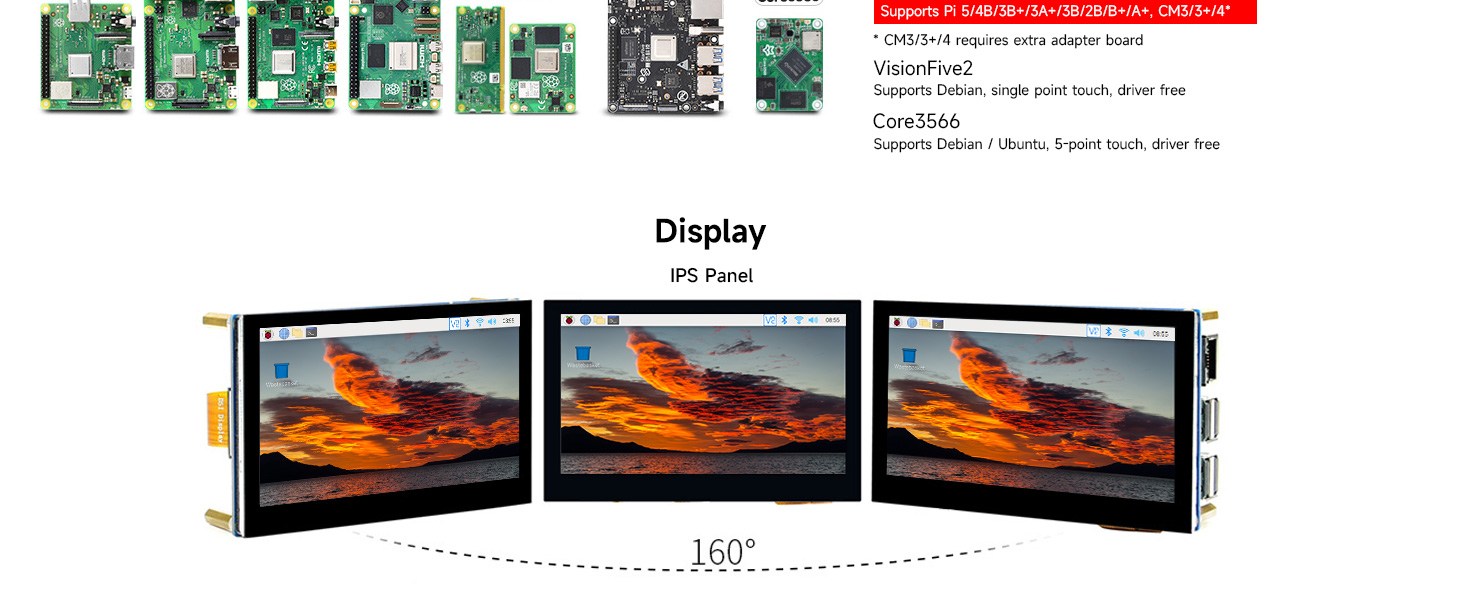
Figure 5.1: Device and System Support. This image details the compatibility of the display with different hardware platforms and their respective operating system support.
- റാസ്ബെറി പൈ: Compatible with Raspberry Pi 5/4B/3B+/3A+/3B/2B/B+/A+, CM3/3+/4*. Supports Raspberry Pi OS (5-point touch, driver free), Ubuntu/Kali/WIN10 IoT (single point touch, driver free), and Retropie (driver free).
* CM3/3+/4 requires an extra adapter board. - VisionFive2: Supports Debian (single point touch, driver free).
- Core3566: Supports Debian/Ubuntu (5-point touch, driver free).
6. പരിപാലനം
Proper maintenance ensures the longevity and optimal performance of your display.
- വൃത്തിയാക്കൽ: മൃദുവായ, ലിൻ്റ് രഹിത തുണി ഉപയോഗിക്കുകampened with water or a screen-cleaning solution to clean the display surface. Avoid harsh chemicals, abrasive materials, or excessive moisture.
- കൈകാര്യം ചെയ്യൽ: Handle the display by its edges. Avoid applying pressure to the screen surface, especially when connecting cables.
- സംഭരണം: When not in use, store the display in a cool, dry environment, away from direct sunlight and extreme temperatures.
- കേബിൾ മാനേജുമെന്റ്: Ensure DSI and FPC cables are not bent sharply or under tension, as this can damage the cables or connectors.
7. പ്രശ്നപരിഹാരം
If you encounter issues with your display, refer to the following troubleshooting tips:
- ഡിസ്പ്ലേ/ബ്ലാങ്ക് സ്ക്രീൻ ഇല്ല:
- Ensure the DSI cable is securely connected to both the display and the Raspberry Pi.
- Verify that your Raspberry Pi is powered on and functioning correctly.
- Check if the Raspberry Pi's operating system is configured to output to the DSI display. For some systems, specific configuration might be needed, though it's generally driver-free.
- Ensure the power supply for your Raspberry Pi is sufficient.
- ടച്ച് ഫംഗ്ഷൻ പ്രവർത്തിക്കുന്നില്ല:
- Confirm that the DSI cable is properly connected, as it carries both display and touch data.
- Verify that your operating system supports the touch functionality of the DSI display. While many are driver-free, ensure no conflicting drivers or settings are active.
- Restart your Raspberry Pi.
- മിന്നുന്ന ഡിസ്പ്ലേ:
- Check the DSI cable for any damage or loose connections.
- Ensure the power supply to the Raspberry Pi is stable and adequate.
8 സ്പെസിഫിക്കേഷനുകൾ
Key technical specifications for the Waveshare 4.3-inch DSI LCD Capacitive Touch Display:

Figure 8.1: Appearance and Dimensions. This image provides a detailed technical drawing with measurements of the display module in millimeters.
| ഫീച്ചർ | സ്പെസിഫിക്കേഷൻ |
|---|---|
| ഡിസ്പ്ലേ വലിപ്പം | 4.3 ഇഞ്ച് |
| റെസലൂഷൻ | 800 × 480 പിക്സലുകൾ |
| ഡിസ്പ്ലേ പാനൽ തരം | IPS Wide Angle |
| ഇൻ്റർഫേസ് | എംഐപിഐ ഡിഎസ്ഐ |
| ടച്ച് തരം | കപ്പാസിറ്റീവ്, 5-പോയിന്റ് ടച്ച് |
| Touch Panel Material | Tempered Glass (Hardness up to 6H) |
| പുതുക്കിയ നിരക്ക് | 60Hz വരെ |
| ബാക്ക്ലൈറ്റ് നിയന്ത്രണം | Software adjustable |
| ഉൽപ്പന്ന അളവുകൾ | 0.35 x 4.17 x 2.68 ഇഞ്ച് (ഏകദേശം 8.89 x 105.9 x 68.07 മിമി) |
| ഇനത്തിൻ്റെ ഭാരം | 5.6 ഔൺസ് (ഏകദേശം 158.76 ഗ്രാം) |
| മോഡൽ നമ്പർ | WS-4.3inch DSI LCD |
9. വാറൻ്റിയും പിന്തുണയും
വാറന്റി വിവരങ്ങൾ, സാങ്കേതിക പിന്തുണ അല്ലെങ്കിൽ കൂടുതൽ സഹായത്തിന്, ദയവായി ഔദ്യോഗിക വേവ്ഷെയർ പരിശോധിക്കുക. webസൈറ്റിൽ ബന്ധപ്പെടുക അല്ലെങ്കിൽ നിങ്ങളുടെ റീട്ടെയിലറെ ബന്ധപ്പെടുക. വാറന്റി ക്ലെയിമുകൾക്കായി നിങ്ങളുടെ വാങ്ങൽ രസീത് സൂക്ഷിക്കുക.


