1. ആമുഖം
Welcome to the RovyVon A28 Gen 2 Pocket Flashlight user manual. This guide provides detailed instructions on how to operate, maintain, and troubleshoot your new flashlight. Please read this manual thoroughly before using the product to ensure safe and optimal performance.
2. പാക്കേജ് ഉള്ളടക്കം
The RovyVon A28 Gen 2 package includes:
- RovyVon A28 Gen 2 Pocket Flashlight (with built-in 850mAh Lithium Polymer battery)
- USB-C ചാർജിംഗ് കേബിൾ
- Two-way Magnetic Pocket Clip (pre-installed or included separately)
- കീ റിംഗ്
3 സ്പെസിഫിക്കേഷനുകൾ
| ബ്രാൻഡ് | റോവിവോൺ |
| മോഡൽ | A28-G2 |
| Main Light Brightness | Up to 1000 Lumens (Turbo) |
| Main Light Color Temperature | 6500K കൂൾ വൈറ്റ് |
| സൈഡ്ലൈറ്റുകൾ | 5000K Warm White, 625nm Red Light, 365nm UV Black Light |
| ബാറ്ററി | ബിൽറ്റ്-ഇൻ 850mAh ലിഥിയം പോളിമർ |
| ചാർജിംഗ് പോർട്ട് | USB-C |
| പരമാവധി പ്രവർത്തനസമയം | 152 മണിക്കൂർ (മൂൺലൈറ്റ് മോഡ്) |
| മെറ്റീരിയൽ | പോളികാർബണേറ്റ് കേസ് |
| അളവുകൾ (L x D) | 2.99" x 0.85" (76 മിമി x 21.5 മിമി) |
| ഭാരം | 1.77 ഔൺസ് (50 ഗ്രാം) |
| ജല പ്രതിരോധം | IP68 |
| ഇംപാക്ട് റെസിസ്റ്റൻസ് | 1.5 മീറ്റർ |
For more detailed energy information, please refer to the EU EPREL ഡാറ്റാബേസ്.
4 പ്രധാന സവിശേഷതകൾ
- Powerful Main Light: 6500K cool white emitter with up to 1000 lumens (Turbo mode, 180 meters beam distance). Five lighting modes from 0.5 lumens (Moonlight) to 1000 lumens (Turbo), plus Strobe and SOS emergency modes.
- Practical Sidelights: Three side emitters including a 5000K warm white light for reading and camping, a 625nm red light for signaling and night vision protection, and a 365nm UV black light for various detection purposes.
- Intuitive Dual-Switch User Interface: Button 1 controls the main light, and Button 2 operates the sidelights for user-friendly operation.
- ഭാരം കുറഞ്ഞതും ഈടുനിൽക്കുന്നതും: Constructed from polycarbonate, weighing only 1.77 oz (50g). IP68 water-resistant and 1.5 meters impact-resistant.
- ദീർഘകാല ബാറ്ററി: Built-in 850mAh battery provides a maximum runtime of 152 hours in Moonlight mode and fully charges in 1 hour via USB-C.
- Versatile Pocket Clip: Includes a two-way magnetic pocket clip for attachment to hat brims (for hands-free use) or metal surfaces.
5. സജ്ജീകരണം
5.1 പ്രാരംഭ ചാർജ്
Before first use, fully charge your RovyVon A28 Gen 2 flashlight. The built-in 850mAh Lithium Polymer battery can be fully charged in approximately 1 hour using the provided USB-C cable.
- Locate the USB-C charging port at the tail end of the flashlight.
- Connect the USB-C cable to the flashlight and a compatible USB power source (e.g., wall adapter, computer USB port).
- The charging indicator will illuminate blue while charging and turn green when fully charged.

Figure 1: RovyVon A28 Gen 2 Flashlight. This image displays the compact design of the flashlight, highlighting its transparent body and dual control buttons.

Figure 2: USB-C Charging Port. The image shows the flashlight connected to a USB-C cable, illustrating the charging process.
5.2 Attaching the Pocket Clip
The two-way magnetic pocket clip can be attached or removed as needed for versatile carrying options.
- Align the clip with the designated grooves on the flashlight body.
- Gently slide or snap the clip into place until it is securely fastened.
- The clip allows for attachment to pockets, hat brims, or magnetic surfaces for hands-free illumination.
6. പ്രവർത്തന നിർദ്ദേശങ്ങൾ
The RovyVon A28 Gen 2 features a dual-switch interface for easy control of the main light and sidelights.
6.1 Main Light Operation (Button 1)
- മൊമെന്ററി ടർബോ: From OFF, press and hold Button 1 for instant 1000 lumen output. Release to turn off.
- ഓൺ/ഓഫ് ചെയ്യുക: Double-click Button 1 to turn the main light ON. Double-click again to turn OFF.
- സൈക്കിൾ മോഡുകൾ: When the main light is ON, single-click Button 1 to cycle through Low, Medium, and High brightness levels.
- മൂൺലൈറ്റ് മോഡ്: From OFF, press and hold Button 1 for approximately 1 second to activate Moonlight mode (0.5 lumens).
- Emergency Modes (Strobe/SOS): From OFF, triple-click Button 1 to activate Strobe mode. Triple-click again to cycle to SOS mode. Single-click to turn off.

Figure 3: Main Light Illumination. A person is shown using the powerful cool white main light to illuminate an outdoor area at night.
6.2 Sidelight Operation (Button 2)
- ഓൺ/ഓഫ് ചെയ്യുക: Single-click Button 2 to turn the sidelights ON. Single-click again to turn OFF.
- സൈക്കിൾ മോഡുകൾ: When sidelights are ON, single-click Button 2 to cycle through Warm White, Red Light, and UV Black Light modes.
- Red Sidelight Beacon/Flash: When the Red Light sidelight is active, double-click Button 2 to activate the Red Beacon mode. Double-click again for a faster Red Flash mode. Single-click to turn off.

Figure 4: Sidelight Functions. An illustration showing the warm white reading light, red signal light, and UV blacklight features.
Figure 5: Warm White Sidelight. A person uses the warm white sidelight for close-up illumination in a dark environment.
6.3 ലോക്കൗട്ട് ഫംഗ്ഷൻ
To prevent accidental activation and conserve battery life, use the lockout function:
- ലോക്ക്: From OFF, press and hold Button 1 for approximately 5 seconds. The main light will blink twice to indicate it is locked.
- അൺലോക്ക്: From locked state, press and hold Button 1. The main light will blink three times to indicate it is unlocked and ready for use.
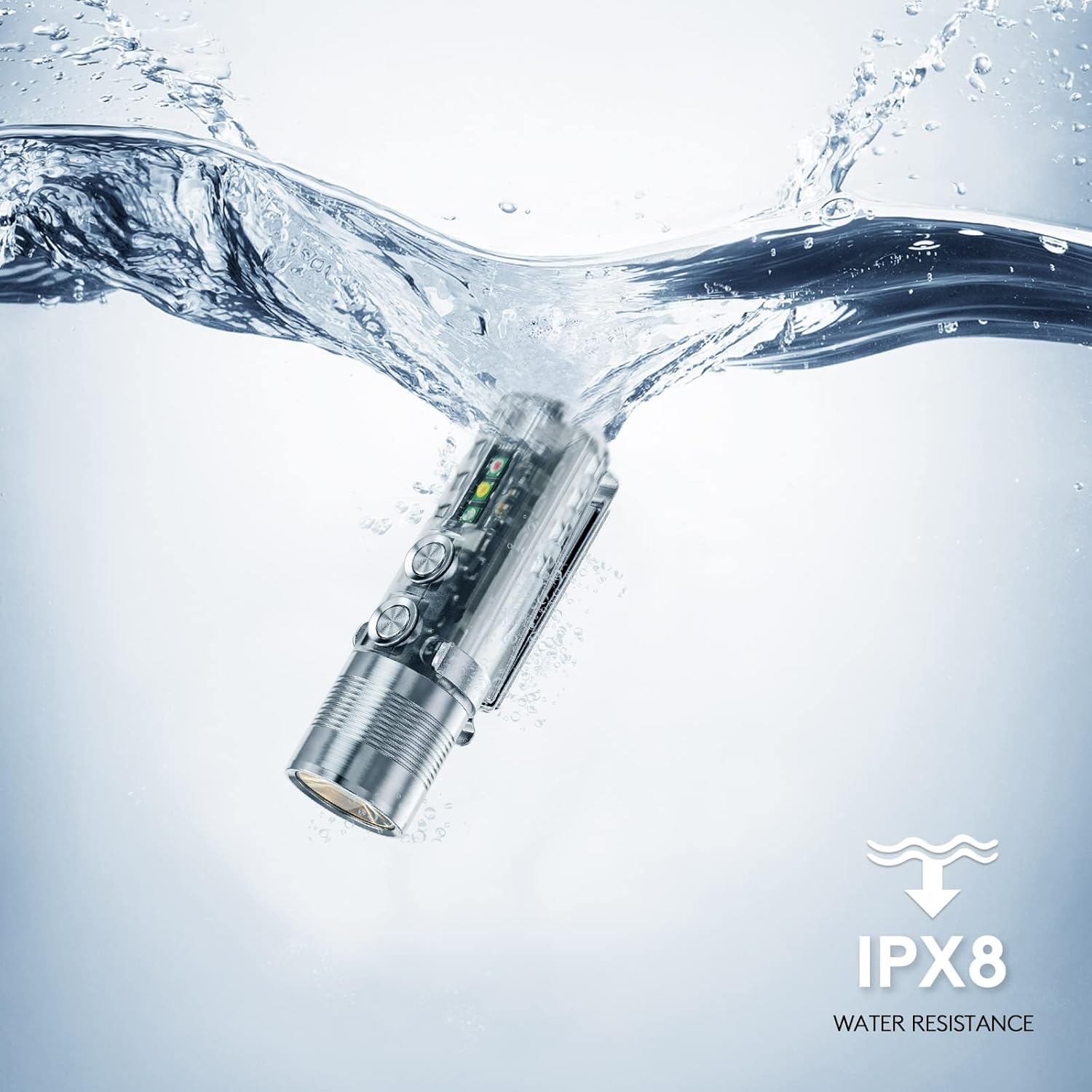
Figure 6: Lockout Mode. The image shows the flashlight being placed into a pocket, illustrating the importance of the lockout feature to prevent accidental activation.
7. പരിപാലനം
- വൃത്തിയാക്കൽ: Regularly wipe the flashlight body with a soft, damp അഴുക്കും അവശിഷ്ടങ്ങളും നീക്കം ചെയ്യാനുള്ള തുണി. കഠിനമായ രാസവസ്തുക്കളോ ഉരച്ചിലുകളോ ഉപയോഗിക്കുന്നത് ഒഴിവാക്കുക.
- ചാർജിംഗ്: Charge the battery regularly, even if the flashlight is not in frequent use, to maintain battery health.
- സംഭരണം: നേരിട്ടുള്ള സൂര്യപ്രകാശത്തിൽ നിന്നും തീവ്രമായ താപനിലയിൽ നിന്നും അകലെ തണുത്തതും വരണ്ടതുമായ സ്ഥലത്ത് ഫ്ലാഷ്ലൈറ്റ് സൂക്ഷിക്കുക.
8. പ്രശ്നപരിഹാരം
| പ്രശ്നം | സാധ്യമായ കാരണം | പരിഹാരം |
|---|---|---|
| ഫ്ലാഷ്ലൈറ്റ് ഓണാക്കുന്നില്ല | Low battery; Lockout mode active | Charge the battery; Unlock the flashlight (press and hold Button 1 until it blinks 3 times) |
| ലൈറ്റ് ഔട്ട്പുട്ട് മങ്ങിയതാണ് | ബാറ്ററി കുറവാണ്; തെറ്റായ മോഡ് തിരഞ്ഞെടുത്തു. | Charge the battery; Cycle through brightness modes (single-click Button 1) |
| Sidelights not working | ബാറ്ററി കുറവാണ്; തെറ്റായ മോഡ് തിരഞ്ഞെടുത്തു. | Charge the battery; Cycle through sidelight modes (single-click Button 2) |
9. വാറൻ്റിയും പിന്തുണയും
9.1 വാറൻ്റി വിവരങ്ങൾ
The RovyVon A28 Gen 2 Pocket Flashlight comes with a പരിമിതമായ 2-വർഷ വാറൻ്റി വാങ്ങിയ തീയതി മുതൽ. സാധാരണ ഉപയോഗത്തിലുള്ള നിർമ്മാണ വൈകല്യങ്ങളും പ്രവർത്തനക്ഷമതയും ഈ വാറന്റി ഉൾക്കൊള്ളുന്നു. വാറന്റി ക്ലെയിമുകൾക്കായി നിങ്ങളുടെ വാങ്ങിയതിന്റെ തെളിവ് സൂക്ഷിക്കുക.
9.2 ഉപഭോക്തൃ പിന്തുണ
For technical assistance, warranty claims, or any other inquiries, please contact RovyVon customer support directly. You can find contact information on the official RovyVon webസൈറ്റ് അല്ലെങ്കിൽ നിങ്ങളുടെ റീട്ടെയിലർ വഴി.


