1. ആമുഖം
This manual provides essential information for the safe and efficient operation of your JFA X-LINE 70A Power Supply and Charger. Please read these instructions carefully before installation and use to ensure proper function and to prevent damage to the unit or connected equipment. The JFA X-LINE 70A is an intelligent power source designed to charge, feed, and monitor automotive batteries, offering advanced features for optimal performance.
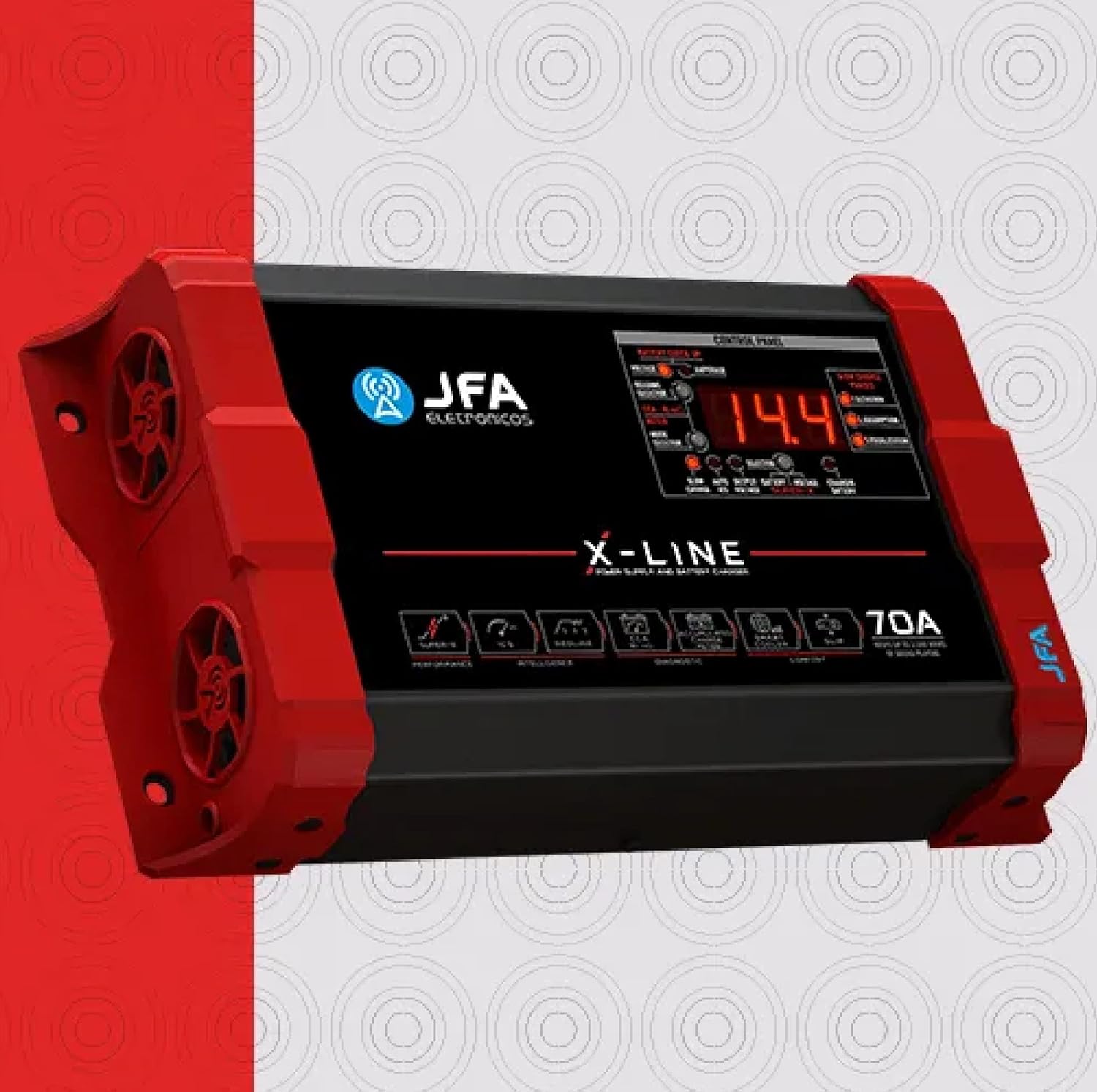
ചിത്രം 1.1: മുൻഭാഗം view of the JFA X-LINE 70A Power Supply and Charger, showcasing അതിന്റെ ഒതുക്കമുള്ള രൂപകൽപ്പനയും നിയന്ത്രണ പാനലും.
2. സുരക്ഷാ മുൻകരുതലുകൾ
- Always ensure the unit is disconnected from the power source before making any connections or disconnections.
- Operate the charger in a well-ventilated area to prevent overheating.
- യൂണിറ്റ് ഈർപ്പം, മഴ, അല്ലെങ്കിൽ തീവ്രമായ താപനില എന്നിവയിൽ ഏർപ്പെടുന്നത് ഒഴിവാക്കുക.
- Do not attempt to open or modify the unit. Refer all servicing to qualified personnel.
- കുട്ടികൾക്ക് ലഭ്യമാകാതെ സൂക്ഷിക്കുക.
3. സജ്ജീകരണം
- അൺപാക്ക് ചെയ്യുന്നു: Carefully remove the JFA X-LINE 70A from its packaging and inspect for any signs of damage. Retain packaging for future transport or storage.
- പ്ലേസ്മെൻ്റ്: Place the unit on a stable, flat surface. Ensure adequate clearance around the unit for proper air circulation, especially around the intelligent ventilation system with dynamic PWM control.
- പവർ കണക്ഷൻ: Connect the power supply cable to a suitable AC outlet. Verify the voltage യൂണിറ്റിന്റെ ആവശ്യകതകളുമായി പൊരുത്തപ്പെടുന്നു.
- Battery/System Connection: Connect the output cables of the JFA X-LINE 70A to your automotive battery or sound system. Ensure correct polarity (positive to positive, negative to negative) to prevent damage.
- പ്രാരംഭ പവർ-ഓൺ: Once all connections are secure, switch on the unit. The control panel display will illuminate, indicating the unit is ready for operation.

ചിത്രം 3.1: വശം view of the JFA X-LINE 70A, highlighting the intelligent ventilation system.
4. പ്രവർത്തന നിർദ്ദേശങ്ങൾ
The JFA X-LINE 70A features a user-friendly control panel for monitoring and selecting operating modes.
- നിയന്ത്രണ പാനൽ ഡിസ്പ്ലേ: The digital display shows real-time voltagഇ കൂടാതെ ampമായ്ക്കൽ വായനകൾ.
- മോഡ് തിരഞ്ഞെടുക്കൽ: Use the mode selector buttons to choose between the following operational modes:
- സ്ലോ ചാർജ്: Provides a three-phase slow charge, optimizing battery health and longevity.
- Auto ICS (Intelligent Charge System): Automatically manages the charging process, increasing the capacity and accumulation of charge, and extending the useful life of batteries.
- Putട്ട്പുട്ട് വോളിയംtage: Allows the unit to function as a stable power supply for your audio system.
- Super-X Function: Activate the Super-X function to temporarily raise the output voltage to 15V. This provides maximum performance to connected amplifiers for short durations.
- Battery Diagnosis (CCA Meter): The exclusive CCA meter function allows for a quick battery diagnosis in approximately 10 seconds, providing a real analysis of the load accumulation capacity.
5. പരിപാലനം
Regular maintenance ensures the longevity and optimal performance of your JFA X-LINE 70A.
- വൃത്തിയാക്കൽ: Periodically clean the exterior of the unit with a soft, dry cloth. Do not use abrasive cleaners or solvents. Ensure ventilation openings are free from dust and debris.
- വെൻ്റിലേഷൻ: Regularly check that the intelligent ventilation system's fans are clear and operating correctly. Blocked vents can lead to overheating.
- കേബിൾ പരിശോധന: Inspect all power and output cables for any signs of wear, cuts, or damage. Replace damaged cables immediately.
- സംഭരണം: When not in use for extended periods, store the unit in a cool, dry place, away from direct sunlight and moisture.
6. പ്രശ്നപരിഹാരം
If you encounter issues with your JFA X-LINE 70A, refer to the following common troubleshooting steps:
- യൂണിറ്റ് പവർ ചെയ്യുന്നില്ല:
- Check if the power cable is securely connected to both the unit and the AC outlet.
- Verify the AC outlet is functional by plugging in another device.
- Ensure the unit's power switch is in the 'ON' position.
- ബാറ്ററി ചാർജുചെയ്യുന്നില്ല:
- Confirm that the output cables are correctly connected to the battery terminals with proper polarity.
- Check the selected operating mode. Ensure 'Slow Charge' or 'Auto ICS' is active.
- Use the CCA meter function to diagnose the battery's condition. A severely damaged battery may not accept a charge.
- അമിത ചൂടാക്കൽ:
- Ensure the unit has adequate ventilation and that no objects are blocking the air vents.
- Reduce the load on the power supply if it is operating at its maximum capacity for extended periods.
- അസാധാരണമായ ശബ്ദങ്ങൾ അല്ലെങ്കിൽ ഗന്ധങ്ങൾ:
- Immediately disconnect the unit from the power source and the battery.
- Do not attempt to operate the unit. Contact customer support.
If the issue persists after following these steps, please contact customer support for further assistance.
7 സ്പെസിഫിക്കേഷനുകൾ
| ഫീച്ചർ | സ്പെസിഫിക്കേഷൻ |
|---|---|
| മോഡൽ നമ്പർ | 70AX |
| ഔട്ട്പുട്ട് കറൻ്റ് | 70എ |
| Putട്ട്പുട്ട് വോളിയംtage | 15 Volts (Super-X function) |
| പവർ ഔട്ട്പുട്ട് | Maintains up to 3,500 WRMS of sound playing |
| ഉൽപ്പന്ന അളവുകൾ (D x W x H) | 2.28 x 10.2 x 5.94 ഇഞ്ച് |
| ഇനത്തിൻ്റെ ഭാരം | 4 പൗണ്ട് |
| ചാർജിംഗ് സിസ്റ്റം | Intelligent Charge System (ICS), Three-phase slow charge |
| തണുപ്പിക്കൽ സംവിധാനം | Intelligent ventilation with dynamic PWM control |
8. വാറൻ്റിയും പിന്തുണയും
വാറൻ്റി വിവരങ്ങൾ: Specific warranty details for the JFA X-LINE 70A Power Supply and Charger are typically provided with the product packaging or can be found on the official JFA webസൈറ്റ്. വാറന്റി ക്ലെയിമുകൾക്കായി നിങ്ങളുടെ വാങ്ങലിന്റെ തെളിവ് സൂക്ഷിക്കുക.
ഉപഭോക്തൃ പിന്തുണ: For technical assistance, troubleshooting beyond this manual, or warranty inquiries, please contact your retailer or the manufacturer directly. Refer to the contact information provided with your product or visit the official JFA webപിന്തുണാ ഉറവിടങ്ങൾക്കായുള്ള സൈറ്റ്.


