ആമുഖം
This manual provides instructions for the VJIANGER 4K Digital Camera, Model W02. This camera is designed for photography and video recording, featuring 4K resolution, a 48-megapixel sensor, Wi-Fi connectivity, and a 180-degree flip screen. Please read this manual thoroughly before using the camera to ensure proper operation and to maximize its capabilities.
പാക്കേജ് ഉള്ളടക്കം
നിങ്ങളുടെ പാക്കേജിൽ എല്ലാ ഇനങ്ങളും ഉണ്ടെന്ന് ഉറപ്പാക്കുക:
- VJIANGER 4K Digital Camera (W02)
- വൈഡ് ആംഗിൾ ലെൻസ്
- മാക്രോ ലെൻസ്
- 2 x NP-40 Lithium-ion Batteries
- ഡ്യുവൽ ബാറ്ററി ചാർജർ
- USB കേബിൾ
- 32GB TF Card (pre-installed or separate)
- ഉപയോക്തൃ മാനുവൽ (ഈ പ്രമാണം)

Image: VJIANGER 4K Digital Camera W02 with its complete set of accessories.
സജ്ജമാക്കുക
1 ബാറ്ററി ചാർജ് ചെയ്യുന്നു
The camera uses NP-40 lithium-ion batteries. Before first use, fully charge both batteries using the provided dual charger and USB cable. A full charge typically takes 2-3 hours.
- Insert the batteries into the dual charger.
- Connect the USB cable to the charger and a power source (e.g., USB wall adapter, computer USB port).
- The indicator light on the charger will show charging status.
2. TF കാർഡ് ചേർക്കൽ
A 32GB TF (Micro SD) card is included. The camera supports TF cards up to 256GB (Class 10 recommended).
- ക്യാമറയിൽ TF കാർഡ് സ്ലോട്ട് കണ്ടെത്തുക.
- Insert the TF card with the metal contacts facing down until it clicks into place.
- പ്രധാനപ്പെട്ടത്: Format the memory card through the camera's menu the first time you use it to ensure compatibility and optimal performance.
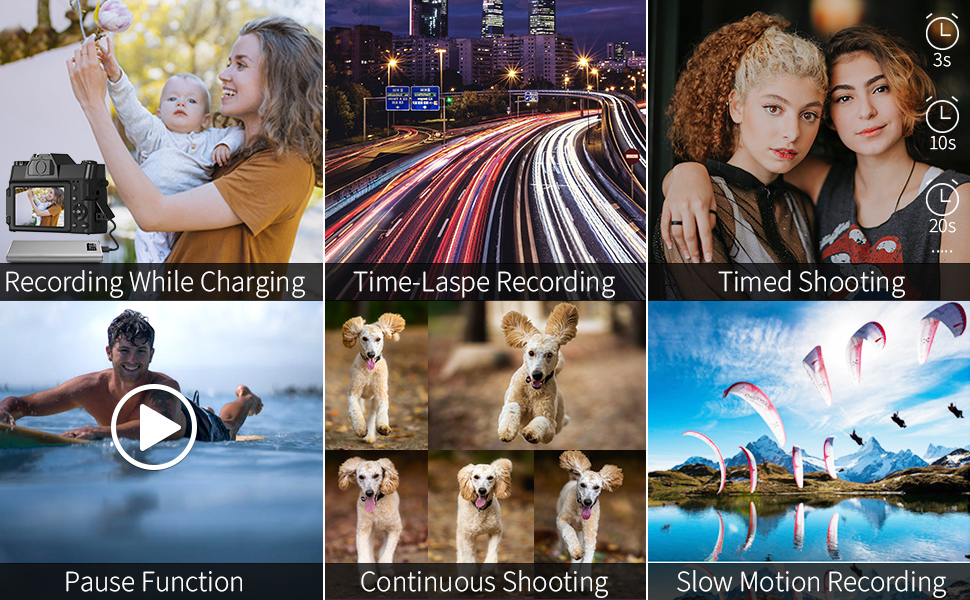
Image: Illustration of battery and TF card insertion points, and included charging accessories.
3. Attaching Lenses
The camera comes with a wide-angle lens and a macro lens. These can be screwed onto the front of the camera's fixed lens.
- Align the threads of the accessory lens with the threads on the camera's main lens.
- Gently rotate clockwise until securely attached.
പ്രവർത്തന നിർദ്ദേശങ്ങൾ
പവർ ചെയ്യുന്നത് ഓൺ/ഓഫ്
Press and hold the power button to turn the camera on or off.
മോഡ് തിരഞ്ഞെടുക്കൽ
Rotate the mode dial located on the top-left of the camera to select between different functions:
- ഫോട്ടോ മോഡ്: For taking still images.
- Interval Photography: For time-lapse photos.
- റെക്കോർഡിംഗ് മോഡ്: For shooting videos.
- Slow Motion Recording: For slow-motion video capture.
- സമയദൈർഘ്യ റെക്കോർഡിംഗ്: For time-lapse videos.
- പ്ലേബാക്ക് മോഡ്: വേണ്ടിviewഫോട്ടോകളും വീഡിയോകളും.
ഫോട്ടോഗ്രാഫി
In Photo Mode, press the shutter button to capture a 48-megapixel image.
- ഡിജിറ്റൽ സൂം: Use the zoom controls (usually 'W' and 'T' buttons) to apply up to 16X digital zoom. Note that digital zoom may reduce image quality.
- സമയബന്ധിതമായ ഷൂട്ടിംഗ്: Set a timer for delayed photo capture.
- തുടർച്ചയായ ഷൂട്ടിംഗ്: Capture a series of photos rapidly.

Image: Demonstrates 48MP shooting and 16X digital zoom capability.
വീഡിയോ റെക്കോർഡിംഗ്
In Recording Mode, press the shutter button to start/stop 4K video recording at 30 frames per second.
- പ്രവർത്തനം താൽക്കാലികമായി നിർത്തുക: During recording, press the appropriate button (refer to camera interface) to pause and resume recording without creating a new file.
- ബാഹ്യ മൈക്രോഫോൺ: Connect a 3.5mm external microphone to the dedicated jack for improved audio quality.
- ഹോട്ട് ഷൂ: Attach an external flash or LED light to the hot shoe for additional lighting.

ചിത്രം: ഉദാample of 4K video recording at 30fps.
Manual Focus (MF)
The camera supports manual focus. To use:
- Gently press the shutter button halfway down.
- A focusing logo frame will appear on the display.
- Adjust the focus ring on the lens until your subject is sharp.
- Fully press the shutter button to capture the image or start recording.

Image: Visual guide for using the manual focus feature.
Wi-Fi കണക്റ്റിവിറ്റി
Connect your camera to a smartphone via Wi-Fi for remote control and instant file കൈമാറ്റം.
- Download the "XDV PRO" app on your smartphone (available for iOS and Android).
- On the camera, enable the Wi-Fi function through the menu.
- On your smartphone, connect to the camera's Wi-Fi network (SSID: 4K_WIFI, Password: 12345678).
- Open the "XDV PRO" app to control the camera or transfer photos/videos.

Image: Steps for connecting the camera to a smartphone via Wi-Fi.
Webcam Functionality / Live Streaming
ക്യാമറയ്ക്ക് ഇനിപ്പറയുന്ന രീതിയിൽ പ്രവർത്തിക്കാൻ കഴിയും: webവീഡിയോ കോളുകൾക്കോ ലൈവ് സ്ട്രീമിംഗിനോ ഉള്ള ക്യാമറ.
- Connect the camera to your PC using the provided USB cable.
- On the camera, select "Camera mode" when prompted.
- നിങ്ങളുടെ കമ്പ്യൂട്ടർ ക്യാമറയെ ഒരു ആയി തിരിച്ചറിയണം webക്യാം
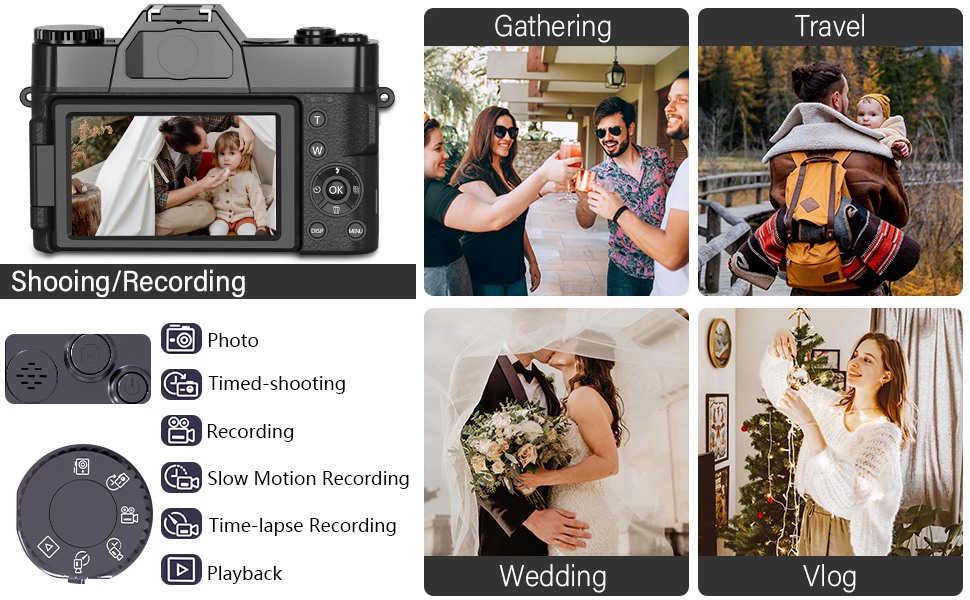
Image: Camera configured for live streaming or webക്യാം ഉപയോഗം.
പ്ലേബാക്ക് ഒപ്പം Viewing
നിങ്ങൾക്ക് വീണ്ടും കഴിയുംview your captured content directly on the camera or on external devices.
- ക്യാമറയിൽ: Rotate the mode dial to "Playback Mode" to view photos and videos on the 180-degree flip screen.
- പിസിയിൽ: Connect the camera to your PC via USB cable and select "Mass Storage" mode to access files directly from the TF card.
- ടിവിയിൽ: Connect the camera to a TV using an HDMI cable (not included) for viewing on a larger screen.

Image: Various methods for playing back recorded content.
മെയിൻ്റനൻസ്
- ലെൻസ് വൃത്തിയാക്കൽ: ക്യാമറ ലെൻസുകൾക്കായി പ്രത്യേകം രൂപകൽപ്പന ചെയ്ത മൃദുവായ, ലിന്റ് രഹിത തുണി ഉപയോഗിക്കുക. കഠിനമായ രാസവസ്തുക്കൾ ഒഴിവാക്കുക.
- സ്ക്രീൻ വൃത്തിയാക്കൽ: Use a microfiber cloth to gently wipe the flip screen.
- സംഭരണം: When not in use, store the camera in a dry, cool place away from direct sunlight and extreme temperatures. Remove batteries if storing for extended periods.
- ജല പ്രതിരോധം: This camera is not water-resistant. Avoid exposure to water or high humidity.
ട്രബിൾഷൂട്ടിംഗ്
Q: Can I transfer pictures to my phone with WiFi?
A: Yes. Enable the Wi-Fi option on the camera, connect your phone to the camera's Wi-Fi network, and use the free "XDV PRO" camera app to transfer pictures directly.
Q: What type of lenses can be used with this camera?
A: This camera has fixed primary lenses and does not support interchangeable lenses. However, it supports the included 52mm 0.45X super wide-angle lens and macro lens, which attach to the front of the fixed lens.
Q: What does it mean when it shows "TF card not detected"?
A: This indicates the Transflash (Micro SD) memory card is not properly inserted or recognized. Ensure the card is fully inserted until it locks into place. If the issue persists, try reformatting the card in the camera (if it contains no important data) or using a different compatible TF card.
Q: Do I need an external microphone for this camera?
A: The camera has a built-in microphone. However, for enhanced audio quality, you can connect any external microphone with a 3.5mm plug to the camera's microphone jack.
Q: Does it include a memory card? What kind of card should I purchase?
A: Yes, a 32GB TF card is included. The camera supports a maximum of 256GB TF card (Class 10 or higher recommended).
സ്പെസിഫിക്കേഷനുകൾ
| ഫീച്ചർ | സ്പെസിഫിക്കേഷൻ |
|---|---|
| മോഡൽ | W02 |
| ഫോട്ടോ റെസല്യൂഷൻ | 48 മെഗാപിക്സലുകൾ |
| വീഡിയോ റെസല്യൂഷൻ | 4K (3840x2160) @ 30FPS |
| ഡിജിറ്റൽ സൂം | 16X |
| ഡിസ്പ്ലേ സ്ക്രീൻ | 3.0 inch Ultra HD 180° Flip Screen |
| ലെൻസ് തരം | Fixed Lens F/3.2, f=7.36mm (52mm filter size) |
| External Lenses | 52mm Wide Angle Lens, Macro Lens (included) |
| സംഭരണം | TF Card (up to 256GB, Class 10 recommended) |
| കണക്റ്റിവിറ്റി | വൈ-ഫൈ, യു.എസ്.ബി |
| ബാറ്ററി | NP-40 / 1500mAh Lithium-ion (2 included) |
| ബാറ്ററി ലൈഫ് | ഏകദേശം 2-3 മണിക്കൂർ |
| അളവുകൾ (L x W x H) | 4.3 x 2.96 x 1.2 ഇഞ്ച് |
| ഭാരം | Approx. 0.57 lbs (camera body) |
| ഇമേജ് സ്റ്റെബിലൈസേഷൻ | ഡിജിറ്റൽ |
| ഫോക്കസ് തരം | Manual Focus (MF) |
| ഓഡിയോ ഇൻപുട്ട് | 3.5എംഎം മൈക്രോഫോൺ ജാക്ക് |
| ചൂടുള്ള ഷൂ | Yes, for external lighting |
വാറൻ്റിയും പിന്തുണയും
For any questions, technical assistance, or warranty inquiries, please contact VJIANGER customer support through the platform where you purchased the product. Refer to your purchase documentation for specific warranty terms and contact details.
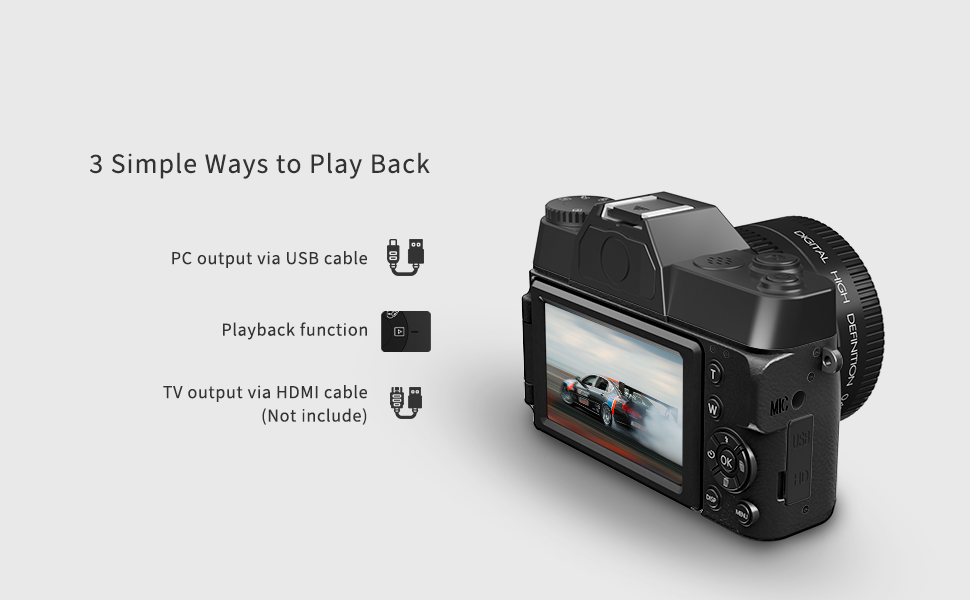
Image: VJIANGER customer support information.


