ആമുഖം
വാങ്ങിയതിന് നന്ദി.asing the PROSCAN PSP1678 LED Light Up Bluetooth Speaker. This manual provides essential information for the safe and efficient operation of your device. Please read it thoroughly before use and retain it for future reference.
The PSP1678 is a versatile portable speaker featuring Bluetooth connectivity, built-in FM radio, USB/TF card input, AUX input, and a microphone input, all complemented by dynamic LED lighting and a built-in rechargeable battery.
സുരക്ഷാ വിവരങ്ങൾ
- സ്പീക്കറിനെ തീവ്രമായ താപനിലയിലോ, നേരിട്ടുള്ള സൂര്യപ്രകാശത്തിലോ, ഉയർന്ന ആർദ്രതയിലോ തുറന്നുകാട്ടരുത്.
- സ്പീക്കറെ ശക്തമായ ആഘാതങ്ങൾക്ക് വിധേയമാക്കുകയോ താഴെയിടുകയോ ചെയ്യുന്നത് ഒഴിവാക്കുക.
- Do not disassemble, repair, or modify the unit yourself. Refer all servicing to qualified personnel.
- സ്പീക്കർ വെള്ളത്തിൽ നിന്നും മറ്റ് ദ്രാവകങ്ങളിൽ നിന്നും അകറ്റി നിർത്തുക. ഈ ഉൽപ്പന്നം വാട്ടർപ്രൂഫ് അല്ല.
- നിർദ്ദിഷ്ട ചാർജിംഗ് കേബിളും പവർ അഡാപ്റ്ററും മാത്രം ഉപയോഗിക്കുക.
- മൃദുവായതും ഉണങ്ങിയതുമായ തുണി ഉപയോഗിച്ച് സ്പീക്കർ വൃത്തിയാക്കുക. അബ്രസീവ് ക്ലീനറുകളോ ലായകങ്ങളോ ഉപയോഗിക്കരുത്.
- Ensure proper ventilation when operating the speaker.
പാക്കേജ് ഉള്ളടക്കം
- PROSCAN PSP1678 ബ്ലൂടൂത്ത് സ്പീക്കർ
- യുഎസ്ബി ചാർജിംഗ് കേബിൾ
- ഉപയോക്തൃ മാനുവൽ (ഈ പ്രമാണം)
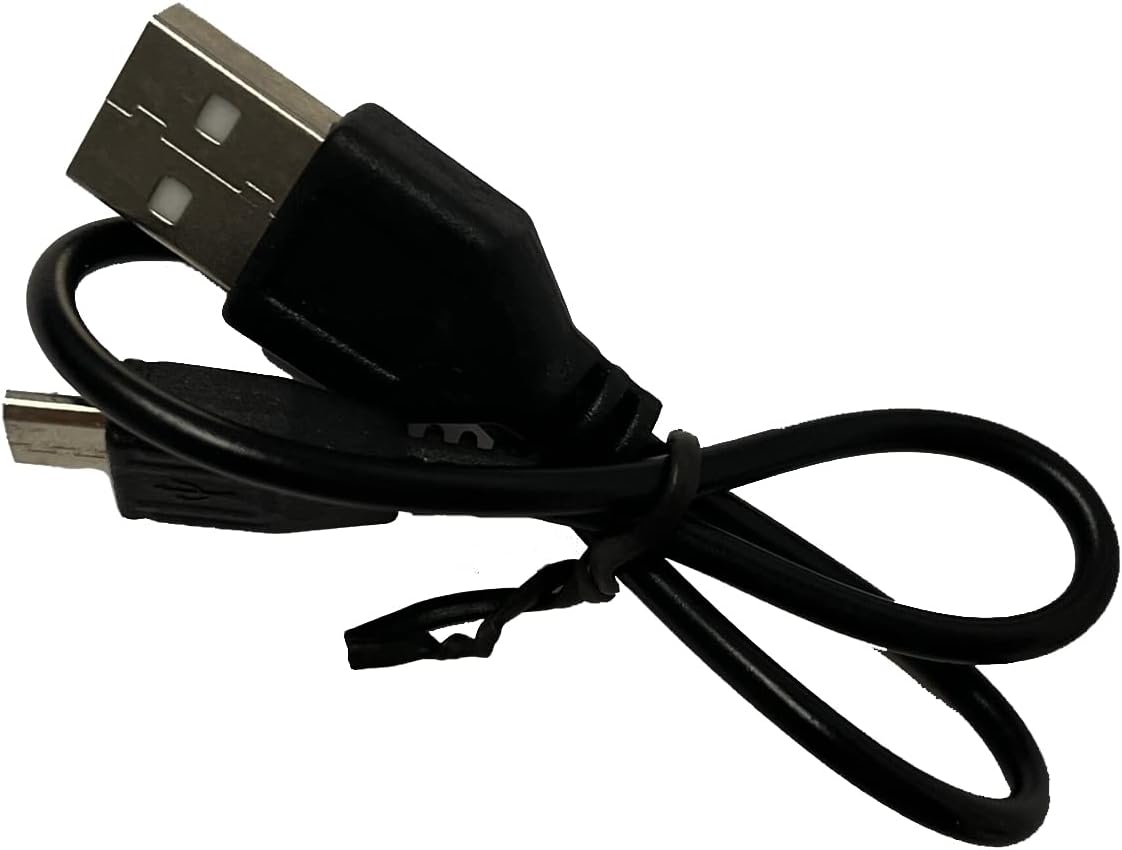
Image: Included USB Charging Cable. This cable is used to recharge the speaker's internal battery.
ഉൽപ്പന്നം കഴിഞ്ഞുview
Familiarize yourself with the various parts and controls of your PROSCAN PSP1678 speaker.

ചിത്രം: മുൻഭാഗം view of the PROSCAN PSP1678 speaker, showcasing the dual 4-inch speakers with active LED lighting. The PROSCAN logo is visible between the speakers.

Image: Top panel of the PROSCAN PSP1678 speaker, showing the control buttons, USB port, TF card slot, AUX input, microphone input, and the main volume/mode knob.
നിയന്ത്രണ പാനൽ പ്രവർത്തനങ്ങൾ:
- പവർ ബട്ടൺ: സ്പീക്കർ ഓൺ/ഓഫ് ചെയ്യാൻ അമർത്തിപ്പിടിക്കുക.
- മോഡ് ബട്ടൺ: Short press to switch between Bluetooth, FM Radio, USB/TF, and AUX modes.
- പ്ലേ/താൽക്കാലികമായി നിർത്തുക ബട്ടൺ: In Bluetooth/USB/TF mode, press to play or pause. In FM mode, press to auto-scan and save stations.
- Previous/Volume Down Button: മുമ്പത്തെ ട്രാക്ക്/സ്റ്റേഷൻ കാണാൻ ഷോർട്ട് പ്രസ്സ് ചെയ്യുക. വോളിയം കുറയ്ക്കാൻ ദീർഘനേരം അമർത്തുക.
- Next/Volume Up Button: അടുത്ത ട്രാക്ക്/സ്റ്റേഷനായി ഷോർട്ട് പ്രസ്സ് ചെയ്യുക. വോളിയം കൂട്ടാൻ ദീർഘനേരം അമർത്തുക.
- USB പോർട്ട്: യുഎസ്ബി ഫ്ലാഷ് ഡ്രൈവ് പ്ലേബാക്കിനായി.
- ടിഎഫ് കാർഡ് സ്ലോട്ട്: TF (മൈക്രോ എസ്ഡി) കാർഡ് പ്ലേബാക്കിനായി.
- AUX ഇൻപുട്ട്: ബാഹ്യ ഓഡിയോ ഉപകരണങ്ങൾ ബന്ധിപ്പിക്കുന്നതിനുള്ള 3.5mm ജാക്ക്.
- മൈക്രോഫോൺ ഇൻപുട്ട്: 6.35mm jack for connecting a microphone.
- DC 5V ചാർജിംഗ് പോർട്ട്: യുഎസ്ബി ചാർജിംഗ് കേബിൾ ബന്ധിപ്പിക്കുന്നതിന്.
- വോളിയം നോബ്: Rotates to adjust the master volume.
സജ്ജമാക്കുക
1. സ്പീക്കറിൽ നിന്ന് നിരക്ക് ഈടാക്കുന്നു
Before first use, fully charge the speaker. Connect the small end of the included USB charging cable to the DC 5V charging port on the speaker and the other end to a USB power adapter (not included) or a computer USB port. The charging indicator light will illuminate during charging and turn off when fully charged.
ചാർജിംഗ് സമയം: ഏകദേശം 3-4 മണിക്കൂർ.
2. പവർ ഓൺ/ഓഫ്
അമർത്തിപ്പിടിക്കുക പവർ ബട്ടൺ on the control panel for approximately 3 seconds to turn the speaker On or Off.
പ്രവർത്തന നിർദ്ദേശങ്ങൾ
1. ബ്ലൂടൂത്ത് മോഡ്
- സ്പീക്കർ ഓണാക്കുക. മിന്നുന്ന LED ലൈറ്റും കേൾക്കാവുന്ന ഒരു പ്രോംപ്റ്റും സൂചിപ്പിക്കുന്ന തരത്തിൽ അത് സ്വയമേവ ബ്ലൂടൂത്ത് ജോടിയാക്കൽ മോഡിലേക്ക് പ്രവേശിക്കും.
- നിങ്ങളുടെ മൊബൈൽ ഉപകരണത്തിൽ (സ്മാർട്ട്ഫോൺ, ടാബ്ലെറ്റ് മുതലായവ) ബ്ലൂടൂത്ത് പ്രവർത്തനക്ഷമമാക്കുക.
- ഇതിനായി തിരയുക "PSP1678" in the list of available Bluetooth devices.
- Select "PSP1678" to connect. Once successfully paired, you will hear a confirmation sound, and the LED light will stop flashing.
- ഇപ്പോൾ നിങ്ങളുടെ ഉപകരണത്തിൽ നിന്ന് സ്പീക്കറിലൂടെ ഓഡിയോ പ്ലേ ചെയ്യാൻ കഴിയും.
കുറിപ്പ്: പവർ ഓൺ ചെയ്യുമ്പോൾ, സ്പീക്കർ അവസാനം ജോടിയാക്കിയ ഉപകരണത്തിലേക്ക് വീണ്ടും കണക്റ്റുചെയ്യാൻ ശ്രമിക്കും.
2. എഫ്എം റേഡിയോ മോഡ്
- Turn on the speaker. Press the മോഡ് ബട്ടൺ repeatedly until you hear the FM radio prompt.
- ലഭ്യമായ എഫ്എം സ്റ്റേഷനുകൾ ഓട്ടോ-സ്കാൻ ചെയ്ത് സംരക്ഷിക്കാൻ, ഹ്രസ്വമായി അമർത്തുക പ്ലേ ചെയ്യുക/താൽക്കാലികമായി നിർത്തുക ബട്ടൺ. സ്പീക്കർ സ്റ്റേഷനുകൾ സ്വയമേവ സ്കാൻ ചെയ്ത് സംഭരിക്കും.
- ഉപയോഗിക്കുക മുമ്പത്തെ ഒപ്പം Next Buttons to navigate between saved stations.
3. USB/TF കാർഡ് പ്ലേബാക്ക്
- Insert a USB flash drive or TF (MicroSD) card into the respective port.
- The speaker will automatically switch to USB or TF mode and begin playing audio files (MP3 format recommended). If it doesn't, press the മോഡ് ബട്ടൺ to select the correct mode.
- ഉപയോഗിക്കുക പ്ലേ/താൽക്കാലികമായി നിർത്തുക, മുമ്പത്തെ, ഒപ്പം Next Buttons പ്ലേബാക്ക് നിയന്ത്രിക്കാൻ.
4. AUX Input Mode
- 3.5mm ഓഡിയോ കേബിളിന്റെ ഒരു അറ്റം (ഉൾപ്പെടുത്തിയിട്ടില്ല) സ്പീക്കറിലെ AUX ഇൻപുട്ട് പോർട്ടുമായി ബന്ധിപ്പിക്കുക.
- Connect the other end of the cable to the audio output jack of your external device (e.g., MP3 player, computer).
- അമർത്തുക മോഡ് ബട്ടൺ AUX മോഡിലേക്ക് മാറാൻ.
- Control audio playback from your connected external device.
5. മൈക്രോഫോൺ ഇൻപുട്ട്
Connect a wired microphone (not included) to the Microphone Input jack. The microphone audio will be mixed with the current audio playback. Adjust the main volume knob to control the overall sound level.
6. LED ലൈറ്റ് കൺട്രോൾ
The LED lights on the speaker automatically activate when the speaker is powered on. There is no dedicated button to turn the lights off or change patterns. They are designed to enhance the audio experience.
മെയിൻ്റനൻസ്
- വൃത്തിയാക്കൽ: Use a soft, dry, lint-free cloth to clean the speaker's exterior. Do not use liquid cleaners, aerosols, or solvents.
- സംഭരണം: ദീർഘനേരം ഉപയോഗിക്കാത്തപ്പോൾ, സ്പീക്കർ തണുത്തതും വരണ്ടതുമായ സ്ഥലത്ത് സൂക്ഷിക്കുക, നേരിട്ടുള്ള സൂര്യപ്രകാശത്തിൽ നിന്നും കടുത്ത താപനിലയിൽ നിന്നും അകറ്റി നിർത്തുക.
- ബാറ്ററി കെയർ: To prolong battery life, avoid fully discharging the battery frequently. Recharge the speaker regularly, even if not in use, to maintain battery health.
ട്രബിൾഷൂട്ടിംഗ്
| പ്രശ്നം | സാധ്യമായ കാരണം | പരിഹാരം |
|---|---|---|
| സ്പീക്കർ ഓണാക്കുന്നില്ല. | ബാറ്ററി കുറവാണ് അല്ലെങ്കിൽ തീർന്നു. | നൽകിയിരിക്കുന്ന USB കേബിൾ ഉപയോഗിച്ച് സ്പീക്കർ പൂർണ്ണമായും ചാർജ് ചെയ്യുക. |
| ശബ്ദമില്ല. | ശബ്ദം വളരെ കുറവാണ്. തെറ്റായ മോഡ് തിരഞ്ഞെടുത്തു. ഉപകരണം ശരിയായി കണക്റ്റുചെയ്തിട്ടില്ല. | Increase volume on speaker and connected device. Press Mode button to select correct input. Reconnect Bluetooth/AUX cable. |
| ബ്ലൂടൂത്ത് വഴി ജോടിയാക്കാൻ കഴിയില്ല. | സ്പീക്കർ ജോടിയാക്കൽ മോഡിലല്ല. ഉപകരണം വളരെ ദൂരെയാണ്. ഇടപെടൽ. | Ensure speaker is in Bluetooth mode (flashing LED). Move device closer to speaker. Turn off other Bluetooth devices. |
| എഫ്എം റേഡിയോ റിസപ്ഷൻ മോശമാണ്. | ദുർബലമായ സിഗ്നൽ. | Relocate the speaker to an area with better reception. Perform auto-scan again. |
| USB/TF കാർഡ് പ്ലേ ചെയ്യുന്നില്ല. | തെറ്റാണ് file ഫോർമാറ്റ്. കാർഡ്/ഡ്രൈവ് ശരിയായി ചേർത്തിട്ടില്ല. | ഉറപ്പാക്കുക files are in MP3 format. Reinsert the USB drive/TF card firmly. Press Mode button to select correct input. |
സ്പെസിഫിക്കേഷനുകൾ
| ഫീച്ചർ | വിശദാംശങ്ങൾ |
|---|---|
| മോഡൽ നമ്പർ | PSP1678 |
| സ്പീക്കർ പവർ | 5W 2 |
| സ്പീക്കർ വലിപ്പം | 4 ഇഞ്ച് x 2 |
| കണക്റ്റിവിറ്റി | Bluetooth, USB, TF Card, AUX, FM Radio |
| മൈക്രോഫോൺ ഇൻപുട്ട് | അതെ |
| പവർ ഉറവിടം | Built-in Rechargeable Battery, Corded Electric (via USB) |
| ഉൽപ്പന്ന അളവുകൾ (D x W x H) | 6.25" x 16.25" x 7.75" |
| ഇനത്തിൻ്റെ ഭാരം | 4 പൗണ്ട് |
| യു.പി.സി | 058465824457 |

Image: PROSCAN PSP1678 speaker with approximate dimensions indicated: 15.47 inches height, 7.28 inches width, and 5.9 inches depth.
വാറൻ്റിയും പിന്തുണയും
PROSCAN products are designed and manufactured to the highest quality standards. For warranty information or technical support, please refer to the warranty card included with your purchase or visit the official PROSCAN webസൈറ്റ്. വാറന്റി ക്ലെയിമുകൾക്കായി നിങ്ങളുടെ വാങ്ങലിന്റെ തെളിവ് സൂക്ഷിക്കുക.
For further assistance, you may contact PROSCAN customer service through their official channels. Please have your model number (PSP1678) and purchase details ready.
കുറിപ്പ്: വാറന്റി നിബന്ധനകളും വ്യവസ്ഥകളും പ്രദേശത്തിനനുസരിച്ച് വ്യത്യാസപ്പെടാം.


