1. ആമുഖം
Thank you for choosing the DEKCO 5MP Outdoor Security Camera. This manual provides detailed instructions for setting up, operating, and maintaining your camera to ensure optimal performance and security for your home or outdoor space. This camera features 5MP Ultra HD video, 360° pan-tilt view, smart motion tracking, two-way audio, full-color night vision, and IP66 weatherproof certification.

Figure 1: DEKCO 5MP Outdoor Security Camera
2. ബോക്സിൽ എന്താണുള്ളത്?
- DEKCO 5MP Outdoor Security Camera
- പവർ അഡാപ്റ്റർ
- മൗണ്ടിംഗ് സ്ക്രൂകൾ
- പൊസിഷനിംഗ് സ്റ്റിക്കർ
- ഉപയോക്തൃ മാനുവൽ (ഈ പ്രമാണം)
3. സജ്ജീകരണവും ഇൻസ്റ്റാളേഷനും
Follow these steps to set up and install your DEKCO security camera. For a visual guide, please refer to the official installation video below.
3.1 Official Installation Video
Video 1: DC5P Installation and Network Distribution Guide. This video provides a step-by-step walkthrough for setting up your camera and connecting it to your network.
3.2 Powering On and App Download
- Plug the camera into a power outlet using the provided adapter.
- Download the "CloudEdge" app from your mobile device's App Store (iOS) or Google Play Store (Android).
- ഒരു അക്കൗണ്ടിനായി രജിസ്റ്റർ ചെയ്ത് ലോഗിൻ ചെയ്യുക.
3.3 Wi-Fi Connection (2.4GHz Only)
The DEKCO camera supports 2.4GHz Wi-Fi networks only. It does NOT support 5GHz Wi-Fi. Ensure your mobile device is connected to a 2.4GHz Wi-Fi network during setup.
- In the CloudEdge app, select "Add Device" and choose "Power Plug Camera" or "Smart Camera (WiFi)" as appropriate.
- Follow the in-app instructions to connect the camera to your 2.4GHz Wi-Fi network. You will be prompted to scan a QR code displayed on your phone with the camera lens.
- Wait for the camera's indicator light to turn blue, signifying a successful connection.

ചിത്രം 2: എളുപ്പത്തിലുള്ള സജ്ജീകരണ ഘട്ടങ്ങൾ

Figure 3: 2.4GHz Wi-Fi Support
3.4 ഫിസിക്കൽ ഇൻസ്റ്റലേഷൻ
Choose a suitable outdoor location for installation, ideally 7-10 feet high for optimal coverage. The camera is IP66 weatherproof, suitable for various outdoor conditions.
- Use the positioning sticker to mark the drill holes on the wall.
- അടയാളപ്പെടുത്തിയ സ്ഥാനങ്ങളിൽ ദ്വാരങ്ങൾ തുരത്തുക.
- തുളച്ച ദ്വാരങ്ങളിൽ പ്ലാസ്റ്റിക് ആങ്കറുകൾ തിരുകുക.
- Align the camera's mounting base with the holes and secure it with the provided screws.
- Route the power cable through the designed groove on the mounting base to protect it from weather elements.

Figure 4: IP66 Weatherproof Design
4. പ്രവർത്തന നിർദ്ദേശങ്ങൾ
4.1 Pan-Tilt 360° View
Control the camera's pan (horizontal 350°) and tilt (vertical 90°) movements remotely via the CloudEdge app to monitor all-round without blind spots.

Figure 5: Pan & Tilt Functionality
4.2 Smart Motion Tracking & Detection
The camera can detect objects in motion and automatically record and track them. You will receive instant alerts on your mobile device via the app when motion is detected.
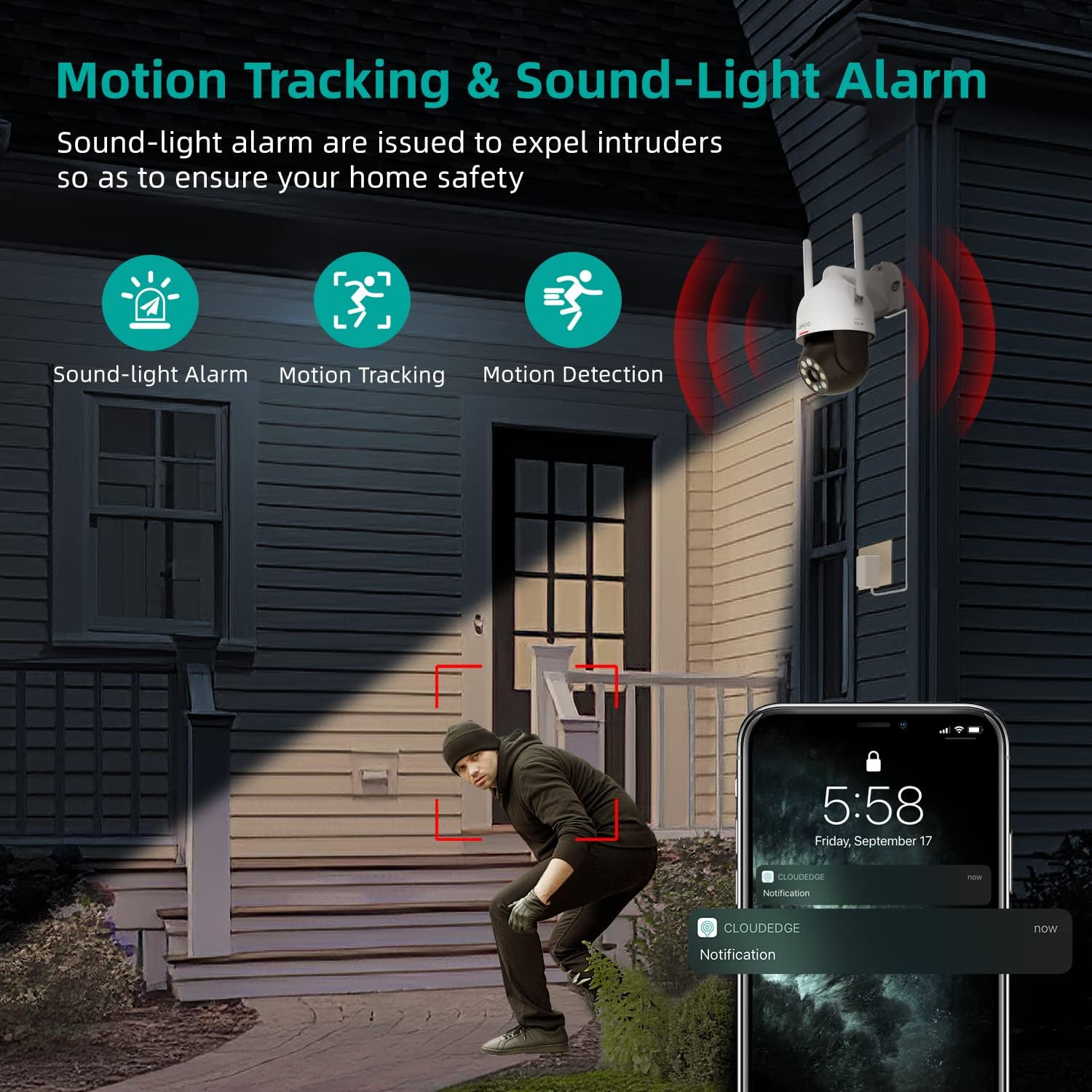
Figure 6: Motion Tracking & Sound-Light Alarm
4.3 ടു-വേ ഓഡിയോ
With a built-in microphone and speaker, the camera allows for real-time two-way communication. You can speak through the app to visitors or deter unwanted individuals.

ചിത്രം 7: ടു-വേ ഓഡിയോ കമ്മ്യൂണിക്കേഷൻ
4.4 പൂർണ്ണ വർണ്ണ നൈറ്റ് വിഷൻ
The 5MP ultra-high-definition picture quality provides clear images even in dark environments. The camera supports infrared, full-color, and auto (smart) night vision modes for customized night viewing.
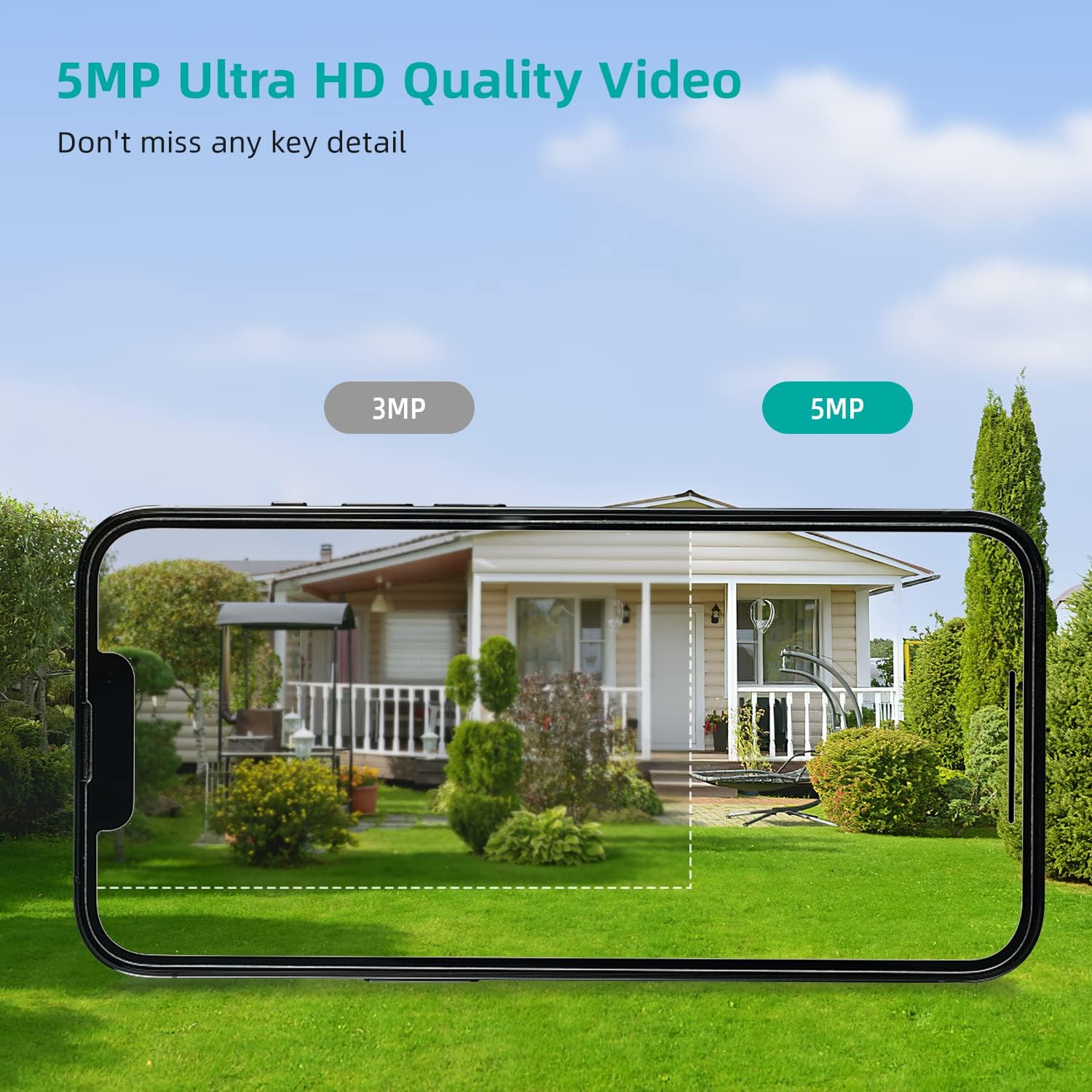
Figure 8: 5MP Ultra HD Video Quality

Figure 9: Three Night Vision Modes
5. സ്റ്റോറേജ് ഓപ്ഷനുകൾ
The DEKCO camera offers flexible storage solutions for your recordings:
- മൈക്രോ എസ്ഡി കാർഡ്: The camera has a built-in SD card slot supporting up to 128GB (Micro SD card not included).
- ക്ലൗഡ് സംഭരണം: Encrypted secure cloud storage is also supported for convenient access to your footage.

Figure 10: 24/7 Recording and SD Card Slot

Figure 11: Cloud and Local Storage
6 സ്പെസിഫിക്കേഷനുകൾ
| ഫീച്ചർ | സ്പെസിഫിക്കേഷൻ |
|---|---|
| മോഡലിൻ്റെ പേര് | DC5P Camera |
| ഫലപ്രദമായ സ്റ്റിൽ റെസല്യൂഷൻ | 5 എം.പി |
| വീഡിയോ ക്യാപ്ചർ റെസല്യൂഷൻ | 1920p |
| ഇൻഡോർ/ഔട്ട്ഡോർ ഉപയോഗം | ഔട്ട്ഡോർ |
| കണക്റ്റിവിറ്റി പ്രോട്ടോക്കോൾ | വൈഫൈ (2.4GHz മാത്രം) |
| കൺട്രോളർ തരം | CloudEdge ആപ്പ് |
| പാൻ/ടിൽറ്റ് ആംഗിൾ | തിരശ്ചീനം 350°, ലംബം 90° |
| നൈറ്റ് വിഷൻ | Full Color, Infrared, Auto (Smart) |
| ഓഡിയോ | 2-വേ ഓഡിയോ |
| ജല പ്രതിരോധ നില | IP66 വാട്ടർപ്രൂഫ് |
| സംഭരണം | Micro SD (up to 128G), Cloud Storage |
| പവർ ഉറവിടം | കോർഡഡ് ഇലക്ട്രിക് (12 വോൾട്ട്) |
| ഇനത്തിൻ്റെ അളവുകൾ L x W x H | 5 x 8 x 5 ഇഞ്ച് |
| ഇനത്തിൻ്റെ ഭാരം | 1.32 പൗണ്ട് |
7. പ്രശ്നപരിഹാരം
- ക്യാമറ വൈഫൈയിലേക്ക് കണക്റ്റ് ചെയ്യുന്നില്ല: Ensure your router is broadcasting a 2.4GHz Wi-Fi signal. The camera does not support 5GHz Wi-Fi. Move the camera closer to the router during initial setup.
- ശക്തിയില്ല: Check that the power adapter is securely plugged into both the camera and a working power outlet.
- മോശം വീഡിയോ നിലവാരം: Ensure your Wi-Fi signal is strong. Check for obstructions between the camera and the router.
- Motion detection issues: Adjust the motion detection sensitivity settings in the CloudEdge app. Ensure the camera's view is clear of moving objects that might cause false alarms (e.g., tree branches in windy conditions).
- ക്യാമറ ഓഫ്ലൈൻ: Check your internet connection. If the camera was recently moved or power cycled, it might take a few minutes to reconnect. If issues persist, try resetting the camera (refer to the app for reset instructions).
8. പരിപാലനം
- വൃത്തിയാക്കൽ: ക്യാമറ ലെൻസ് ഇടയ്ക്കിടെ മൃദുവായ, ഡി-ടച്ച് ഉപയോഗിച്ച് വൃത്തിയാക്കുക.amp വ്യക്തമായ ചിത്ര നിലവാരം ഉറപ്പാക്കാൻ തുണി ഉപയോഗിക്കുക. അബ്രസിവ് ക്ലീനറുകൾ ഒഴിവാക്കുക.
- കാലാവസ്ഥ സംരക്ഷണം: While IP66 weatherproof, ensure the power connection is protected from direct heavy rain or snow to prevent damage.
- ഫേംവെയർ അപ്ഡേറ്റുകൾ: Regularly check the CloudEdge app for available firmware updates to ensure your camera has the latest features and security enhancements.
9. പിന്തുണ
For any questions or further assistance, please feel free to contact the "DekcoCare" Online Support Team. We offer lifetime support for DEKCO brand products.
Visit the DEKCO Store on Amazon: DEKCO Store


