1. ആമുഖം
This manual provides instructions for the installation, operation, and maintenance of your TP-Link VIGI C340 4MP Full-Color Outdoor Bullet Network Camera. This camera is designed for outdoor security, offering 4MP high-definition video, 24-hour full-color imaging, and smart detection features. It is built with IP66 waterproof protection for stable performance in various outdoor conditions.

ചിത്രം 1.1: മുൻഭാഗം view of the TP-Link VIGI C340 camera, showcasing its bullet design and lens array.
2. പാക്കേജ് ഉള്ളടക്കം
നിങ്ങളുടെ പാക്കേജിൽ എല്ലാ ഇനങ്ങളും ഉണ്ടെന്ന് ഉറപ്പാക്കുക:
- VIGI നെറ്റ്വർക്ക് ക്യാമറ
- ദ്രുത ആരംഭ ഗൈഡ്
- വാട്ടർപ്രൂഫ് കേബിൾ അറ്റാച്ചുമെന്റുകൾ
- മൗണ്ടിംഗ് സ്ക്രൂകളും വാൾ പ്ലഗുകളും
- മൗണ്ടിംഗ് ടെംപ്ലേറ്റ് സ്റ്റിക്കർ

Image 2.1: Contents of the VIGI C340 camera package, including the camera, quick start guide, and mounting accessories.
3. സജ്ജീകരണവും ഇൻസ്റ്റാളേഷനും
The VIGI C340 camera supports Power over Ethernet (PoE) for simplified wiring, allowing both power supply and data transmission through a single RJ45 cable. Alternatively, it can be powered via a 12V DC adapter (not included).
3.1 മൗണ്ടിംഗ് ഓപ്ഷനുകൾ
The camera offers flexible installation options for optimal vantage points:
- സീലിംഗ് മൗണ്ടിംഗ്: Secure the camera to a ceiling surface.
- മതിൽ മൗണ്ടിംഗ്: Attach the camera to a vertical wall.
- പോൾ മൗണ്ടിംഗ്: Use appropriate straps or brackets to mount on a pole.

Image 3.1: Diagrams illustrating ceiling, wall, and pole mounting methods for the VIGI C340 camera.
3.2 വയർഡ് കണക്ഷൻ
Connect the camera to your network using an RJ45 Ethernet cable. If using PoE, this single cable will provide both power and data. Ensure waterproof cable attachments are used for outdoor installations to maintain IP66 rating.
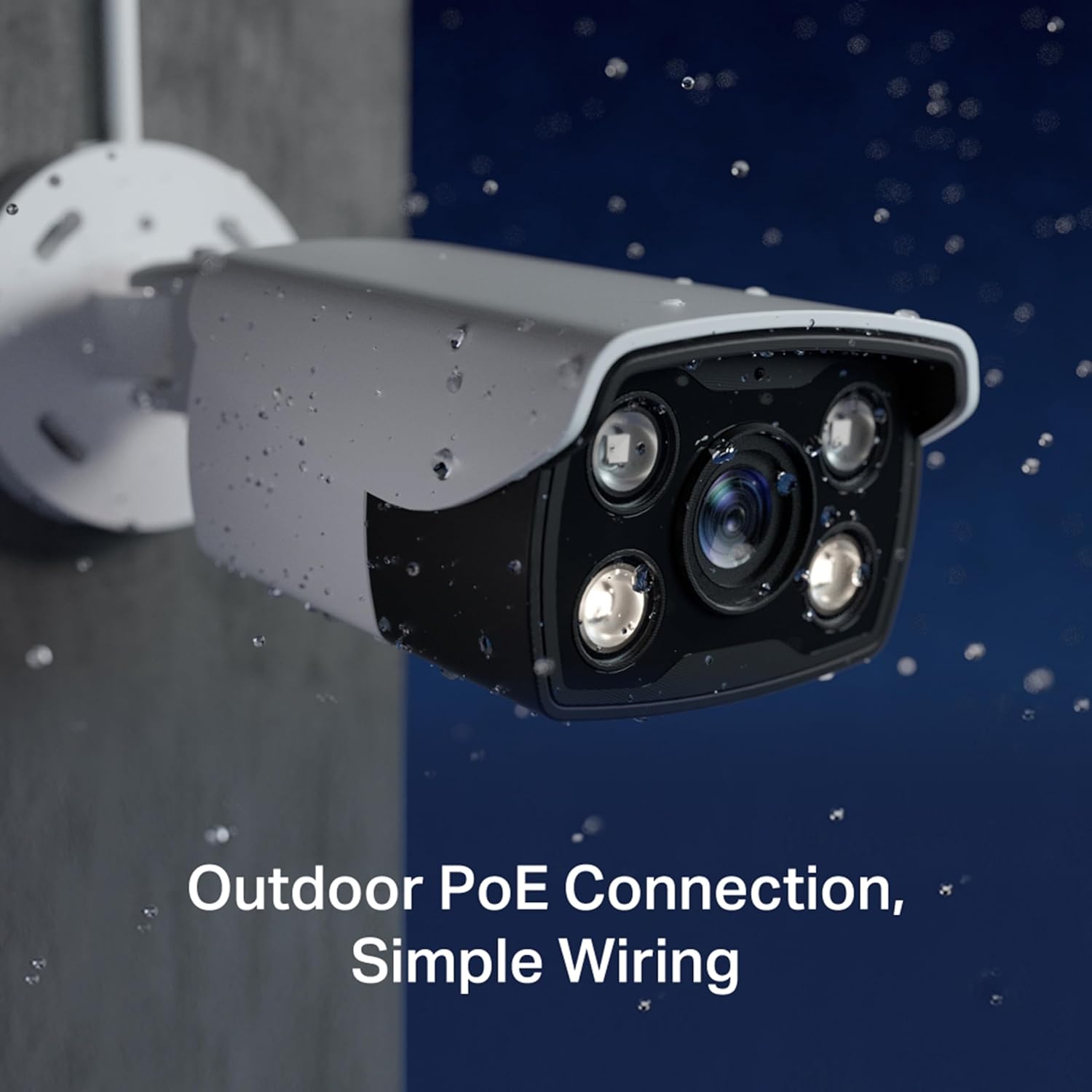
Image 3.2: The VIGI C340 camera installed outdoors, demonstrating its waterproof design and simple PoE wiring.
4. ക്യാമറ പ്രവർത്തിപ്പിക്കുക
The VIGI C340 camera can be managed through various methods, including the VIGI app, VIGI Security Manager software, or a VIGI Network Video Recorder (NVR).
4.1 VIGI App
Manage your security system from your mobile device using the VIGI app. The app allows for live viewing, playback, and configuration of camera settings.
- Download the VIGI app from your device's app store.
- Follow the in-app instructions to add your VIGI C340 camera.
- Access live feeds, review രേഖപ്പെടുത്തി footage, and adjust settings remotely.
4.2 സ്മാർട്ട് ഡിറ്റക്ഷൻ സവിശേഷതകൾ
The camera incorporates advanced AI algorithms for smart detection, providing accurate event notifications:
- മനുഷ്യ കണ്ടെത്തൽ: മനുഷ്യരൂപങ്ങളെ തിരിച്ചറിയുന്നു, മറ്റ് ചലനങ്ങളിൽ നിന്നുള്ള തെറ്റായ അലാറങ്ങൾ കുറയ്ക്കുന്നു.
- ചലനം കണ്ടെത്തൽ: Triggers recording and alerts upon detecting any movement.
- Area Intrusion: Notifies when an object enters a predefined area.
- Line-Crossing: Alerts when an object crosses a specified virtual line.
- വീഡിയോ ടിampഎറിംഗ്: Detects attempts to obstruct or disable the camera.

Image 4.1: Visual representation of various smart detection capabilities, including motion, line-crossing, and intrusion detection.
4.3 24-hour Full-Color Imaging
The VIGI C340 utilizes a high-sensitivity sensor and integrated spotlight LEDs to capture full-color video details even in low-light or pitch-black conditions.
5. പരിപാലനം
Regular maintenance ensures optimal performance and longevity of your VIGI C340 camera.
- വൃത്തിയാക്കൽ: ക്യാമറ ലെൻസും ഹൗസിംഗും ഇടയ്ക്കിടെ സോഫ്റ്റ്, ഡി-ക്യാമറ ഉപയോഗിച്ച് വൃത്തിയാക്കുക.amp തുണി. ഉരച്ചിലുകൾ ഉള്ള ക്ലീനറുകൾ ഒഴിവാക്കുക.
- ഫേംവെയർ അപ്ഡേറ്റുകൾ: Check the TP-Link website or VIGI app for available firmware updates to ensure the camera has the latest features and security patches.
- കേബിൾ പരിശോധന: Regularly inspect all cables and connections for any signs of wear or damage, especially in outdoor environments.
- പരിസ്ഥിതി സംരക്ഷണം: While the camera is IP66 rated, ensure it is installed in a location that minimizes direct exposure to extreme weather conditions where possible.
6. പ്രശ്നപരിഹാരം
If you encounter issues with your VIGI C340 camera, refer to the following common problems and solutions:
| പ്രശ്നം | സാധ്യമായ പരിഹാരം |
|---|---|
| ക്യാമറ ഓണാക്കുന്നില്ല. |
|
| വീഡിയോ ഫീഡ് ഇല്ല. |
|
| മോശം ഇമേജ് നിലവാരം. |
|
| Smart detection not working correctly. |
|
For further assistance, please contact TP-Link support.
7 സ്പെസിഫിക്കേഷനുകൾ
| ഫീച്ചർ | വിശദാംശങ്ങൾ |
|---|---|
| മോഡൽ | VIGI C340 (6mm) |
| റെസലൂഷൻ | 4എംപി ഹൈ ഡെഫനിഷൻ |
| ഇമേജിംഗ് | 24h Full-Color |
| വാട്ടർപ്രൂഫ് റേറ്റിംഗ് | IP66 |
| വീഡിയോ കംപ്രഷൻ | H.265 + |
| സ്മാർട്ട് ഡിറ്റക്ഷൻ | Human Detection, Motion Detection, Area Intrusion, Line-Crossing, Video Tampഎറിംഗ് |
| പവർ ഓപ്ഷനുകൾ | PoE (Power over Ethernet) / 12V DC |
| കണക്റ്റിവിറ്റി | വയർഡ് (ഇഥർനെറ്റ്) |
| പ്രവർത്തന താപനില | -30 മുതൽ 60 °C (-22 മുതൽ 140 °F വരെ) |
| അളവുകൾ (LxWxH) | 7.8 x 18.8 x 7.1 സെൻ്റീമീറ്റർ |
| ഭാരം | 280 ഗ്രാം |
8. വാറൻ്റിയും പിന്തുണയും
വാറൻ്റി: ഈ ഉൽപ്പന്നത്തിന് 2 വർഷത്തെ വാറണ്ടിയുണ്ട്. വാറന്റി ക്ലെയിമുകൾക്കായി നിങ്ങളുടെ വാങ്ങിയതിന്റെ തെളിവ് സൂക്ഷിക്കുക.
പിന്തുണ: For technical support, product information, and troubleshooting, please visit the official TP-Link support webസൈറ്റ് അല്ലെങ്കിൽ അവരുടെ ഉപഭോക്തൃ സേവനവുമായി ബന്ധപ്പെടുക:
- ടോൾ ഫ്രീ: 1800 2094 168
- ഇമെയിൽ: support.in@tp-link.com
- Webസൈറ്റ്: TP-Link India Support


