1. ആമുഖം
This manual provides detailed instructions for the setup, operation, and maintenance of your BINNIFA Play 6D Sound Bar. Please read this manual thoroughly before using the product to ensure proper function and to maximize your audio experience. Keep this manual for future reference.

Image 1.1: The BINNIFA Play 6D Sound Bar, a sleek, silver-colored audio device designed to enhance television sound.
2 സുരക്ഷാ വിവരങ്ങൾ
- Do not expose the sound bar to rain, moisture, or extreme temperatures.
- അമിതമായി ചൂടാക്കുന്നത് തടയാൻ യൂണിറ്റിന് ചുറ്റും ശരിയായ വായുസഞ്ചാരം ഉറപ്പാക്കുക.
- സി തുറക്കരുത്.asing; എല്ലാ സേവനങ്ങളും യോഗ്യതയുള്ള ഉദ്യോഗസ്ഥർക്ക് റഫർ ചെയ്യുക.
- നൽകിയിരിക്കുന്ന പവർ അഡാപ്റ്റർ മാത്രം ഉപയോഗിക്കുക.
- Keep the sound bar away from strong magnetic fields.
3. പാക്കേജ് ഉള്ളടക്കം
പാക്കേജിൽ എല്ലാ ഇനങ്ങളും ഉണ്ടെന്ന് ഉറപ്പാക്കുക:
- BINNIFA Play 6D Sound Bar
- റിമോട്ട് കൺട്രോൾ
- എസി പവർ അഡാപ്റ്റർ
- ഒപ്റ്റിക്കൽ കേബിൾ
- വാൾ മൗണ്ടിംഗ് കിറ്റുകൾ
4. ഉൽപ്പന്നം കഴിഞ്ഞുview
4.1 മുന്നിലും മുകളിലും View
ചിത്രം 4.1: മുൻഭാഗം view of the sound bar, featuring a silver grille and a subtle BINNIFA logo on the left.
4.2 പിൻ പാനൽ കണക്ഷനുകൾ
The rear panel of the sound bar provides various input ports for connecting to your television and other audio sources.

Image 4.2: Close-up of the rear panel showing input ports: Coaxial (COX), Optical (OPT), HDMI ARC, USB, AUX, and DC IN.
5. സജ്ജീകരണം
5.1 പ്ലേസ്മെന്റ് ഓപ്ഷനുകൾ
The BINNIFA Play 6D Sound Bar offers flexible placement options:
- ടാബ്ലെറ്റ് പ്ലേസ്മെൻ്റ്: Place the sound bar on a flat, stable surface directly in front of your television. Ensure it does not obstruct the TV's remote sensor.
- മതിൽ മൗണ്ടിംഗ്: Use the included wall mounting kits to attach the sound bar to a wall below your television. Refer to the wall mounting template for precise drilling locations.

Image 5.1: The sound bar positioned on a media console beneath a television, demonstrating tabletop placement.
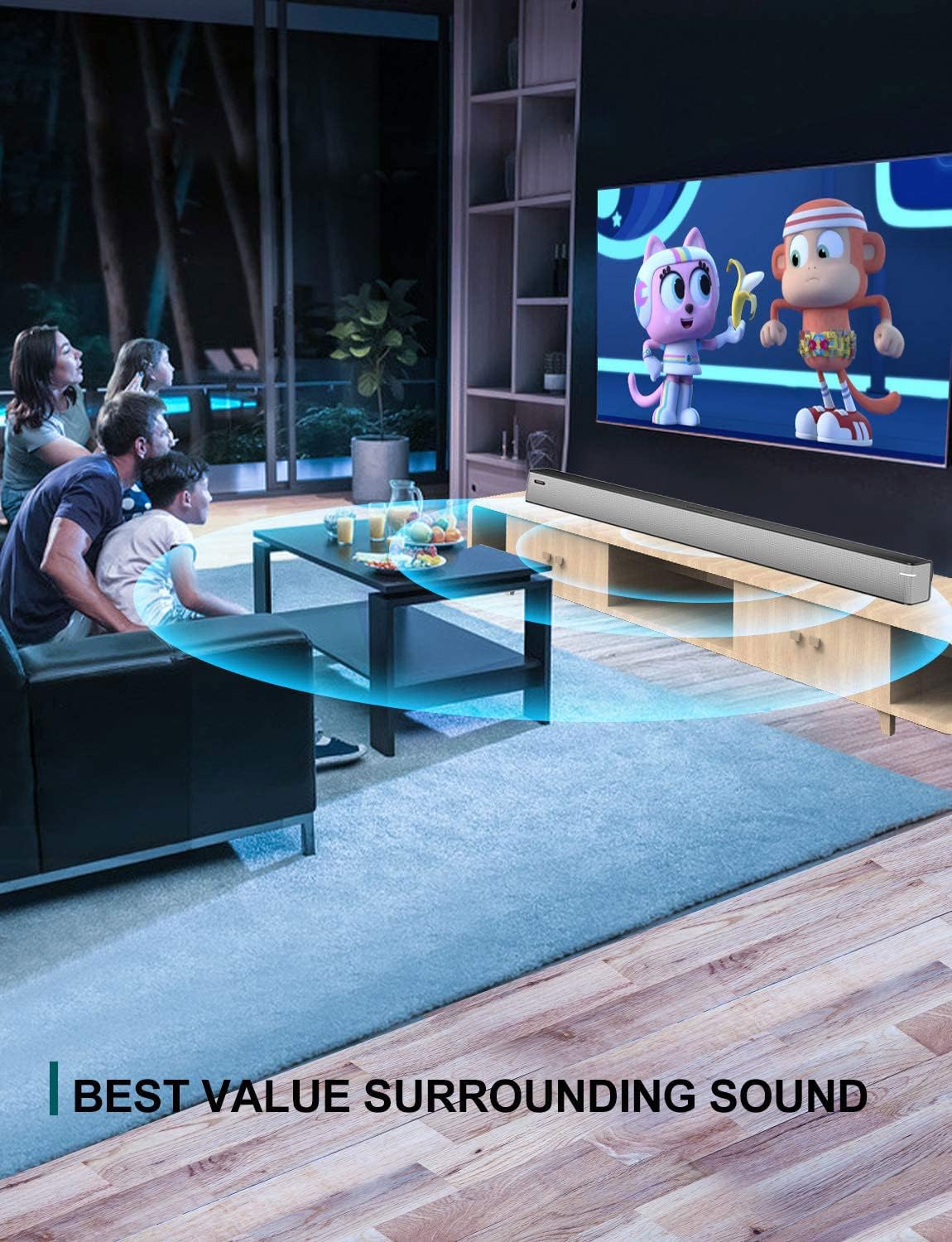
Image 5.2: The sound bar mounted on a wall directly below a television, illustrating wall-mount installation.
5.2 Connecting to Your TV or Audio Source
The sound bar supports multiple connection types. Choose the method that best suits your television or audio device.
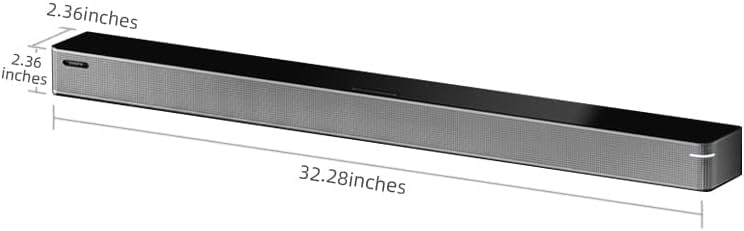
Image 5.3: A diagram illustrating the available connection methods: HDMI ARC, USB Media, and Bluetooth.
- HDMI ARC കണക്ഷൻ (ശുപാർശ ചെയ്യുന്നത്):
- Connect one end of an HDMI cable (not included) to the HDMI ARC port on your TV.
- മറ്റേ അറ്റം ബന്ധിപ്പിക്കുക HDMI ARC സൗണ്ട് ബാറിലെ പോർട്ട്.
- Ensure your TV's HDMI ARC function is enabled in its settings.
- ഒപ്റ്റിക്കൽ കണക്ഷൻ:
- Connect the included optical cable to the OPT സൗണ്ട് ബാറിലെ പോർട്ട്.
- Connect the other end to the optical digital audio output port on your TV.
- Set your TV's audio output to 'Optical' or 'PCM'.
- AUX കണക്ഷൻ:
- Connect a 3.5mm audio cable (not included) to the ഓക്സ് സൗണ്ട് ബാറിലെ പോർട്ട്.
- Connect the other end to the headphone jack or AUX output on your TV or audio device.
- USB കണക്ഷൻ:
- ഓഡിയോ അടങ്ങിയ യുഎസ്ബി ഫ്ലാഷ് ഡ്രൈവ് ചേർക്കുക fileഎസ് USB സൗണ്ട് ബാറിലെ പോർട്ട്.
- The sound bar will automatically switch to USB mode and begin playback.
- കോക്സിയൽ കണക്ഷൻ:
- Connect a coaxial cable (not included) to the COX സൗണ്ട് ബാറിലെ പോർട്ട്.
- Connect the other end to the coaxial digital audio output port on your TV.
5.3 പവർ കണക്ഷൻ
Connect the AC power adapter to the ഡിസി ഐഎൻ port on the sound bar, then plug the adapter into a wall outlet.
6. പ്രവർത്തന നിർദ്ദേശങ്ങൾ
6.1 പവർ ഓൺ/ഓഫ്
അമർത്തുക ശക്തി യൂണിറ്റ് ഓണാക്കാനോ ഓഫാക്കാനോ റിമോട്ട് കൺട്രോളിലോ സൗണ്ട് ബാറിലോ ബട്ടൺ അമർത്തുക.
6.2 ഇൻപുട്ട് തിരഞ്ഞെടുക്കൽ
അമർത്തുക ഇൻപുട്ട് button on the remote control to cycle through the available input sources: HDMI ARC, Optical, AUX, USB, and Bluetooth.
6.3 ബ്ലൂടൂത്ത് ജോടിയാക്കൽ
ഒരു ബ്ലൂടൂത്ത് ഉപകരണം ബന്ധിപ്പിക്കുന്നതിന്:
- സൗണ്ട് ബാർ ഓണാക്കി ബ്ലൂടൂത്ത് മോഡ് തിരഞ്ഞെടുക്കുക ഉപയോഗിച്ച് ഇൻപുട്ട് ബട്ടൺ. ഇൻഡിക്കേറ്റർ ലൈറ്റ് മിന്നിമറയും.
- നിങ്ങളുടെ മൊബൈൽ ഉപകരണത്തിൽ (സ്മാർട്ട്ഫോൺ, ടാബ്ലെറ്റ് മുതലായവ) ബ്ലൂടൂത്ത് പ്രവർത്തനക്ഷമമാക്കുക.
- ഇതിനായി തിരയുക available devices and select "BINNIFA Play 6D" from the list.
- Once paired, the indicator light on the sound bar will stop flashing and remain solid.
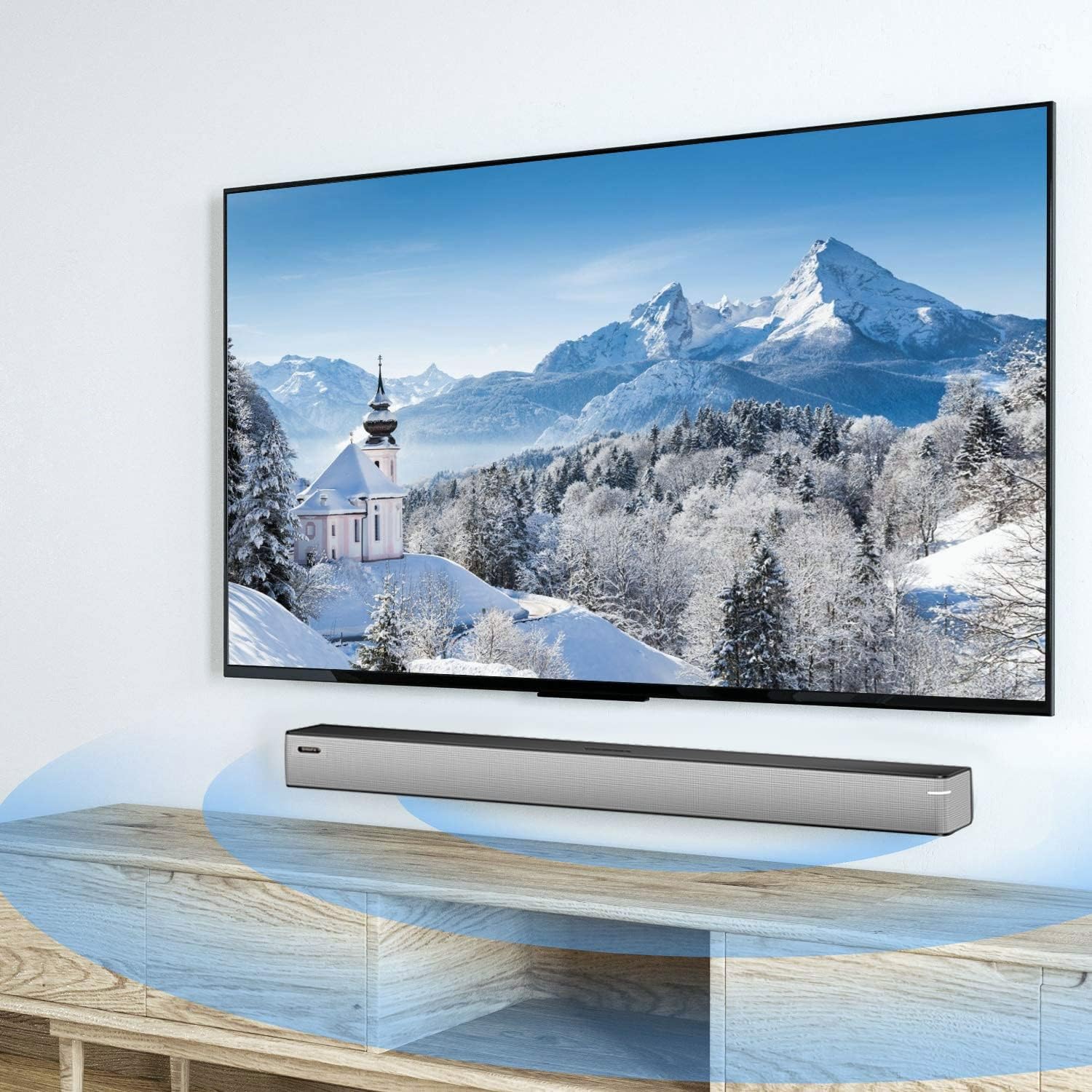
Image 6.1: A smartphone displaying music playback, wirelessly connected to the sound bar via Bluetooth, illustrating simple connectivity.
6.4 സൗണ്ട് മോഡുകൾ
The sound bar features three optimized sound modes:
- സംഗീത മോഡ്: Ideal for pop music, providing balanced audio.
- മൂവി മോഡ്: Enhances movie and TV show audio with heavy bass for an immersive experience.
- വാർത്താ മോഡ്: Optimizes vocal clarity for news broadcasts and talk shows.
Press the corresponding button on the remote control to switch between modes.
6.5 വോളിയം നിയന്ത്രണം
ഉപയോഗിക്കുക വോളിയം കൂട്ടുക (+) ഒപ്പം വോളിയം താഴേക്ക് (-) buttons on the remote control or on the sound bar to adjust the volume level.
7. പരിപാലനം
To ensure the longevity and performance of your sound bar:
- വൃത്തിയാക്കൽ: Wipe the surface of the sound bar with a soft, dry cloth. Do not use liquid cleaners or abrasive materials.
- സംഭരണം: യൂണിറ്റ് ദീർഘനേരം സൂക്ഷിക്കുകയാണെങ്കിൽ, അത് വൈദ്യുതിയിൽ നിന്ന് വിച്ഛേദിച്ച് തണുത്തതും വരണ്ടതുമായ സ്ഥലത്ത് സൂക്ഷിക്കുക.
- വെൻ്റിലേഷൻ: Ensure that the vents are not blocked to prevent overheating.
8. പ്രശ്നപരിഹാരം
If you encounter issues with your BINNIFA Play 6D Sound Bar, refer to the following common problems and solutions:
| പ്രശ്നം | സാധ്യമായ കാരണം | പരിഹാരം |
|---|---|---|
| സൗണ്ട് ബാറിൽ നിന്ന് ശബ്ദമൊന്നുമില്ല. |
|
|
| ബ്ലൂടൂത്ത് ഉപകരണം ജോടിയാക്കാൻ കഴിയില്ല. |
|
|
| റിമോട്ട് കൺട്രോൾ പ്രവർത്തിക്കുന്നില്ല. |
|
|
9 സ്പെസിഫിക്കേഷനുകൾ
Detailed technical specifications for the BINNIFA Play 6D Sound Bar:
- മോഡൽ: Play 6D
- ബ്രാൻഡ്: ബിന്നിഫ
- ഉൽപ്പന്ന അളവുകൾ: 32.3"D x 2.36"W x 2.36"H (82സെ.മീ x 6സെ.മീ x 6സെ.മീ)
- ഇനത്തിൻ്റെ ഭാരം: 4.19 പൗണ്ട് (1.9 കി.ഗ്രാം)
- സ്പീക്കർ തരം: സൗണ്ട്ബാർ
- മൗണ്ടിംഗ് തരം: വാൾ മൗണ്ട്, ടേബിൾടോപ്പ്
- കണക്റ്റിവിറ്റി ടെക്നോളജി: Auxiliary, Bluetooth, Coaxial, HDMI ARC, Optical, USB
- വയർലെസ് കമ്മ്യൂണിക്കേഷൻ ടെക്നോളജി: ബ്ലൂടൂത്ത് 5.0
- ബ്ലൂടൂത്ത് ശ്രേണി: 10 മീറ്റർ വരെ (33 അടി)
- സ്പീക്കർ പരമാവധി ഔട്ട്പുട്ട് പവർ: 30 വാട്ട്സ്
- ഫ്രീക്വൻസി പ്രതികരണം: 60 Hz
- സിഗ്നൽ-ടു-നോയിസ് അനുപാതം: 75 ഡി.ബി
- ഊർജ്ജ സ്രോതസ്സ്: Corded Electric (AC adapter)
- നിയന്ത്രണ രീതി: റിമോട്ട് കൺട്രോൾ
- നിറം: വെള്ളി
- UPC: 791200396207

Image 9.1: Diagram illustrating the dimensions of the sound bar: approximately 32.28 inches long, 2.36 inches deep, and 2.36 inches high.
10. വാറൻ്റിയും പിന്തുണയും
BINNIFA products are designed for reliability and performance. For warranty information or technical support, please refer to the warranty card included with your product or visit the official BINNIFA webവാറന്റി ക്ലെയിമുകൾക്കുള്ള വാങ്ങലിന്റെ തെളിവായി നിങ്ങളുടെ വാങ്ങൽ രസീത് സൂക്ഷിക്കുക.


