1. ആമുഖം
The Ezlo Secure Smart Home Hub is a central control unit designed to manage and automate a wide range of smart home devices. It supports Z-Wave, Zigbee, and integrates with thousands of Wi-Fi devices through Amazon Alexa and Google Assistant. This manual provides essential information for setting up, operating, maintaining, and troubleshooting your Ezlo Secure Hub.
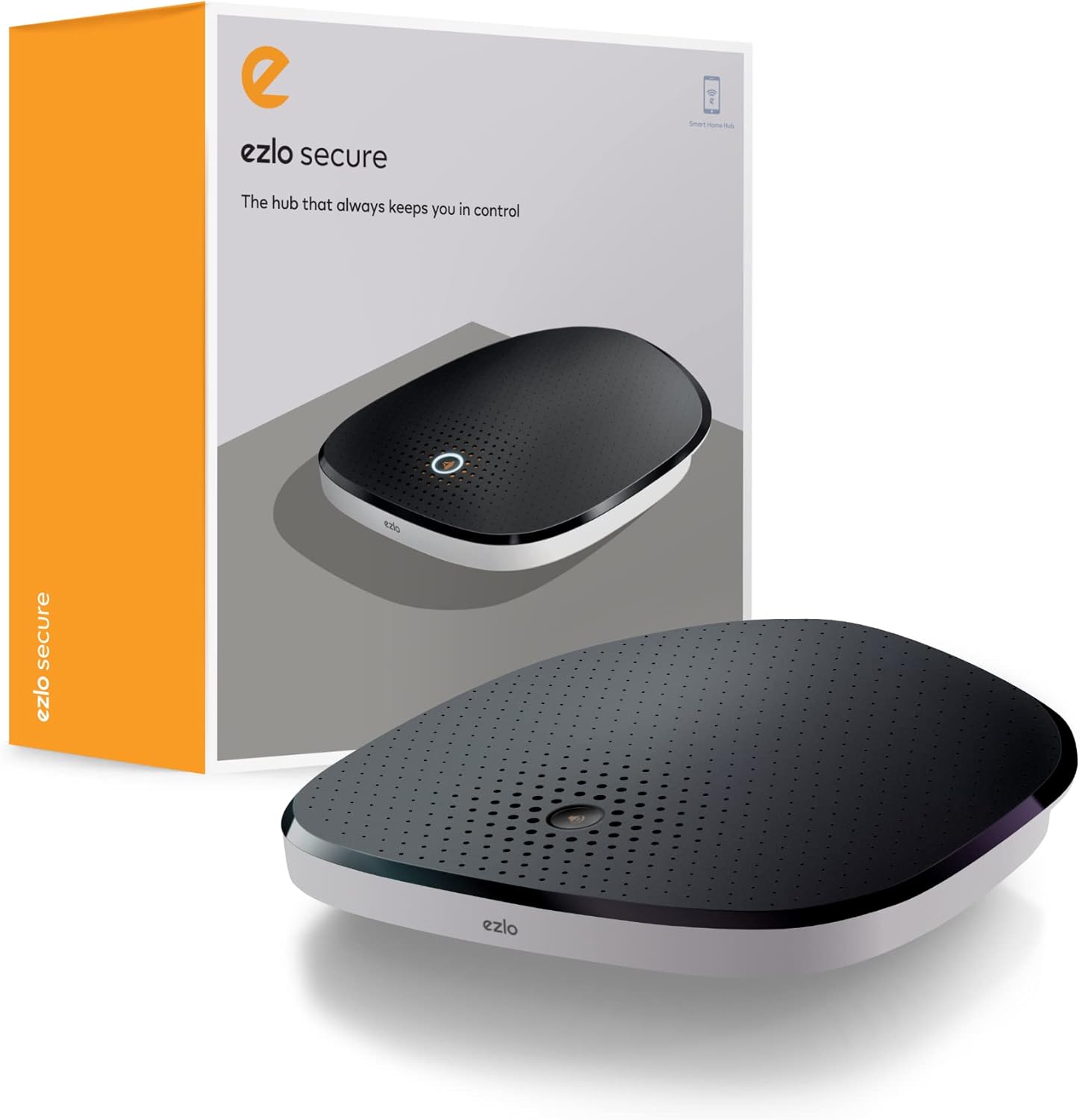
Figure 1: The Ezlo Secure Smart Home Hub and its retail packaging.
2. സജ്ജീകരണം
2.1 പാക്കേജ് ഉള്ളടക്കം
- Ezlo Secure Smart Home Hub
- ഇഥർനെറ്റ് കേബിൾ
- പവർ അഡാപ്റ്റർ
- Non-standard battery (pre-installed)
2.2 പ്രാരംഭ കണക്ഷൻ
- Connect the Ezlo Secure Smart Home Hub to your Wi-Fi router using the provided Ethernet cable. Ensure your router has an available Ethernet port and is connected to the internet.
- Connect the power adapter to the hub and plug it into a power outlet.
- Wait for the hub to power on and establish a network connection. The indicator light on the hub will change to indicate readiness.
2.3 ആപ്പ് ഇൻസ്റ്റാളേഷനും കോൺഫിഗറേഷനും
- Download the Ezlo mobile application from your device's app store. The app requires iOS 9.0 or later, or Android 8.1 or later.
- Open the Ezlo app and follow the in-app guide to create an account and add your Ezlo Secure Hub.
- Once the hub is added, you can begin pairing your smart devices (Z-Wave, Zigbee, Wi-Fi) through the app. Refer to the app's specific instructions for pairing different device types.

Figure 2: The Ezlo Secure Hub placed on a wooden surface, ready for operation.
3. Operating the Ezlo Secure Hub
3.1 Device Integration and Control
The Ezlo Secure Hub operates on the MiOS Property OS, allowing for seamless integration and control of various smart devices. It supports Z-Wave and Zigbee protocols directly, and can control thousands of Wi-Fi devices when linked with Amazon Alexa or Google Assistant.
- Z-Wave & Zigbee Devices: Pair compatible Z-Wave and Zigbee devices directly with the hub through the Ezlo app.
- വൈഫൈ ഉപകരണങ്ങൾ: Connect your Ezlo Secure Hub to your Amazon Alexa or Google Assistant account to enable voice and app control for Wi-Fi devices already linked to those platforms.
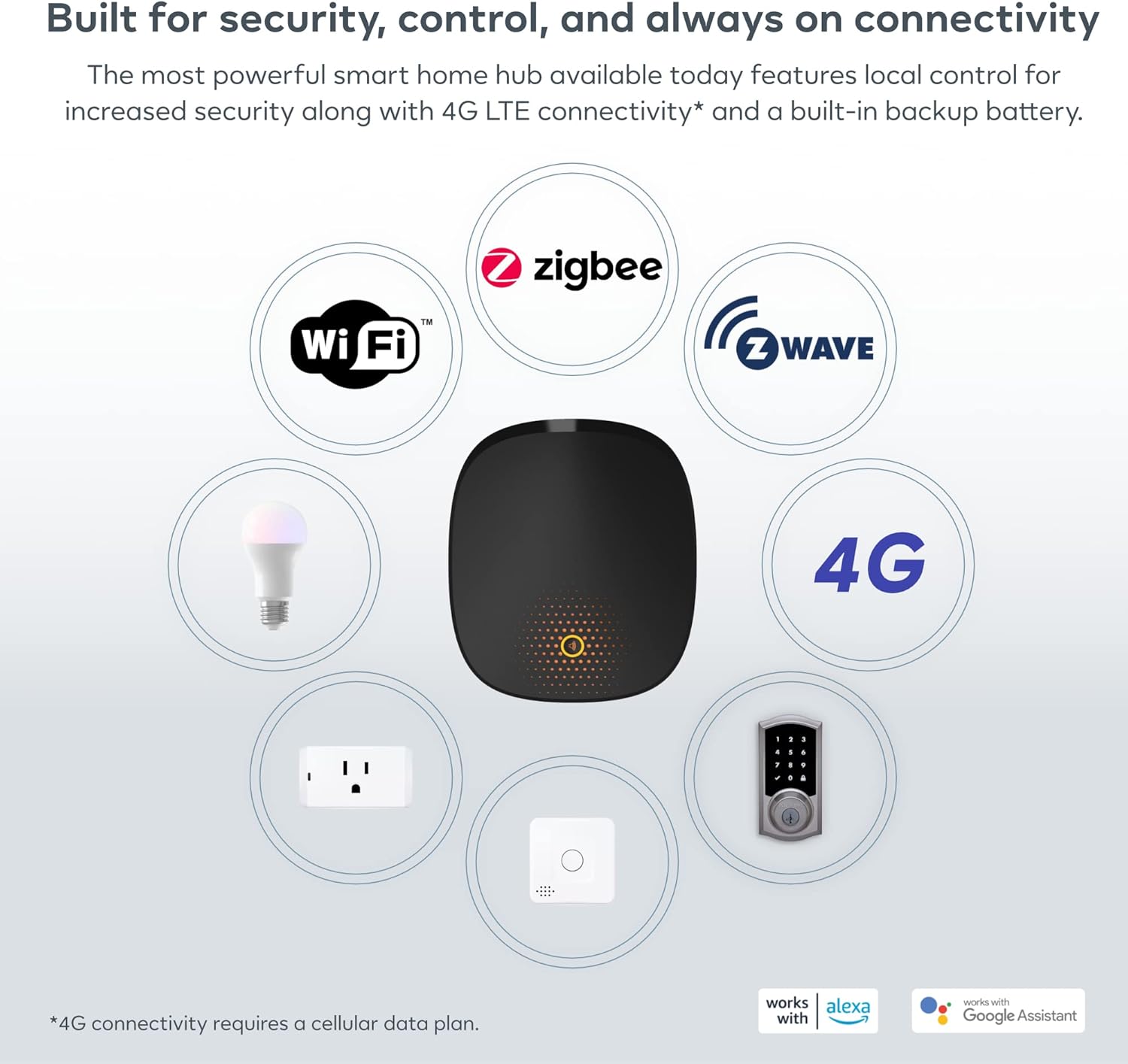
Figure 3: The Ezlo Secure Hub's broad compatibility with various smart home technologies and devices.
3.2 Automation and Scenes (MeshBots)
Utilize the powerful automation engine, known as MeshBots, to create custom workflows and scenes for your smart home. This allows devices to interact automatically based on predefined conditions.
- Creating Automations: In the Ezlo app, navigate to the automation section. Define triggers (e.g., motion detected, time of day) and actions (e.g., turn on lights, send notifications).
- Example Automation: If a front door sensor detects motion, turn on a floodlight, send an alert, log a security entry, and turn off the floodlight if no motion is detected after 2 minutes.

ചിത്രം 4: ഉദാample of an automation sequence using MeshBots.
3.3 ശബ്ദ നിയന്ത്രണം
Integrate your Ezlo Secure Hub with Amazon Alexa or Google Assistant to control your smart devices using voice commands. This feature allows for hands-free operation of lights, locks, and other connected devices.
- അക്കൗണ്ടുകൾ ലിങ്ക് ചെയ്യുന്നു: Follow the instructions in the Ezlo app to link your Amazon Alexa or Google Assistant account.
- വോയ്സ് കമാൻഡുകൾ: Once linked, use standard voice commands (e.g., "Alexa, turn on the living room lights" or "Hey Google, lock the front door").
3.4 Local Control and Security Features
The Ezlo Secure Hub offers local control, ensuring your smart home continues to function even if your internet connection is lost. It also includes a built-in backup battery and siren for enhanced security.
- പ്രാദേശിക മോഡ്: Critical automations and device control can operate locally without an internet connection.
- ബാക്കപ്പ് ബാറ്ററി: Provides power to the hub during outages, maintaining system functionality.
- ബിൽറ്റ്-ഇൻ സൈറൺ: Can be triggered as part of security automations to deter intruders.

Figure 5: The Ezlo Secure Hub maintains functionality and security even during power or internet outages.
4. പരിപാലനം
The Ezlo Secure Hub requires minimal maintenance. Follow these guidelines to ensure optimal performance:
- ഫേംവെയർ അപ്ഡേറ്റുകൾ: Ezlo ആപ്പ് വഴി ഫേംവെയർ അപ്ഡേറ്റുകൾ പതിവായി പരിശോധിച്ച് ഇൻസ്റ്റാൾ ചെയ്യുക. അപ്ഡേറ്റുകളിൽ പലപ്പോഴും പ്രകടന മെച്ചപ്പെടുത്തലുകൾ, പുതിയ സവിശേഷതകൾ, സുരക്ഷാ മെച്ചപ്പെടുത്തലുകൾ എന്നിവ ഉൾപ്പെടുന്നു.
- വൃത്തിയാക്കൽ: Use a soft, dry cloth to clean the exterior of the hub. Avoid using liquid cleaners or abrasive materials.
- പ്ലേസ്മെൻ്റ്: Ensure the hub is placed in a central location within your home, away from large metal objects or other sources of interference, to maximize wireless signal range for connected devices.
- ബാറ്ററി പരിശോധന: While the hub has a backup battery, it is designed for short-term power outages. Ensure the hub is always connected to a reliable power source.
5. പ്രശ്നപരിഹാരം
If you encounter issues with your Ezlo Secure Hub, refer to the following common problems and solutions:
| പ്രശ്നം | സാധ്യമായ കാരണം | പരിഹാരം |
|---|---|---|
| ഹബ് ഓണാക്കുന്നില്ല | Power adapter disconnected or faulty outlet | പവർ കണക്ഷനുകൾ പരിശോധിക്കുക. മറ്റൊരു ഔട്ട്ലെറ്റ് പരീക്ഷിക്കുക. |
| ഇൻ്റർനെറ്റ് കണക്ഷനില്ല | Ethernet cable loose, router issue, or internet outage | Ensure Ethernet cable is securely connected. Restart your router. Check your internet service. |
| Cannot pair devices | Device too far, incorrect pairing mode, or interference | Move device closer to hub. Ensure device is in pairing mode. Reduce interference. Consult device manual. |
| ശബ്ദ നിയന്ത്രണം പ്രവർത്തിക്കുന്നില്ല | Alexa/Google Assistant not linked or device not discovered | Verify Ezlo account is linked in Alexa/Google Home app. Ask Alexa/Google to discover devices. |
| Hub blinking/disconnecting | Network instability or firmware issue | Ensure stable network. Check for and apply firmware updates. If persistent, contact support. |
For more detailed troubleshooting or issues not listed here, please refer to the Ezlo support webസൈറ്റ് അല്ലെങ്കിൽ ഉപഭോക്തൃ സേവനവുമായി ബന്ധപ്പെടുക.
6 സ്പെസിഫിക്കേഷനുകൾ
Detailed technical specifications for the Ezlo Secure Smart Home Hub:
| ഫീച്ചർ | വിശദാംശങ്ങൾ |
|---|---|
| നിർമ്മാതാവ് | എസ്ലോ |
| മോഡൽ നമ്പർ | EZLOSECURE-US-2022_V2 |
| ഉൽപ്പന്ന അളവുകൾ | 10.49 x 10.49 x 3.45 സെ.മീ |
| ഇനത്തിൻ്റെ ഭാരം | 821 ഗ്രാം |
| നിറം | കറുപ്പ് |
| ഉൾപ്പെടുത്തിയ ഘടകങ്ങൾ | Ethernet cable, Power source |
| ബാറ്ററികൾ | 1 Non-standard Lithium Ion battery (included) |
| ഓപ്പറേറ്റിംഗ് സിസ്റ്റം | MiOS by Ezlo |
| കണക്റ്റിവിറ്റി | Z-Wave, Zigbee, Wi-Fi (via Alexa/Google Assistant), 4G (requires cellular data plan) |
| മൊബൈൽ ആപ്പ് ആവശ്യകതകൾ | ഐഒഎസ് 9.0+; ആൻഡ്രോയിഡ് 8.1+ |

ചിത്രം 6: ഓവർview of the Ezlo Secure Hub's key features and capabilities.
7. വാറൻ്റിയും പിന്തുണയും
7.1 വാറൻ്റി വിവരങ്ങൾ
Please refer to the warranty card included with your product packaging or visit the official Ezlo webവിശദമായ വാറന്റി നിബന്ധനകൾക്കും വ്യവസ്ഥകൾക്കും സൈറ്റ് സന്ദർശിക്കുക. വാറന്റി സാധാരണയായി വാങ്ങിയ തീയതി മുതൽ ഒരു നിശ്ചിത കാലയളവിലേക്കുള്ള നിർമ്മാണ വൈകല്യങ്ങൾ ഉൾക്കൊള്ളുന്നു.
7.2 ഉപഭോക്തൃ പിന്തുണ
For technical assistance, troubleshooting, or any questions regarding your Ezlo Secure Smart Home Hub, please contact Ezlo customer support:
- ഓൺലൈൻ പിന്തുണ: Visit the Ezlo support portal on their official webപതിവുചോദ്യങ്ങൾ, വിജ്ഞാന അടിസ്ഥാന ലേഖനങ്ങൾ, കമ്മ്യൂണിറ്റി ഫോറങ്ങൾ എന്നിവയ്ക്കുള്ള സൈറ്റ്.
- Contact Form/Email: Use the contact form available on the Ezlo website or email their support team directly.
- ഫോൺ പിന്തുണ: Check the Ezlo webപ്രാദേശിക ഫോൺ സപ്പോർട്ട് നമ്പറുകൾക്കും പ്രവർത്തന സമയത്തിനുമുള്ള സൈറ്റ്.


