1. ആമുഖം
Welcome to the user manual for your new WANBO T6R Max Projector. This manual provides essential information on setting up, operating, maintaining, and troubleshooting your device to ensure you get the best possible experience. Please read this manual thoroughly before using the projector and keep it for future reference.
2. ഉൽപ്പന്നം കഴിഞ്ഞുview
പ്രധാന സവിശേഷതകൾ
- Native 1080P Resolution & 4K Support: Delivers crisp, clear images with support for 4K video playback.
- 650 ANSI Lumens Brightness: Provides a bright display suitable for various lighting conditions.
- Android 9.0 TV Interface: Access a wide range of apps and streaming services directly from the projector.
- ഓട്ടോ ഫോക്കസും ഓട്ടോ കീസ്റ്റോൺ തിരുത്തലും: Automatically adjusts image clarity and shape for optimal viewing.
- Dual-band WiFi (2.4G/5G) & Bluetooth 5.0: Ensures stable wireless connectivity for streaming and audio.
- Wireless & Wired Mirror Display: Easily project content from your smartphone or laptop.
- Fully Sealed Optical Engine: Designed to be dust-proof, enhancing durability and picture quality.
- HDR10+ Technology: Optimizes color saturation and detailing for a vibrant viewഅനുഭവം.
- 10 Watt Hi-Fi Surround Sound with Dolby Support: Integrated speakers provide immersive audio.
- 20000+ Hours Lamp ജീവിതം: Long-lasting LED light source for extended use.
ഉൽപ്പന്ന ഘടകങ്ങൾ

ഫ്രണ്ട് view of the WANBO T6R Max Projector, showcasing the lens and ventilation grille.

The projector positioned on a stand, illustrating its compact design and illuminated lens during operation.

A person holding the projector by its integrated handle, highlighting its portability.

The projector shown alongside a tablet, smartphone, and gaming console, demonstrating its versatile connectivity options.
3. സജ്ജീകരണം
3.1 പായ്ക്ക് അൺപാക്ക് ചെയ്യലും ഉള്ളടക്ക പരിശോധനയും
പാക്കേജിംഗിൽ നിന്ന് എല്ലാ ഇനങ്ങളും ശ്രദ്ധാപൂർവ്വം നീക്കം ചെയ്യുക. ഇനിപ്പറയുന്ന ഘടകങ്ങൾ ഉണ്ടെന്ന് ഉറപ്പാക്കുക:
- WANBO T6R Max Projector
- റിമോട്ട് കൺട്രോൾ
- ഉപയോക്തൃ മാനുവൽ (ഈ പ്രമാണം)
- വാറൻ്റി കാർഡ്
- എസി അഡാപ്റ്റർ
3.2 പ്ലേസ്മെൻ്റ്
Place the projector on a stable, flat surface. For optimal image quality, ensure the projector is positioned directly in front of the projection surface (wall or screen). The projection size can range from 60 to 200 inches depending on the distance from the surface.

Diagram illustrating recommended projection distances for various screen sizes (e.g., 4.4ft for 80", 5.5ft for 100", 6.6ft for 120").
3.3 പവർ കണക്ഷൻ
Connect the AC adaptor to the projector's power input port and then plug it into a power outlet (220 Volts AC).
3.4 വിദൂര നിയന്ത്രണ സജ്ജീകരണം
ശരിയായ ധ്രുവീകരണം ഉറപ്പാക്കിക്കൊണ്ട്, റിമോട്ട് കൺട്രോളിലേക്ക് രണ്ട് AAA ബാറ്ററികൾ (ഉൾപ്പെടുത്തിയിട്ടില്ല) തിരുകുക.
3.5 പ്രാരംഭ പവർ ഓണും ക്രമീകരണവും
Press the power button on the projector or remote control to turn on the device. The projector features auto-focus and auto-keystone correction. Allow a few moments for the projector to automatically adjust the image. If manual adjustment is needed, use the focus and keystone settings in the projector's menu.
4. പ്രവർത്തന നിർദ്ദേശങ്ങൾ
4.1 Navigating the Android TV Interface
Use the remote control's directional buttons and OK button to navigate through the Android 9.0 TV interface. Access pre-installed apps like YouTube, Netflix, and Prime Video, or download more from the Google Play Store.

The projector's screen showing the Android TV interface with icons for various streaming and entertainment applications.
4.2 ബാഹ്യ ഉപകരണങ്ങൾ ബന്ധിപ്പിക്കുന്നു
- എച്ച്ഡിഎംഐ: Connect gaming consoles (e.g., PS5, Xbox), laptops, or other media players via the HDMI port.
- USB: Use the USB ports to connect USB drives for media playback.
- ബ്ലൂടൂത്ത്: Pair Bluetooth-enabled speakers or headphones for enhanced audio.
- വൈഫൈ: Connect to your home network for online streaming and updates.
4.3 Wireless Screen Mirroring
The projector supports 2.4G/5G WiFi wireless screen casting. Follow the on-screen instructions to mirror content from your compatible smartphone or tablet.
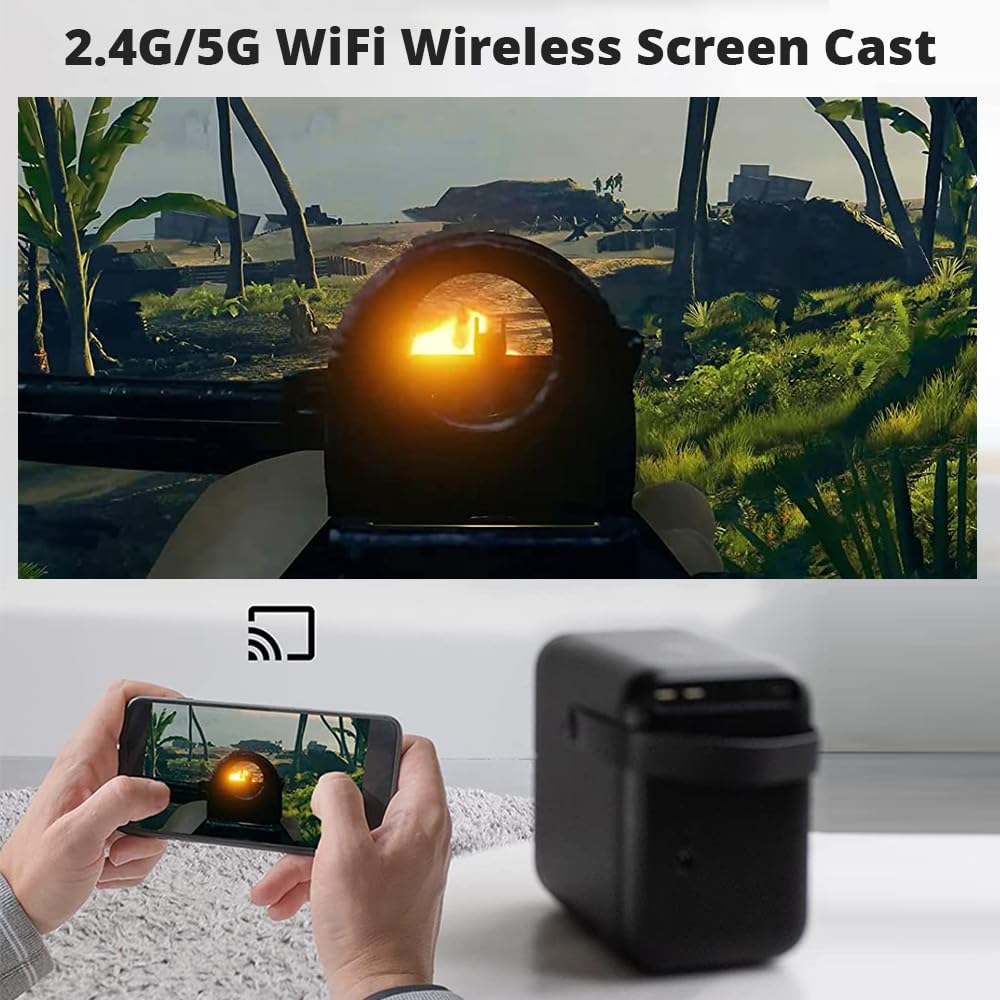
An illustration of the projector wirelessly displaying content from a smartphone, demonstrating the screen mirroring feature.
4.4 Adjusting Projection Size and Zoom
The projector features a 100%-60% zoom function, allowing you to adjust the image size without moving the projector. Access this setting through the projector's display menu.
4.5 ഓഡിയോ putട്ട്പുട്ട്
The WANBO T6R Max has built-in 10 Watt Hi-Fi surround speakers with Dolby support. You can also connect external audio systems via Bluetooth for a more powerful sound experience.
5. പരിപാലനം
5.1 പ്രൊജക്ടർ വൃത്തിയാക്കൽ
- ലെൻസ്: Use a soft, lint-free cloth specifically designed for optical lenses. Do not use abrasive cleaners or cloths.
- പുറം: പ്രൊജക്ടറിന്റെ പുറംഭാഗം മൃദുവായതും ഉണങ്ങിയതുമായ തുണി ഉപയോഗിച്ച് തുടയ്ക്കുക. കഠിനമായ പാടുകൾക്ക്, അല്പം ഡി.amp ഉണങ്ങിയ തുണി ഉപയോഗിച്ച ശേഷം തുടയ്ക്കാം.
- വെൻ്റിലേഷൻ: Ensure the ventilation grilles are clear of dust and obstructions to prevent overheating.
5.2 പൊടി പ്രതിരോധം
The WANBO T6R Max features a fully sealed optical engine, which significantly reduces dust accumulation inside the projector, maintaining image quality and extending lifespan.
5.3 എൽamp ജീവിതം
The LED light source has a lifespan of over 20,000 hours, providing long-term, reliable performance without frequent lamp മാറ്റിസ്ഥാപിക്കൽ.
6. പ്രശ്നപരിഹാരം
If you encounter issues with your WANBO T6R Max Projector, please refer to the following common problems and solutions:
| പ്രശ്നം | സാധ്യമായ പരിഹാരം |
|---|---|
| No power / Projector does not turn on | Check if the power cable is securely connected to both the projector and the power outlet. Ensure the power outlet is functional. |
| Blurry image / Out of focus | Allow the auto-focus feature to complete. If still blurry, manually adjust focus using the remote control or settings menu. Ensure the projector lens is clean. |
| Distorted image / Incorrect shape (trapezoid) | Allow auto-keystone correction to complete. If needed, manually adjust keystone settings in the menu. Ensure the projector is placed as straight as possible to the screen. |
| ശബ്ദമില്ല | Check the volume level on the projector and any connected external devices. Ensure external speakers are properly connected or Bluetooth is paired correctly. Verify audio output settings in the projector's menu. |
| No signal from input source (HDMI, USB) | Ensure the correct input source is selected in the projector's menu. Check the cable connections for both ends. Try a different cable or device. |
| വൈഫൈ അല്ലെങ്കിൽ ബ്ലൂടൂത്ത് കണക്റ്റിവിറ്റി പ്രശ്നങ്ങൾ | Ensure the projector is within range of the Wi-Fi router or Bluetooth device. Restart the projector and the network device. Re-enter Wi-Fi password if necessary. |
| റിമോട്ട് കൺട്രോൾ പ്രതികരിക്കുന്നില്ല | Check and replace batteries. Ensure there are no obstructions between the remote and the projector's IR receiver. |
ഈ പരിഹാരങ്ങൾ പരീക്ഷിച്ചതിന് ശേഷവും പ്രശ്നം നിലനിൽക്കുകയാണെങ്കിൽ, ദയവായി ഉപഭോക്തൃ പിന്തുണയുമായി ബന്ധപ്പെടുക.
7 സ്പെസിഫിക്കേഷനുകൾ
| ഫീച്ചർ | വിശദാംശങ്ങൾ |
|---|---|
| ബ്രാൻഡ് | WANBO |
| മോഡൽ | T6R മാക്സ് |
| ഡിസ്പ്ലേ ടെക്നോളജി | LED / LCD |
| നേറ്റീവ് റെസല്യൂഷൻ | 1920 x 1080 പിക്സലുകൾ (ഫുൾ എച്ച്ഡി) |
| തെളിച്ചം | 650 ആൻസി ലുമെൻസ് |
| ഓപ്പറേറ്റിംഗ് സിസ്റ്റം | ആൻഡ്രോയിഡ് 9.0 |
| കണക്റ്റിവിറ്റി | Wi-Fi (2.4G/5G), Bluetooth 5.0, HDMI, USB |
| വീക്ഷണാനുപാതം | 16:9 |
| പ്രത്യേക സവിശേഷതകൾ | Auto Focus, Auto Keystone, Portable, Dust-Proof Optical Engine, HDR10+ |
| ഓഡിയോ | 10 Watt Hi-Fi Surround (Dolby Support) |
| Lamp ജീവിതം | 20,000+ മണിക്കൂർ |
| ഉൽപ്പന്ന അളവുകൾ | 13.7 x 19.5 x 20.1 സെ.മീ |
| ഇനത്തിൻ്റെ ഭാരം | 3 കി.ഗ്രാം |
| പവർ ഉറവിടം | AC adaptor included (220 Volts AC) |
8. വാറൻ്റിയും പിന്തുണയും
8.1 വാറൻ്റി വിവരങ്ങൾ
The WANBO T6R Max Projector comes with a 1 വർഷത്തെ വാറൻ്റി വാങ്ങിയ തീയതി മുതൽ. വാറന്റി ക്ലെയിമുകൾക്കായി നിങ്ങളുടെ വാങ്ങിയതിന്റെ തെളിവ് സൂക്ഷിക്കുക. സാധാരണ ഉപയോഗ സാഹചര്യങ്ങളിൽ നിർമ്മാണ വൈകല്യങ്ങളും തകരാറുകളും വാറന്റിയിൽ ഉൾപ്പെടുന്നു.
8.2 ഉപഭോക്തൃ പിന്തുണ
For any technical assistance, troubleshooting, or warranty inquiries, please contact WANBO customer support. Professional support is available throughout the product's life.
ഇറക്കുമതിക്കാരന്റെ കോൺടാക്റ്റ്: Zeblaze LLP, 731, 3rd Floor, 4th Phase, Yelahanka New Town, Bangalore KA. Customer Care: 080 7097 7097


