1. ആമുഖം
The Hama MyVoice1300 is a mono Bluetooth headset designed for comfortable communication and media playback. It features a compact design, voice control capabilities, and a dedicated USB charging station for convenience. This manual provides detailed instructions for setting up, operating, maintaining, and troubleshooting your headset.
2. പാക്കേജ് ഉള്ളടക്കം
എല്ലാ ഇനങ്ങളും ഉണ്ടെന്ന് ഉറപ്പാക്കാൻ പാക്കേജ് ഉള്ളടക്കങ്ങൾ പരിശോധിക്കുക:
- 1 x Hama MyVoice1300 Mono Bluetooth Headset
- 1 x USB Charging Station
- 3 x Pairs of Silicone Earplugs (Sizes S, M, L)
- 1 x ഇൻസ്ട്രക്ഷൻ മാനുവൽ
3. ഉൽപ്പന്നം കഴിഞ്ഞുview
The Hama MyVoice1300 headset features an in-ear design with a built-in microphone and controls for easy access. The included USB charging station serves as a convenient dock when the headset is not in use.

Image: The Hama MyVoice1300 headset and its USB charging station, shown connected to a laptop for charging or use.
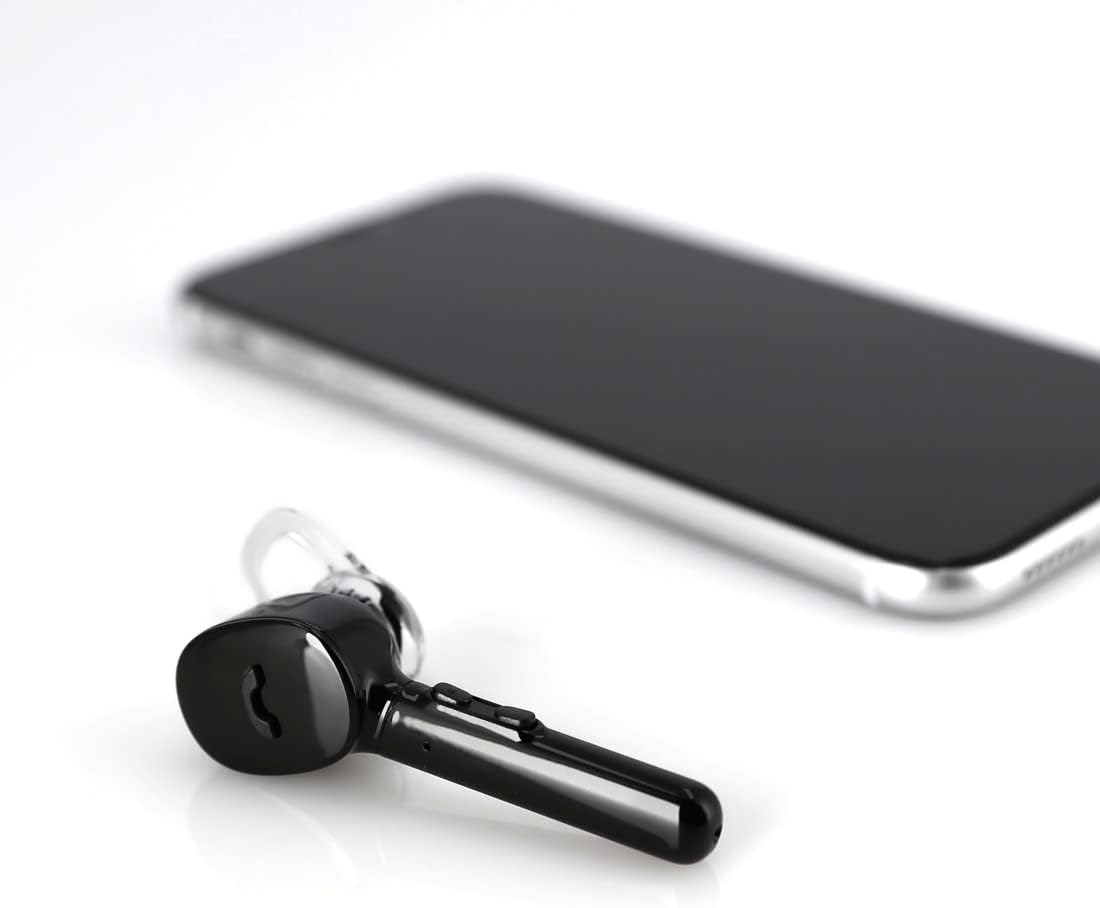
Image: The Hama MyVoice1300 headset positioned beside a smartphone, illustrating its primary use case.
പ്രധാന സവിശേഷതകൾ:
- മൾട്ടി-ഫംഗ്ഷൻ ബട്ടൺ: Controls calls (answer/reject/repeat last call) and activates smartphone functions.
- വോളിയം നിയന്ത്രണം: Adjust audio levels directly on the headset.
- ബിൽറ്റ്-ഇൻ മൈക്രോഫോൺ: Omni-directional microphone with CVC 6.0 technology for clear voice quality.
- USB ചാർജിംഗ് സ്റ്റേഷൻ: Provides a convenient charging and storage solution.
- ശബ്ദ നിയന്ത്രണം: Supports Siri, Google Assistant, and Microsoft Cortana.
- MultiPoint Technology: Connects to two smartphones simultaneously.
4. സജ്ജീകരണം
4.1. ഹെഡ്സെറ്റ് ചാർജ് ചെയ്യുന്നു
Before first use, fully charge the headset. The USB charging station allows you to charge the headset conveniently via any USB power source, such as a laptop, power adapter, or car charger.
- Place the MyVoice1300 headset into the USB charging station. Ensure the charging contacts align.
- Connect the USB charging station to a powered USB port.
- The headset will begin charging. A full charge takes approximately 2 hours.
- The charging status can be checked on compatible iOS and Android devices.
A fully charged headset provides up to 4 hours of communication time and up to 80 hours of standby time.

Image: The Hama MyVoice1300 headset securely docked in its USB charging station within a car interior, demonstrating convenient charging on the go.
4.2. ബ്ലൂടൂത്ത് ഉപകരണവുമായി ജോടിയാക്കുന്നു
The MyVoice1300 headset uses Bluetooth 5.0 for wireless connection to your smartphone or other Bluetooth-enabled devices.
- ഹെഡ്സെറ്റ് ചാർജ് ചെയ്തിട്ടുണ്ടെന്നും ഓൺ ചെയ്തിട്ടുണ്ടെന്നും ഉറപ്പാക്കുക.
- നിങ്ങളുടെ സ്മാർട്ട്ഫോണിലോ ഉപകരണത്തിലോ ബ്ലൂടൂത്ത് സജീവമാക്കുക.
- ഇതിനായി തിരയുക available Bluetooth devices. The headset will appear as 'MyVoice1300'.
- Select 'MyVoice1300' to initiate the pairing process.
- Once paired, the headset will provide a successful connection announcement.
The headset has a transmission range of up to 10 meters.
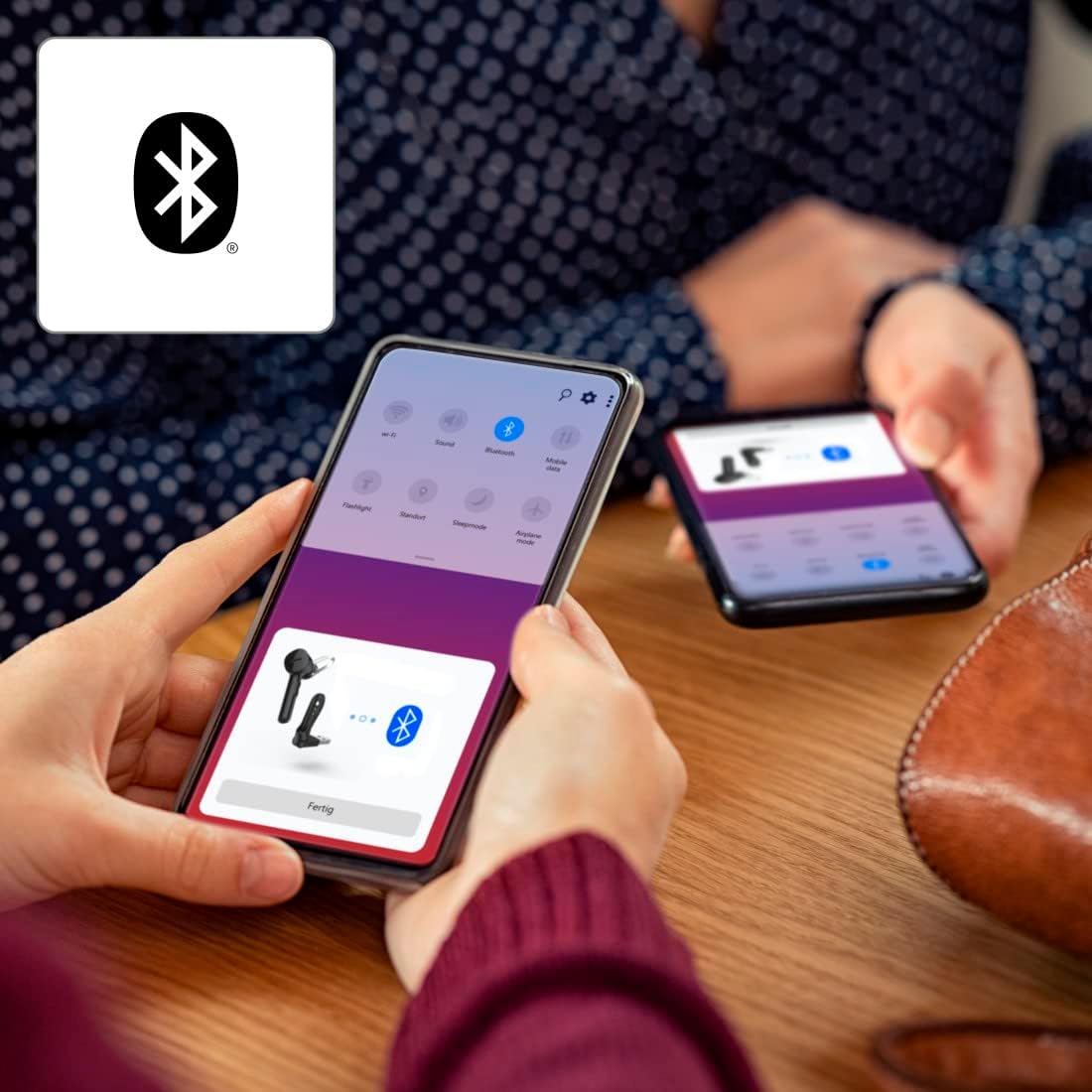
Image: A smartphone screen showing the Bluetooth pairing interface, with the Hama MyVoice1300 headset icon and 'Fertig' (Done) button, indicating a successful or pending connection.
4.3. MultiPoint Technology
The MyVoice1300 supports MultiPoint technology, allowing you to connect the headset to two smartphones simultaneously. This enables seamless switching between calls or audio from two different devices.

Image: An individual in an office environment using the Hama MyVoice1300 headset, with an overlay icon representing MultiPoint connectivity, suggesting use with multiple devices.
5. ഹെഡ്സെറ്റ് പ്രവർത്തിപ്പിക്കൽ
5.1. കോൾ പ്രവർത്തനങ്ങൾ
- കോളുകൾക്ക് ഉത്തരം നൽകുന്നു: Simply remove the headset from the charging station to answer an incoming call, or press the multi-function button.
- കോളുകൾ നിരസിക്കുന്നു: മൾട്ടി-ഫംഗ്ഷൻ ബട്ടൺ അമർത്തിപ്പിടിക്കുക.
- അവസാനിക്കുന്ന കോളുകൾ: Press the multi-function button.
- Redialing Last Call: മൾട്ടി-ഫംഗ്ഷൻ ബട്ടൺ രണ്ടുതവണ അമർത്തുക.
5.2. സംഗീത നിയന്ത്രണം
- പ്ലേ/താൽക്കാലികമായി നിർത്തുക: Press the multi-function button to play or pause music playback.
5.3. വോളിയം നിയന്ത്രണം
Adjust the volume directly on the headset using the dedicated volume buttons, or via your connected device's volume controls.
5.4. വോയ്സ് അസിസ്റ്റൻ്റ്
The MyVoice1300 headset supports popular voice assistants such as Apple Siri, Google Assistant, and Microsoft Cortana. Activate your device's voice assistant via the multi-function button or through voice commands.
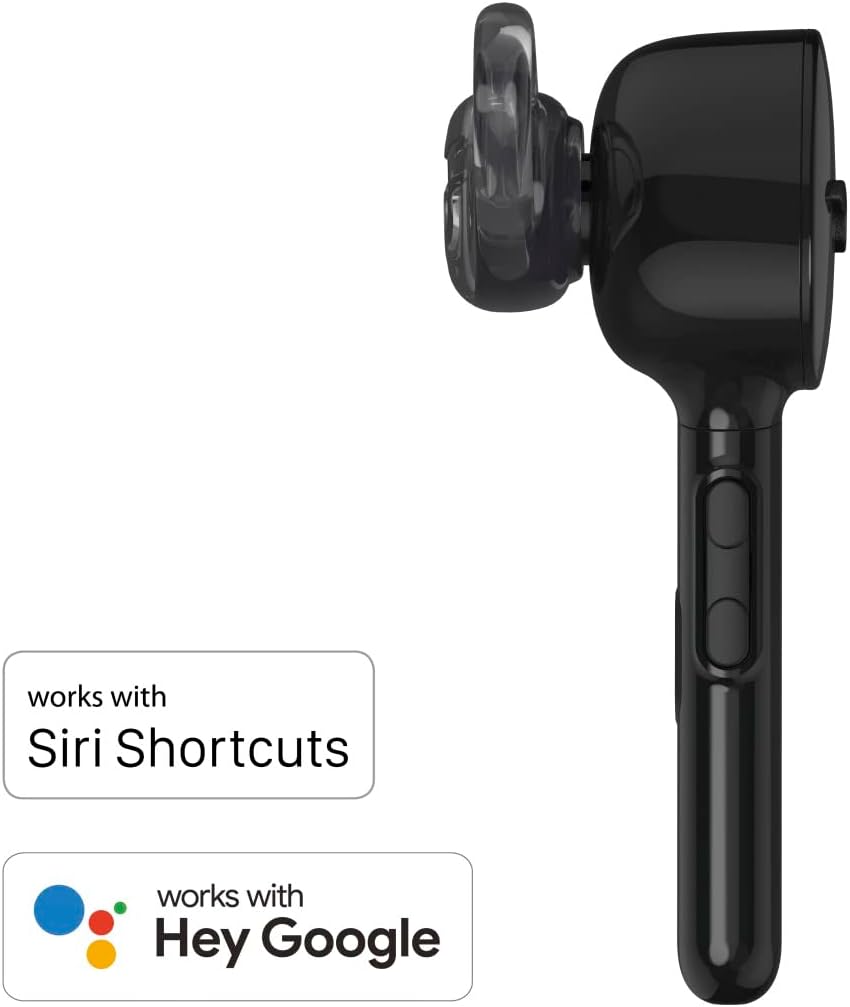
Image: The Hama MyVoice1300 headset displayed alongside logos indicating compatibility with Siri Shortcuts and Hey Google, highlighting its voice assistant integration.
6. പരിപാലനം
6.1. വൃത്തിയാക്കൽ
- Clean the headset and charging station with a soft, dry, lint-free cloth.
- കഠിനമായ ക്ലീനിംഗ് ഏജന്റുകളോ ലായകങ്ങളോ ഉപയോഗിക്കരുത്.
- Regularly clean the silicone earplugs with a damp വീണ്ടും ഘടിപ്പിക്കുന്നതിന് മുമ്പ് തുണിയും വീര്യം കുറഞ്ഞ സോപ്പും ഉപയോഗിച്ച് നന്നായി ഉണക്കുക.
6.2. സംഭരണം
- Store the headset in its charging station or a protective case when not in use to prevent damage.
- ഹെഡ്സെറ്റ് തീവ്രമായ താപനില, ഈർപ്പം അല്ലെങ്കിൽ നേരിട്ടുള്ള സൂര്യപ്രകാശം എന്നിവയിൽ ഏൽക്കുന്നത് ഒഴിവാക്കുക.
6.3. Earplug Replacement
The headset comes with three sizes (S, M, L) of silicone earplugs to ensure a perfect custom fit. If the current earplugs are uncomfortable or damaged, replace them with a suitable size.
7. പ്രശ്നപരിഹാരം
If you encounter issues with your Hama MyVoice1300 headset, refer to the following common solutions:
- ഹെഡ്സെറ്റ് പവർ ഓൺ ചെയ്യുന്നില്ല: Ensure the headset is fully charged. Connect it to the USB charging station and allow it to charge for at least 30 minutes before attempting to power it on again.
- ഉപകരണവുമായി ജോടിയാക്കാൻ കഴിയില്ല:
- Ensure Bluetooth is enabled on your device and the headset is in pairing mode.
- Make sure the headset is within the 10-meter transmission range of your device.
- Turn off and on both the headset and your device, then try pairing again.
- If previously paired, remove the headset from your device's Bluetooth list and attempt to pair again.
- മോശം ഓഡിയോ നിലവാരം അല്ലെങ്കിൽ സ്റ്റാറ്റിക്:
- Ensure the headset is within range and there are no significant obstructions between the headset and your device.
- മറ്റ് വയർലെസ് ഉപകരണങ്ങളിൽ നിന്നുള്ള ഇടപെടൽ പരിശോധിക്കുക.
- The CVC 6.0 technology actively inhibits ambient noise for clearer calls; however, extreme noise environments may still affect performance.
- ഹ്രസ്വ ബാറ്ററി ലൈഫ്:
- Ensure the headset is fully charged for the recommended 2 hours.
- ഉപയോഗത്തോടൊപ്പം ബാറ്ററി പ്രകടനം കാലക്രമേണ കുറയാൻ സാധ്യതയുണ്ട്.
- Operating at maximum volume or in areas with weak Bluetooth signals can consume more power.
- ശബ്ദമില്ല:
- ഹെഡ്സെറ്റിലും കണക്റ്റുചെയ്ത ഉപകരണത്തിലും വോളിയം ലെവലുകൾ പരിശോധിക്കുക.
- Ensure the headset is correctly paired and connected to your device.
- Verify that the audio output on your device is set to the Bluetooth headset.
8 സ്പെസിഫിക്കേഷനുകൾ
| ഫീച്ചർ | സ്പെസിഫിക്കേഷൻ |
|---|---|
| മോഡലിൻ്റെ പേര് | MyVoice1300 |
| മോഡൽ നമ്പർ | 00184149 |
| കണക്റ്റിവിറ്റി | ബ്ലൂടൂത്ത് 5.0 |
| ബ്ലൂടൂത്ത് പ്രോfiles | A2DP/AVRCP/HFP/HSP compatible |
| പ്രക്ഷേപണ ശ്രേണി | 10 മീ |
| Headphone Bandwidth | 20 ഹെർട്സ് - 20 കിലോ ഹെർട്സ് |
| Microphone Bandwidth | 100 ഹെർട്സ് - 8 കിലോ ഹെർട്സ് |
| ഹെഡ്ഫോൺ ഇംപെഡൻസ് | 16 Ω |
| മൈക്രോഫോൺ ഇംപെഡൻസ് | 0.4 kΩ |
| ഹെഡ്ഫോൺ സെൻസിറ്റിവിറ്റി | 109 ഡിബി +/- 3 ഡിബി |
| മൈക്രോഫോൺ സെൻസിറ്റിവിറ്റി | -44 dB +/- 3 dB |
| ചാർജിംഗ് സമയം | ഏകദേശം 2 മണിക്കൂർ |
| Max. Communication Time | 4 മണിക്കൂർ |
| പരമാവധി സ്റ്റാൻഡ്ബൈ സമയം | 80 മണിക്കൂർ |
| ബാറ്ററി തരം | ലിഥിയം പോളിമർ (ഉൾപ്പെടുത്തിയിരിക്കുന്നു) |
| ഭാരം | 12g (headset) / 33.28 Grams (item weight) |
| മെറ്റീരിയൽ | Silicone (earplugs) |
| പ്രത്യേക സവിശേഷതകൾ | Voice Control, MultiPoint Technology, CVC 6.0 Noise Cancellation |
9. വാറൻ്റിയും പിന്തുണയും
Hama products are covered by a manufacturer's warranty. For detailed warranty information, please refer to the warranty card included in your product packaging or visit the official Hama website. For technical support or service inquiries, please contact Hama customer service through their official channels.


