ഉൽപ്പന്നം കഴിഞ്ഞുview
The KIDEE Neck Fan is a portable, bladeless personal fan designed to provide a comfortable cooling experience. Featuring an upgraded 360° airflow system and a super quiet operation, it's ideal for various indoor and outdoor activities. Its hands-free design and long-lasting battery make it a convenient accessory for staying cool on the go.
- Upgrade Air Volume: Innovative turbo fan blades and wind hole design increase air volume by 70% for rapid cooling.
- ഉയർന്ന ശേഷിയുള്ള ബാറ്ററി: Built-in 4000mAh battery provides up to 16 hours of operating time.
- Ultra Quiet & Bladeless Safe: Utilizes noise reduction technology for quiet operation and a bladeless design for safety, preventing hair entanglement.
- Adjustable Speeds & Hands-Free: Offers 3 adjustable speeds and a wearable, headphone-like design for convenience and style.
- Practical & Versatile: Suitable for office work, gym, walking, driving, traveling, camping, കൂടാതെ കൂടുതൽ.

Figure 1: The KIDEE Neck Fan providing 360° airflow.
ബോക്സിൽ എന്താണുള്ളത്
Upon opening your KIDEE Neck Fan package, you should find the following items:
- 1 x KIDEE Neck Fan
- 1 x യുഎസ്ബി-സി ചാർജിംഗ് കേബിൾ
- 1 x ഉപയോക്തൃ മാനുവൽ (ഈ പ്രമാണം)
സജ്ജമാക്കുക
പ്രാരംഭ ചാർജിംഗ്
Before first use, fully charge your KIDEE Neck Fan. Connect the provided USB-C charging cable to the fan's charging port and plug the other end into a compatible USB power source (e.g., wall adapter, computer USB port). A full charge typically takes approximately 4 hours. The fan's display will show the battery percentage.

Figure 2: USB-C charging port and 4000mAh battery capacity.
നെക്ക് ഫാൻ ധരിക്കുന്നു
The KIDEE Neck Fan is designed to be worn comfortably around your neck, similar to headphones. Gently place the fan around your neck, ensuring the air outlets are positioned to direct airflow towards your face and neck for optimal cooling. The flexible design allows for minor adjustments to fit various neck sizes.
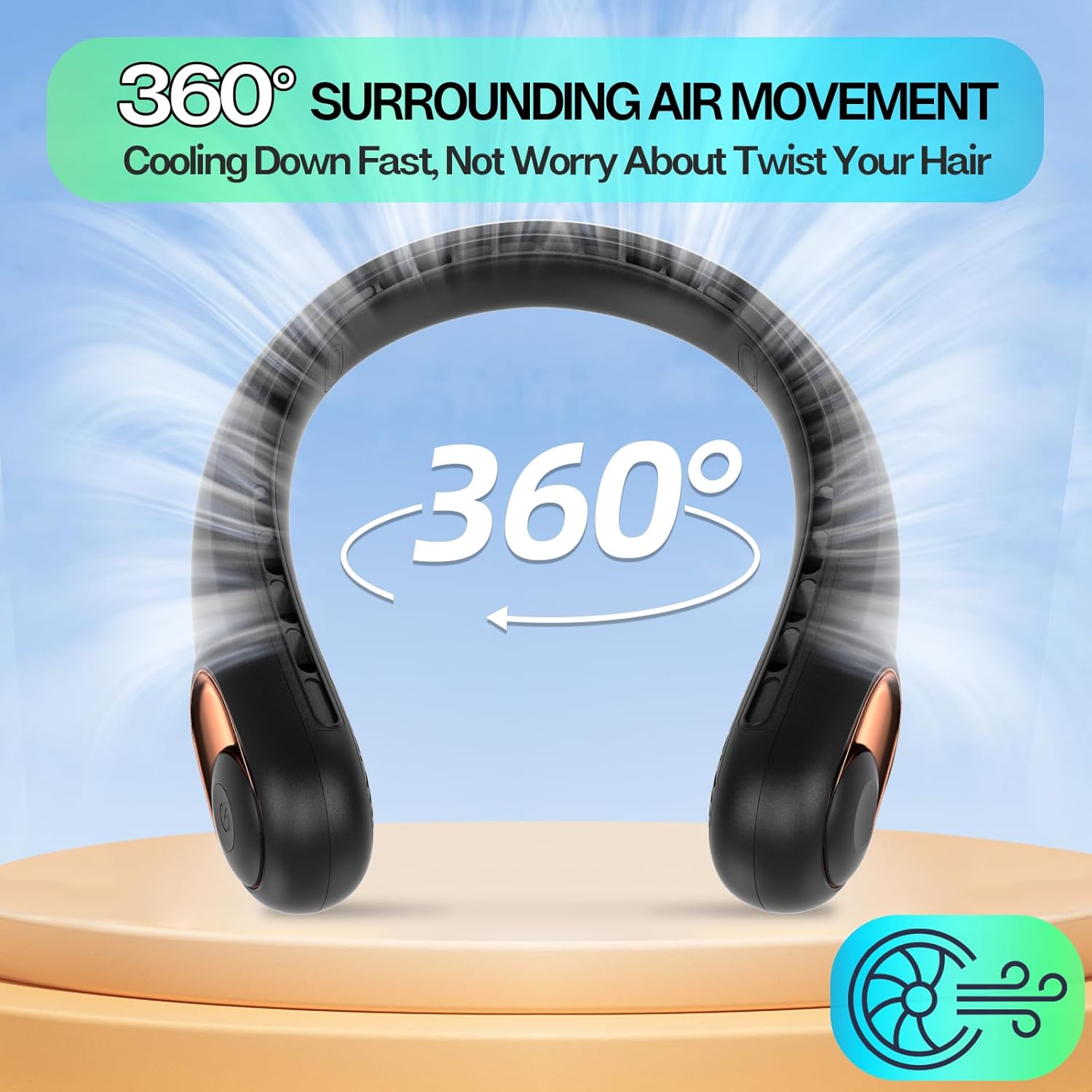
Figure 3: Proper way to wear the hands-free neck fan.
പ്രവർത്തന നിർദ്ദേശങ്ങൾ
പവർ ഓൺ/ഓഫ്, വേഗത ക്രമീകരണം
The neck fan features a single power button for easy control:
- ലേക്ക് പവർ ഓൺ: Press the power button once. The fan will start at Speed 1.
- ലേക്ക് വേഗത ക്രമീകരിക്കുക: Press the power button repeatedly to cycle through the 3 available speeds:
- First press: Speed 1 (Low)
- Second press: Speed 2 (Medium)
- Third press: Speed 3 (High)
- ലേക്ക് പവർ ഓഫ്: After Speed 3, pressing the button again will turn the fan off.

Figure 4: Adjusting fan speeds for personalized comfort.
ബാറ്ററി ലൈഫ് ഇൻഡിക്കേറ്റർ
The fan is equipped with a digital display that shows the remaining battery percentage, allowing you to monitor power levels and recharge as needed.
മെയിൻ്റനൻസ്
വൃത്തിയാക്കൽ
To ensure optimal performance and longevity of your neck fan:
- ഫാനിന്റെ പുറംഭാഗം മൃദുവായതും ഉണങ്ങിയതുമായ തുണി ഉപയോഗിച്ച് തുടയ്ക്കുക.
- അബ്രാസീവ് ക്ലീനറുകൾ ഉപയോഗിക്കരുത് അല്ലെങ്കിൽ ഫാൻ വെള്ളത്തിൽ മുക്കരുത്.
- Gently clean the air outlets with a small brush or cotton swab to remove any dust or debris.
സംഭരണം
ഉപയോഗത്തിലില്ലാത്തപ്പോൾ, നേരിട്ടുള്ള സൂര്യപ്രകാശവും കടുത്ത താപനിലയും ഏൽക്കാത്ത ഒരു തണുത്തതും വരണ്ടതുമായ സ്ഥലത്ത് ഫാൻ സൂക്ഷിക്കുക.
ട്രബിൾഷൂട്ടിംഗ്
| പ്രശ്നം | സാധ്യമായ കാരണം | പരിഹാരം |
|---|---|---|
| ഫാൻ ഓണാകുന്നില്ല. | ബാറ്ററി കുറവാണ് അല്ലെങ്കിൽ ചാർജ് ഇല്ല. | നൽകിയിരിക്കുന്ന USB-C കേബിൾ ഉപയോഗിച്ച് ഫാൻ പൂർണ്ണമായും ചാർജ് ചെയ്യുക. |
| ദുർബലമായ വായുസഞ്ചാരം. | Fan is on a low speed setting; air outlets are blocked. | Increase the speed setting. Check and clear any obstructions from the air outlets. |
| ചെറിയ ബാറ്ററി ലൈഫ്. | Fan is consistently used on high speed; battery not fully charged. | For longer use, operate on lower speed settings. Ensure the fan is fully charged before use. |
| പ്രവർത്തന സമയത്ത് അസാധാരണമായ ശബ്ദം. | Debris inside the fan; internal malfunction. | Turn off the fan and gently clean air inlets/outlets. If noise persists, contact customer support. |
സ്പെസിഫിക്കേഷനുകൾ
| ബ്രാൻഡ് | കിഡി |
| മോഡലിൻ്റെ പേര് | Neck Fan (S9) |
| നിറം | കറുപ്പ് |
| പവർ ഉറവിടം | ബാറ്ററി പവർ |
| ബാറ്ററി ശേഷി | 4000mAh ലിഥിയം പോളിമർ (ഉൾപ്പെടുത്തിയിരിക്കുന്നു) |
| റണ്ണിംഗ് ടൈം | 4-16 മണിക്കൂർ (വേഗത ക്രമീകരണം അനുസരിച്ച്) |
| ചാർജിംഗ് സമയം | ഏകദേശം 4 മണിക്കൂർ |
| വേഗതകളുടെ എണ്ണം | 3 |
| നിയന്ത്രണ രീതി | ബട്ടൺ സ്പർശിക്കുക |
| ഉൽപ്പന്ന അളവുകൾ | 8.66"D x 5.91"W x 2.17"H |
| ഇനത്തിൻ്റെ ഭാരം | 0.73 പൗണ്ട് (11.7 ഔൺസ്) |
| മെറ്റീരിയൽ | പ്ലാസ്റ്റിക് (ABS) |
| പ്രത്യേക സവിശേഷതകൾ | Ultra Quiet, Lightweight, 360° Airflow, Bladeless, Hands-Free, Digital Battery Display |
വാറൻ്റിയും പിന്തുണയും
For any questions, concerns, or warranty inquiries regarding your KIDEE Neck Fan, please contact the manufacturer directly through their official support channels. Refer to the product packaging or the official KIDEE webബന്ധപ്പെടാനുള്ള വിവരങ്ങൾക്കുള്ള സൈറ്റ്.
വാറന്റി ആവശ്യങ്ങൾക്കായി നിങ്ങളുടെ വാങ്ങിയതിന്റെ തെളിവ് സൂക്ഷിക്കുക.


