1. ആമുഖം
This manual provides essential instructions for the SOLTECH CCTV Remote Control, model RCWN00001B (also identified as EP10-001090A). This remote is specifically designed for use with various Samsung Wisenet Security & Surveillance Camera Systems, including DVRs and NVRs. Please read this manual thoroughly to ensure proper use and functionality of your remote control.
2. ഉൽപ്പന്നം കഴിഞ്ഞുview
The SOLTECH CCTV Remote Control is a dedicated device for managing your Samsung Wisenet security system. It replicates the functionality of the original remote control included with Wisenet All-In-One systems, providing convenient access to your DVR or NVR functions.
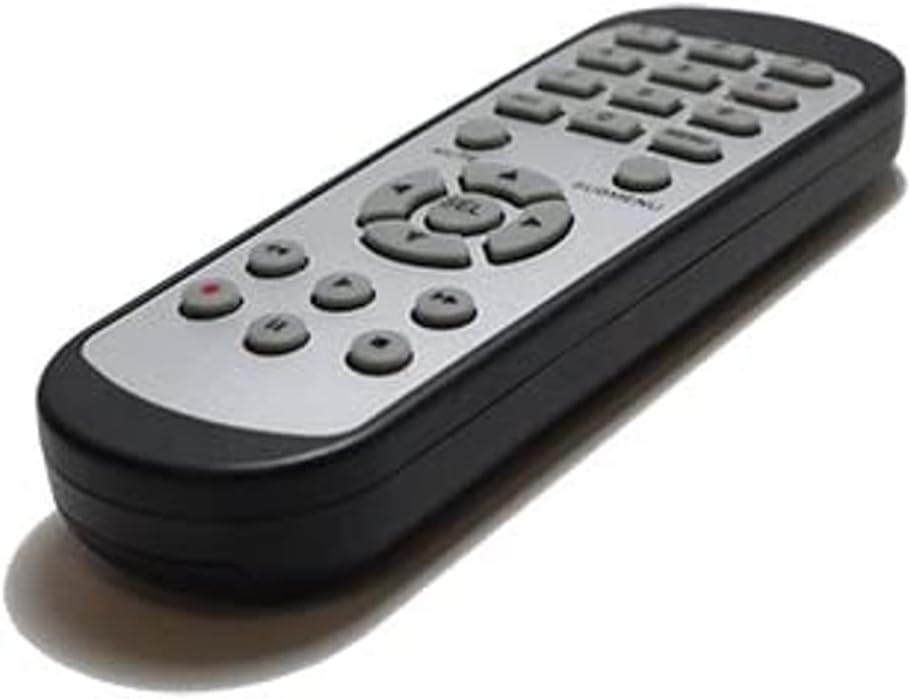
ചിത്രം 2.1: മുൻഭാഗം view of the SOLTECH CCTV Remote Control (Model RCWN00001B / EP10-001090A).
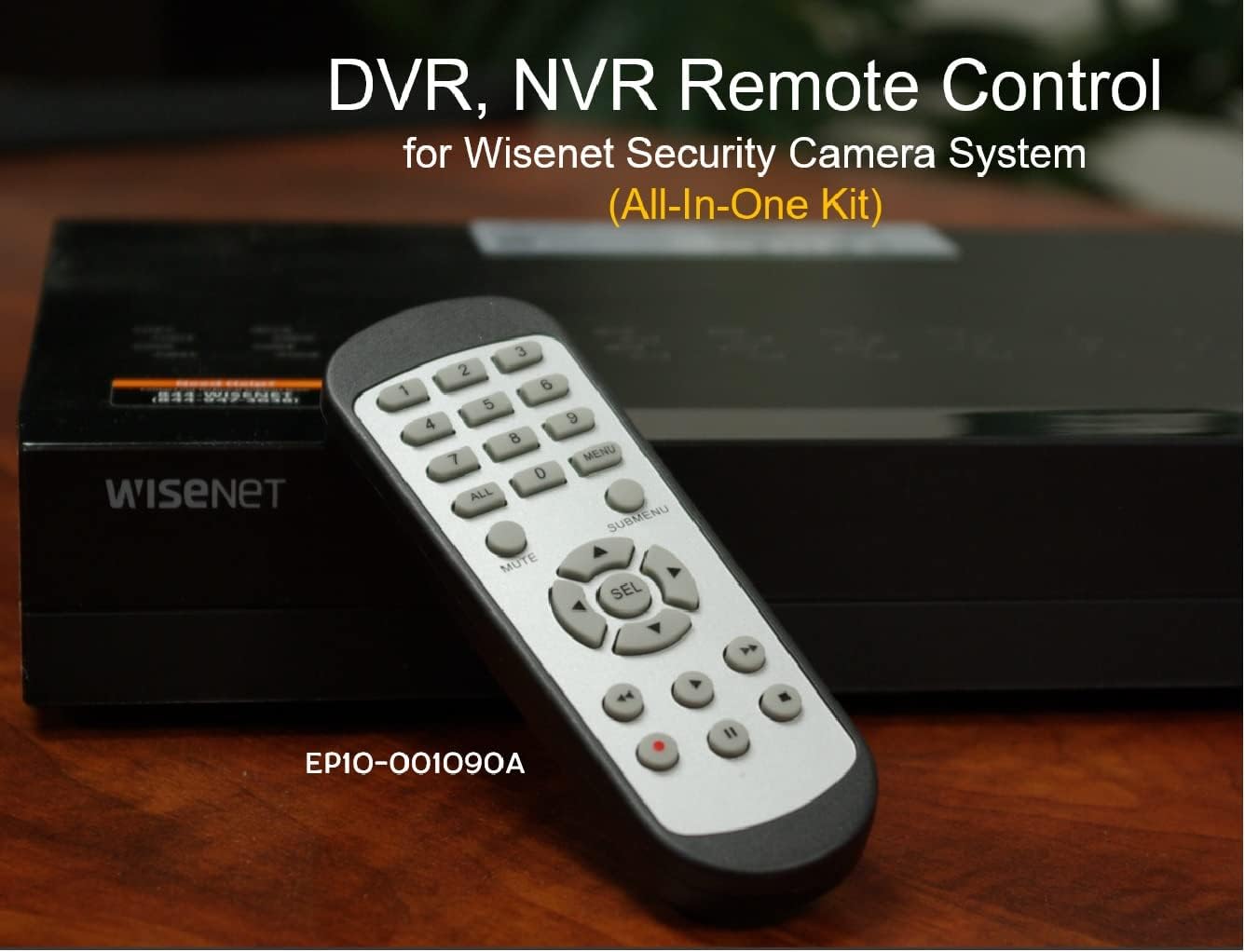
Image 2.2: The remote control positioned on a Wisenet Digital Video Recorder (DVR).
3. സജ്ജീകരണം
This remote control requires two AAA batteries for operation. Batteries are not included with the product and must be purchased separately.
3.1 ബാറ്ററി ഇൻസ്റ്റാളേഷൻ
- റിമോട്ട് കൺട്രോളിന്റെ പിൻഭാഗത്ത് ബാറ്ററി കമ്പാർട്ട്മെന്റ് കണ്ടെത്തുക.
- ബാറ്ററി കമ്പാർട്ട്മെന്റ് കവർ താഴേക്ക് നീക്കി അത് ഉയർത്തുക.
- കമ്പാർട്ടുമെന്റിനുള്ളിൽ സൂചിപ്പിച്ചിരിക്കുന്നതുപോലെ ശരിയായ പോളാരിറ്റി (+ ഉം - ഉം) ഉറപ്പാക്കിക്കൊണ്ട് രണ്ട് AAA ബാറ്ററികൾ ഇടുക.
- സുരക്ഷിതമായി ക്ലിക്ക് ചെയ്യുന്നതുവരെ ബാറ്ററി കമ്പാർട്ട്മെന്റ് കവർ തിരികെ സ്ഥലത്തേക്ക് സ്ലൈഡുചെയ്ത് മാറ്റിസ്ഥാപിക്കുക.

ചിത്രം 3.1: പിൻഭാഗം view AAA ബാറ്ററികൾ എവിടെ ചേർക്കണമെന്ന് കാണിക്കുന്ന, ബാറ്ററി കമ്പാർട്ട്മെന്റ് തുറന്നിരിക്കുന്ന റിമോട്ട് കൺട്രോളിന്റെ.
3.2 പ്രാരംഭ കണക്ഷൻ
The SOLTECH CCTV Remote Control is pre-configured for Samsung Wisenet All-In-One System DVRs and NVRs. No additional setup, programming, or pairing is required. Once batteries are installed, the remote is ready for immediate use with compatible systems.
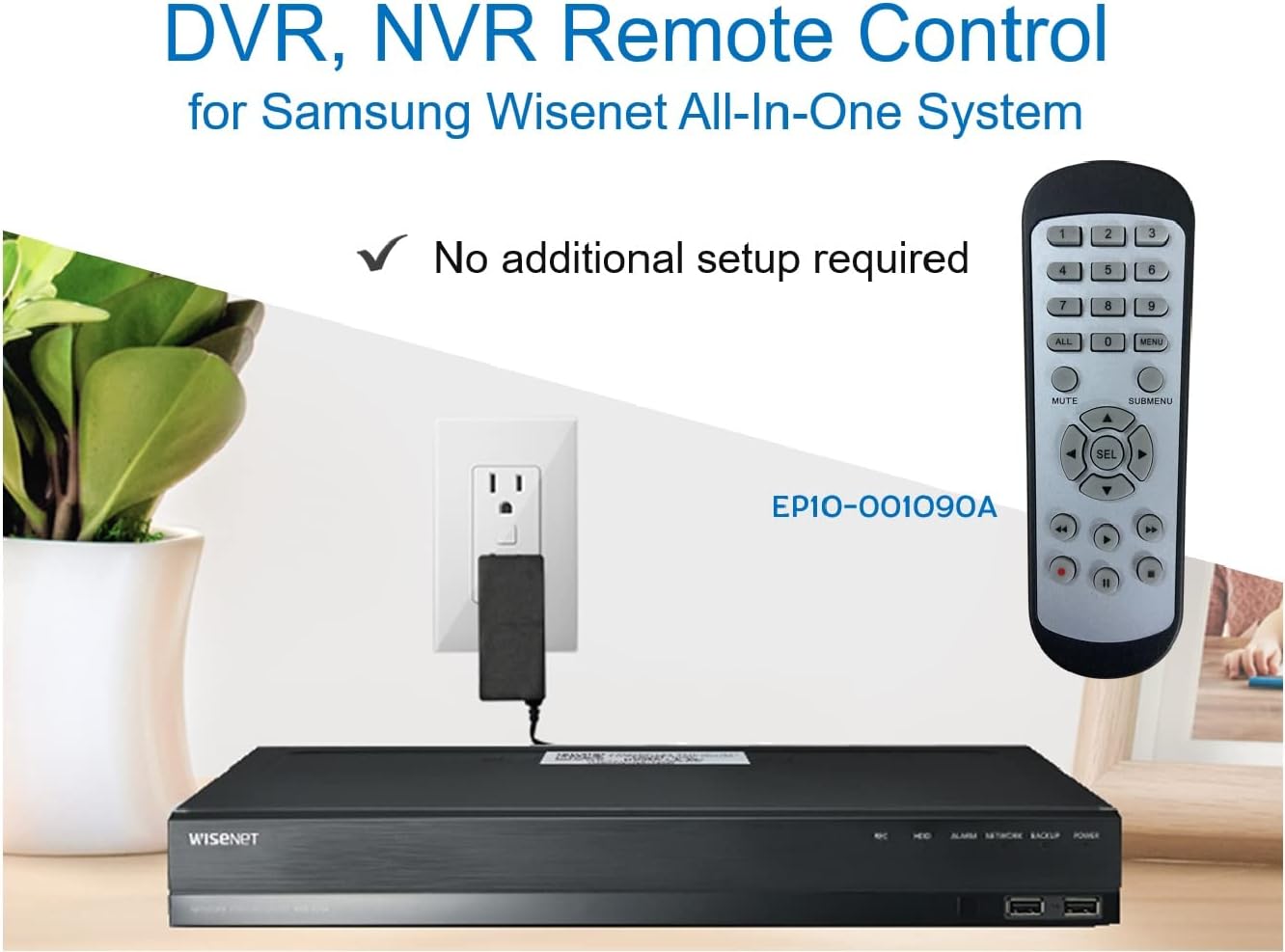
Image 3.2: The remote control shown alongside a Wisenet DVR, illustrating the 'no additional setup required' feature.
4. പ്രവർത്തന നിർദ്ദേശങ്ങൾ
Point the remote control directly at your Samsung Wisenet DVR or NVR. Press the desired buttons to navigate menus, control playback, switch camera views, and access other functions of your security system. The button layout is standard for Wisenet systems, allowing for intuitive operation.
- നമ്പർ ബട്ടണുകൾ (0-9): Used for direct camera selection or data entry.
- Directional Pad (Up, Down, Left, Right, SEL): മെനു നാവിഗേഷനും തിരഞ്ഞെടുപ്പിനും.
- മ്യൂട്ട്: ഓഡിയോ ഔട്ട്പുട്ട് നിശബ്ദമാക്കുന്നു.
- SUBMENU: Accesses sub-menus within the system interface.
- Playback Controls (Play, Pause, Stop, Fast Forward, Rewind): Manages recorded footagഇ പ്ലേബാക്ക്.
- REC (റെക്കോർഡ്): Initiates manual recording.
5 അനുയോജ്യത
This remote control is compatible with various Samsung Wisenet All-In-One System Series. It is designed to function as a direct replacement for the original remote controls supplied with these systems.
5.1 Compatible System Series
The remote control is compatible with, but not limited to, the following Samsung Wisenet All-In-One System Series:
- SDH-E95127
- SDH-B94047
- SDH-C94087
- SDH-B73043
- SDH-C85080
- SDH-SF440
- SDH-B74043
- SDH-B74083
- SDH-B74041
- SDH-B74081
- SDH-C85100
- SDR-C85300
- SNK-B73047
- SDH-B74086
- SDH-C73043
- SDR-C73303
- SDH-C74043DF
- SDR-C74303N1T
- SDR-B74301

Image 5.1: The remote control displayed alongside a partial list of compatible Samsung Wisenet All-In-One System Series.

Image 5.2: An illustration showing the remote control's compatibility with a range of Samsung Wisenet security camera systems.
6. പരിപാലനം
6.1 ബാറ്ററി മാറ്റിസ്ഥാപിക്കൽ
When the remote control's performance diminishes or it stops responding, replace the AAA batteries. Always replace both batteries at the same time with new ones. Do not mix old and new batteries, or different types of batteries.
6.2 വൃത്തിയാക്കൽ
റിമോട്ട് കൺട്രോൾ വൃത്തിയാക്കാൻ, മൃദുവായതും ഉണങ്ങിയതുമായ ഒരു തുണി ഉപയോഗിക്കുക. കഠിനമായ അഴുക്കിന്, ചെറുതായി dampen the cloth with water. Avoid using harsh chemicals, abrasive cleaners, or solvents, as these can damage the remote's surface or internal components.
6.3 സംഭരണം
Store the remote control in a cool, dry place away from direct sunlight and extreme temperatures. If the remote will not be used for an extended period, it is advisable to remove the batteries to prevent leakage.
7. പ്രശ്നപരിഹാരം
If you experience issues with your SOLTECH CCTV Remote Control, refer to the following common troubleshooting steps:
- റിമോട്ട് പ്രതികരിക്കുന്നില്ല:
- ശരിയായ പോളാരിറ്റിയോടെ ബാറ്ററികൾ ശരിയായി ചേർത്തിട്ടുണ്ടോയെന്ന് പരിശോധിക്കുക.
- പുതിയ AAA ബാറ്ററികൾ ഉപയോഗിച്ച് ബാറ്ററികൾ മാറ്റിസ്ഥാപിക്കുക.
- Ensure there is a clear line of sight between the remote control and the infrared receiver on your Wisenet DVR/NVR. Obstructions can block the signal.
- Verify that the remote control is pointed directly at the Wisenet system.
- ഇടയ്ക്കിടെയുള്ള പ്രവർത്തനം:
- ഇത് പലപ്പോഴും ബാറ്ററി പവർ കുറവാണെന്ന് സൂചിപ്പിക്കുന്നു. ബാറ്ററികൾ മാറ്റിസ്ഥാപിക്കുക.
- ശക്തമായ പ്രകാശ സ്രോതസ്സുകൾ (നേരിട്ടുള്ള സൂര്യപ്രകാശം അല്ലെങ്കിൽ തിളക്കമുള്ള ഫ്ലൂറസെന്റ് ലൈറ്റുകൾ പോലുള്ളവ) ഇൻഫ്രാറെഡ് സിഗ്നലിനെ തടസ്സപ്പെടുത്തുന്നില്ലെന്ന് ഉറപ്പാക്കുക.
- Remote Does Not Control My System:
- Confirm that your security system is a Samsung Wisenet All-In-One System and is listed as compatible in Section 5.1. This remote is specifically designed for these systems and may not work with other brands or models.
- As this remote requires no additional setup, if it is not working with a confirmed compatible system after battery replacement, contact customer support.
8 സ്പെസിഫിക്കേഷനുകൾ
| ഫീച്ചർ | വിശദാംശങ്ങൾ |
|---|---|
| മോഡൽ നമ്പർ | RCWN00001B (EP10-001090A) |
| ഉൽപ്പന്ന അളവുകൾ | 5 x 1.75 x 0.75 ഇഞ്ച് |
| ഇനത്തിൻ്റെ ഭാരം | 1.76 ഔൺസ് |
| ബാറ്ററികൾ ആവശ്യമാണ് | 2 AAA ബാറ്ററികൾ (ഉൾപ്പെടുത്തിയിട്ടില്ല) |
| നിർമ്മാതാവ് | സോൾടെക് |
| നിറം | ചാരനിറം |
| പിന്തുണയ്ക്കുന്ന ഉപകരണങ്ങളുടെ പരമാവധി എണ്ണം | 1 (Wisenet DVR/NVR) |
| അനുയോജ്യമായ ഉപകരണങ്ങൾ | Samsung Wisenet Security Camera Systems (DVR/NVR) |

Image 8.1: The remote control with its physical dimensions (length, width, thickness) indicated.
9. വാറൻ്റിയും പിന്തുണയും
For information regarding product warranty, please refer to the documentation provided with your purchase or contact the seller directly. The seller for this product is SOLTECH America.
For further assistance or technical support, please reach out to the manufacturer or seller through their official contact channels.


