1. ആമുഖം
This manual provides detailed instructions for the Strex SP64 Full HD 1080P Projector. Please read this manual thoroughly before operating the device to ensure proper use, optimal performance, and safety. Keep this manual for future reference.
The Strex SP64 projector offers a Full HD 1920x1080P resolution with 7000 lumens brightness, designed for a clear and immersive viewing experience. It supports various connectivity options, including wireless screen mirroring from mobile devices.

Image 1.1: Visual comparison highlighting the enhanced clarity and brightness of the Strex SP64 projector's display.
2. സുരക്ഷാ നിർദ്ദേശങ്ങൾ
പ്രൊജക്ടറിന് കേടുപാടുകൾ സംഭവിക്കാതിരിക്കാനും ഉപയോക്തൃ സുരക്ഷ ഉറപ്പാക്കാനും ഇനിപ്പറയുന്ന സുരക്ഷാ മുൻകരുതലുകൾ പാലിക്കുക:
- l ചെയ്യുമ്പോൾ പ്രൊജക്ടർ ലെൻസിലേക്ക് നേരിട്ട് നോക്കരുത്amp ഓണാണ്. തീവ്രമായ വെളിച്ചം കണ്ണിന് കേടുവരുത്തും.
- ശരിയായ വായുസഞ്ചാരം ഉറപ്പാക്കുക. വായുസഞ്ചാര ദ്വാരങ്ങൾ അടയ്ക്കരുത്. അമിതമായി ചൂടാകുന്നത് തകരാറുകൾക്കോ തീപിടുത്തത്തിനോ കാരണമാകും.
- മഴ, ഈർപ്പം, അല്ലെങ്കിൽ തീവ്രമായ താപനില എന്നിവയിൽ പ്രൊജക്ടറിനെ തുറന്നുകാട്ടരുത്.
- പ്രൊജക്ടറിനൊപ്പം നൽകിയിരിക്കുന്ന പവർ അഡാപ്റ്റർ മാത്രം ഉപയോഗിക്കുക.
- പ്രൊജക്ടർ വീഴാതിരിക്കാൻ ഒരു സ്ഥിരതയുള്ള, നിരപ്പായ പ്രതലത്തിൽ വയ്ക്കുക.
- പ്രൊജക്ടർ സ്വയം വേർപെടുത്താനോ നന്നാക്കാനോ ശ്രമിക്കരുത്. എല്ലാ സേവനങ്ങളും യോഗ്യതയുള്ള ഉദ്യോഗസ്ഥർക്ക് റഫർ ചെയ്യുക.
- പ്രൊജക്ടർ കുട്ടികളിൽ നിന്നും വളർത്തുമൃഗങ്ങളിൽ നിന്നും അകറ്റി നിർത്തുക.
3. പാക്കേജ് ഉള്ളടക്കം
പാക്കേജിൽ എല്ലാ ഇനങ്ങളും ഉണ്ടെന്ന് ഉറപ്പാക്കുക:
- Strex SP64 Projector
- HDMI കേബിൾ
- എവി കേബിൾ
- പവർ അഡാപ്റ്റർ
- റിമോട്ട് കൺട്രോൾ
- ഉപയോക്തൃ മാനുവൽ (ഈ പ്രമാണം)

Image 3.1: Illustration of all items included in the Strex SP64 projector package.
4. ഉൽപ്പന്നം കഴിഞ്ഞുview
Familiarize yourself with the projector's components and interfaces.

ചിത്രം 4.1: മുന്നിലും മുകളിലും view of the Strex SP64 projector, showing the lens, control panel, and a smartphone connected wirelessly.
4.1 പ്രധാന സവിശേഷതകൾ
- ഫുൾ HD 1080P റെസല്യൂഷൻ: Delivers sharp and detailed images.
- 7000 ല്യൂമൻസ് തെളിച്ചം: Provides clear visibility even in moderately lit environments.
- അന്തർനിർമ്മിത വൈഫൈ: Enables wireless screen mirroring from smartphones and tablets.
- ഒന്നിലധികം കണക്റ്റിവിറ്റി ഓപ്ഷനുകൾ: HDMI, USB, VGA, AV, and 3.5mm audio output.
- സംയോജിത സ്പീക്കറുകൾ: Two built-in Hi-Fi speakers for audio output.
- കീസ്റ്റോൺ തിരുത്തൽ: Manual adjustment for image distortion.
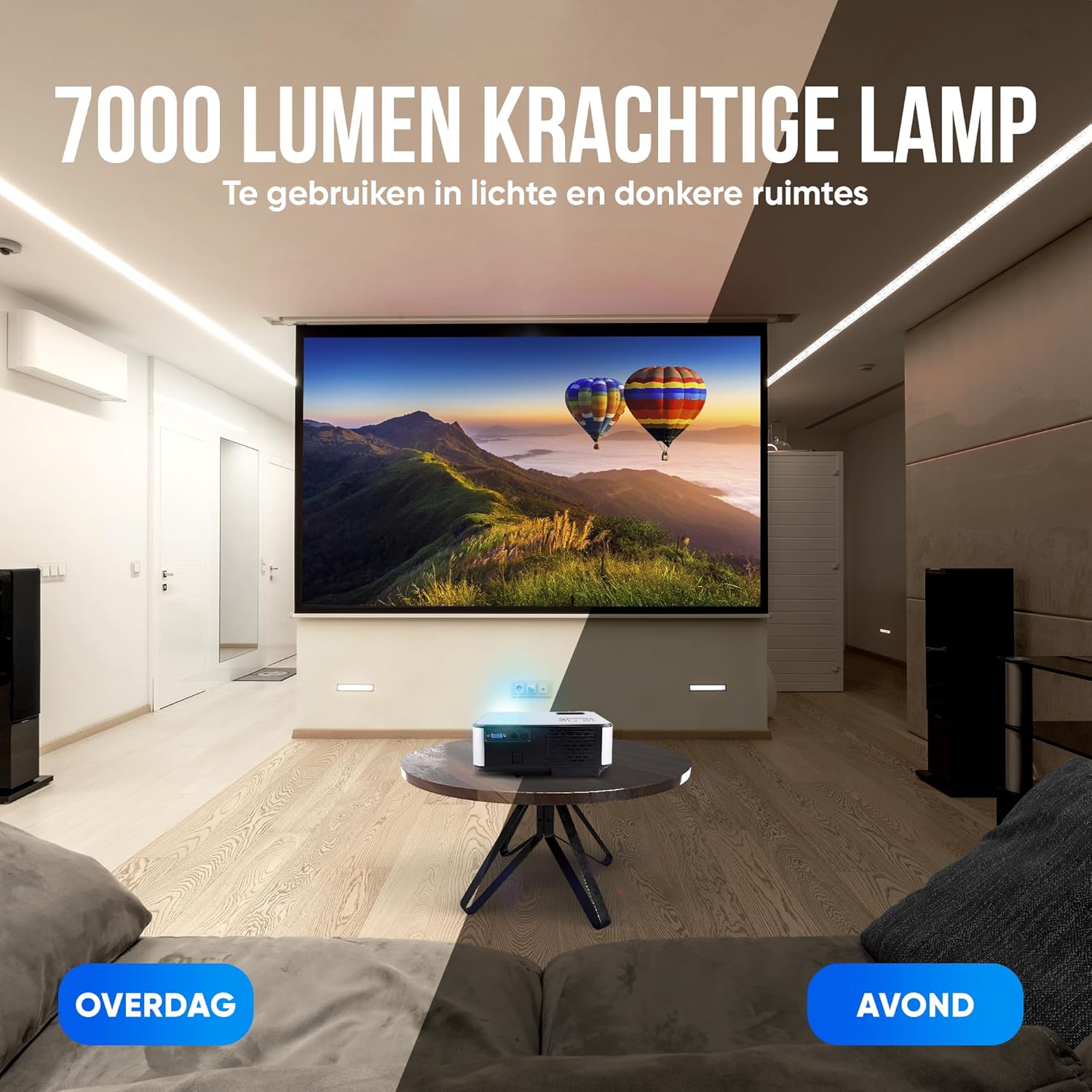
Image 4.2: The projector's 7000 lumen lamp provides clear images in both bright and dark room conditions.
5. സജ്ജീകരണം
5.1 പ്ലേസ്മെൻ്റ്
Choose a suitable location for your projector. The projection distance typically ranges from 1 meter to 5 meters, allowing for screen sizes between 50 and 200 inches. For optimal image quality, place the projector perpendicular to the projection surface.

Image 5.1: Recommended projection distances and corresponding screen sizes for the Strex SP64 projector.
5.2 പവർ കണക്ഷൻ
- പ്രൊജക്ടറിന്റെ പവർ ഇൻപുട്ട് പോർട്ടിലേക്ക് പവർ അഡാപ്റ്റർ ബന്ധിപ്പിക്കുക.
- ഒരു മതിൽ ഔട്ട്ലെറ്റിലേക്ക് പവർ അഡാപ്റ്റർ പ്ലഗ് ചെയ്യുക.
- പ്രൊജക്ടറിലെ പവർ ഇൻഡിക്കേറ്റർ ലൈറ്റ് പ്രകാശിക്കും.
5.3 ഫോക്കസും കീസ്റ്റോൺ ക്രമീകരണവും
After powering on the projector, adjust the focus ring and keystone correction dial (usually located near the lens) until the image is clear and rectangular.
6. പ്രവർത്തന നിർദ്ദേശങ്ങൾ
6.1 പവർ ഓൺ/ഓഫ്
- പവർ ഓൺ: പ്രൊജക്ടറിലോ റിമോട്ട് കൺട്രോളിലോ ഉള്ള പവർ ബട്ടൺ അമർത്തുക.
- പവർ ഓഫ്: Press the power button again. The projector will go into standby mode.
6.2 ഇൻപുട്ട് ഉറവിട തിരഞ്ഞെടുപ്പ്
Use the 'Source' button on the projector or remote control to cycle through available input sources (HDMI1, HDMI2, USB, AV, VGA, Screen Mirroring).
6.3 മെനു നാവിഗേഷൻ
Use the arrow keys and 'OK' button on the projector or remote control to navigate the on-screen menu for settings such as picture mode, sound, and system preferences.
7. കണക്റ്റിവിറ്റി
The Strex SP64 projector supports various devices and connection methods.

ചിത്രം 7.1: കഴിഞ്ഞുview of compatible devices and available connection ports on the Strex SP64 projector.
7.1 HDMI കണക്ഷൻ
Connect your laptop, gaming console, or other HDMI-enabled devices using an HDMI cable to one of the projector's HDMI ports.
7.2 USB കണക്ഷൻ
മീഡിയ പ്ലേ ചെയ്യാൻ USB പോർട്ടിലേക്ക് ഒരു USB ഡ്രൈവ് ചേർക്കുക. files (photos, videos, music, text documents) directly from the drive.
7.3 വിജിഎ കണക്ഷൻ
Connect older computers or devices using a VGA cable to the VGA port.
7.4 AV കണക്ഷൻ
Use the provided AV cable to connect devices with AV output, such as DVD players.
7.5 Wireless Screen Mirroring (WiFi)
The projector features a built-in WiFi chip for wireless screen sharing from your smartphone or tablet (iOS and Android devices are supported). Select 'Screen Mirroring' as the input source and follow the on-screen instructions to connect your device.

Image 7.2: Wireless screen mirroring functionality from various operating systems to the projector.
7.6 ഓഡിയോ putട്ട്പുട്ട്
The projector has two built-in Hi-Fi speakers. For external audio, connect external speakers or headphones to the 3.5mm audio output port.

Image 7.3: The projector includes integrated speakers and offers connectivity for external audio systems.
8 സ്പെസിഫിക്കേഷനുകൾ
| ഫീച്ചർ | സ്പെസിഫിക്കേഷൻ |
|---|---|
| മോഡൽ | SP64 |
| നേറ്റീവ് റെസല്യൂഷൻ | 1920 x 1080P (പൂർണ്ണ HD) |
| തെളിച്ചം | 7000 ല്യൂമെൻസ് |
| കോൺട്രാസ്റ്റ് റേഷ്യോ | 8000:1 |
| എൽഇഡി എൽamp ജീവിതകാലം | 50,000 മണിക്കൂർ |
| വീക്ഷണാനുപാതം | 16:9 / 4:3 |
| പ്രൊജക്ഷൻ ദൂരം | 1M - 5M |
| പ്രൊജക്ഷൻ വലിപ്പം | 50 - 200 ഇഞ്ച് |
| കീസ്റ്റോൺ തിരുത്തൽ | 15 Degrees (Manual) |
| വൈഫൈ | Yes (Mobile Screen Sharing) |
| ബിൽറ്റ്-ഇൻ സ്പീക്കർ | 2x 3W |
| ഇൻപുട്ട് പോർട്ടുകൾ | HDMI (x2), USB (x2), VGA, AV, 3.5MM Audio Out |
| അളവുകൾ (L x W x H) | 22.2 x 16.5 x 8.6 സെ.മീ |
| ഭാരം | 1.88 കി.ഗ്രാം |
9. പ്രശ്നപരിഹാരം
നിങ്ങളുടെ പ്രൊജക്ടറിൽ പ്രശ്നങ്ങൾ നേരിടുകയാണെങ്കിൽ, ഇനിപ്പറയുന്ന പൊതുവായ പ്രശ്നങ്ങളും പരിഹാരങ്ങളും പരിശോധിക്കുക:
- ചിത്രമില്ല:
- പ്രൊജക്ടർ ഓണാണെന്ന് ഉറപ്പാക്കുക.
- Check that the input source selected matches your connected device.
- Verify that the HDMI/VGA/AV cable is securely connected to both the projector and the source device.
- Try a different cable or input port.
- മങ്ങിയ ചിത്രം:
- Adjust the focus ring near the lens until the image is sharp.
- Adjust the keystone correction dial to ensure the image is rectangular.
- പ്രൊജക്ഷൻ ഉപരിതലം പരന്നതും മിനുസമാർന്നതുമാണെന്ന് ഉറപ്പാക്കുക.
- ശബ്ദമില്ല:
- പ്രൊജക്ടറിലും സോഴ്സ് ഉപകരണത്തിലും വോളിയം ക്രമീകരണങ്ങൾ പരിശോധിക്കുക.
- Ensure that the audio output is not muted.
- ബാഹ്യ സ്പീക്കറുകൾ ഉപയോഗിക്കുകയാണെങ്കിൽ, അവ ശരിയായി ബന്ധിപ്പിച്ചിട്ടുണ്ടെന്നും പവർ ഓൺ ചെയ്തിട്ടുണ്ടെന്നും ഉറപ്പാക്കുക.
- Wireless Screen Mirroring Issues:
- Ensure both the projector and your mobile device are connected to the same WiFi network.
- പ്രൊജക്ടറും നിങ്ങളുടെ മൊബൈൽ ഉപകരണവും പുനരാരംഭിക്കുക.
- Check for any software updates for your mobile device or projector firmware.
10. പരിപാലനം
10.1 ലെൻസ് വൃത്തിയാക്കൽ
പ്രൊജക്ടർ ലെൻസ് മൃദുവായി തുടയ്ക്കാൻ ഒപ്റ്റിക്കൽ ലെൻസുകൾക്കായി പ്രത്യേകം രൂപകൽപ്പന ചെയ്ത മൃദുവായ, ലിന്റ് രഹിത തുണി ഉപയോഗിക്കുക. അബ്രസീവ് ക്ലീനറുകളോ അമിത ബലമോ ഉപയോഗിക്കരുത്.
10.2 പ്രൊജക്ടർ ബോഡി വൃത്തിയാക്കൽ
Wipe the exterior of the projector with a soft, dry cloth. For stubborn dirt, a slightly damp തുണി ഉപയോഗിക്കാം, തുടർന്ന് ഉണങ്ങിയ തുണി ഉപയോഗിക്കാം.
10.3 വെന്റിലേഷൻ
Regularly check that the ventilation openings are clear of dust and debris to ensure proper airflow and prevent overheating.
11. വാറൻ്റിയും പിന്തുണയും
For warranty information or technical support, please refer to the purchase documentation or contact Strex customer service. Keep your proof of purchase for warranty claims.


