1. ആമുഖം
നിങ്ങളുടെ ZTE Grand X-ന്റെ സുരക്ഷിതവും കാര്യക്ഷമവുമായ പ്രവർത്തനത്തിന് ആവശ്യമായ വിവരങ്ങൾ ഈ ഉപയോക്തൃ മാനുവൽ നൽകുന്നു. View 4 ടാബ്ലെറ്റ്. ശരിയായ പ്രവർത്തനക്ഷമത ഉറപ്പാക്കാനും കേടുപാടുകൾ തടയാനും ഉപകരണം ഉപയോഗിക്കുന്നതിന് മുമ്പ് ദയവായി ഈ മാനുവൽ നന്നായി വായിക്കുക. ഭാവിയിലെ റഫറൻസിനായി ഈ മാനുവൽ സൂക്ഷിക്കുക.
2. ഉൽപ്പന്നം കഴിഞ്ഞുview
ZTE ഗ്രാൻഡ് എക്സ് View മൾട്ടിമീഡിയ ഉപഭോഗം, ബ്രൗസിംഗ്, ലൈറ്റ് പ്രൊഡക്ടിവിറ്റി എന്നിവയ്ക്കായി രൂപകൽപ്പന ചെയ്ത 8 ഇഞ്ച് ആൻഡ്രോയിഡ് ടാബ്ലെറ്റാണ് 4. ഇതിൽ HD ഡിസ്പ്ലേ, ഒരു ക്വാൽകോം ക്വാഡ്-കോർ പ്രോസസർ, വൈ-ഫൈ, 4G LTE (GSM അൺലോക്ക്ഡ്) എന്നിവയുൾപ്പെടെയുള്ള കണക്റ്റിവിറ്റി ഓപ്ഷനുകൾ എന്നിവ ഉൾപ്പെടുന്നു.
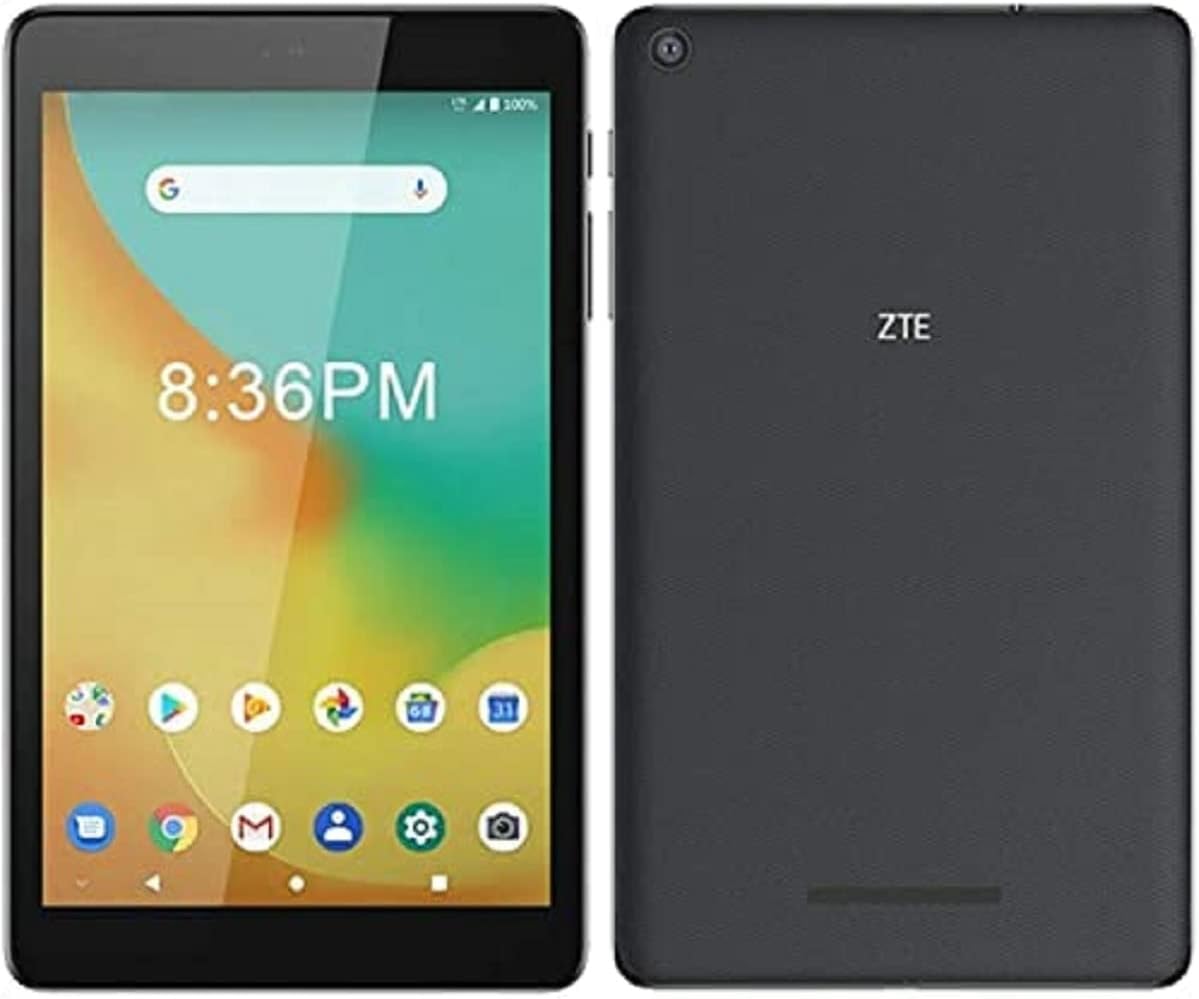
ചിത്രം 2.1: മുന്നിലും പിന്നിലും view ZTE ഗ്രാൻഡ് എക്സിന്റെ View 4 ടാബ്ലെറ്റ്. മുൻവശത്ത് ആപ്പ് ഐക്കണുകളും സമയവും ഉള്ള ഡിസ്പ്ലേ കാണിക്കുന്നു, പിന്നിൽ ZTE ലോഗോയും ക്യാമറ ലെൻസും പ്രദർശിപ്പിക്കുന്നു.
2.1 പ്രധാന സവിശേഷതകൾ
- ഡിസ്പ്ലേ: മികച്ച 8 ഇഞ്ച് കോർണിംഗ് ഗൊറില്ല ഗ്ലാസ് HD ഡിസ്പ്ലേ (1280x800 പിക്സലുകൾ).
- പ്രോസസ്സർ: ക്വാൽകോം ക്വാഡ്-കോർ പ്രോസസർ (1300 MHz, ARM കോർടെക്സ്-A7, 32-ബിറ്റ്).
- ഓപ്പറേറ്റിംഗ് സിസ്റ്റം: ആൻഡ്രോയിഡ്.
- കണക്റ്റിവിറ്റി: UMTS B2/4/5, LTE B2/4/5/7/12(MFBI)/13/66(MFBI), Wi-Fi 802.11b/g/n, Bluetooth.
- ക്യാമറ: 5 എംപി പിൻഭാഗം Webക്യാം
- സംഭരണം: 32 ജിബി ഇന്റേണൽ മെമ്മറി.
- GSM അൺലോക്ക് ചെയ്തു: വിവിധ GSM ദാതാക്കളുമായി പൊരുത്തപ്പെടുന്നു (അനുയോജ്യത പരിശോധിക്കുക).
2.2 ഉപകരണ ലേayട്ട്
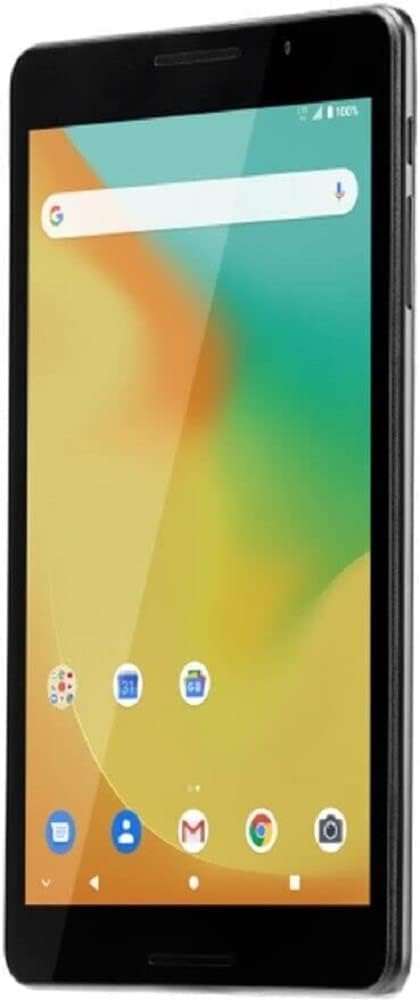
ചിത്രം 2.2: കോണാകൃതിയിലുള്ള മുൻഭാഗം view ZTE ഗ്രാൻഡ് എക്സിന്റെ View 4 ടാബ്ലെറ്റ്, സ്ക്രീനും സൈഡ് ബട്ടണുകളും കാണിക്കുന്നു.
- മുൻഭാഗം: 8 ഇഞ്ച് HD ഡിസ്പ്ലേ, ഫ്രണ്ട് ക്യാമറ, ലൈറ്റ് സെൻസർ.
- വശങ്ങൾ: പവർ ബട്ടൺ, വോളിയം ബട്ടണുകൾ, സിം/മൈക്രോ എസ്ഡി കാർഡ് സ്ലോട്ട്, യുഎസ്ബി പോർട്ട്, 3.5 എംഎം ഓഡിയോ ജാക്ക്.
- തിരികെ: പിൻ ക്യാമറ, ZTE ലോഗോ, സ്പീക്കർ ഗ്രിൽ.
3. ബോക്സിൽ എന്താണുള്ളത്?
നിങ്ങളുടെ ZTE ഗ്രാൻഡ് എക്സ് അൺബോക്സ് ചെയ്യുമ്പോൾ View 4 ടാബ്ലെറ്റ്, ഇനിപ്പറയുന്ന എല്ലാ ഇനങ്ങളും ഉണ്ടെന്ന് ഉറപ്പാക്കുക:
- ZTE ഗ്രാൻഡ് എക്സ് View 4 ഗുളിക
- ചാർജർ
- USB കേബിൾ
- ദ്രുത ആരംഭ ഗൈഡ് (പ്രദേശത്തിനനുസരിച്ച് വ്യത്യാസപ്പെടാം)
ഏതെങ്കിലും ഇനങ്ങൾ നഷ്ടപ്പെട്ടാലോ കേടുപാടുകൾ സംഭവിച്ചാലോ, ദയവായി നിങ്ങളുടെ റീട്ടെയിലറെയോ ZTE ഉപഭോക്തൃ പിന്തുണയെയോ ഉടൻ ബന്ധപ്പെടുക.
4. സജ്ജീകരണം
4.1 ബാറ്ററി ചാർജ് ചെയ്യുന്നു
ആദ്യ ഉപയോഗത്തിന് മുമ്പ്, ടാബ്ലെറ്റിന്റെ ബാറ്ററി പൂർണ്ണമായും ചാർജ് ചെയ്യുക. USB കേബിൾ ടാബ്ലെറ്റിന്റെ USB പോർട്ടിലേക്കും മറ്റേ അറ്റം ചാർജറിലേക്കും ബന്ധിപ്പിക്കുക. ചാർജർ ഒരു പവർ ഔട്ട്ലെറ്റിലേക്ക് പ്ലഗ് ചെയ്യുക. ചാർജിംഗ് ഇൻഡിക്കേറ്റർ സ്ക്രീനിൽ ദൃശ്യമാകും.
കുറിപ്പ്: ഉപകരണത്തിന് കേടുപാടുകൾ സംഭവിക്കാതിരിക്കാൻ നിങ്ങളുടെ ടാബ്ലെറ്റിനൊപ്പം നൽകിയിരിക്കുന്നതോ ZTE അംഗീകരിച്ചതോ ആയ ചാർജറും USB കേബിളും മാത്രം ഉപയോഗിക്കുക.
4.2 ഒരു സിം കാർഡ് ചേർക്കൽ (ഓപ്ഷണൽ)
സെല്ലുലാർ ഡാറ്റ ഉപയോഗിക്കാൻ നിങ്ങൾ പദ്ധതിയിടുകയാണെങ്കിൽ, നിങ്ങൾ ഒരു സിം കാർഡ് ഇടേണ്ടി വന്നേക്കാം. ടാബ്ലെറ്റിന്റെ വശത്ത് സിം കാർഡ് സ്ലോട്ട് കണ്ടെത്തുക. ട്രേ തുറക്കാൻ നൽകിയിരിക്കുന്ന സിം എജക്റ്റർ ടൂൾ (ഉൾപ്പെടുത്തിയിട്ടുണ്ടെങ്കിൽ) അല്ലെങ്കിൽ ഒരു പേപ്പർക്ലിപ്പ് ഉപയോഗിക്കുക. സ്വർണ്ണ കോൺടാക്റ്റുകൾ താഴേക്ക് അഭിമുഖീകരിക്കുന്ന തരത്തിൽ സിം കാർഡ് ട്രേയിലേക്ക് തിരുകുക, തുടർന്ന് ട്രേ സ്ലോട്ടിലേക്ക് പതുക്കെ തള്ളുക.
പ്രധാനപ്പെട്ടത്: ഈ ഉപകരണം ഒരു ഫോൺ പോലെ പ്രവർത്തിക്കുന്നില്ല. ഡാറ്റ കണക്റ്റിവിറ്റിക്കായി ഇത് രൂപകൽപ്പന ചെയ്തിരിക്കുന്നു. GSM ദാതാക്കൾക്ക്, സിം കാർഡ് ഇട്ടതിനുശേഷം APN ക്രമീകരണങ്ങൾ ക്രമീകരിക്കേണ്ടി വന്നേക്കാം. നിർദ്ദിഷ്ട APN ക്രമീകരണങ്ങൾക്കായി നിങ്ങളുടെ കാരിയറെ സമീപിക്കുക.
4.3 പ്രാരംഭ പവർ ഓണും സജ്ജീകരണ വിസാർഡും
ZTE ലോഗോ ദൃശ്യമാകുന്നതുവരെ പവർ ബട്ടൺ അമർത്തിപ്പിടിക്കുക. ടാബ്ലെറ്റ് നിങ്ങളെ പ്രാരംഭ സജ്ജീകരണ വിസാർഡിലൂടെ നയിക്കും, അതിൽ ഇവ ഉൾപ്പെടുന്നു:
- ഭാഷ തിരഞ്ഞെടുക്കൽ
- Wi-Fi നെറ്റ്വർക്ക് കണക്ഷൻ
- ഗൂഗിൾ അക്കൗണ്ട് സൈൻ-ഇൻ അല്ലെങ്കിൽ സൃഷ്ടിക്കൽ
- തീയതിയും സമയവും ക്രമീകരണം
- സുരക്ഷാ ക്രമീകരണങ്ങൾ (പിൻ, പാറ്റേൺ, പാസ്വേഡ്)
5. ടാബ്ലെറ്റ് പ്രവർത്തിപ്പിക്കൽ
5.1 അടിസ്ഥാന നാവിഗേഷൻ
- സ്പർശിക്കുക: ഒരു ഐക്കൺ അല്ലെങ്കിൽ ഓപ്ഷൻ തിരഞ്ഞെടുക്കാൻ അതിൽ ടാപ്പ് ചെയ്യുക.
- സ്പർശിച്ച് പിടിക്കുക: കൂടുതൽ ഓപ്ഷനുകൾ ആക്സസ് ചെയ്യാൻ ഒരു ഇനം അമർത്തിപ്പിടിക്കുക.
- സ്വൈപ്പ്: സ്ക്രീനുകൾക്കിടയിൽ സ്ക്രോൾ ചെയ്യാനോ നാവിഗേറ്റ് ചെയ്യാനോ സ്ക്രീനിലുടനീളം നിങ്ങളുടെ വിരൽ വലിച്ചിടുക.
- പിഞ്ച്: ചിത്രങ്ങൾ സൂം ഇൻ ചെയ്യാനോ ഔട്ട് ചെയ്യാനോ രണ്ട് വിരലുകൾ ഉപയോഗിക്കുക അല്ലെങ്കിൽ web പേജുകൾ.
5.2 Wi-Fi-ലേക്ക് ബന്ധിപ്പിക്കുന്നു
- പോകുക ക്രമീകരണങ്ങൾ > നെറ്റ്വർക്കും ഇൻ്റർനെറ്റും > വൈഫൈ.
- വൈഫൈ ടോഗിൾ ചെയ്യുക On.
- ലിസ്റ്റിൽ നിന്ന് നിങ്ങൾക്ക് ആവശ്യമുള്ള വൈഫൈ നെറ്റ്വർക്ക് തിരഞ്ഞെടുക്കുക.
- ആവശ്യപ്പെടുകയാണെങ്കിൽ പാസ്വേഡ് നൽകുക, തുടർന്ന് ടാപ്പുചെയ്യുക ബന്ധിപ്പിക്കുക.
5.3 ആപ്ലിക്കേഷനുകൾ കൈകാര്യം ചെയ്യുക
നിങ്ങൾക്ക് Google Play സ്റ്റോറിൽ നിന്ന് ആപ്ലിക്കേഷനുകൾ ഡൗൺലോഡ് ചെയ്ത് ഇൻസ്റ്റാൾ ചെയ്യാൻ കഴിയും. ഇൻസ്റ്റാൾ ചെയ്ത ആപ്ലിക്കേഷനുകൾ മാനേജ് ചെയ്യാൻ, ഇതിലേക്ക് പോകുക ക്രമീകരണങ്ങൾ > ആപ്പുകളും അറിയിപ്പുകളും. ഇവിടെ നിന്ന്, നിങ്ങൾക്ക് ആപ്പുകൾ അൺഇൻസ്റ്റാൾ ചെയ്യാം, ഡാറ്റ മായ്ക്കാം, അല്ലെങ്കിൽ അനുമതികൾ മാനേജ് ചെയ്യാം.
5.4 ക്യാമറ ഉപയോഗം
ടാബ്ലെറ്റിൽ 5MP പിൻ ക്യാമറയുണ്ട്. ഹോം സ്ക്രീനിൽ നിന്നോ ആപ്പ് ഡ്രോയറിൽ നിന്നോ ക്യാമറ ആപ്പ് തുറക്കുക. ഫോട്ടോ എടുക്കാൻ ഷട്ടർ ബട്ടൺ ടാപ്പ് ചെയ്യുക. ആപ്പിനുള്ളിൽ തന്നെ ഫോട്ടോ, വീഡിയോ മോഡുകൾക്കിടയിൽ മാറാൻ കഴിയും.
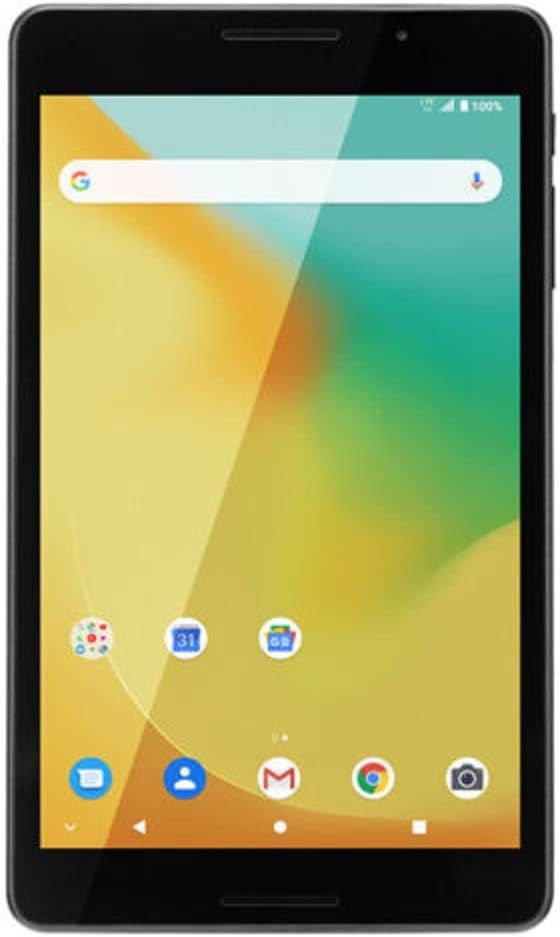
ചിത്രം 5.1: ഫ്രണ്ട് view ZTE ഗ്രാൻഡ് എക്സിന്റെ View 4 ടാബ്ലെറ്റ്, വിവിധ ആപ്പ് ഐക്കണുകളുള്ള ഊർജ്ജസ്വലമായ ഹോം സ്ക്രീൻ കാണിക്കുന്നു.
6. പരിപാലനം
6.1 ടാബ്ലെറ്റ് വൃത്തിയാക്കൽ
ടാബ്ലെറ്റിന്റെ സ്ക്രീനും ബോഡിയും വൃത്തിയാക്കാൻ മൃദുവായ, ലിന്റ് രഹിത തുണി ഉപയോഗിക്കുക. അബ്രാസീവ് ക്ലീനറുകൾ, ആൽക്കഹോൾ, ലായകങ്ങൾ എന്നിവ ഉപയോഗിക്കരുത്, കാരണം ഇവ ഉപകരണത്തിന്റെ ഫിനിഷിനും സ്ക്രീൻ കോട്ടിംഗിനും കേടുവരുത്തും.
6.2 ബാറ്ററി കെയർ
- ടാബ്ലെറ്റ് കടുത്ത താപനിലയിൽ ഏൽപ്പിക്കുന്നത് ഒഴിവാക്കുക.
- ബാറ്ററി ഇടയ്ക്കിടെ പൂർണ്ണമായും ഡിസ്ചാർജ് ചെയ്യാൻ അനുവദിക്കരുത്.
- ടാബ്ലെറ്റ് കൂടുതൽ നേരം ഉപയോഗിക്കാൻ പറ്റുന്നില്ലെങ്കിൽ, സൂക്ഷിക്കുന്നതിന് മുമ്പ് ഏകദേശം 50% ചാർജ് ചെയ്യുക.
6.3 സോഫ്റ്റ്വെയർ അപ്ഡേറ്റുകൾ
നിങ്ങളുടെ ടാബ്ലെറ്റിൽ ഏറ്റവും പുതിയ സവിശേഷതകളും സുരക്ഷാ പാച്ചുകളും ഉണ്ടെന്ന് ഉറപ്പാക്കാൻ ഇടയ്ക്കിടെ സോഫ്റ്റ്വെയർ അപ്ഡേറ്റുകൾക്കായി പരിശോധിക്കുക. പോകുക ക്രമീകരണങ്ങൾ > സിസ്റ്റം > സിസ്റ്റം അപ്ഡേറ്റ്.
7. പ്രശ്നപരിഹാരം
| പ്രശ്നം | സാധ്യമായ പരിഹാരം |
|---|---|
| ടാബ്ലെറ്റ് ഓണാക്കുന്നില്ല. | ബാറ്ററി ചാർജ്ജ് ചെയ്തിട്ടുണ്ടെന്ന് ഉറപ്പാക്കുക. ചാർജർ കണക്റ്റ് ചെയ്ത് വീണ്ടും പവർ ചെയ്യാൻ ശ്രമിക്കുന്നതിന് മുമ്പ് കുറച്ച് മിനിറ്റ് കാത്തിരിക്കുക. |
| Wi-Fi-ലേക്ക് കണക്റ്റ് ചെയ്യാൻ കഴിയില്ല. | ക്രമീകരണങ്ങളിൽ വൈഫൈ പ്രവർത്തനക്ഷമമാക്കിയിട്ടുണ്ടോയെന്ന് പരിശോധിക്കുക. നിങ്ങളുടെ വൈഫൈ റൂട്ടർ പുനരാരംഭിക്കുക. ശരിയായ പാസ്വേഡാണ് നൽകുന്നതെന്ന് ഉറപ്പാക്കുക. |
| മന്ദഗതിയിലുള്ള പ്രകടനം. | ഉപയോഗിക്കാത്ത ആപ്ലിക്കേഷനുകൾ അടയ്ക്കുക. പതിവായി ഉപയോഗിക്കുന്ന ആപ്ലിക്കേഷനുകളുടെ കാഷെയും ഡാറ്റയും മായ്ക്കുക. അവസാന ആശ്രയമായി ഫാക്ടറി റീസെറ്റ് ചെയ്യുന്നത് പരിഗണിക്കുക (കുറിപ്പ്: ഇത് എല്ലാ ഡാറ്റയും മായ്ക്കും). |
| സെല്ലുലാർ ഡാറ്റ പ്രവർത്തിക്കുന്നില്ല. | സിം കാർഡ് ശരിയായി ചേർത്തിട്ടുണ്ടെന്ന് ഉറപ്പാക്കുക. APN ക്രമീകരണങ്ങൾ പരിശോധിക്കുക (ക്രമീകരണങ്ങൾ > നെറ്റ്വർക്കും ഇന്റർനെറ്റും > മൊബൈൽ നെറ്റ്വർക്ക് > ആക്സസ് പോയിന്റ് പേരുകൾ). ശരിയായ APN ക്രമീകരണങ്ങൾക്കായി നിങ്ങളുടെ കാരിയറെ ബന്ധപ്പെടുക. |
ഇവിടെ പട്ടികപ്പെടുത്തിയിട്ടില്ലാത്ത പ്രശ്നങ്ങൾ നേരിടുകയാണെങ്കിൽ, ദയവായി ZTE പിന്തുണ പരിശോധിക്കുക. webസൈറ്റ് അല്ലെങ്കിൽ ഉപഭോക്തൃ സേവനവുമായി ബന്ധപ്പെടുക.
8 സ്പെസിഫിക്കേഷനുകൾ
| ഫീച്ചർ | വിശദാംശങ്ങൾ |
|---|---|
| മോഡലിൻ്റെ പേര് | ഗ്രാൻഡ് എക്സ് View 4 (കെ 87) |
| ഡിസ്പ്ലേ വലിപ്പം | 8 ഇഞ്ച് |
| സ്ക്രീൻ റെസല്യൂഷൻ | 1280 x 800 പിക്സലുകൾ |
| പ്രോസസ്സർ | ക്വാൽകോം ക്വാഡ്-കോർ, 1300 MHz |
| ഓപ്പറേറ്റിംഗ് സിസ്റ്റം | ആൻഡ്രോയിഡ് |
| മെമ്മറി സ്റ്റോറേജ് കപ്പാസിറ്റി | 32 ജിബി |
| റാം (ഫ്ലാഷ് മെമ്മറി വലുപ്പം) | 1 ജിബി |
| പിൻ ക്യാമറ റെസല്യൂഷൻ | 5 എം.പി |
| വയർലെസ് തരം | 802.11n (വൈ-ഫൈ), ബ്ലൂടൂത്ത് |
| സെല്ലുലാർ ബാൻഡുകൾ | UMTS B2/4/5, LTE B2/4/5/7/12(MFBI)/13/66(MFBI) |
| ഇനത്തിൻ്റെ ഭാരം | 1.43 പൗണ്ട് |
| ഉൽപ്പന്ന അളവുകൾ | 4.02 x 7.99 x 0.51 ഇഞ്ച് |
| നിറം | ചാരനിറം |
| ബാറ്ററികൾ | 1 നിലവാരമില്ലാത്ത ബാറ്ററി (ഉൾപ്പെടുത്തിയിരിക്കുന്നു) |

ചിത്രം 8.1: ZTE ഗ്രാൻഡ് X-നുള്ള റെഗുലേറ്ററി ലേബലുകൾ പ്രദർശിപ്പിക്കുന്ന സ്ക്രീൻ View 4 ടാബ്ലെറ്റുകൾ, മോഡൽ: K87, FCC ഐഡി: SRQ-K87CA, IC: 5200E-K87CA എന്നിവ ഉൾപ്പെടെ.
9. വാറൻ്റിയും പിന്തുണയും
ഈ ഉൽപ്പന്നം പുതുക്കിയ ഇനമായിട്ടാണ് വാഗ്ദാനം ചെയ്യുന്നത്. പുതുക്കിയ ഉൽപ്പന്നങ്ങൾ പ്രൊഫഷണലായി പരിശോധിക്കുകയും പ്രവർത്തിക്കുകയും പുതിയതായി കാണപ്പെടുകയും ചെയ്യുന്നുണ്ടോ എന്ന് പരിശോധിക്കുകയും ചെയ്യുന്നു. വാങ്ങലിൽ തൃപ്തരല്ലെങ്കിൽ, പുതുക്കിയ ഉൽപ്പന്നങ്ങൾക്ക് ആമസോൺ പുതുക്കിയ ഗ്യാരണ്ടി പ്രകാരം മാറ്റിസ്ഥാപിക്കാനോ റീഫണ്ട് ചെയ്യാനോ അർഹതയുണ്ട്.
നിർദ്ദിഷ്ട വാറന്റി വിശദാംശങ്ങൾ, റിട്ടേൺ പോളിസികൾ, അല്ലെങ്കിൽ സാങ്കേതിക പിന്തുണ എന്നിവയ്ക്കായി, ആമസോൺ പുതുക്കിയ പ്രോഗ്രാം നിബന്ധനകൾ പരിശോധിക്കുകയോ വിൽപ്പനക്കാരനെ നേരിട്ട് ബന്ധപ്പെടുകയോ ചെയ്യുക. ഈ ഉൽപ്പന്നത്തിന്റെ വിൽപ്പനക്കാരൻ ഇ-കിംഗ്സ്.
ZTE ഉൽപ്പന്നങ്ങളെക്കുറിച്ചുള്ള പൊതുവായ വിവരങ്ങൾക്ക്, നിങ്ങൾക്ക് ഔദ്യോഗിക ZTE സന്ദർശിക്കാം. webസൈറ്റ്. പുതുക്കിയ ഉൽപ്പന്നവുമായി ബന്ധപ്പെട്ട പ്രശ്നങ്ങൾക്ക്, ദയവായി ആമസോൺ പുതുക്കിയ പിന്തുണയെയോ വിൽപ്പനക്കാരനെയോ ബന്ധപ്പെടുക.


