ആമുഖം
Thank you for choosing the Goplus Gaming Desk and Chair Combo Set. This manual provides essential information for the safe assembly, operation, and maintenance of your new gaming workstation. Please read these instructions carefully before assembly and retain them for future reference.

Image: The Goplus Gaming Desk and Chair Combo Set, featuring a black desk with orange accents and a black and white gaming chair.
സുരക്ഷാ വിവരങ്ങൾ
- അസംബ്ലി നിർദ്ദേശങ്ങൾ എല്ലായ്പ്പോഴും ശ്രദ്ധാപൂർവ്വം പിന്തുടരുക.
- ഉപയോഗിക്കുന്നതിന് മുമ്പ് എല്ലാ സ്ക്രൂകളും ഫാസ്റ്റനറുകളും സുരക്ഷിതമായി മുറുക്കിയിട്ടുണ്ടെന്ന് ഉറപ്പാക്കുക. ഇടയ്ക്കിടെ പരിശോധിച്ച് ആവശ്യാനുസരണം വീണ്ടും മുറുക്കുക.
- Do not exceed the maximum weight capacity: 175 lbs for the desk and 330 lbs for the chair.
- ശ്വാസംമുട്ടൽ അപകടങ്ങൾ തടയാൻ അസംബ്ലി സമയത്ത് ചെറിയ ഭാഗങ്ങൾ കുട്ടികളിൽ നിന്ന് അകറ്റി നിർത്തുക.
- ഉൽപ്പന്നം വളയുന്നത് തടയാൻ പരന്ന പ്രതലത്തിൽ ഉപയോഗിക്കുക.
- Avoid standing on the chair or desk.
- ഉൽപ്പന്നത്തെ നേരിട്ടുള്ള സൂര്യപ്രകാശത്തിലേക്കോ തീവ്രമായ താപനിലയിലേക്കോ തുറന്നുകാട്ടരുത്.
പാക്കേജ് ഉള്ളടക്കം
Your Goplus Gaming Desk and Chair Combo Set is shipped in two separate boxes and may arrive at different times. Please verify all components are present before beginning assembly. The package includes:
- 1 x Massage Gaming Chair
- 1 x ഗെയിമിംഗ് ഡെസ്ക്
- 2 x Instruction Manuals (one for desk, one for chair)
- അസംബ്ലിക്ക് ആവശ്യമായ എല്ലാ ഹാർഡ്വെയറുകളും
സജ്ജീകരണവും അസംബ്ലിയും
Gaming Desk Assembly
Refer to the dedicated instruction manual included with the desk for detailed, step-by-step assembly. Ensure all parts are identified and laid out before starting. The desk features a sturdy R-frame design with round leveling feet for stability on uneven surfaces.

Image: Diagram highlighting the desk's features including rounded corners, ergonomic curved processing, R-frame design, and round leveling feet.

Image: The Goplus Gaming Desk set up with a computer monitor, keyboard, and mouse, demonstrating its spacious desktop.
Gaming Chair Assembly
Refer to the dedicated instruction manual included with the chair for detailed, step-by-step assembly. Pay close attention to the attachment of the base, gas lift, and backrest. Ensure the massage lumbar pillow's USB cable is accessible for power connection.
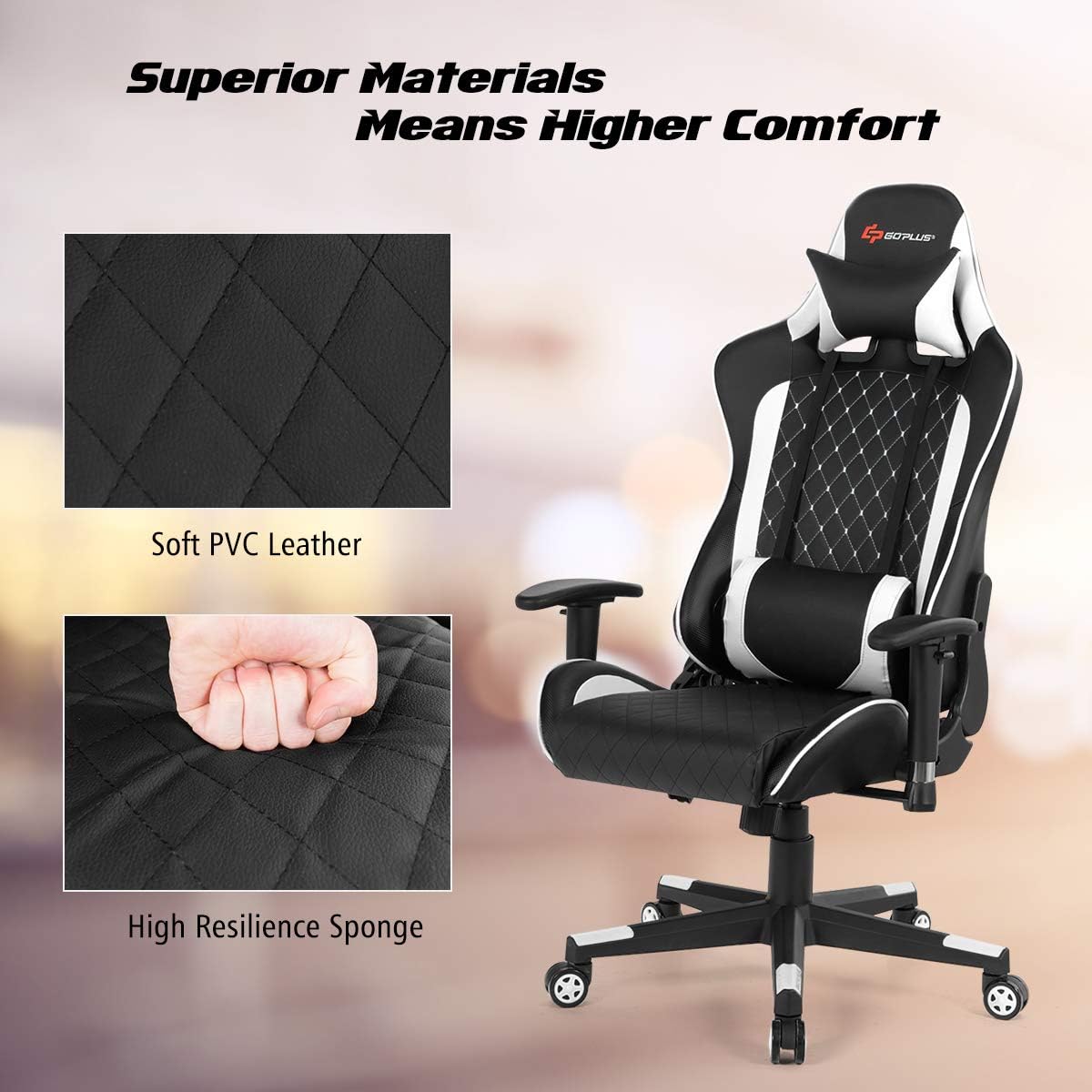
ചിത്രം: ക്ലോസ്-അപ്പ് view of the chair's materials, showing soft PVC leather and high resilience sponge for comfort.
പ്രവർത്തന നിർദ്ദേശങ്ങൾ
Chair Adjustments
- ഉയരം ക്രമീകരിക്കൽ: Use the lever located under the seat on the right side to adjust the chair's height. Pull the lever up to raise the seat; sit on the chair and pull the lever up to lower it.
- ബാക്ക്റെസ്റ്റ് റീക്ലൈൻ: The backrest can be reclined from 90° to 180°. Use the lever on the right side of the chair to adjust the angle. Lean back to your desired position and release the lever to lock.
- റോക്കിംഗ് പ്രവർത്തനം: The chair features a rocking function. This can typically be enabled or disabled using a knob or lever under the seat.
- 360° സ്വിവൽ: The chair is designed to swivel 360 degrees for ease of movement.
- ആംസ്ട്രെസ്റ്റ് ക്രമീകരണം: Adjust the height of the armrests by pressing the button on the side of each armrest and moving them up or down.
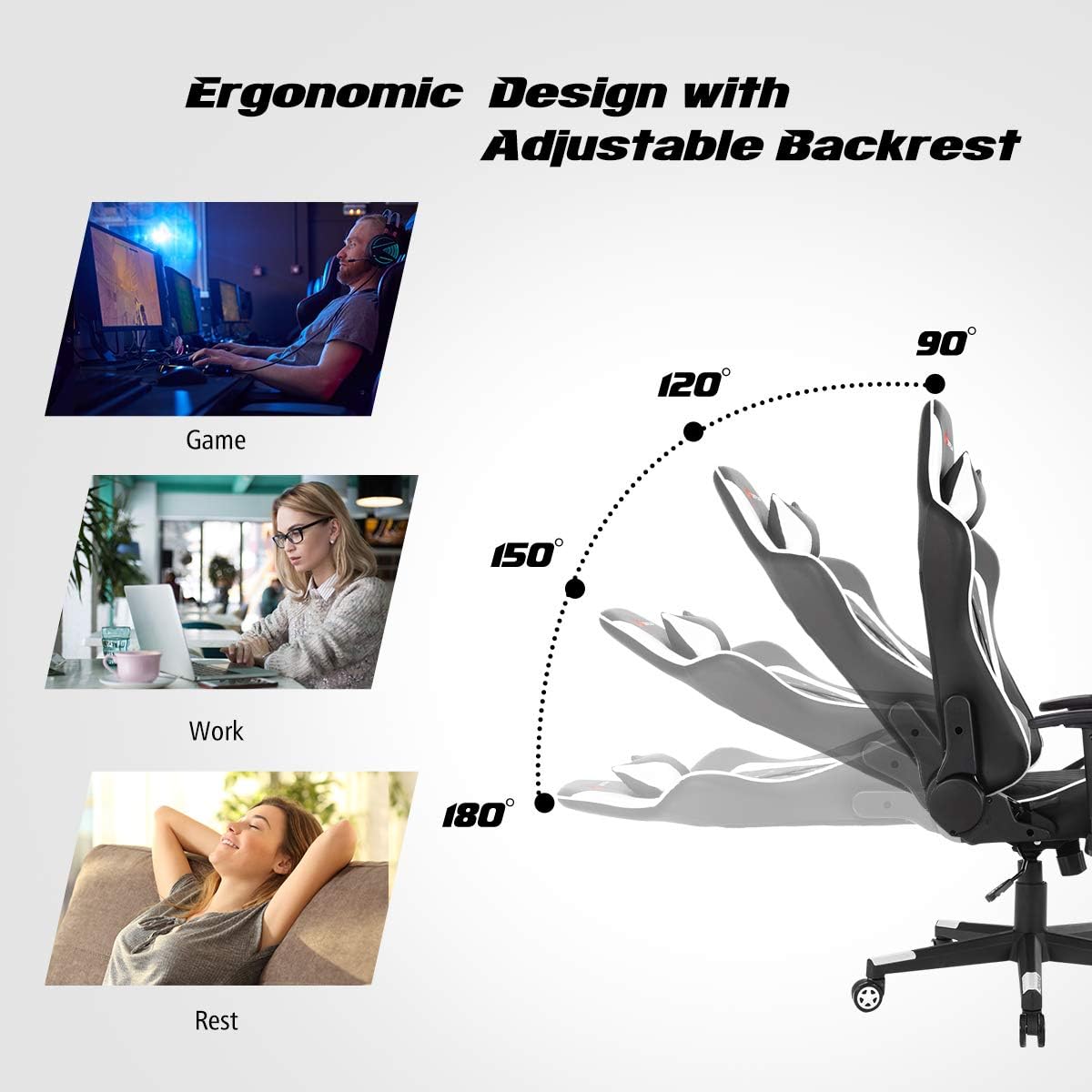
Image: Diagram illustrating the adjustable backrest of the gaming chair, showing recline angles from 90° to 180° for gaming, working, and resting positions.

Image: A user sitting in the gaming chair, with insets showing the rocking function, 360° swivel, and adjustable height mechanism.
മസാജ് ഫംഗ്ഷൻ
The lumbar pillow includes a USB-powered massage function. To activate, connect the USB cable from the lumbar pillow to a power bank (not included) or a suitable USB power source. A dedicated pocket beneath the seat is provided for convenient storage of your power bank.

Image: A close-up of the gaming chair's lumbar pillow, showing the USB connection for the massage function and the power bank storage pocket.
മെയിൻ്റനൻസ്
- വൃത്തിയാക്കൽ: The desktop features an anti-scratch and waterproof finish, making it easy to clean. Wipe surfaces with a soft, damp cloth. For the PVC leather chair, use a mild soap solution and a soft cloth, then wipe dry. Avoid harsh chemicals or abrasive cleaners.
- പരിശോധന: Periodically inspect all bolts and screws to ensure they remain tight. Re-tighten as necessary to maintain stability and safety.
- നീക്കുന്നു: When moving the desk, lift it rather than dragging to prevent damage to the legs or floor. For the chair, utilize its smooth-rolling wheels.
ട്രബിൾഷൂട്ടിംഗ്
- വിട്ടുപോയ ഭാഗങ്ങൾ: If any parts are missing upon delivery, please contact Goplus customer support immediately. Refer to the parts list in your assembly manual.
- അസ്ഥിരത: Ensure all screws are fully tightened. For the desk, adjust the round leveling feet to compensate for uneven floors. For the chair, ensure the base is correctly assembled and the gas lift is properly seated.
- Chair Not Adjusting: Check that the adjustment levers are not obstructed and are functioning correctly. Ensure the gas lift is properly installed.
- മസാജ് പ്രവർത്തനം പ്രവർത്തിക്കുന്നില്ല: Verify that the USB cable is securely connected to a functioning power source (e.g., a charged power bank).
സ്പെസിഫിക്കേഷനുകൾ

Image: Detailed diagram showing the dimensions and weight capacities for both the Goplus Gaming Desk and Chair.
ഗെയിമിംഗ് ഡെസ്ക്
- മൊത്തത്തിലുള്ള വലിപ്പം: 46" x 29.5" x 28" (L x W x H)
- മെറ്റീരിയൽ: Metal + MDF
- മൊത്തം ഭാരം: 42 പൗണ്ട്
- ഭാരം ശേഷി: 175 പൗണ്ട്
- നിറം: Black (with orange accents)
ഗെയിമിംഗ് ചെയർ
- മൊത്തത്തിലുള്ള വലിപ്പം: 29" x 29" x 50"-54" (L x W x H)
- Backrest Size: 21.5" x 33" (L x W)
- സീറ്റ് വലുപ്പം: 21" x 20" (L x D)
- ക്രമീകരിക്കാവുന്ന സീറ്റ് ഉയരം: 18.5" മുതൽ 22.5" വരെ
- മെറ്റീരിയൽ: Sponge, PU, PVC, Iron
- മൊത്തം ഭാരം: 40 പൗണ്ട്
- ഭാരം ശേഷി: 330 പൗണ്ട്
- Reclining Angle: 90-180°
- നിറം: White (with black accents)
വാറൻ്റിയും പിന്തുണയും
For any questions regarding assembly, missing parts, or product performance, please contact Goplus customer support. Refer to the contact information provided with your purchase documentation or visit the official Goplus webസഹായത്തിനുള്ള സൈറ്റ്.
Please retain your proof of purchase for any warranty claims. Specific warranty details may vary and are typically outlined in the documentation included with your product.


