ആമുഖം
Welcome to the Ovsuqu A3 R1390 UV Flatbed Printer user manual. This guide provides essential information for setting up, operating, maintaining, and troubleshooting your new UV printer. Please read this manual thoroughly before operating the device to ensure safe and efficient use.

Figure 1: Ovsuqu A3 R1390 UV Flatbed Printer Overview
ഉൽപ്പന്നം കഴിഞ്ഞുview
The Ovsuqu A3 R1390 UV Flatbed Printer is designed for versatile printing on a wide range of materials. It features an R1390 printhead capable of simultaneous color and white printing, a white ink circulation system to prevent nozzle blockage, and support for both flatbed and rotary axis printing.
പ്രധാന സവിശേഷതകൾ:
- R1390 Printhead: Enables simultaneous color and white ink printing for vibrant and opaque results.
- White Ink Circulation System: Prevents white ink sedimentation and nozzle clogging, ensuring consistent print quality and reducing ink waste.
- ബഹുമുഖ അച്ചടി: Supports printing on various flat materials (plastic, wood, leather, metal, etc.) and cylindrical items (bottles, cups, golf balls) with the included rotary axis.

Figure 2: Diagram illustrating the White Ink Circulation System, designed to prevent ink precipitation and blockage, optimizing ink usage.

Figure 3: The A3 R1390 UV Printer configured for cylindrical object printing using the rotary axis.
സജ്ജീകരണ ഗൈഡ്
1. അൺബോക്സിംഗും പ്രാരംഭ പരിശോധനയും
Carefully remove all components from the packaging. Verify that all items listed in the packing list are present and undamaged. Keep the original packaging for future transport or service needs.

Figure 4: A visual representation of the items included in the printer's packing list, such as the printer unit, rotary axis, ink, and various accessories.
2. Water Pump Setup
Before the first use, inject cooling fluid or water into the water pump. Regularly inspect the water tank monthly to ensure adequate water levels. This is crucial for the printer's cooling system.

ചിത്രം 5: ക്ലോസപ്പ് view of the water pump system, essential for maintaining optimal operating temperature.
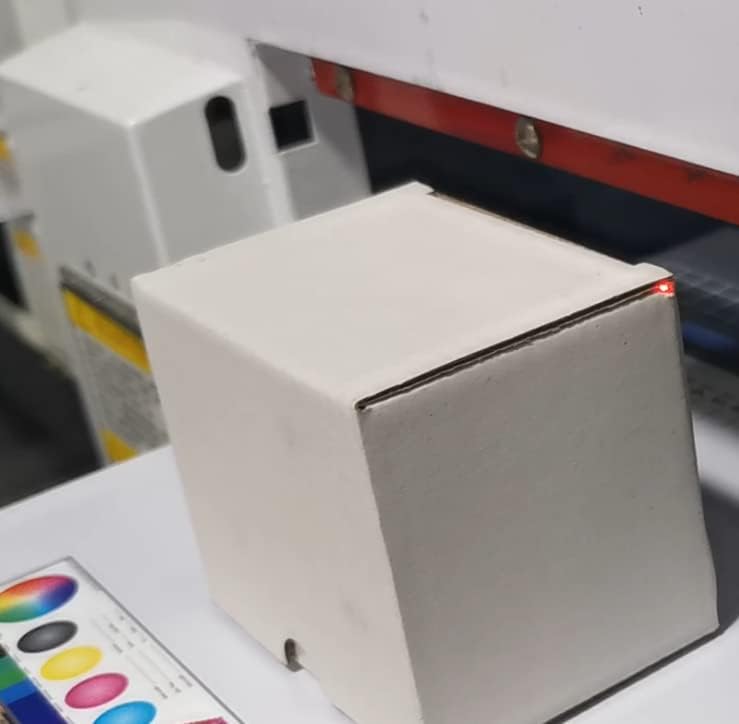
Figure 6: Warning label indicating the water inlet and the importance of filling the cooling fluid before operation.
3. Ink Loading
Carefully add the appropriate UV inks (color and white) into their designated reservoirs. Ensure proper connection of all ink tubes to prevent leaks and maintain the white ink circulation system.

Figure 7: The ink system with clearly labeled bottles for different UV ink colors, including white, and their connections.
പ്രവർത്തന നിർദ്ദേശങ്ങൾ
The A3 R1390 UV printer offers versatile printing capabilities for various materials and applications.
1. Flatbed Printing
Place your flat material (e.g., phone case, wood, acrylic) securely on the flatbed. Use the software to prepare your design and initiate the printing process. The printer supports various effects, including embossed textures.
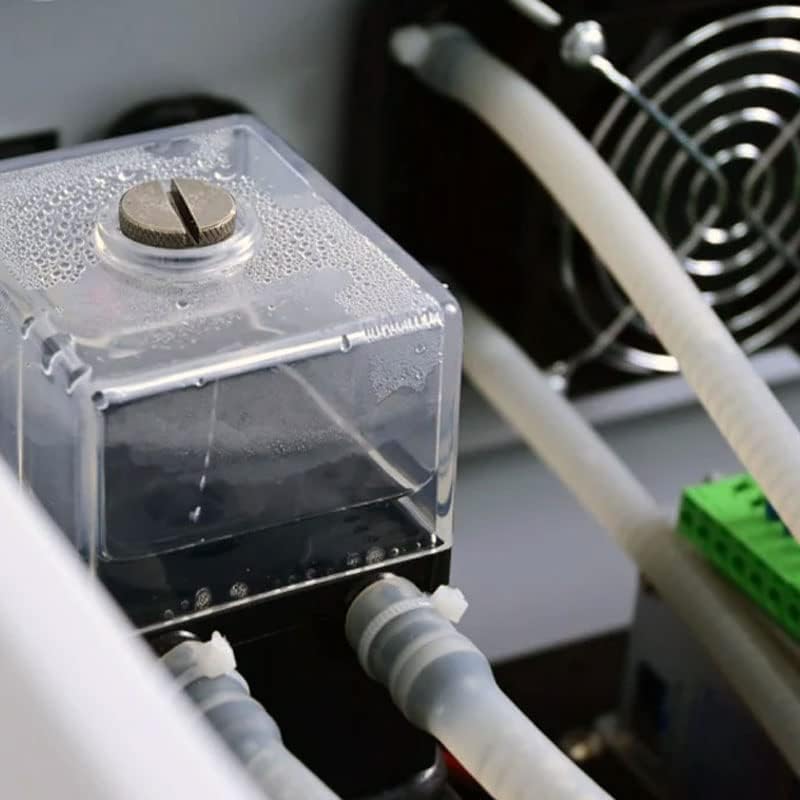
Figure 8: A small object positioned on the printer's flatbed, ready for UV printing.
Video 1: Demonstration of the UV Printer creating an embossed effect on a flat surface.
2. Rotary Axis Printing (Cylindrical Items)
Attach the rotary axis to the printer. Secure cylindrical items such as bottles, cups, or pens onto the rotary fixture. Adjust settings in the software for cylindrical printing to ensure accurate and consistent results around the curved surface.
Video 2: An A3 UV Printer demonstrating the printing process on four bottles simultaneously, including a varnish effect.
Video 3: The UV Printer in action, printing a design onto a phone case.
3. DTF Printing (Stickers)
For DTF (Direct to Film) printing, load the specialized film onto the printer. The printer will apply the design, which can then be transferred to various surfaces as stickers. This method is ideal for creating custom labels and decals.
Video 4: A demonstration of the UV DTF Printer creating prints on both gold films and ordinary AB films, showcasing the versatility for sticker production.

Figure 9: A diagram showcasing various UV print samples on different materials, including acrylic, fabric, cylindrical cans, wood, glass bottles, and phone cases.
മെയിൻ്റനൻസ്
Regular maintenance is crucial for the longevity and optimal performance of your Ovsuqu A3 R1390 UV Flatbed Printer. Follow these guidelines:
- പ്രിന്റ്ഹെഡ് ക്ലീനിംഗ്: Perform daily automatic printhead cleaning cycles. If print quality degrades, perform a manual cleaning using a lint-free cloth and appropriate cleaning solution.
- വെളുത്ത മഷി രക്തചംക്രമണം: Ensure the white ink circulation system is always active to prevent pigment settling.
- Water Pump Check: Verify the water level in the cooling system monthly. Refill with distilled water or cooling fluid as needed.
- പൊതുവായ ശുചീകരണം: Keep the print bed and surrounding areas clean from dust and ink residue. Use a soft, damp cloth for external surfaces.
- Ink Expiration: Monitor ink expiration dates and replace cartridges or bottles as necessary to maintain print quality.
ട്രബിൾഷൂട്ടിംഗ്
ചില സാധാരണ പ്രശ്നങ്ങളും അവയുടെ സാധ്യമായ പരിഹാരങ്ങളും ഇതാ:
- നോസൽ അടഞ്ഞുപോകൽ: If print quality shows lines or missing colors, perform a printhead cleaning cycle. If persistent, consider a deeper manual clean or professional service.
- Poor Ink Adhesion: Ensure the material surface is clean and properly pre-treated (if required). Check UV lamp intensity and curing settings.
- White Ink Sedimentation: Verify the white ink circulation system is functioning correctly. Shake white ink bottles gently before loading if they have been stored for a long time.
- പ്രിന്റർ പ്രതികരിക്കുന്നില്ല: Check all cable connections (power, USB). Ensure the emergency stop button is not engaged. Restart the printer and computer.
- സോഫ്റ്റ്വെയർ പിശകുകൾ: Consult the software manual or contact support. Ensure your operating system and printer drivers are up to date.
സ്പെസിഫിക്കേഷനുകൾ
Detailed technical specifications for the Ovsuqu A3 R1390 UV Flatbed Printer:
| ഫീച്ചർ | സ്പെസിഫിക്കേഷൻ |
|---|---|
| മോഡലിൻ്റെ പേര് | A3 R1390 UV Printer |
| പ്രിൻ്റിംഗ് ടെക്നോളജി | UV |
| പ്രിൻ്റ് ഹെഡ് | R1390 (Color & White) |
| പരമാവധി മീഡിയ വലുപ്പം | 10.5 x 16.5 ഇഞ്ച് (A3) |
| പിന്തുണയ്ക്കുന്ന മീഡിയ തരങ്ങൾ | Plastic, PVC, ABS, Acrylic, Wood, Bamboo, Leather, Stone, Metal, Paper, Bottles, Cups, Golf Balls, Phone Cases, etc. |
| മഷി തരം | UV Curable Ink |
| മഷി നിറം | Black, Cyan, Magenta, Yellow, White, Varnish |
| White Ink System | Circulation System |
| കണക്റ്റിവിറ്റി | USB |
| ഉൽപ്പന്ന അളവുകൾ | 29.92 x 26.77 x 29.53 ഇഞ്ച് |
| ഇനത്തിൻ്റെ ഭാരം | 176 പൗണ്ട് |

Figure 10: Diagram illustrating the compact dimensions of the Ovsuqu A3 R1390 UV Flatbed Printer.
വാറൻ്റിയും പിന്തുണയും
Ovsuqu provides comprehensive after-sales support for your A3 R1390 UV Flatbed Printer.
- വാറൻ്റി: The machine comes with a 2-year warranty. Please note that damaged ink contact parts are not covered under warranty.
- പിന്തുണ: We offer comprehensive installation videos, detailed user manuals, accessory warranties, and lifetime remote assistance.
- ബന്ധപ്പെടുക: If you encounter any issues or have questions, please contact our professional after-sales team for consultation, exchange, or refund.


