ആമുഖം
This manual provides detailed instructions for the setup, operation, and maintenance of your RØDE PodMic USB dynamic broadcast microphone. The PodMic USB is engineered for high-quality audio capture across various applications, including podcasting, streaming, gaming, and voice-overs. It offers versatile connectivity options, featuring both XLR and USB-C outputs, and incorporates integrated digital signal processing for enhanced sound performance.
പാക്കേജ് ഉള്ളടക്കം
Verify that all items listed below are present in your RØDE PodMic USB package:
- RØDE PodMic USB Microphone
- External Pop Filter
- SC29 USB-C to USB-C Cable (3m)
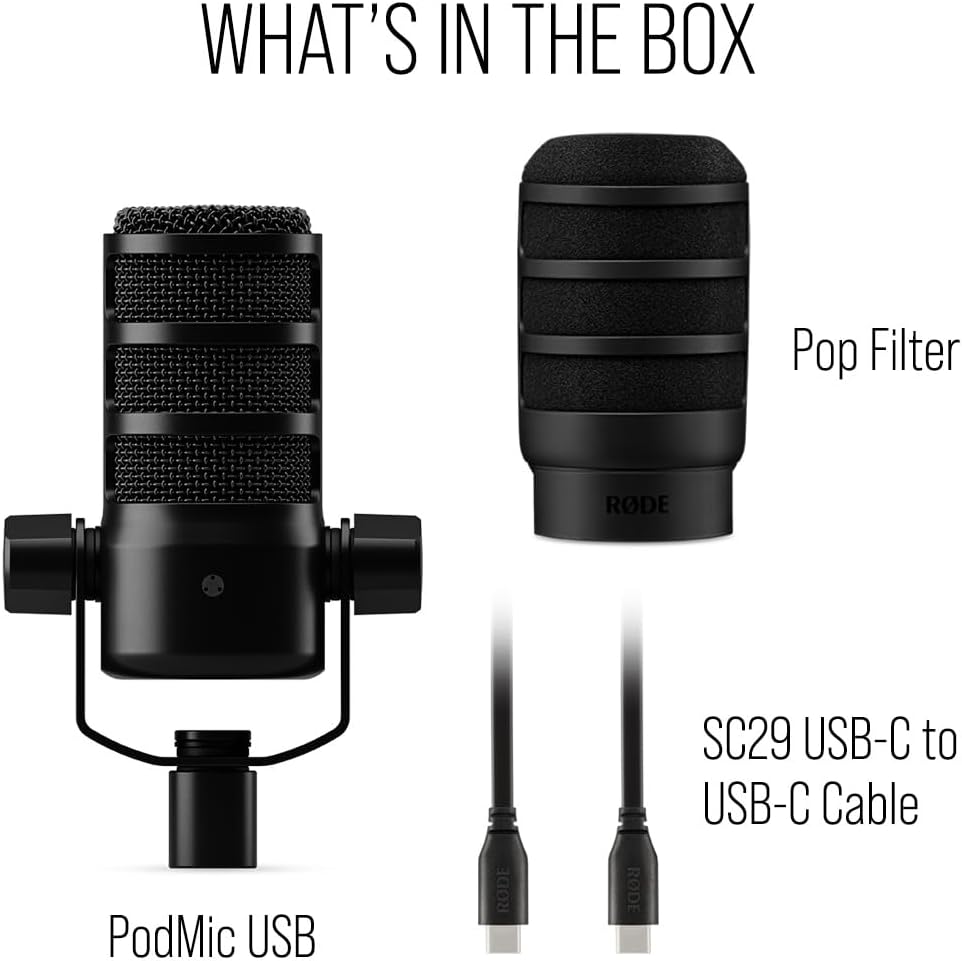
ചിത്രം: പാക്കേജ് ഉള്ളടക്കങ്ങൾ. This image displays the RØDE PodMic USB microphone, an external pop filter, and the included SC29 USB-C to USB-C cable, which are all part of the standard package.
സജ്ജമാക്കുക
1. ഫിസിക്കൽ ഇൻസ്റ്റലേഷൻ
- മൈക്രോഫോൺ ഘടിപ്പിക്കുന്നു: The PodMic USB features an integrated swing mount. Attach the microphone securely to a compatible microphone stand or boom arm. Ensure the chosen stand is robust enough to support the microphone's weight (approximately 1.9 pounds or 0.86 kg).
- സ്ഥാനനിർണ്ണയം: For optimal sound capture and clarity, position the microphone directly in front of the sound source (e.g., your mouth) at a distance of 2-6 inches (5-15 cm). The integrated internal pop filter and external pop filter work together to minimize plosive sounds (harsh 'p' and 'b' sounds).
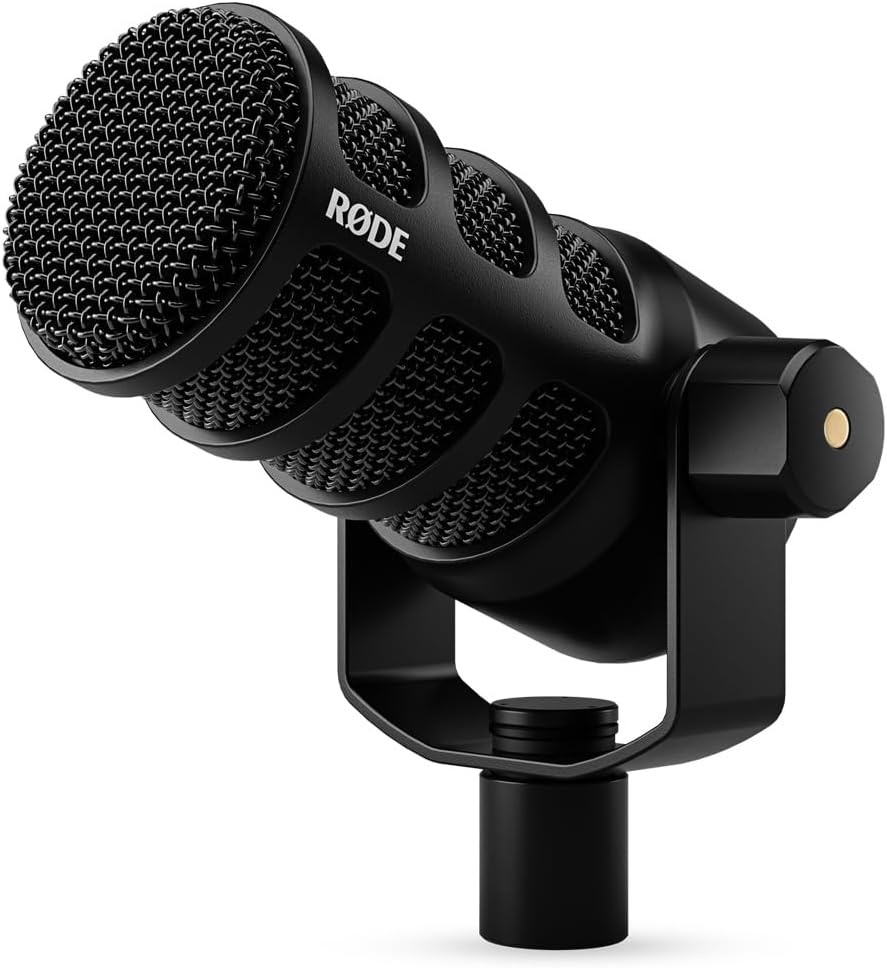
Image: Microphone Setup. The RØDE PodMic USB microphone is shown mounted on a stand, angled for optimal sound capture. Proper positioning is essential for achieving high-quality audio.
2. കണക്റ്റിവിറ്റി ഓപ്ഷനുകൾ
The PodMic USB offers two primary connection methods to suit various recording and streaming setups:
- XLR Connection (Analog):
Connect a standard 3-pin XLR cable (not included) from the XLR output on the microphone to an audio interface, mixer, or preamplifier. This connection provides a traditional analog signal path, suitable for professional audio environments.
- USB-C Connection (Digital):
Use the supplied SC29 USB-C to USB-C cable to connect the microphone directly to a computer (Windows, macOS) or a compatible mobile device (iOS, Android). This connection enables digital audio transmission and provides access to internal Digital Signal Processing (DSP) features via the RØDE Central software.
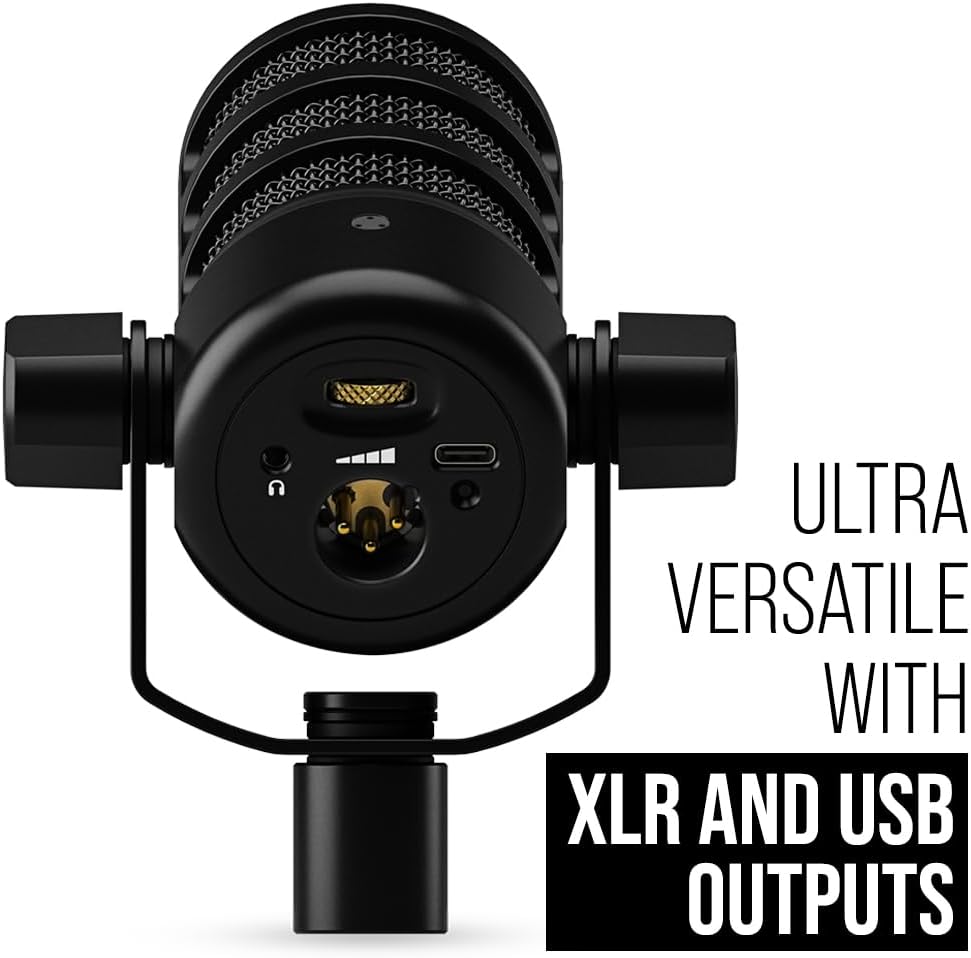
Image: Connectivity Ports. This image highlights the XLR and USB-C output ports, along with the 3.5mm headphone monitoring jack, located at the base of the microphone.
പ്രവർത്തന നിർദ്ദേശങ്ങൾ
1. USB Mode Operation
- Connecting to a Computer/Mobile Device: Plug the USB-C cable into the microphone and then into your computer or mobile device. The device should automatically recognize the microphone as an audio input device.
- മോണിറ്ററിംഗ് ഓഡിയോ: Connect headphones to the 3.5mm headphone jack on the microphone for direct, zero-latency monitoring of your audio. Adjust the headphone volume using the dedicated control knob located next to the headphone jack on the microphone.
- RØDE Central Software: Download and install the RØDE Central application from the official RØDE webസൈറ്റ് (rode.com/software/rode-central). This software provides access to advanced features and settings, including:
- Adjusting microphone gain levels.
- Activating APHEX® digital signal processing (Aural Exciter and Big Bottom) for enhanced vocal presence and depth.
- Performing firmware updates to ensure your microphone has the latest features and improvements.
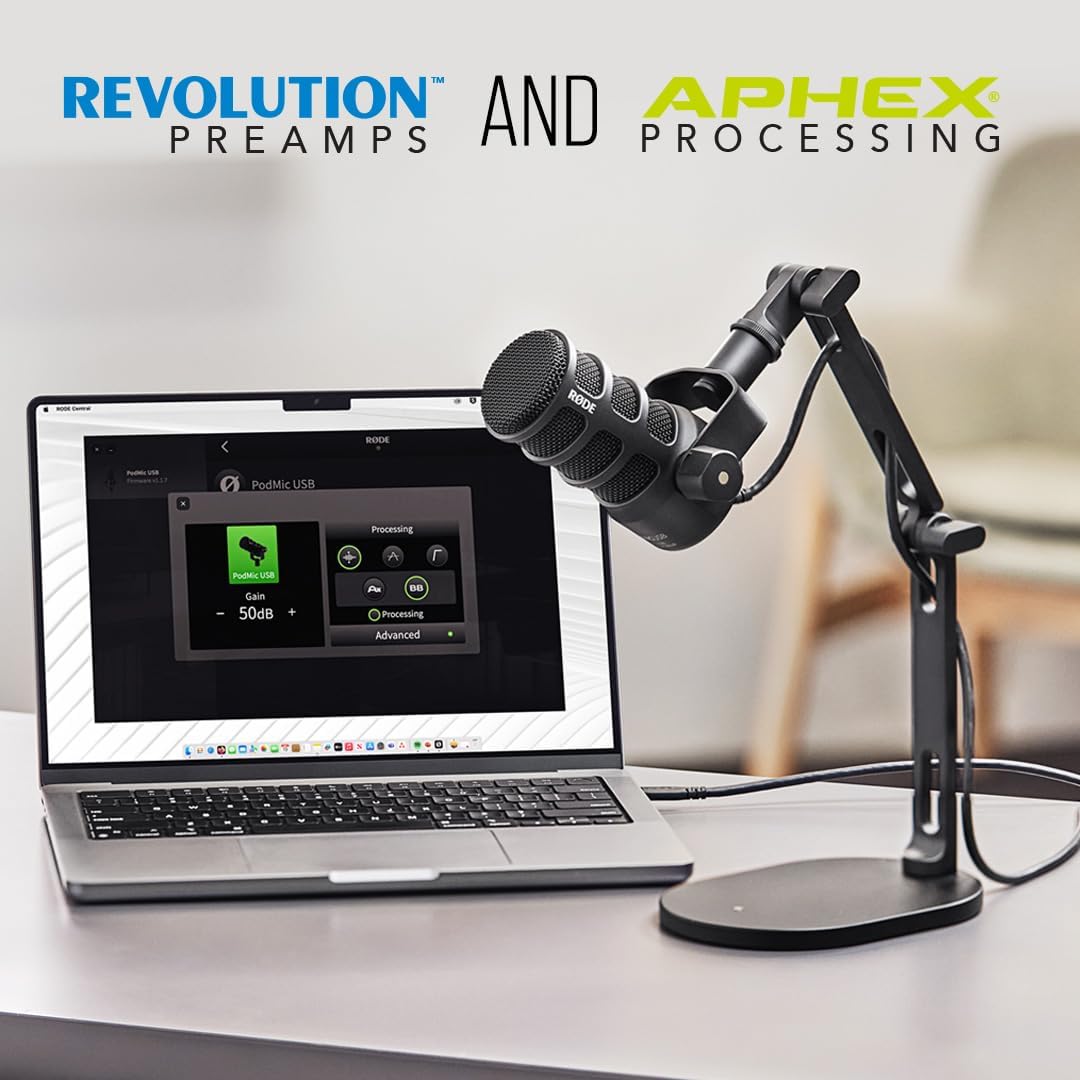
Image: RØDE Central Interface. This image shows the RØDE Central application running on a laptop, illustrating how users can control microphone settings and apply DSP features.
- റെക്കോർഡിംഗ്: Select the "RØDE PodMic USB" as your audio input device within your preferred audio recording, streaming, or communication software.
2. XLR Mode Operation
- Connecting to an Audio Interface/Mixer: Connect the XLR cable from the microphone to an available XLR input on your audio interface or mixer.
- എസ് നേടുകtaging: മുൻകൂട്ടി ക്രമീകരിക്കുകamplifier gain on your audio interface or mixer to achieve an optimal input level. The PodMic USB is a dynamic microphone and typically requires a higher gain setting compared to condenser microphones to reach a suitable recording level without noise. Monitor your levels to avoid clipping (distortion).
- നിരീക്ഷണം: Monitor your audio through your audio interface or mixer's dedicated headphone output.
മെയിൻ്റനൻസ്
Proper maintenance ensures the longevity and optimal performance of your RØDE PodMic USB microphone.
- വൃത്തിയാക്കൽ: Use a soft, dry, lint-free cloth to gently clean the exterior surfaces of the microphone. Avoid using liquid cleaners, abrasive materials, or solvents, as these can damage the microphone's finish or internal components.
- സംഭരണം: When not in use, store the microphone in a clean, dry environment, away from extreme temperatures and humidity. Utilizing its original packaging or a dedicated protective case is recommended to prevent dust accumulation and potential physical damage.
- പോപ്പ് ഫിൽട്ടർ: The external pop filter can be gently cleaned with a slightly damp cloth if necessary. Ensure it is completely dry before reattaching it to the microphone.
ട്രബിൾഷൂട്ടിംഗ്
If you encounter issues with your RØDE PodMic USB, refer to the following table for common problems and their solutions.
| പ്രശ്നം | സാധ്യമായ കാരണം | പരിഹാരം |
|---|---|---|
| No audio output (USB) |
|
|
| No audio output (XLR) |
|
|
| വികലമായ ഓഡിയോ |
|
|
| അമിതമായ പശ്ചാത്തല ശബ്ദം |
|
|
സ്പെസിഫിക്കേഷനുകൾ
Detailed technical specifications for the RØDE PodMic USB microphone:
| ഫീച്ചർ | വിശദാംശങ്ങൾ |
|---|---|
| മൈക്രോഫോൺ തരം | ചലനാത്മകം |
| പോളാർ പാറ്റേൺ | ഏകദിശയിലുള്ള (കാർഡിയോയിഡ്) |
| കണക്റ്റിവിറ്റി | XLR, USB Type-C |
| പവർ ഉറവിടം | XLR (Phantom Power not required), USB Bus Power |
| സിഗ്നൽ-ടു-നോയിസ് അനുപാതം | 60 ഡി.ബി |
| ഇനത്തിൻ്റെ ഭാരം | 1.9 പൗണ്ട് (0.86 കി.ഗ്രാം) |
| ഉൽപ്പന്ന അളവുകൾ (L x W x H) | 4.84 x 4.29 x 4.33 ഇഞ്ച് (12.29 x 10.89 x 11 സെ.മീ) |
| മെറ്റീരിയൽ | ഓൾ-മെറ്റൽ നിർമ്മാണം |
| അനുയോജ്യമായ ഉപകരണങ്ങൾ | Android, Windows, iOS, macOS |
| പ്രത്യേക സവിശേഷതകൾ | XLR and USB Outputs, Internal DSP (APHEX®), Zero-latency Headphone Monitoring, Integrated Pop Filter, Internal Shock Mount |
വാറൻ്റിയും പിന്തുണയും
RØDE products are designed for durability and high performance. For detailed warranty information and to register your product, please visit the official RØDE website. Product registration may extend your warranty period, with some users reporting a 5-year warranty upon registration.
For technical support, firmware updates, or additional resources, please refer to the RØDE support page or contact their customer service directly. Keep your purchase receipt as proof of purchase for any warranty claims.
Official RØDE Webസൈറ്റ്: https://www.rode.com
RØDE Central Software: https://www.rode.com/software/rode-central
ഉൽപ്പന്ന വീഡിയോകൾ
താഴെ കൊടുത്തിരിക്കുന്ന വീഡിയോ ഒരു ദൃശ്യാവിഷ്കാരം നൽകുന്നു.view and demonstration of the RØDE PodMic USB microphone.
RØDE PodMic USB Overview
Video: RØDE PodMic USB Overview. ഈ വീഡിയോ ഒരു പൊതു വിശദീകരണം നൽകുന്നുview of the RØDE PodMic USB microphone, showcasing its key features, design, and versatile applications for content creators.