1. ഉൽപ്പന്നം കഴിഞ്ഞുview
The YESKAMO QB320 is a 2K outdoor wireless security camera designed for comprehensive surveillance. It features a pan-tilt mechanism for wide coverage, advanced human motion detection, color night vision, and two-way audio communication. This manual provides instructions for setup, operation, and maintenance.

ചിത്രം 1.1: YESKAMO QB320 Camera Components. This image displays the camera with labels pointing to its key parts: Wi-Fi Antennas, Working Status Indicator, Floodlights, PIR Sensor, Lens, Microphone, Reset Button, SD Card Slot, Speaker, and Power Cable (3m, USB 2.0).
- വൈഫൈ ആന്റിനകൾ: For stable wireless connection.
- പ്രവർത്തന നില സൂചകം: Shows the camera's current operational status.
- ഫ്ലഡ്ലൈറ്റുകൾ: Provide illumination for color night vision and alerts.
- പിഐആർ സെൻസർ: Detects passive infrared radiation for human motion detection.
- ലെൻസ്: Captures 2K/3MP video footage.
- മൈക്രോഫോൺ: ടു-വേ ആശയവിനിമയ സമയത്ത് ഓഡിയോ ഇൻപുട്ടിനായി.
- റീസെറ്റ് ബട്ടൺ: ക്യാമറ ഫാക്ടറി ക്രമീകരണങ്ങളിലേക്ക് പുനഃസജ്ജമാക്കാൻ ഉപയോഗിക്കുന്നു.
- SD കാർഡ് സ്ലോട്ട്: ലോക്കൽ വീഡിയോ സംഭരണത്തിനായി (128GB വരെ പിന്തുണയ്ക്കുന്നു, കാർഡ് ഉൾപ്പെടുത്തിയിട്ടില്ല).
- സ്പീക്കർ: ടു-വേ കമ്മ്യൂണിക്കേഷനിലും അലാറങ്ങളിലും ഓഡിയോ ഔട്ട്പുട്ടിനായി.
- പവർ കേബിൾ: 3-meter USB 2.0 cable for power supply.
2 പ്രധാന സവിശേഷതകൾ
- 2K/3MP Ultra HD Video: വ്യക്തവും വിശദവുമായ ചിത്രങ്ങൾ നൽകുന്നു.
- 360° Pan & Tilt Coverage: Horizontal 336° and vertical 108° rotation for wide area monitoring.
- PIR Human Detection & AI Algorithms: Reduces false alerts by accurately identifying human shapes.
- യാന്ത്രിക ട്രാക്കിംഗ്: Follows detected human movement.
- കളർ നൈറ്റ് വിഷൻ: Full-color video recording at night with integrated spotlights, effective up to 20 meters.
- ടു-വേ ഓഡിയോ: തത്സമയ ആശയവിനിമയത്തിനായി ബിൽറ്റ്-ഇൻ മൈക്രോഫോണും സ്പീക്കറും.
- ലോക്കൽ & ക്ലൗഡ് സംഭരണം: Supports continuous 24/7 recording to an SD card or cloud service.
- IP66 കാലാവസ്ഥാ പ്രതിരോധം: Durable design suitable for outdoor use in various weather conditions (-20°C to 60°C).
- തൽക്ഷണ അലേർട്ടുകൾ: Sends notifications to your smartphone upon motion detection.
- സ്വകാര്യത പരിരക്ഷ: Option to physically close the lens via the app.
- 2.4 GHz വൈ-ഫൈ കണക്റ്റിവിറ്റി: Stable wireless connection with dual 4dBi antennas.
3. സജ്ജീകരണ ഗൈഡ്
3.1 പാക്കേജ് ഉള്ളടക്കം
- YESKAMO QB320 Camera
- പവർ അഡാപ്റ്റർ
- മൗണ്ടിംഗ് സ്ക്രൂകളും ആങ്കറുകളും
- ഉപയോക്തൃ മാനുവൽ
3.2 ആപ്പ് ഡൗൺലോഡും ഇൻസ്റ്റാളേഷനും
The YESKAMO QB320 camera operates with the CloudEdge app. Please download and install the app on your smartphone (Android or iOS) from your device's app store.
- ഇതിനായി തിരയുക 'CloudEdge' in the Google Play Store or Apple App Store.
- ആപ്പ് ഡൗൺലോഡ് ചെയ്ത് ഇൻസ്റ്റാൾ ചെയ്യുക.
- ഒരു പുതിയ അക്കൗണ്ട് രജിസ്റ്റർ ചെയ്യുക അല്ലെങ്കിൽ നിങ്ങൾക്ക് ഇതിനകം ഒന്ന് ഉണ്ടെങ്കിൽ ലോഗിൻ ചെയ്യുക.
3.3 ക്യാമറ കണക്ഷൻ
- Power on the camera using the provided power adapter. Wait for the status indicator light to flash, indicating it's ready for pairing.
- Open the CloudEdge app and tap the '+' icon to add a new device.
- Select your camera model or scan the QR code located on the camera or in the manual.
- നിങ്ങളുടെ 2.4 GHz വൈഫൈ നെറ്റ്വർക്കിലേക്ക് ക്യാമറ കണക്റ്റ് ചെയ്യാൻ സ്ക്രീനിലെ നിർദ്ദേശങ്ങൾ പാലിക്കുക. സജ്ജീകരണ സമയത്ത് നിങ്ങളുടെ ഫോൺ അതേ 2.4 GHz നെറ്റ്വർക്കിലേക്ക് കണക്റ്റ് ചെയ്തിട്ടുണ്ടെന്ന് ഉറപ്പാക്കുക.
- Once connected, the camera's status indicator will turn solid, and you will see the camera feed in the app.

ചിത്രം 3.1: Initial setup showing the camera and a smartphone displaying its live feed.
4. പ്രവർത്തന നിർദ്ദേശങ്ങൾ
4.1 തത്സമയം View കൂടാതെ പാൻ/ടിൽറ്റ് നിയന്ത്രണം
From the CloudEdge app, select your camera to access the live view. Use the on-screen controls to pan (horizontal 336°) and tilt (vertical 108°) the camera lens to adjust the viewing angle. This allows for comprehensive coverage without blind spots.

ചിത്രം 4.1: The camera's pan and tilt capabilities, illustrating its 360-degree view.
4.2 റെക്കോർഡിംഗും സംഭരണവും
The camera supports 24/7 continuous recording. You can choose to save recordings to a local Micro SD card (up to 128GB, not included) or to the optional cloud storage service. All recorded videos are automatically backed up.

ചിത്രം 4.2: Illustration of 24/7 monitoring and the camera's SD card slot for local storage.
4.3 മോഷൻ ഡിറ്റക്ഷനും അലേർട്ടുകളും
The integrated PIR sensor and AI algorithms enhance human shape recognition, minimizing false alarms. When motion is detected, the camera sends instant notifications to your phone. You can adjust detection sensitivity (10 adjustable speeds) within the app.

ചിത്രം 4.3: The camera's PIR human detection feature, showing a person being detected while a car is ignored.
4.4 ടു-വേ ഓഡിയോ
Utilize the built-in microphone and speaker for two-way communication. This allows you to speak to visitors, deter intruders, or interact with family members or pets remotely through the app.
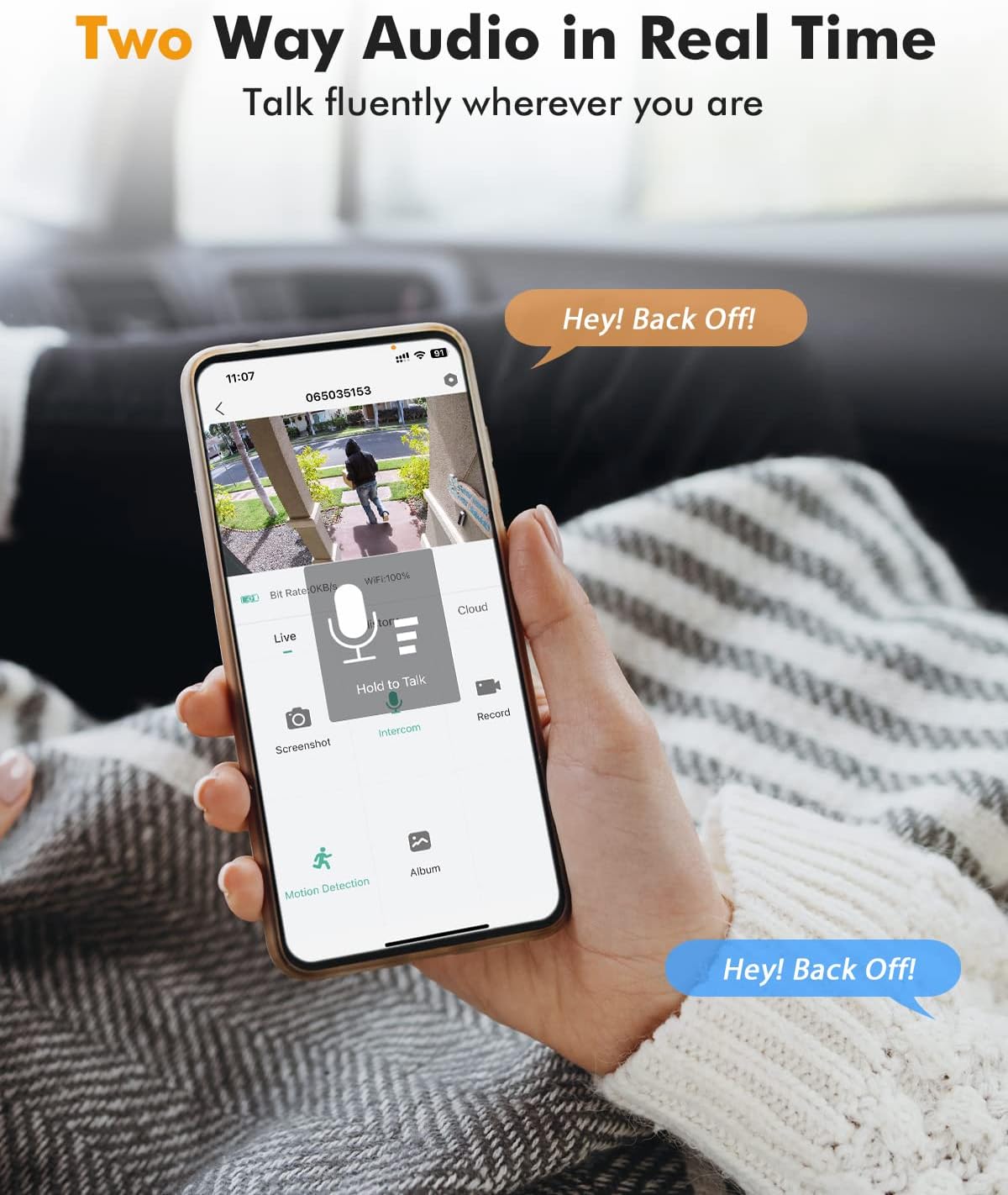
ചിത്രം 4.4: A smartphone displaying the two-way audio function within the CloudEdge app.
4.5 കളർ നൈറ്റ് വിഷൻ
The camera features color night vision, activated by its integrated spotlights when motion is detected in low-light conditions. It can detect objects up to 20 meters away at night, providing clear, full-color footage.

ചിത്രം 4.5: The camera's 3MP color night vision capability, showing how spotlights illuminate the area and the option for siren or double alarms.
4.6 സ്വകാര്യതാ സംരക്ഷണം
For enhanced privacy, the camera allows you to physically close the lens via the CloudEdge app when recording is not desired.
5. പരിപാലനം
5.1 കാലാവസ്ഥാ പ്രതിരോധം
The YESKAMO QB320 camera is IP66 weatherproof, making it suitable for outdoor installation in various weather conditions, including sun, rain, snow, and dust. It operates effectively in temperatures ranging from -20°C to 60°C.
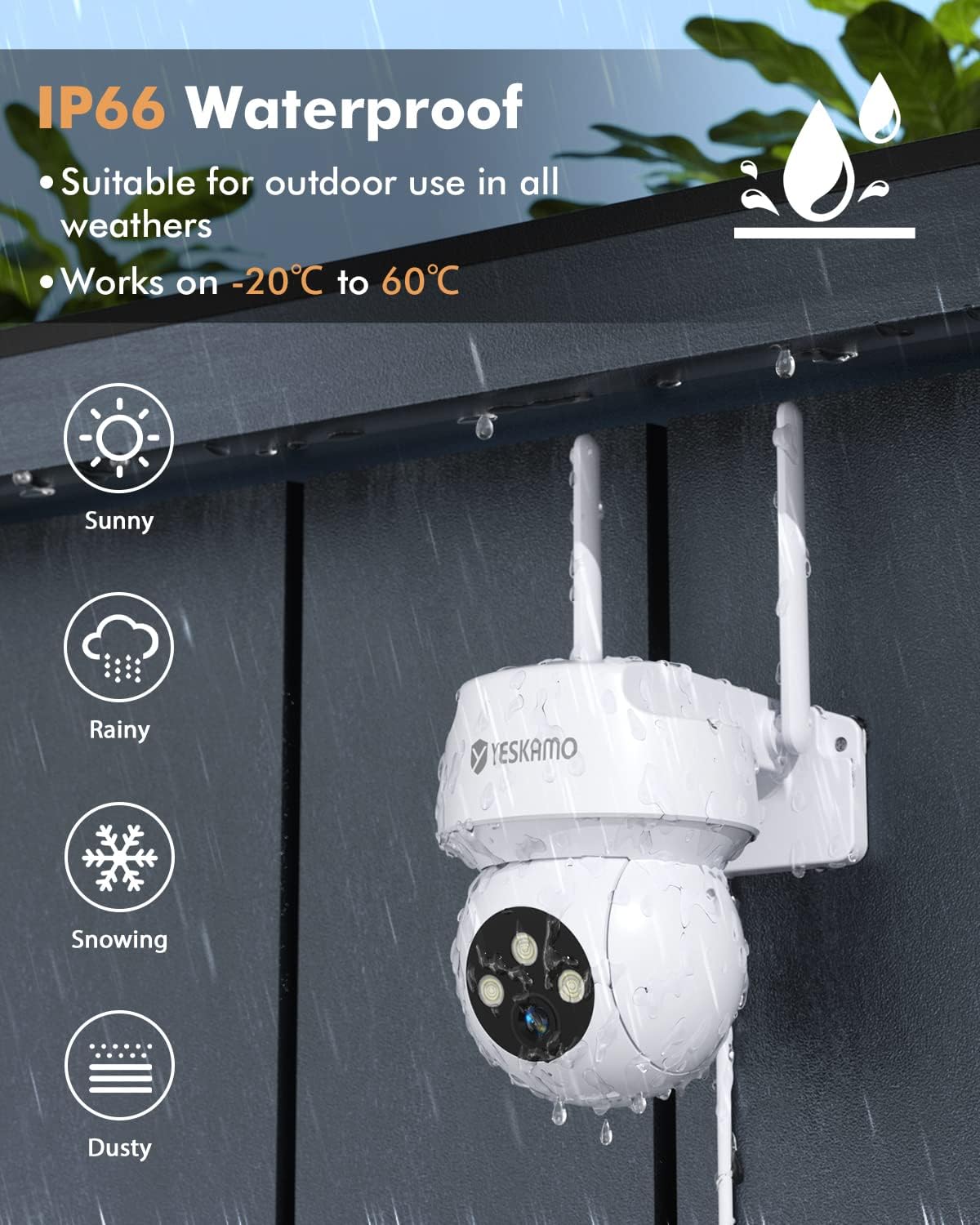
ചിത്രം 5.1: The camera's IP66 waterproof rating, indicating its resilience to sunny, rainy, snowy, and dusty environments.
5.2 വൃത്തിയാക്കൽ
To maintain optimal performance, periodically clean the camera lens and housing with a soft, damp cloth. Avoid using harsh chemicals or abrasive materials that could damage the camera.
6. പ്രശ്നപരിഹാരം
- ക്യാമറ വൈഫൈയിലേക്ക് കണക്റ്റ് ചെയ്യുന്നില്ല: Ensure your Wi-Fi network is 2.4 GHz. Verify the Wi-Fi password. Move the camera closer to the router during setup.
- പതിവ് വിച്ഛേദങ്ങൾ: Check Wi-Fi signal strength in the camera's location. Consider repositioning the camera or router.
- തെറ്റായ ചലന മുന്നറിയിപ്പുകൾ: Adjust the PIR detection sensitivity settings in the CloudEdge app. Ensure the camera is not pointing at areas with constant movement (e.g., busy roads, swaying trees).
- No recording to SD card: Ensure the SD card is correctly inserted, formatted within the app, and not full.
- മോശം ചിത്ര നിലവാരം: Ensure the lens is clean. Check your internet connection speed for live streaming.
7 സ്പെസിഫിക്കേഷനുകൾ
| ഫീച്ചർ | സ്പെസിഫിക്കേഷൻ |
|---|---|
| മോഡൽ നമ്പർ | QB320 |
| വീഡിയോ റെസല്യൂഷൻ | 2K / 3MP |
| Viewing ആംഗിൾ | 360° (Pan: 336°, Tilt: 108°) |
| നൈറ്റ് വിഷൻ റേഞ്ച് | 20 മീറ്റർ വരെ (കളർ നൈറ്റ് വിഷൻ) |
| കാലാവസ്ഥ പ്രതിരോധം | IP66 |
| പ്രവർത്തന താപനില | -20°C മുതൽ 60°C വരെ |
| കണക്റ്റിവിറ്റി | 2.4 GHz വൈ-ഫൈ (വയർലെസ്) |
| സ്റ്റോറേജ് ഓപ്ഷനുകൾ | മൈക്രോ എസ്ഡി കാർഡ് (128 ജിബി വരെ), ക്ലൗഡ് സ്റ്റോറേജ് |
| ഓഡിയോ | ടു-വേ ഓഡിയോ |
| പവർ ഉറവിടം | Cable Electric (60 Watts) |
| അളവുകൾ (L x W x H) | 2.5 x 1.55 x 1.3 സെ.മീ (ഉൽപ്പന്നം); 25 x 15 x 13 മി.മീ (ഇനം) |
| ഭാരം | 520 ഗ്രാം |
| ഫ്രെയിം റേറ്റ് | 25fps |
8. വാറൻ്റിയും പിന്തുണയും
The YESKAMO QB320 camera comes with a one-year warranty from the date of purchase. For technical support, troubleshooting assistance, or warranty claims, please refer to the contact information provided with your product packaging or visit the official YESKAMO webസൈറ്റ്.


