1. ആമുഖം
Thank you for choosing the Techmade Bluetooth Speaker. This portable wireless speaker is designed to provide high-quality audio and convenient hands-free calling. Its compact and lightweight design makes it perfect for use at home, in the office, or on the go. This manual provides essential information on setting up, operating, and maintaining your speaker.

Image 1.1: The Techmade Bluetooth Speaker in blue, showcasing അതിന്റെ ഒതുക്കമുള്ള രൂപകൽപ്പനയും മുൻ നിയന്ത്രണങ്ങളും.
2. ഉൽപ്പന്നം കഴിഞ്ഞുview
2.1. ഘടകങ്ങൾ
The Techmade Bluetooth Speaker package includes the following items:
- Techmade Bluetooth Speaker
- യുഎസ്ബി കേബിൾ (ചാർജ് ചെയ്യുന്നതിന്)
2.2. നിയന്ത്രണങ്ങളും സൂചകങ്ങളും
സ്പീക്കറിന്റെ നിയന്ത്രണങ്ങളും പോർട്ടുകളും പരിചയപ്പെടുക:

ചിത്രം 2.1: വിശദമായത് view of the speaker's intuitive controls, including the power switch, volume controls, and the USB-C charging port located at the bottom.
- പവർ ബട്ടൺ: സ്പീക്കർ ഓണാക്കാനോ ഓഫാക്കാനോ ഉപയോഗിക്കുന്നു.
- വോളിയം ഡൗൺ ബട്ടൺ (-): ഓഡിയോ വോളിയം കുറയ്ക്കുന്നു.
- വോളിയം അപ്പ് ബട്ടൺ (+): ഓഡിയോ വോളിയം വർദ്ധിപ്പിക്കുന്നു.
- USB-C ചാർജിംഗ് പോർട്ട്: Located at the bottom, used to charge the speaker's internal battery.
3. സജ്ജീകരണം
3.1. സ്പീക്കറിൽ നിന്ന് നിരക്ക് ഈടാക്കുന്നു
Before first use, fully charge the speaker. Connect the provided USB cable to the speaker's USB-C port and the other end to a USB power adapter (not included) or a computer's USB port. The charging indicator light will show the charging status.
3.2. ബ്ലൂടൂത്ത് ജോടിയാക്കൽ
നിങ്ങളുടെ സ്പീക്കർ ഒരു ബ്ലൂടൂത്ത് പ്രവർത്തനക്ഷമമാക്കിയ ഉപകരണവുമായി ബന്ധിപ്പിക്കാൻ:
- സ്പീക്കർ ചാർജ് ചെയ്തിട്ടുണ്ടെന്നും പവർ ഓണാക്കിയിട്ടുണ്ടെന്നും ഉറപ്പാക്കുക.
- നിങ്ങളുടെ സ്മാർട്ട്ഫോണിലോ ടാബ്ലെറ്റിലോ മറ്റ് ഉപകരണത്തിലോ ബ്ലൂടൂത്ത് സജീവമാക്കുക.
- ഇതിനായി തിരയുക available Bluetooth devices. The speaker will appear as "Techmade M350" or similar.
- Select the speaker from the list to pair. A confirmation sound will indicate successful pairing.
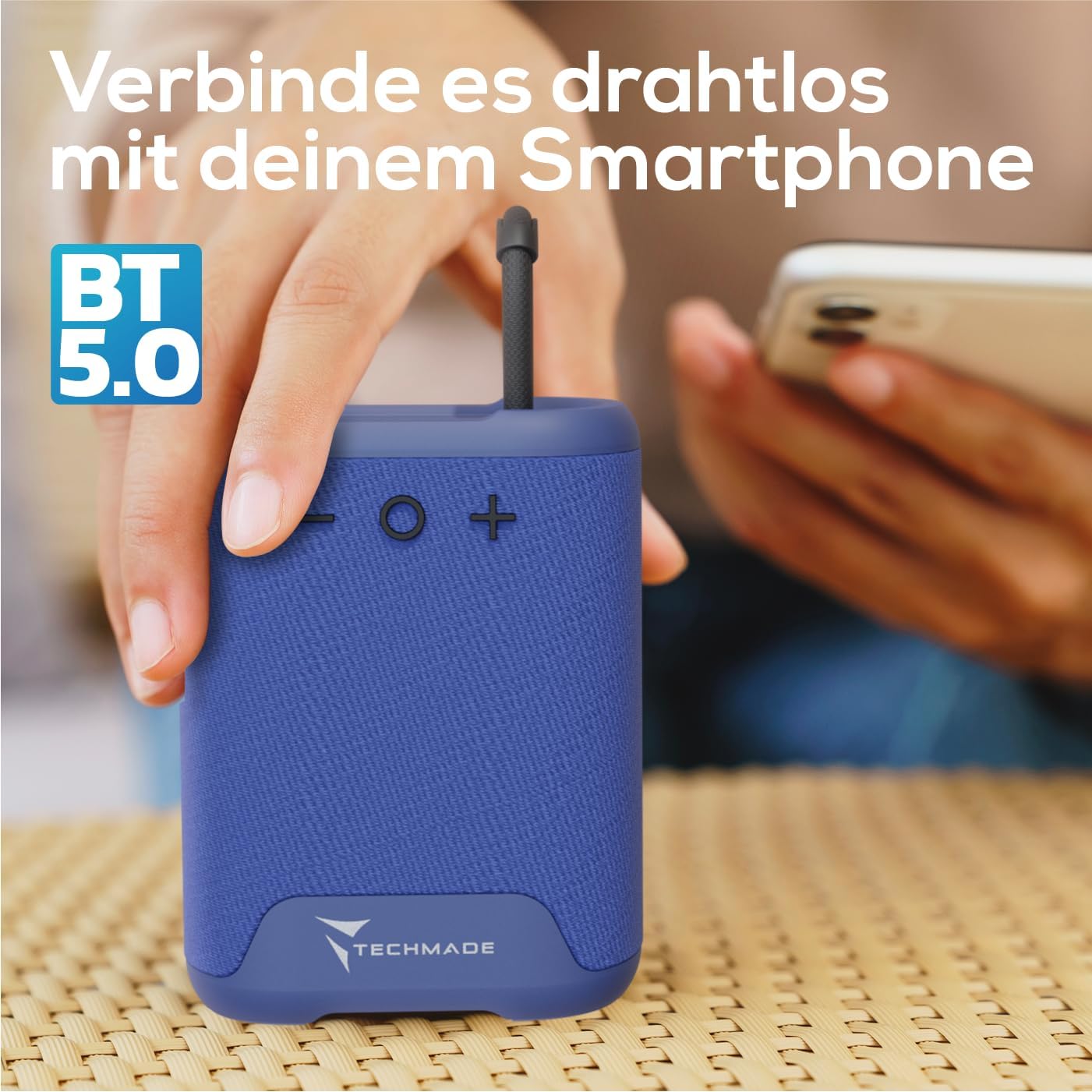
Image 3.1: Demonstrating the wireless connection process between the Techmade speaker and a smartphone via Bluetooth 5.0.
4. പ്രവർത്തന നിർദ്ദേശങ്ങൾ
4.1. പവർ ഓൺ/ഓഫ്
- പവർ ഓണാക്കാൻ: Press and hold the Power button until you hear a sound or see an indicator light.
- പവർ ഓഫ് ചെയ്യാൻ: Press and hold the Power button again until the speaker shuts down.
4.2. ഓഡിയോ പ്ലേബാക്ക്
- Once paired, audio from your connected device will play through the speaker.
- Use the Volume Up (+) and Volume Down (-) buttons on the speaker to adjust the volume. You can also control volume from your connected device.
4.3. ഹാൻഡ്സ്-ഫ്രീ കോളിംഗ്
The speaker features an integrated microphone for hands-free calls:
- മറുപടി കോൾ: When a call comes in, press the Power button once to answer.
- കോൾ അവസാനിപ്പിക്കുക: During a call, press the Power button once to end the call.
- കോൾ നിരസിക്കുക: ഒരു ഇൻകമിംഗ് കോൾ നിരസിക്കാൻ പവർ ബട്ടൺ അമർത്തിപ്പിടിക്കുക.
5. പരിപാലനം
To ensure the longevity and optimal performance of your Techmade Bluetooth Speaker:
- വൃത്തിയാക്കൽ: മൃദുവായതും ഉണങ്ങിയതുമായ തുണി ഉപയോഗിച്ച് സ്പീക്കർ തുടയ്ക്കുക. അബ്രാസീവ് ക്ലീനറുകളോ ലായകങ്ങളോ ഉപയോഗിക്കരുത്.
- സംഭരണം: നേരിട്ടുള്ള സൂര്യപ്രകാശത്തിൽ നിന്നും കടുത്ത താപനിലയിൽ നിന്നും മാറി തണുത്തതും വരണ്ടതുമായ സ്ഥലത്ത് സ്പീക്കർ സൂക്ഷിക്കുക.
- ജല പ്രതിരോധം: This speaker is not waterproof. Avoid exposure to water or high humidity.
- ബാറ്ററി കെയർ: If not used for extended periods, charge the speaker at least once every three months to maintain battery health.
6. പ്രശ്നപരിഹാരം
If you encounter issues with your speaker, refer to the following table for common problems and solutions:
| പ്രശ്നം | സാധ്യമായ കാരണം | പരിഹാരം |
|---|---|---|
| സ്പീക്കർ ഓണാക്കുന്നില്ല. | ബാറ്ററി കുറവാണ് അല്ലെങ്കിൽ തീർന്നു. | നൽകിയിരിക്കുന്ന USB കേബിൾ ഉപയോഗിച്ച് സ്പീക്കർ പൂർണ്ണമായും ചാർജ് ചെയ്യുക. |
| ഉപകരണവുമായി ജോടിയാക്കാൻ കഴിയില്ല. | Bluetooth is off on device; speaker is not in pairing mode; device is too far. | Ensure Bluetooth is enabled on your device. Make sure the speaker is powered on and discoverable. Move device closer to speaker (within 10m). |
| ശബ്ദമില്ല അല്ലെങ്കിൽ കുറഞ്ഞ ശബ്ദമില്ല. | Volume is too low on speaker or device; speaker is not connected. | Increase volume on both the speaker and your connected device. Re-pair the speaker if connection is lost. |
| മോശം ശബ്ദ നിലവാരം. | ഇടപെടൽ; ഉപകരണം വളരെ അകലെയാണ്; ബാറ്ററി കുറവാണ്. | Move speaker closer to device. Avoid obstacles between speaker and device. Charge the speaker. |
7 സ്പെസിഫിക്കേഷനുകൾ
The following are the technical specifications for the Techmade Bluetooth Speaker M350:
| ഫീച്ചർ | വിശദാംശങ്ങൾ |
|---|---|
| ബ്രാൻഡ് | Techmade |
| മോഡലിൻ്റെ പേര് | My speaker M350 |
| മോഡൽ നമ്പർ | M350 |
| കണക്റ്റിവിറ്റി ടെക്നോളജി | ബ്ലൂടൂത്ത് |
| സ്പീക്കർ പരമാവധി ഔട്ട്പുട്ട് പവർ | 5 വാട്ട്സ് |
| ഫ്രീക്വൻസി പ്രതികരണം | 9030 Hz |
| ഓഡിയോ put ട്ട്പുട്ട് മോഡ് | Surround-Sound |
| മൗണ്ടിംഗ് തരം | ടേബിൾടോപ്പ് |
| മെറ്റീരിയൽ | പ്ലാസ്റ്റിക് |
| സ്പീക്കർ തരം | പോർട്ടബിൾ |
| പ്രത്യേക ഫീച്ചർ | പോർട്ടബിൾ |
| ഉൽപ്പന്ന അളവുകൾ | 5 x 7 x 10 സെ.മീ; 300 ഗ്രാം |
| ബാറ്ററികൾ | 1 Lithium-Polymer battery required (included) |
| ആദ്യം ലഭ്യമായ തീയതി | നവംബർ 9, 2024 |

Image 7.1: Visual representation of the speaker's compact dimensions (10.5 cm height, 7.5 cm width, 5 cm depth) and its lightweight design (194 grams).
8. വാറൻ്റിയും പിന്തുണയും
For warranty information or technical support, please refer to the documentation provided with your purchase or contact Techmade customer service. Keep your proof of purchase for warranty claims.


