ആമുഖം
Thank you for choosing the BUFFBEE Sound Machine & Alarm Clock. This versatile 2-in-1 device combines a high-quality sound machine with a fully functional alarm clock, designed to help you achieve restful sleep and wake up refreshed. Its intuitive controls and customizable features make it an essential addition to any bedroom.

Image: The Buffbee Sound Machine and Alarm Clock highlighting its dual functionality as both a sound machine and an alarm clock.
സുരക്ഷാ വിവരങ്ങൾ
- ഉപകരണം വെള്ളത്തിലോ അമിതമായ ഈർപ്പത്തിലോ തുറന്നുകാട്ടരുത്.
- താപ സ്രോതസ്സുകളിൽ നിന്നും സൂര്യപ്രകാശത്തിൽ നിന്നും നേരിട്ട് അകന്നുനിൽക്കുക.
- നൽകിയിരിക്കുന്ന പവർ അഡാപ്റ്റർ മാത്രം ഉപയോഗിക്കുക.
- ഉപകരണം സ്വയം ഡിസ്അസംബ്ലിംഗ് ചെയ്യാനോ നന്നാക്കാനോ ശ്രമിക്കരുത്. സഹായത്തിന് ഉപഭോക്തൃ പിന്തുണയുമായി ബന്ധപ്പെടുക.
- ഉപകരണം സുസ്ഥിരവും പരന്നതുമായ പ്രതലത്തിൽ സ്ഥാപിച്ചിട്ടുണ്ടെന്ന് ഉറപ്പാക്കുക.
പാക്കേജ് ഉള്ളടക്കം
- BUFFBEE Sound Machine & Alarm Clock (Model: BK11)
- പവർ അഡാപ്റ്റർ
- ഉപയോക്തൃ മാനുവൽ
ഉൽപ്പന്നം കഴിഞ്ഞുview
ഉപകരണത്തിന്റെ ഘടകങ്ങളും നിയന്ത്രണങ്ങളും സ്വയം പരിചയപ്പെടുത്തുക:

Image: A detailed diagram illustrating the top panel controls (Alarm, Volume Control, Sound Machine, Night Light) and the rear panel (Display Dimmer, Adapter port).
- മുകളിലെ പാനൽ നിയന്ത്രണങ്ങൾ: Alarm button, Timer button, Volume Up/Down, Previous/Next Sound, Sound Machine button, Night Light button.
- ഫ്രണ്ട് ഡിസ്പ്ലേ: ഡിജിറ്റൽ ക്ലോക്ക് ഡിസ്പ്ലേ.
- താഴെയുള്ള ലൈറ്റ്: Integrated colored light.
- പിൻ പാനൽ: DC 5V Adapter port, 0-100% Display Dimmer knob.
സജ്ജമാക്കുക
- പ്ലേസ്മെൻ്റ്: Place the device on a stable surface, such as a nightstand or desk.
- പവർ കണക്ഷൻ: Insert the power adapter into the DC 5V port on the rear of the device, then plug it into a standard electrical outlet.
- പ്രാരംഭ പവർ ഓൺ: ക്ലോക്ക് ഡിസ്പ്ലേ പ്രകാശിക്കും.
- സമയം സജ്ജമാക്കുക: Refer to the 'Operating Instructions' section for setting the current time.
പ്രവർത്തന നിർദ്ദേശങ്ങൾ
സമയം ക്രമീകരിക്കുന്നു
- അമർത്തിപ്പിടിക്കുക സമയം button (clock icon) on the top panel until the hour digits flash.
- ഉപയോഗിക്കുക മുമ്പത്തെ (◀︎) or അടുത്തത് (▶︎) buttons to adjust the hour.
- അമർത്തുക സമയം മണിക്കൂർ സ്ഥിരീകരിക്കാനും മിനിറ്റ് ക്രമീകരണത്തിലേക്ക് നീങ്ങാനും വീണ്ടും ബട്ടൺ അമർത്തുക.
- ഉപയോഗിക്കുക മുമ്പത്തെ (◀︎) or അടുത്തത് (▶︎) buttons to adjust the minutes.
- അമർത്തുക സമയം button one more time to confirm the minutes and exit time setting.
അലാറം സജ്ജീകരിക്കുന്നു
- അമർത്തിപ്പിടിക്കുക അലാറം button (bell icon) on the top panel until the alarm hour digits flash.
- ഉപയോഗിക്കുക മുമ്പത്തെ (◀︎) or അടുത്തത് (▶︎) buttons to adjust the alarm hour.
- അമർത്തുക അലാറം button again to confirm the hour and move to alarm minute setting.
- ഉപയോഗിക്കുക മുമ്പത്തെ (◀︎) or അടുത്തത് (▶︎) buttons to adjust the alarm minutes.
- അമർത്തുക അലാറം button one more time to confirm the minutes. The alarm icon will appear on the display, indicating the alarm is set.
- അലാറം ഓഫാക്കാൻ, അമർത്തുക അലാറം ബട്ടൺ ഒരിക്കൽ അമർത്തുക. അലാറം ഐക്കൺ അപ്രത്യക്ഷമാകും.
സൗണ്ട് മെഷീൻ ഉപയോഗിക്കുന്നു
The device offers 18 soothing sounds, including 5 white noises, 3 fan sounds, and 10 nature sounds (ocean, lullaby, waves, rain, thunderstorm, brook, croaking, bird chirping, summer night, and campതീ).
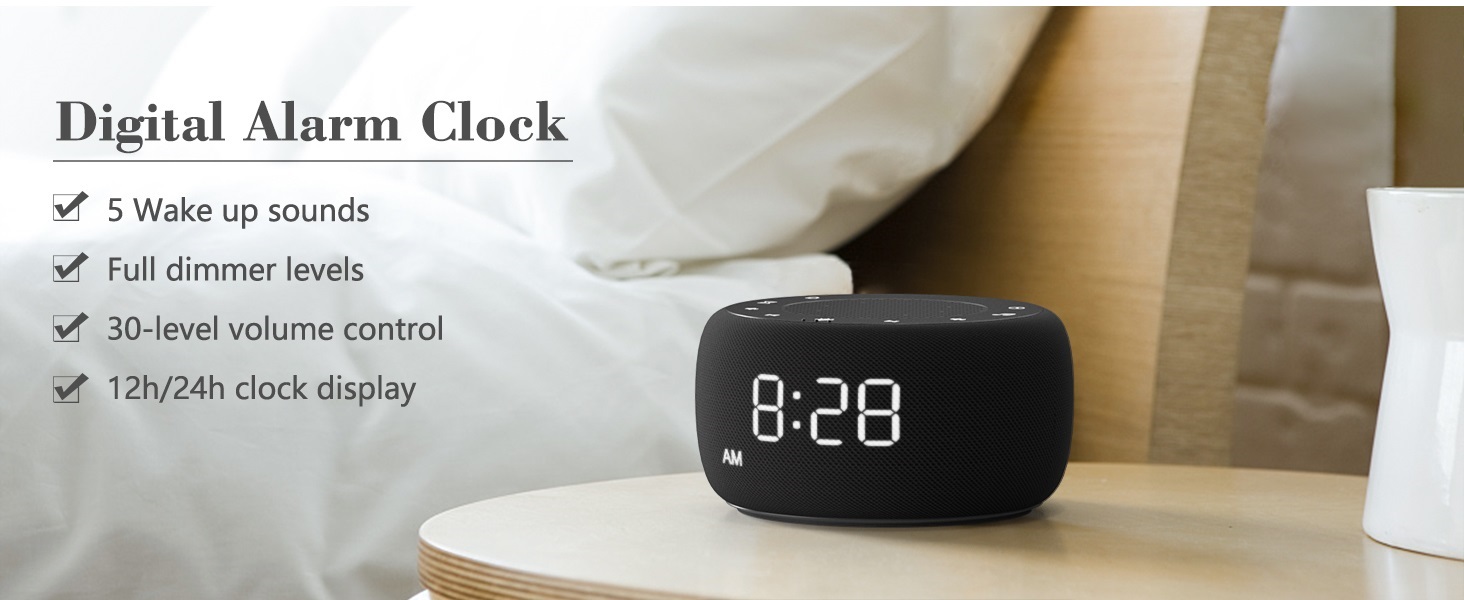
Image: An infographic displaying the 18 soothing sounds categorized into 3 fan sounds, 5 white noises, and 10 nature sounds, including ocean, lullaby, waves, rain, thunderstorm, brook, croaking, bird chirping, summer night, and campതീ.
- അമർത്തുക സൗണ്ട് മെഷീൻ button (music note icon) to cycle through the available sounds.
- ഉപയോഗിക്കുക വോളിയം കൂട്ടുക (▲) കൂടാതെ വോളിയം ഡൗൺ (▼) buttons to adjust the volume (30 levels).
- To turn off the sound, press the സൗണ്ട് മെഷീൻ button until no sound is playing.
സ്ലീപ്പ് ടൈമർ
Set a timer for the sound machine to automatically turn off.

Image: The top panel of the Buffbee Sound Machine, highlighting the Auto-Off Timer button and the Volume Control buttons.
- അമർത്തുക ടൈമർ button (hourglass icon) to cycle through timer options: 15, 30, 60, 90, 120 minutes, or continuous play.
- The selected timer duration will be displayed on the screen.
Adjusting Clock Face Brightness
The clock display brightness can be adjusted from 0% (completely dark) to 100%.

Image: The Buffbee Sound Machine demonstrating its 0-100% display dimmer feature, showing the clock face at 0%, partial, and 100% brightness.
- കണ്ടെത്തുക ഡിമ്മർ പ്രദർശിപ്പിക്കുക knob on the rear of the device.
- Rotate the knob to increase or decrease the brightness of the clock display to your preference.
Using the Bottom Colored Light
The device features a bottom light with 7 color options to create a relaxing ambiance.

Image: The Buffbee Sound Machine displaying its bottom colored light feature, showing various color options and the ability to turn it on or off.
- അമർത്തുക രാത്രി വെളിച്ചം button (light bulb icon) to cycle through the 7 color options.
- Continue pressing the button to turn the light off.
മെയിൻ്റനൻസ്
- വൃത്തിയാക്കൽ: മൃദുവായതും ഉണങ്ങിയതുമായ തുണി ഉപയോഗിച്ച് ഉപകരണം തുടയ്ക്കുക. അബ്രസീവ് ക്ലീനറുകളോ ലായകങ്ങളോ ഉപയോഗിക്കരുത്.
- സംഭരണം: ദീർഘനേരം ഉപയോഗത്തിലില്ലാത്തപ്പോൾ, ഉപകരണം തണുത്തതും വരണ്ടതുമായ സ്ഥലത്ത് സൂക്ഷിക്കുക.
ട്രബിൾഷൂട്ടിംഗ്
| പ്രശ്നം | സാധ്യമായ കാരണം | പരിഹാരം |
|---|---|---|
| ഉപകരണം പവർ ഓണാക്കുന്നില്ല. | പവർ അഡാപ്റ്റർ ശരിയായി ബന്ധിപ്പിച്ചിട്ടില്ല അല്ലെങ്കിൽ പവർ ഔട്ട്ലെറ്റ് പ്രശ്നം. | Ensure the power adapter is securely plugged into the device and a working electrical outlet. Try a different outlet. |
| ക്ലോക്ക് ഡിസ്പ്ലേ വളരെ തെളിച്ചമുള്ളതാണ്/മങ്ങിയതാണ്. | ഡിസ്പ്ലേ ഡിമ്മർ ക്രമീകരണം ക്രമീകരിക്കേണ്ടതുണ്ട്. | Adjust the 0-100% Display Dimmer knob on the rear of the device. |
| ശബ്ദം വേണ്ടത്ര ഉച്ചത്തിലില്ല. | വോളിയം വളരെ കുറവായി സജ്ജീകരിച്ചിരിക്കുന്നു. | അമർത്തുക വോളിയം കൂട്ടുക (▲) button to increase the volume. The device has 30 volume levels. |
| അലാറം മുഴങ്ങുന്നില്ല. | Alarm is not set or is turned off. | അലാറം ശരിയായി സജ്ജീകരിച്ചിട്ടുണ്ടെന്നും ഡിസ്പ്ലേയിൽ അലാറം ഐക്കൺ ദൃശ്യമാണെന്നും ഉറപ്പാക്കുക. |
സ്പെസിഫിക്കേഷനുകൾ
| ഫീച്ചർ | വിശദാംശങ്ങൾ |
|---|---|
| മോഡൽ നമ്പർ | BK11 |
| അളവുകൾ | 5.63 x 4.57 x 3.03 ഇഞ്ച് |
| ഭാരം | 11.64 ഔൺസ് |
| പവർ ഉറവിടം | Battery Powered (for backup) / AC Adapter |
| സ്പീക്കർ ഔട്ട്പുട്ട് | 5W |
| ശബ്ദ ഓപ്ഷനുകൾ | 18 (5 white noises, 3 fan sounds, 10 nature sounds) |
| വോളിയം ലെവലുകൾ | 30 |
| സ്ലീപ്പ് ടൈമർ | 15, 30, 60, 90, 120 minutes, or continuous |
| ക്ലോക്ക് ഡിസ്പ്ലേ തെളിച്ചം | 0-100% ക്രമീകരിക്കാവുന്നതാണ് |
| Bottom Light Colors | 7 ഓപ്ഷനുകൾ |
| മെറ്റീരിയൽ | പ്ലാസ്റ്റിക്, അക്രിലോണിട്രൈൽ ബ്യൂട്ടാഡീൻ സ്റ്റൈറൈൻ (എബിഎസ്) |
വാറൻ്റിയും പിന്തുണയും
For warranty information and customer support, please refer to the contact details provided on the product packaging or visit the official BUFFBEE webസൈറ്റ്. വാറൻ്റി ക്ലെയിമുകൾക്കായി നിങ്ങളുടെ വാങ്ങൽ രസീത് സൂക്ഷിക്കുക.


