ആമുഖം
This manual provides detailed instructions for the safe and effective use of your OPPO Enco Air 3 True Wireless Earbuds. Please read this manual thoroughly before using the product and retain it for future reference.

Image: OPPO Enco Air 3 True Wireless Earbuds and their charging case. The earbuds are white, with a sleek, in-ear design, and are shown partially inserted into the matching white, translucent charging case. The OPPO logo is visible on the case.
പാക്കേജ് ഉള്ളടക്കം
പാക്കേജിൽ എല്ലാ ഇനങ്ങളും ഉണ്ടെന്ന് ഉറപ്പാക്കുക:
- OPPO Enco Air 3 True Wireless Earbuds (Left and Right)
- ചാർജിംഗ് കേസ്
- യുഎസ്ബി ചാർജിംഗ് കേബിൾ (ടൈപ്പ്-സി)
- ഉപയോക്തൃ മാനുവൽ (ഈ പ്രമാണം)
സജ്ജമാക്കുക
1. ഇയർബഡുകളും കേസും ചാർജ് ചെയ്യുന്നു
ആദ്യമായി ഉപയോഗിക്കുന്നതിന് മുമ്പ്, ഇയർബഡുകളും ചാർജിംഗ് കേസും പൂർണ്ണമായും ചാർജ് ചെയ്യുക.
- ചാർജിംഗ് കെയ്സിലേക്ക് ഇയർബഡുകൾ സ്ഥാപിക്കുക.
- യുഎസ്ബി ചാർജിംഗ് കേബിൾ കേസിലെ ചാർജിംഗ് പോർട്ടിലേക്കും ഒരു പവർ സ്രോതസ്സിലേക്കും ബന്ധിപ്പിക്കുക.
- The indicator light on the case will show charging status. A full charge provides up to 6 hours of playback for the earbuds and an additional 19 hours with the charging case.
- A quick 10-minute charge of the case can provide up to 2 hours of listening time for the earbuds.

Image: Illustration showing the OPPO Enco Air 3 earbuds in their charging case, with a graphic indicating "Up to 25 Hours of Playtime" and "6 Hours Buds + 19 Hours Charging Case".
2. ഒരു ഉപകരണവുമായി ജോടിയാക്കൽ
The OPPO Enco Air 3 earbuds support seamless Bluetooth 5.3 connectivity.
- ആദ്യമായി ജോടിയാക്കൽ:
- ഉള്ളിലുള്ള ഇയർബഡുകൾ ഉപയോഗിച്ച് ചാർജിംഗ് കേസ് തുറക്കുക.
- നിങ്ങളുടെ സ്മാർട്ട്ഫോണിലോ ഉപകരണത്തിലോ ബ്ലൂടൂത്ത് പ്രവർത്തനക്ഷമമാക്കുക.
- A pop-up window should appear on your phone (for OPPO devices or devices with HeyMelody app installed) to quickly pair. Tap to confirm.
- If no pop-up appears, go to your device's Bluetooth settings and select "OPPO Enco Air 3" from the list of available devices.
- വീണ്ടും ജോടിയാക്കൽ: The earbuds will automatically connect to the last paired device when taken out of the case.
- New Device Pairing: To pair with a new device, place the earbuds in the case, open the lid, and press and hold the function button on the case (if available, or refer to device-specific instructions) until the indicator light flashes, then select "OPPO Enco Air 3" on the new device.

Image: A graphic displaying "The New Generation of Bluetooth 5.3" with a stylized image of an earbud's internal circuitry and the Bluetooth logo, indicating advanced wireless connectivity.
3. HeyMelody App (Recommended)
For enhanced control and customization, download the HeyMelody app from your device's app store. The app allows you to:
- ടച്ച് നിയന്ത്രണങ്ങൾ ഇഷ്ടാനുസൃതമാക്കുക.
- സമനില ക്രമീകരണങ്ങൾ ക്രമീകരിക്കുക.
- ഫേംവെയർ അപ്ഡേറ്റ് ചെയ്യുക.
- Access additional features.
പ്രവർത്തന നിർദ്ദേശങ്ങൾ
1. ടച്ച് നിയന്ത്രണങ്ങൾ
The OPPO Enco Air 3 earbuds feature intuitive touch controls. Default controls typically include:
- ഇരട്ട ടാപ്പ്: സംഗീതം പ്ലേ ചെയ്യുക/താൽക്കാലികമായി നിർത്തുക, കോൾ സ്വീകരിക്കുക/അവസാനിപ്പിക്കുക.
- ട്രിപ്പിൾ ടാപ്പ്: അടുത്ത ട്രാക്കിലേക്ക് പോകുക.
- സ്പർശിച്ച് പിടിക്കുക: Activate voice assistant, switch noise control modes (if applicable).
Note: Specific touch controls can be customized via the HeyMelody app.
2. കോളുകൾ ചെയ്യലും സ്വീകരിക്കലും
The earbuds utilize DNN Noise Cancellation for clear calls, even in noisy environments.
- മറുപടി കോൾ: ഒന്നുകിൽ ഇയർബഡിൽ രണ്ടുതവണ ടാപ്പ് ചെയ്യുക.
- കോൾ അവസാനിപ്പിക്കുക: ഒന്നുകിൽ ഇയർബഡിൽ രണ്ടുതവണ ടാപ്പ് ചെയ്യുക.
- കോൾ നിരസിക്കുക: ഏതെങ്കിലും ഇയർബഡിൽ 2 സെക്കൻഡ് സ്പർശിച്ച് പിടിക്കുക.
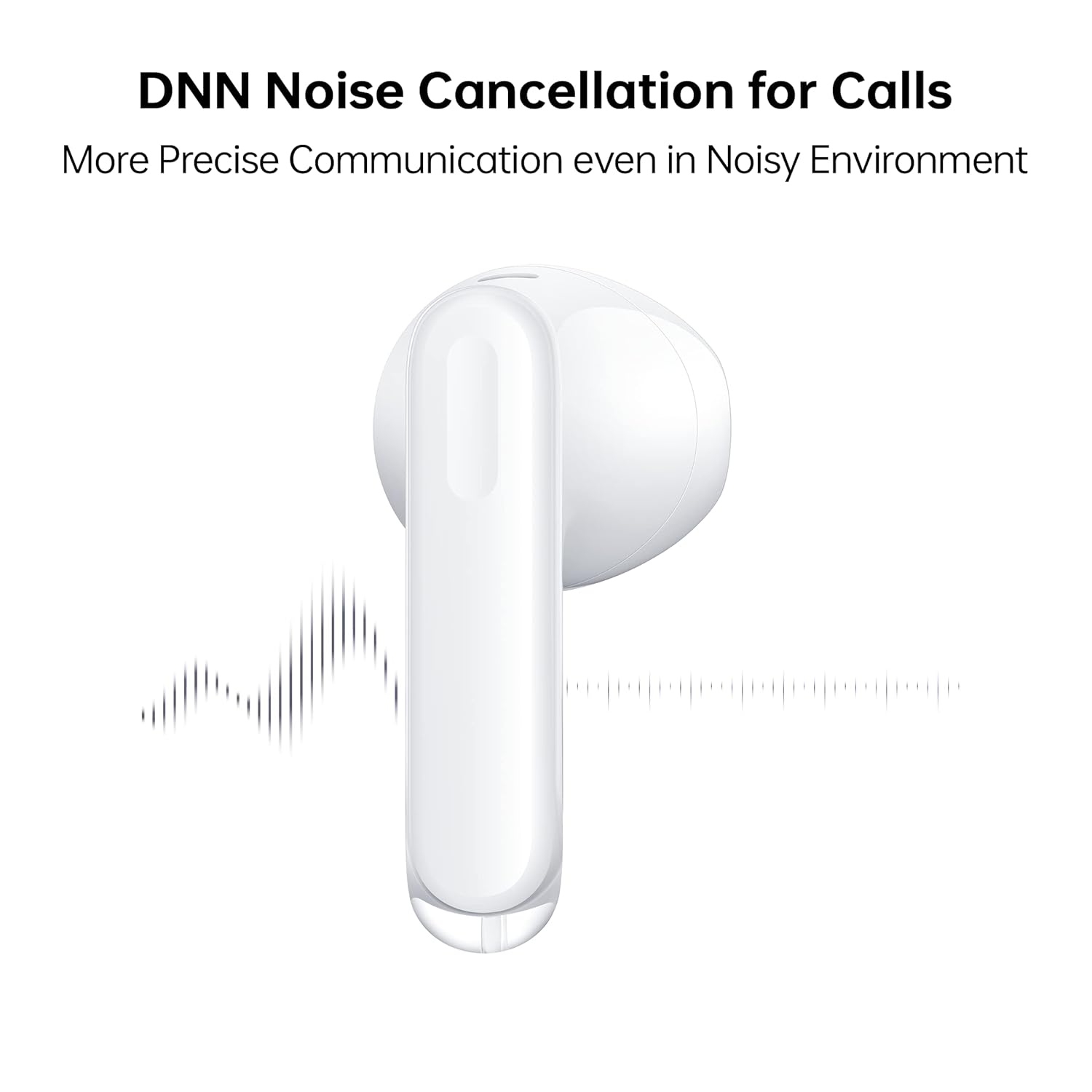
Image: A close-up of an OPPO Enco Air 3 earbud, with sound wave graphics emanating from it, illustrating the DNN Noise Cancellation feature for clearer communication.
3. ഗെയിമിംഗ് മോഡ്
Activate Gaming Mode for an ultra-low latency experience, reducing audio delay to 47ms on the earbuds and 94ms end-to-end.
- Gaming Mode can typically be activated or deactivated through the HeyMelody app or via a specific touch control gesture (refer to app settings for customization).

Image: An OPPO Enco Air 3 earbud next to a smartphone displaying a racing game, highlighting the "47ms Ultra-Low Latency" feature for an enhanced gaming experience.
4. ഓഡിയോ സവിശേഷതകൾ
The OPPO Enco Air 3 incorporates advanced audio technology for a superior listening experience:
- Cadence HiFi5 DSP: Features an audiophile-grade digital signal processor for enhanced sound processing.
- 13.4mm Large Composite Driver: Delivers powerful and dynamic bass.
- OPPO Alive Audio: Provides a wider sound stage and a 360-degree surround sound experience.

Image: A detailed illustration of the Cadence HiFi5 DSP chip, emphasizing its role in audiophile-grade sound processing within the OPPO Enco Air 3 earbuds.

ചിത്രം: പൊട്ടിത്തെറിച്ച ഒരു view diagram of an OPPO Enco Air 3 earbud, highlighting its internal components, specifically the 13.4mm large composite driver responsible for sound output.
പരിപാലനവും പരിചരണവും
1. വൃത്തിയാക്കൽ
- ഇയർബഡുകളും ചാർജിംഗ് കെയ്സും മൃദുവായതും ഉണങ്ങിയതും ലിന്റ് രഹിതവുമായ തുണി ഉപയോഗിച്ച് പതിവായി വൃത്തിയാക്കുക.
- അബ്രാസീവ് ക്ലീനറുകൾ, ആൽക്കഹോൾ, കെമിക്കൽ ലായകങ്ങൾ എന്നിവ ഉപയോഗിക്കരുത്.
- Gently remove any earwax or debris from the earbud mesh and charging contacts using a dry cotton swab or a soft brush.
2. വെള്ളത്തിനും പൊടിക്കും പ്രതിരോധം
The OPPO Enco Air 3 earbuds are rated IP54 for dust and water resistance.
- This rating indicates protection against limited dust ingress and splashing water from any direction.
- They are suitable for use during workouts or in light rain.
- ചെയ്യരുത് submerge the earbuds in water or expose them to high-pressure water jets.
- ചാർജിംഗ് കേസ് വെള്ളം പ്രതിരോധിക്കുന്നില്ല.
- കേടുപാടുകൾ സംഭവിക്കാതിരിക്കാൻ ചാർജിംഗ് കെയ്സിലേക്ക് തിരികെ വയ്ക്കുന്നതിന് മുമ്പ് ഇയർബഡുകൾ ഉണങ്ങിയിട്ടുണ്ടെന്ന് ഉറപ്പാക്കുക.

Image: Two OPPO Enco Air 3 earbuds with water droplets around them, illustrating their IP54 dust and water resistance feature.
3. സംഭരണം
- ഉപയോഗത്തിലില്ലാത്തപ്പോൾ, ഇയർബഡുകൾ സംരക്ഷിക്കുന്നതിനും ചാർജ്ജ് ചെയ്ത നിലയിൽ നിലനിർത്തുന്നതിനും അവ ചാർജിംഗ് കേസിൽ സൂക്ഷിക്കുക.
- ഉയർന്ന താപനിലയും നേരിട്ടുള്ള സൂര്യപ്രകാശവും ഒഴിവാക്കുക.
ട്രബിൾഷൂട്ടിംഗ്
If you encounter issues with your OPPO Enco Air 3 earbuds, try the following solutions:
1. ഇയർബഡുകൾ ജോടിയാക്കുന്നില്ല/ബന്ധിപ്പിക്കുന്നില്ല
- നിങ്ങളുടെ ഉപകരണത്തിൽ ബ്ലൂടൂത്ത് പ്രവർത്തനക്ഷമമാക്കിയിട്ടുണ്ടെന്ന് ഉറപ്പാക്കുക.
- ഇയർബഡുകൾ ചാർജ്ജ് ചെയ്തിട്ടുണ്ടെന്ന് ഉറപ്പാക്കുക.
- Place the earbuds back in the case, close the lid, wait a few seconds, then open it again to re-initiate pairing mode.
- Try forgetting the device ("OPPO Enco Air 3") from your device's Bluetooth settings and re-pairing.
- നിങ്ങളുടെ ഉപകരണം പുനരാരംഭിക്കുക.
2. ശബ്ദമില്ല അല്ലെങ്കിൽ കുറഞ്ഞ ശബ്ദം
- നിങ്ങളുടെ ഉപകരണത്തിലെയും ഇയർബഡുകളിലെയും വോളിയം ലെവൽ പരിശോധിക്കുക.
- ഇയർബഡുകൾ നിങ്ങളുടെ ചെവിയിൽ ശരിയായി ഘടിപ്പിച്ചിട്ടുണ്ടെന്ന് ഉറപ്പാക്കുക.
- ഇയർബഡ് മെഷിലെ അവശിഷ്ടങ്ങൾ വൃത്തിയാക്കുക.
- Confirm the earbuds are connected to the correct audio output on your device.
3. ചാർജിംഗ് പ്രശ്നങ്ങൾ
- ചാർജിംഗ് കേബിൾ കേസിലേക്കും പവർ സ്രോതസ്സിലേക്കും സുരക്ഷിതമായി ബന്ധിപ്പിച്ചിട്ടുണ്ടെന്ന് ഉറപ്പാക്കുക.
- മറ്റൊരു USB-C കേബിളും പവർ അഡാപ്റ്ററും പരീക്ഷിച്ചുനോക്കൂ.
- ഇയർബഡുകളിലെയും കേസിനുള്ളിലെയും ചാർജിംഗ് കോൺടാക്റ്റുകൾ വൃത്തിയാക്കുക.
4. Unresponsive Touch Controls
- ടച്ച് കൺട്രോളുകൾ ഉപയോഗിക്കുമ്പോൾ നിങ്ങളുടെ വിരലുകൾ വൃത്തിയുള്ളതും വരണ്ടതുമാണെന്ന് ഉറപ്പാക്കുക.
- Restart the earbuds by placing them in the case and closing the lid.
- Check the HeyMelody app for any customized control settings or firmware updates.
സ്പെസിഫിക്കേഷനുകൾ
| ഫീച്ചർ | വിശദാംശങ്ങൾ |
|---|---|
| മോഡലിൻ്റെ പേര് | ETE31 |
| ഇനം മോഡൽ നമ്പർ | 6672827 |
| കണക്റ്റിവിറ്റി ടെക്നോളജി | വയർലെസ് (ബ്ലൂടൂത്ത്) |
| ബ്ലൂടൂത്ത് പതിപ്പ് | 5.3 |
| ഓഡിയോ ഡ്രൈവർ തരം | ഡൈനാമിക് ഡ്രൈവർ (13.4mm) |
| ബാറ്ററി ലൈഫ് (ഇയർബഡുകൾ) | 6 മണിക്കൂർ വരെ |
| ബാറ്ററി ലൈഫ് (ചാർജിംഗ് കെയ്സിനൊപ്പം) | 25 മണിക്കൂർ വരെ |
| ഫാസ്റ്റ് ചാർജിംഗ് | 10 minutes charge for 2 hours playback (earbuds via case) |
| ലേറ്റൻസി | 47ms (earbuds), 94ms (end-to-end) in Gaming Mode |
| ശബ്ദ നിയന്ത്രണം | DNN Noise Cancellation for Calls |
| ജല പ്രതിരോധ നില | IP54 (ഇയർബഡുകൾ) |
| നിയന്ത്രണ രീതി | സ്പർശിക്കുക |
| ഇയർബഡ് ഭാരം | 3.7 ഗ്രാം (ഓരോന്നും) |
| ആകെ ഇനത്തിന്റെ ഭാരം | 37 ഗ്രാം |
| ഉൽപ്പന്ന അളവുകൾ | 3.3 x 1.8 x 1.7 സെ.മീ |
| അനുയോജ്യമായ ഉപകരണങ്ങൾ | സെൽഫോണുകൾ, ഗെയിമിംഗ് കൺസോളുകൾ, ലാപ്ടോപ്പുകൾ, ടാബ്ലെറ്റുകൾ |
| നിർമ്മാതാവ് | Guangdong Oppo Mobile Telecommunications Corp, Ltd. |
വാറൻ്റിയും പിന്തുണയും
Your OPPO Enco Air 3 True Wireless Earbuds come with a 1 വർഷത്തെ വാറൻ്റി വാങ്ങിയ തീയതി മുതൽ. വാറന്റി ക്ലെയിമുകൾക്കായി നിങ്ങളുടെ വാങ്ങിയതിന്റെ തെളിവ് സൂക്ഷിക്കുക.
For technical support, service, or warranty inquiries, please contact OPPO customer service through their official webസൈറ്റ് അല്ലെങ്കിൽ അംഗീകൃത സേവന കേന്ദ്രങ്ങൾ.
നിർമ്മാതാവ്: Guangdong Oppo Mobile Telecommunications Corp, Ltd. NO.18, HAIBIN ROAD, WUSHA, CHANGAN, DONGUAN, GUANGDONG, China
ഇറക്കുമതിക്കാരൻ (ഇന്ത്യ): Oppo Mobiles India Private Limited 5th Floor, Tower-B, Building No. 8, DLF Cyber City, Gurugram, Haryana-122002, India


