ആമുഖം
This manual provides essential information for the proper setup, operation, and maintenance of your GRAUGEAR G-3501-A-10G-8TB External Hard Drive. Please read these instructions carefully before using the product to ensure optimal performance and safety. This external hard drive is designed to expand storage for your PlayStation 4 and PlayStation 5 consoles, allowing you to store and manage a larger game library.
സുരക്ഷാ വിവരങ്ങൾ
- Ensure the power adapter is connected to a compatible power outlet.
- ഉപകരണം വെള്ളം, ഈർപ്പം അല്ലെങ്കിൽ തീവ്രമായ താപനില എന്നിവയിൽ തുറന്നുകാട്ടരുത്.
- ശക്തമായ ആഘാതങ്ങൾക്ക് ഉപകരണം ഇടുകയോ ഇടുകയോ ചെയ്യുന്നത് ഒഴിവാക്കുക.
- ഉപകരണം സ്വയം തുറക്കാനോ നന്നാക്കാനോ ശ്രമിക്കരുത്. എല്ലാ സേവനങ്ങളും യോഗ്യതയുള്ള ഉദ്യോഗസ്ഥരെ ഏൽപ്പിക്കുക.
- ശക്തമായ കാന്തിക മണ്ഡലങ്ങളിൽ നിന്ന് ഉപകരണം അകറ്റി നിർത്തുക.
- Disconnect the power supply during thunderstorms or when unused for extended periods.
പാക്കേജ് ഉള്ളടക്കം
താഴെ ലിസ്റ്റ് ചെയ്തിരിക്കുന്ന എല്ലാ ഇനങ്ങളും നിങ്ങളുടെ പാക്കേജിൽ ഉൾപ്പെടുത്തിയിട്ടുണ്ടെന്ന് ഉറപ്പാക്കുക:
- GRAUGEAR G-3501-A-10G-8TB External Hard Drive
- പവർ അഡാപ്റ്റർ
- യുഎസ്ബി ടൈപ്പ്-സി മുതൽ ടൈപ്പ്-സി കേബിൾ വരെ
- ടൈപ്പ്-എ കേബിളിലേക്ക് യുഎസ്ബി ടൈപ്പ്-സി
- ഉപയോക്തൃ മാനുവൽ (ഈ പ്രമാണം)
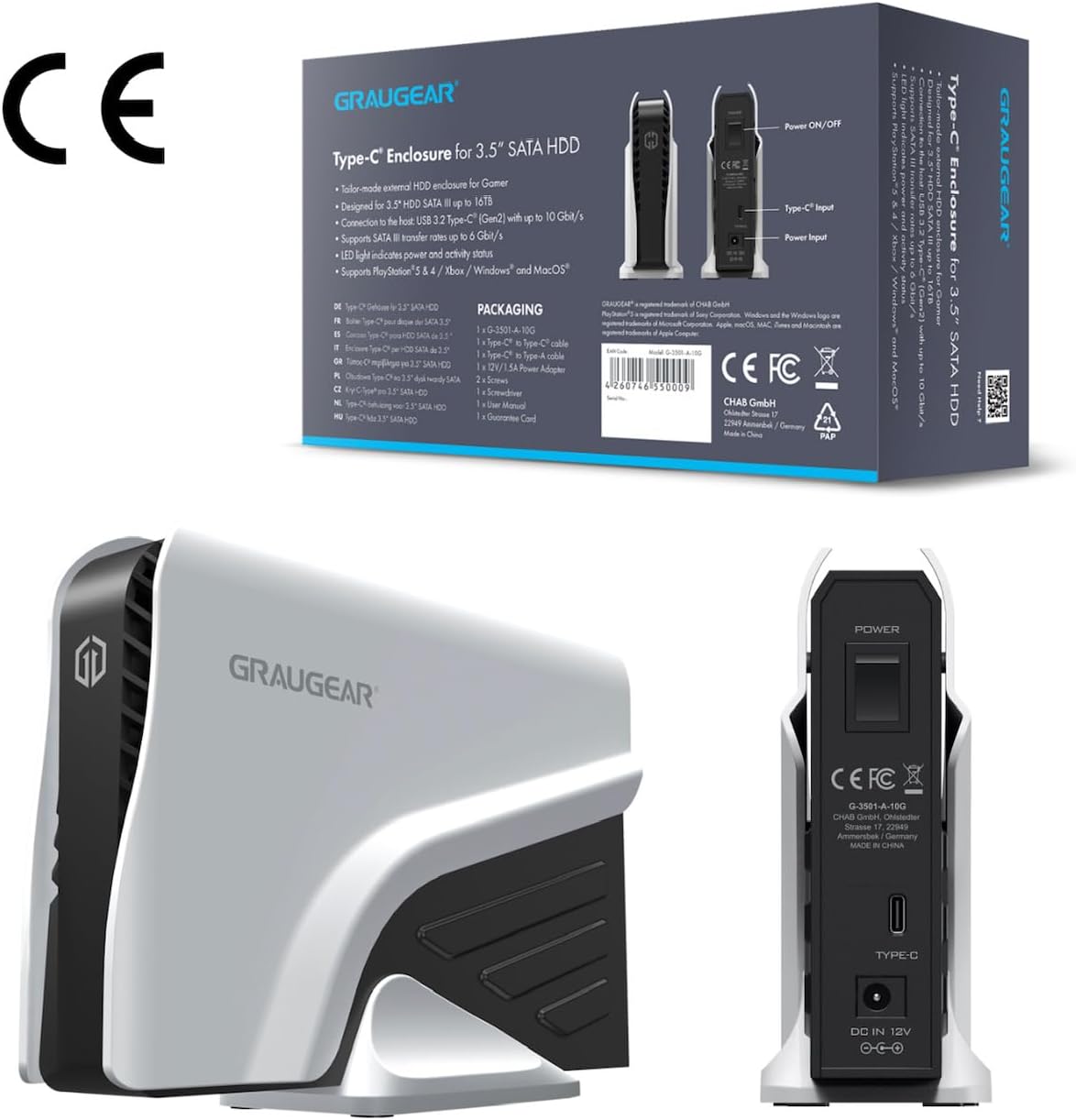
This image shows the product packaging alongside a rear view of the GRAUGEAR external hard drive, detailing the power input, Type-C port, and power on/off switch.
ഉൽപ്പന്നം കഴിഞ്ഞുview
The GRAUGEAR G-3501-A-10G-8TB is a high-capacity external hard drive designed for reliable data storage and quick access. Its robust enclosure protects the internal 3.5-inch SATA HDD, while its connectivity options ensure compatibility with various devices.
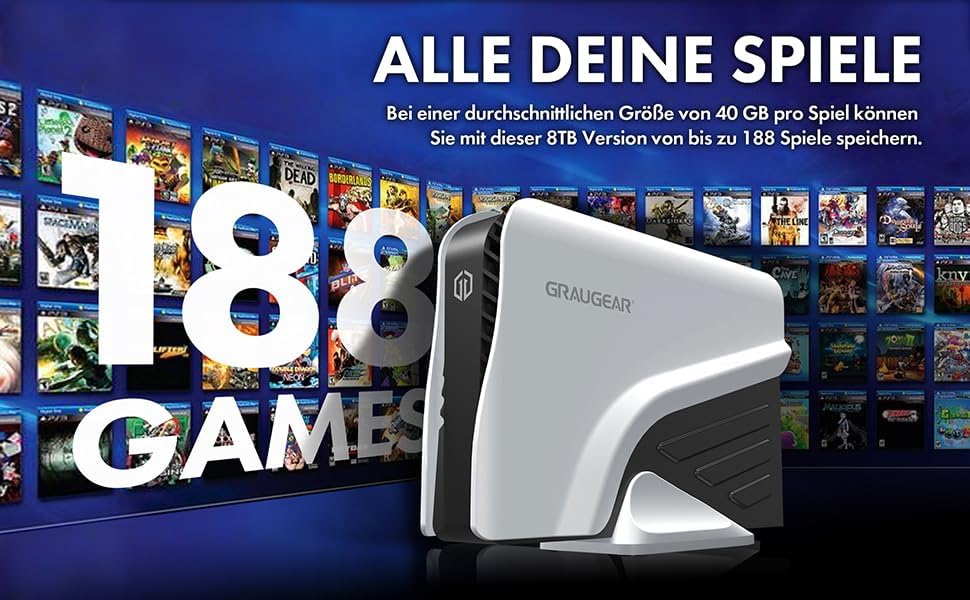
This image displays the GRAUGEAR external hard drive from the front, showcasing its sleek design and compact form factor, designed to complement gaming consoles.

This image highlights key features of the GRAUGEAR external hard drive, including its Type-C enclosure for 3.5-inch SATA HDDs, support for UASP and TRIM technologies, and the inclusion of two USB cables for versatile connectivity.
തുറമുഖങ്ങളും സൂചകങ്ങളും
- യുഎസ്ബി-സി പോർട്ട്: For data connection to your console or computer.
- പവർ ഇൻപുട്ട്: ഉൾപ്പെടുത്തിയിരിക്കുന്ന പവർ അഡാപ്റ്ററുമായി ബന്ധിപ്പിക്കുന്നു.
- പവർ ഓൺ/ഓഫ് സ്വിച്ച്: ഉപകരണത്തിലേക്കുള്ള പവർ നിയന്ത്രിക്കുന്നു.
- LED സൂചകം: Shows the operational status of the hard drive (e.g., power on, data activity).
സജ്ജമാക്കുക
1 ശക്തിയിലേക്ക് ബന്ധിപ്പിക്കുന്നു
- Connect the included power adapter to the 'Power Input' port on the back of the GRAUGEAR external hard drive.
- ഒരു മതിൽ ഔട്ട്ലെറ്റിലേക്ക് പവർ അഡാപ്റ്റർ പ്ലഗ് ചെയ്യുക.
- Flip the 'Power On/Off' switch to the 'On' position. The LED indicator should illuminate.
2. Connecting to PlayStation Console
The GRAUGEAR external hard drive supports both USB Type-A and USB Type-C connections.
- Choose the appropriate USB cable (Type-C to Type-C or Type-C to Type-A) based on the available port on your PlayStation console.
- Connect one end of the USB cable to the USB-C port on the external hard drive.
- Connect the other end of the USB cable to an available USB port on your PlayStation 4 or PlayStation 5 console. For optimal performance, use a USB 3.2 Gen 2 compatible port if available.

This image illustrates the GRAUGEAR external hard drive's flexible connectivity, showing it connected to a console via a USB Type-A port and to another console via a USB Type-C port, demonstrating its compatibility with various console interfaces.

The external hard drive is shown connected and positioned next to a PlayStation 5 console, illustrating its intended use and physical integration with the gaming system.
3. Initial Console Setup and Formatting
Once connected, your PlayStation console should detect the external hard drive. Follow the on-screen prompts to format the drive for use as extended storage. This process will erase any existing data on the drive, so ensure it is empty or backed up before proceeding.
- For PlayStation 4: The console will guide you through formatting the drive as 'Extended Storage'. Once formatted, you can install and play PS4 games directly from this drive.
- For PlayStation 5: The console will guide you through formatting the drive as 'Extended USB Storage'. You can store PS4 games and PS5 games on this drive. However, PS5 games stored on this drive must be moved back to the console's internal SSD to be played. PS4 games can be played directly from the external drive.
Operating the External Hard Drive
Storing and Playing Games
After successful formatting, your console will automatically manage game installations and transfers to and from the external drive. You can typically set the external drive as the default installation location for new games (especially PS4 games on PS5). Consult your console's system settings for specific options on moving, copying, or deleting games.
ഡാറ്റ കൈമാറ്റം
The GRAUGEAR G-3501-A-10G-8TB supports USB 3.2 Gen 2, offering data transfer speeds up to 10 Gbit/s. Actual speeds may vary depending on your console's USB port, the game size, and other system activities. This high-speed interface ensures quick game transfers and loading times for PS4 titles.

This image visually confirms the broad compatibility of the GRAUGEAR external hard drive, showing icons for PS5, Xbox, Router, and TV, indicating its versatility beyond just PlayStation consoles.

The external hard drive is depicted connected to a computer monitor, demonstrating its use with a PC setup, highlighting its functionality as a general-purpose external storage device.
മെയിൻ്റനൻസ്
- വൃത്തിയാക്കൽ: Use a soft, dry cloth to clean the exterior of the hard drive. Do not use liquid cleaners or aerosols.
- സംഭരണം: When not in use, store the hard drive in a cool, dry place, away from direct sunlight and extreme temperatures.
- വിച്ഛേദിക്കൽ: Always safely eject the external hard drive from your console's system menu before physically disconnecting the USB cable or power to prevent data corruption.
ട്രബിൾഷൂട്ടിംഗ്
- ഡ്രൈവ് തിരിച്ചറിയാൻ കഴിഞ്ഞിട്ടില്ല:
- Ensure the power adapter is securely connected and the drive is powered on.
- Check that the USB cable is firmly connected to both the drive and the console.
- Try connecting the drive to a different USB port on your console.
- ലഭ്യമാണെങ്കിൽ മറ്റൊരു USB കേബിൾ ഉപയോഗിച്ച് പരീക്ഷിക്കുക.
- Restart your PlayStation console.
- മന്ദഗതിയിലുള്ള ട്രാൻസ്ഫർ വേഗത:
- Ensure you are using a USB 3.2 compatible port on your console.
- Avoid running other high-bandwidth applications or downloads during transfers.
- യുഎസ്ബി കേബിളിന് കേടുപാടുകൾ സംഭവിച്ചിട്ടില്ലെന്ന് ഉറപ്പാക്കുക.
- LED ഇൻഡിക്കേറ്റർ ഓണല്ല:
- Check the power adapter connection and wall outlet.
- Ensure the power switch on the drive is in the 'On' position.
സ്പെസിഫിക്കേഷനുകൾ
| ഫീച്ചർ | സ്പെസിഫിക്കേഷൻ |
|---|---|
| ബ്രാൻഡ് | ഗ്രൗഗെയർ |
| മോഡൽ നമ്പർ | G-3501-A-10G-8TB |
| നിറം | കറുപ്പ് |
| ഹാർഡ്വെയർ പ്ലാറ്റ്ഫോം | പ്ലേസ്റ്റേഷൻ 4, പ്ലേസ്റ്റേഷൻ 5 |
| ഹാർഡ് ഡ്രൈവ് റൊട്ടേഷണൽ സ്പീഡ് | 7200 ആർപിഎം |
| ഹാർഡ് ഡ്രൈവ് വലിപ്പം | 8 ടി.ബി |
| ഹാർഡ് ഡ്രൈവ് സാങ്കേതികവിദ്യ | മെക്കാനിക്കൽ ഹാർഡ് ഡ്രൈവ് |
| ഹാർഡ് ഡ്രൈവ് ഇൻ്റർഫേസ് | USB-C |
| ഹാർഡ്വെയർ ഇന്റർഫേസ് | USB 3.1 Type C, USB 3.1 Type A |
| കണക്റ്റർ തരം | USB |
| ഉപകരണ അനുയോജ്യത | ഗെയിം കൺസോൾ |
| ഇനത്തിന്റെ അളവുകൾ (L x W x H) | 19.7 x 5.5 x 13.3 സെ.മീ |
| ഉൽപ്പന്ന ഭാരം | 10 ഗ്രാം |
| പ്രത്യേക സവിശേഷതകൾ | Design Hard Drive, External 8 TB Hard Drive for PS4/PS5, LED Light |
| ഡിജിറ്റൽ സ്റ്റോറേജ് കപ്പാസിറ്റി | 8 ടി.ബി |
| കണക്റ്റിവിറ്റി ടെക്നോളജി | USB |
| ഹാർഡ് ഡ്രൈവ് ഫോം ഫാക്ടർ | 3.5 ഇഞ്ച് |
| ഇൻസ്റ്റലേഷൻ തരം | ബാഹ്യ ഹാർഡ് ഡ്രൈവ് |
| നിർമ്മാതാവ് | CHAB GmbH |
| മാതൃരാജ്യം | ചൈന |
വാറൻ്റിയും പിന്തുണയും
For warranty information and technical support, please refer to the documentation provided with your purchase or visit the official GRAUGEAR website. Keep your proof of purchase for warranty claims. If you encounter issues not covered in this manual, please contact GRAUGEAR customer support for assistance.


