1. ആമുഖം
The Twelve South Backpack is a storage shelf designed for the Apple Studio Display. It provides a discreet location to store accessories such as portable hard drives, USB-C hubs, and cables, helping to maintain an organized workspace. The Backpack attaches to the rear of the Studio Display stand, utilizing otherwise unused space.
This manual provides instructions for the proper installation, operation, and maintenance of your Twelve South Backpack.
പ്രധാന സവിശേഷതകൾ:
- സ്പേസ് ഒപ്റ്റിമൈസേഷൻ: Elevates and stores hard drives, cables, and dongles behind your display.
- സംയോജിത ഡിസൈൻ: Blends seamlessly with the Apple Studio Display aesthetic.
- സുരക്ഷിത സംഭരണം: Includes a peripheral strap to secure items on the shelf.
- Ventilated Surface: The shelf features a perforated surface to promote airflow around stored devices.
2. പാക്കേജ് ഉള്ളടക്കം
പാക്കേജിൽ എല്ലാ ഇനങ്ങളും ഉണ്ടെന്ന് ഉറപ്പാക്കുക:
- Twelve South Backpack Shelf
- Peripheral Strap
- Mounting Clips/Adapters (various sizes for compatibility)
- Anti-slip Pad (for securing devices on the shelf)
- നിർദ്ദേശ ഗൈഡ് (ഈ പ്രമാണം)
3. സജ്ജീകരണവും ഇൻസ്റ്റാളേഷനും
The Backpack is designed for easy installation on the Apple Studio Display. Ensure your display has a tilt-adjustable stand for compatibility. It is not compatible with tilt- and height-adjustable stands.
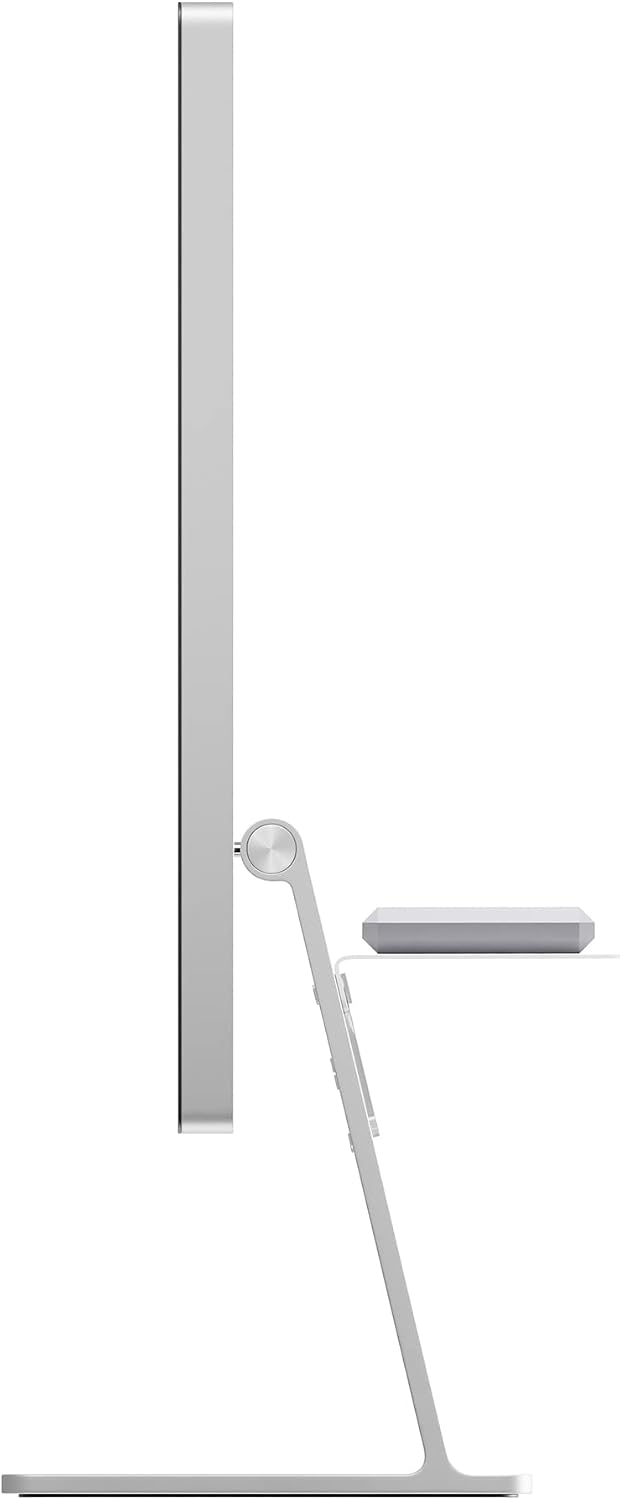
ചിത്രം 3.1: Compatibility diagram. The Backpack is compatible with tilt-adjustable stands (left) but not with tilt- and height-adjustable stands (right).
ഇൻസ്റ്റലേഷൻ ഘട്ടങ്ങൾ:
- മൗണ്ടിംഗ് പോയിന്റ് തിരിച്ചറിയുക: Locate the cable pass-through hole on the back of your Apple Studio Display stand.
- Select Adapters: Choose the appropriate mounting clips/adapters from the package that match your specific Studio Display model and desired shelf height. Refer to the included quick-start guide for specific adapter selection if available.
- Attach Clips to Backpack: Securely attach the selected mounting clips to the Backpack shelf.
- Mount Backpack: Carefully align the clips with the cable pass-through hole on the back of your Studio Display stand. Gently push the Backpack until the clips securely engage with the stand. Ensure the shelf is level and stable.

ചിത്രം 3.2: പിൻഭാഗം view of an Apple Studio Display with the Twelve South Backpack securely installed on the stand.
4. പ്രവർത്തന നിർദ്ദേശങ്ങൾ
Once installed, the Backpack provides a convenient platform for your accessories.
Using the Storage Shelf:
- Place Devices: Position your portable hard drives, USB-C hubs, or other small accessories on the ventilated surface of the Backpack.
- Apply Anti-slip Pad: For added stability, place the included anti-slip pad on the shelf before placing your devices. This helps prevent items from sliding.
- Secure with Strap: Use the provided peripheral strap to secure devices to the shelf. The strap can be used on the top or bottom of the shelf, depending on your preference and the size of the item.
- കേബിൾ മാനേജുമെന്റ്: Route any necessary cables through the openings in the Backpack or along the stand to maintain a tidy setup.
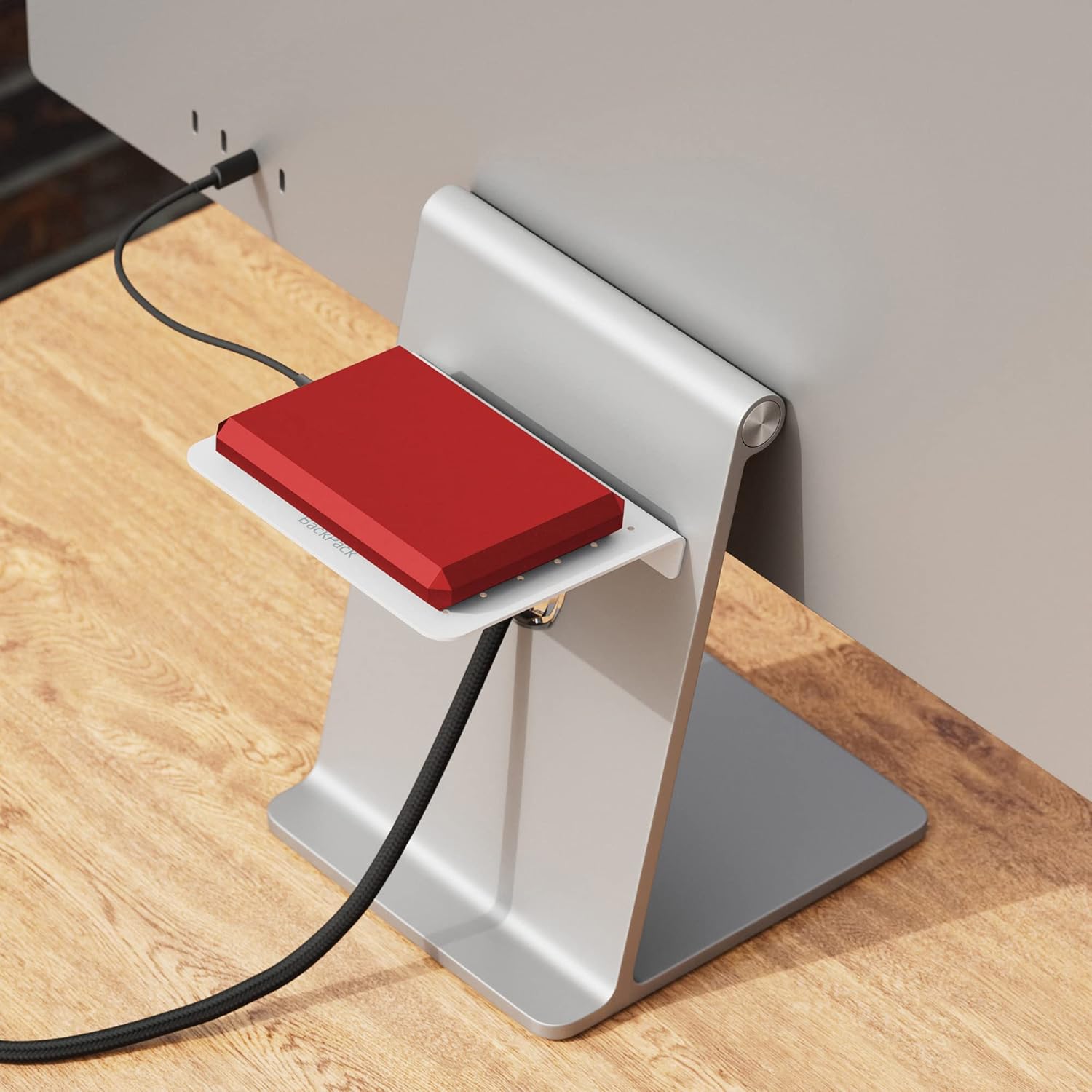
ചിത്രം 4.1: An external hard drive positioned on the Backpack shelf, demonstrating its use for accessory storage.

ചിത്രം 4.2: സൈഡ് പ്രോfile illustrating how the Backpack integrates with the Studio Display, providing a hidden storage solution.
5. പരിപാലനം
The Twelve South Backpack requires minimal maintenance to ensure its longevity and appearance.
- വൃത്തിയാക്കൽ: Wipe the surface of the Backpack with a soft, damp തുണി. അബ്രാസീവ് ക്ലീനറുകളോ ലായകങ്ങളോ ഉപയോഗിക്കുന്നത് ഒഴിവാക്കുക, കാരണം ഇവ ഫിനിഷിന് കേടുവരുത്തും.
- പരിശോധന: Periodically check the mounting clips to ensure they remain securely attached to the display stand.
6. പ്രശ്നപരിഹാരം
If you encounter issues with your Twelve South Backpack, refer to the following common solutions:
- Backpack is not stable:
- Ensure the correct mounting clips/adapters are used for your specific Studio Display model.
- Verify that the clips are fully engaged with the cable pass-through hole on the display stand.
- Confirm that the total weight of items placed on the shelf does not exceed its capacity.
- Devices slide on the shelf:
- Utilize the included anti-slip pad beneath your devices.
- Use the peripheral strap to secure devices firmly to the shelf.
- Incompatibility with display:
- The Backpack is designed for Apple Studio Displays with a tilt-adjustable stand only. It is not compatible with tilt- and height-adjustable stands.
7 സ്പെസിഫിക്കേഷനുകൾ
| ബ്രാൻഡ് | പന്ത്രണ്ട് തെക്ക് |
| മോഡൽ നമ്പർ | ടിഎസ്-2220 |
| മെറ്റീരിയൽ | അലുമിനിയം |
| നിറം | വെള്ളി |
| ഇനത്തിൻ്റെ ഭാരം | 6 ഔൺസ് |
| ഉൽപ്പന്ന അളവുകൾ (LxWxH) | 0.59 x 3.83 x 5.11 ഇഞ്ച് |
| അനുയോജ്യത | Apple Studio Display (Tilt-Adjustable Stand) |
| നിർമ്മാതാവ് | പന്ത്രണ്ട് തെക്ക് |
| ASIN | B0BSVNJVWH |
| ആദ്യ തീയതി ലഭ്യമാണ് | 23 ജനുവരി 2023 |
8. വാറൻ്റിയും പിന്തുണയും
For detailed warranty information and customer support, please visit the official Twelve South webസൈറ്റിൽ ബന്ധപ്പെടുകയോ അവരുടെ ഉപഭോക്തൃ സേവന വിഭാഗവുമായി ബന്ധപ്പെടുകയോ ചെയ്യുക. വാറന്റി ക്ലെയിമുകൾക്കായി നിങ്ങളുടെ വാങ്ങൽ രസീത് സൂക്ഷിക്കുക.
ഉദ്യോഗസ്ഥൻ Webസൈറ്റ്: www.twelvesouth.com


