ആമുഖം
This manual provides essential information for the safe and effective operation, maintenance, and troubleshooting of your DCK Random Orbital Sander (KSA125) and DCK Angle Grinder (KSM09-115S). Please read this manual thoroughly before using the tools and keep it for future reference.

Image: The DCK Random Orbital Sander (left) and DCK Angle Grinder (right), along with included accessories like sandpapers and grinding wheels.
പൊതു സുരക്ഷാ നിർദ്ദേശങ്ങൾ
Always follow basic safety precautions to reduce the risk of fire, electric shock, and personal injury. Keep your work area clean and well-lit. Do not operate power tools in explosive atmospheres, such as in the presence of flammable liquids, gases, or dust. Always wear appropriate personal protective equipment (PPE), including safety glasses, hearing protection, and dust masks.
- ഇലക്ട്രിക്കൽ സുരക്ഷ: Ensure the power tool plug matches the outlet. Do not modify the plug. Avoid body contact with earthed or grounded surfaces. Do not expose power tools to rain or wet conditions.
- വ്യക്തിഗത സുരക്ഷ: Stay alert, watch what you are doing, and use common sense. Do not use power tools while tired or under the influence of drugs, alcohol, or medication. Dress properly; avoid loose clothing or jewelry.
- ഉപകരണ ഉപയോഗവും പരിചരണവും: പവർ ടൂൾ നിർബന്ധിച്ച് ഉപയോഗിക്കരുത്. നിങ്ങളുടെ ആപ്ലിക്കേഷന് അനുയോജ്യമായ പവർ ടൂൾ ഉപയോഗിക്കുക. എന്തെങ്കിലും ക്രമീകരണങ്ങൾ നടത്തുന്നതിനോ, ആക്സസറികൾ മാറ്റുന്നതിനോ, പവർ ടൂളുകൾ സൂക്ഷിക്കുന്നതിനോ മുമ്പ് പവർ സ്രോതസ്സിൽ നിന്ന് പ്ലഗ് വിച്ഛേദിക്കുക.
പാക്കേജ് ഉള്ളടക്കം
DCK Random Orbital Sander (KSA125)
- 1x DCK 125 5-inch Random Orbit Sander
- 10x 5-inch 8-hole Sandpapers (P80*2, P120*2, P180*2, P240*2, P320*2)
- 1x Dust Bag
- 1x ഓപ്പറേറ്റിംഗ് മാനുവൽ
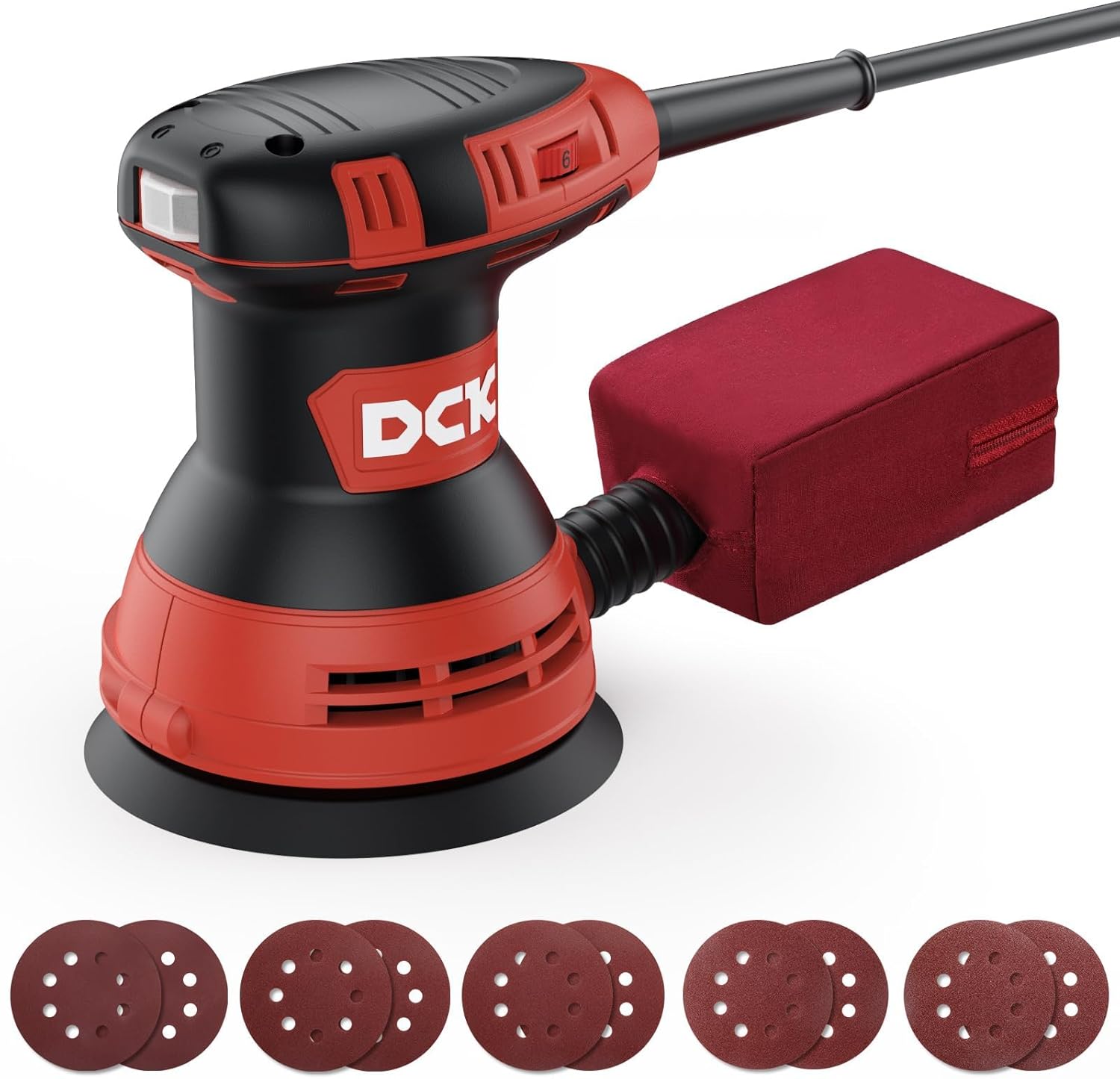
Image: The DCK Random Orbital Sander with its included set of 5-inch 8-hole sandpapers.
DCK Angle Grinder (KSM09-115S)
- 1x Angle Grinder
- 2x Adjustable Wheel Guards
- 2x Grinding Wheels
- 2x Cutting Wheels
- 2x Flap Wheels
- 1x 2-position Auxiliary Handle
- 1x Spanner Wrench
- 2x Carbon Brushes
- 1x ഉപയോക്തൃ മാനുവൽ

Image: The DCK Angle Grinder shown with its various accessories, including wheel guards, grinding wheels, cutting wheels, flap wheels, auxiliary handle, spanner wrench, and carbon brushes.
സജ്ജീകരണവും അസംബ്ലിയും
DCK Random Orbital Sander (KSA125)
- സാൻഡ്പേപ്പർ ഘടിപ്പിക്കുന്നു:
Ensure the sander is unplugged. Align the 5-inch 8-hole sandpaper with the sanding pad. The hook-and-loop design allows for quick and secure attachment. Press firmly to ensure the sandpaper is fully seated.
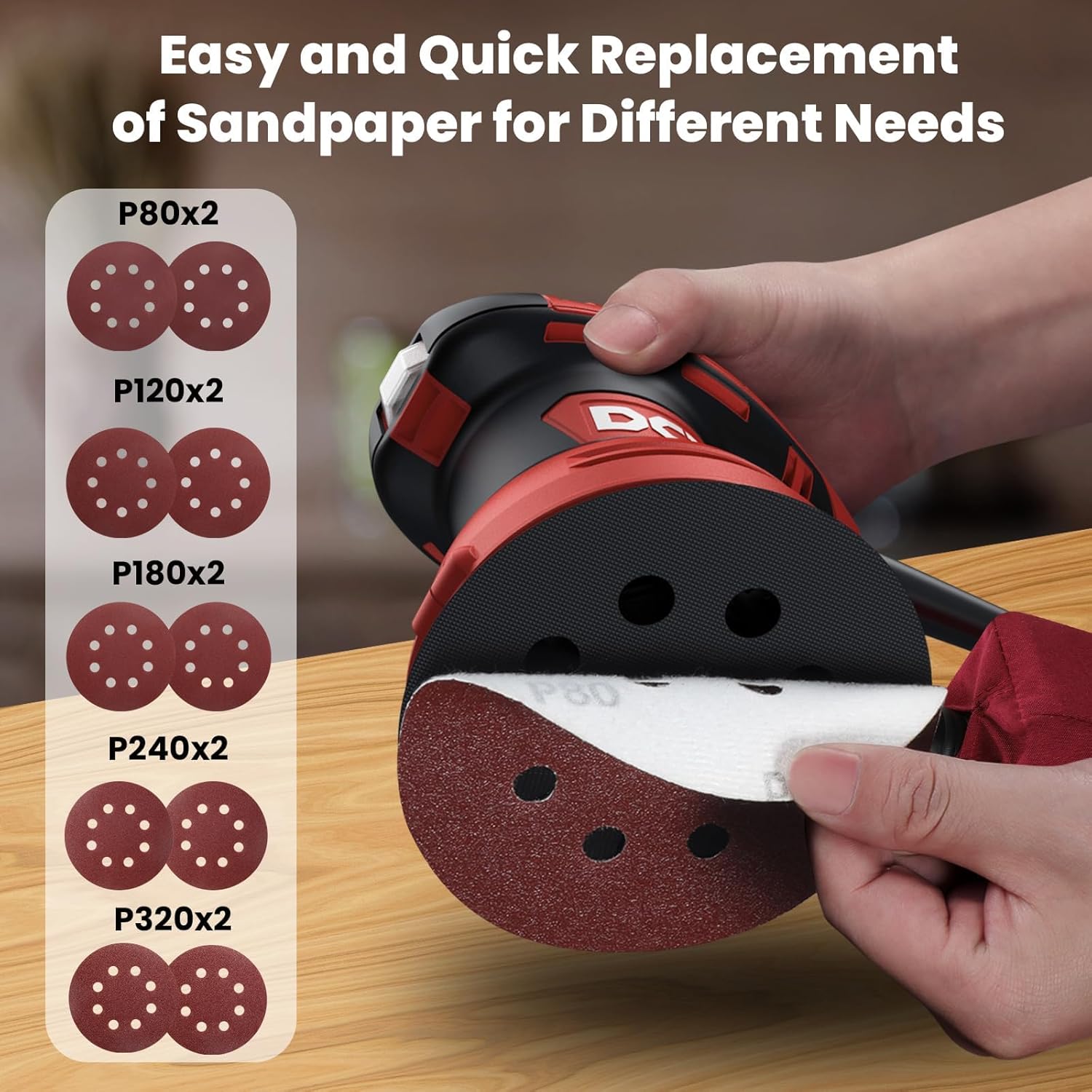
Image: A hand demonstrating the process of attaching a new sandpaper disc to the hook-and-loop sanding pad of the DCK Random Orbital Sander.
- Attaching Dust Bag:
Connect the dust bag to the dust port located at the rear of the sander. Ensure it is securely attached to prevent detachment during operation and to maximize dust collection efficiency.

Image: The DCK Random Orbital Sander demonstrating its 8-hole vacuuming system and the attachment of the removable dust bag for efficient dust collection.
DCK Angle Grinder (KSM09-115S)
- സഹായ ഹാൻഡിൽ ഘടിപ്പിക്കുന്നു:
The 2-position auxiliary handle can be screwed into either side of the grinder's gear housing. Choose the position that provides the best control and comfort for your application.
- Installing Wheel Guard:
cl അഴിക്കുകamp screw on the wheel guard. Position the guard over the spindle collar, ensuring it covers the wheel adequately for your task. Tighten the clamp screw securely. Adjust the guard's position as needed for optimal protection.
- Mounting Grinding/Cutting Wheels:
Press and hold the spindle lock button. Place the inner flange onto the spindle. Position the desired grinding, cutting, or flap wheel onto the spindle, ensuring it sits flat against the inner flange. Place the outer flange over the wheel and tighten it with the spanner wrench. Release the spindle lock.
പ്രവർത്തന നിർദ്ദേശങ്ങൾ
DCK Random Orbital Sander (KSA125)
- പവർ കണക്ഷൻ:
Plug the sander into a standard 120V AC power outlet.
- വേഗത നിയന്ത്രണം:
The sander features a 6-speed control dial. Rotate the dial to select the desired orbit per minute (OPM) from 4000 to 12000 OPM. Lower speeds are suitable for delicate work or polishing, while higher speeds are for aggressive material removal.

ചിത്രം: ഒരു ക്ലോസ്-അപ്പ് view of the DCK Random Orbital Sander's 6-speed adjustment dial, indicating flexible operation from 0 to 12,000 OPM.
- ആരംഭിക്കുന്നതും നിർത്തുന്നതും:
To start, press the ON/OFF switch. To stop, release or press the switch again. Always hold the sander firmly with both hands during operation.
- സാൻഡിംഗ് ടെക്നിക്:
Place the sander flat on the workpiece before turning it on. Apply light, even pressure and move the sander in overlapping passes. Avoid tilting the sander or applying excessive pressure, as this can lead to uneven sanding and damage to the workpiece or tool.
DCK Angle Grinder (KSM09-115S)
- പവർ കണക്ഷൻ:
Plug the grinder into a standard 120V AC power outlet.
- ആരംഭിക്കുന്നതും നിർത്തുന്നതും:
To start the grinder, slide the lockout switch forward and press the trigger. Some models may have a lock-on button for continuous operation. To stop, release the trigger or press the lock-on button again. Always ensure the tool is off before plugging or unplugging.
- അരക്കൽ/മുറിക്കൽ സാങ്കേതികത:
Hold the grinder firmly with both hands. Allow the tool to reach full speed before contacting the workpiece. For grinding, use a slight angle and move the wheel smoothly across the surface. For cutting, use the edge of the wheel and make straight, controlled passes. Always direct sparks away from yourself and others.
മെയിൻ്റനൻസ്
Regular maintenance ensures the longevity and optimal performance of your DCK power tools. Always disconnect the tool from the power source before performing any maintenance.
- വൃത്തിയാക്കൽ: പതിവായി ഉപകരണത്തിന്റെ പുറംഭാഗം മൃദുവായ, ഡി-ക്ലാസ്സർ ഉപയോഗിച്ച് വൃത്തിയാക്കുക.amp cloth. Do not use harsh chemicals or abrasive cleaners. Keep ventilation openings clear of dust and debris to prevent overheating.
- Dust Bag (Sander): Empty the dust bag frequently to maintain optimal dust collection efficiency. The bag is removable for easy cleaning.
- Carbon Brushes (Grinder): Inspect carbon brushes periodically. Replace them when they are worn down to approximately 1/4 inch (6mm) or if the motor sparks excessively. Refer to the grinder's specific user manual for brush replacement procedures.
- Wheel Inspection (Grinder): Before each use, inspect grinding and cutting wheels for cracks, chips, or damage. Replace any damaged wheels immediately.
- സംഭരണം: കുട്ടികൾക്ക് എത്താൻ കഴിയാത്ത വരണ്ടതും സുരക്ഷിതവുമായ സ്ഥലത്ത് ഉപകരണങ്ങൾ സൂക്ഷിക്കുക.

ചിത്രം: വിശദമായ ഒരു ചിത്രം view of the DCK Angle Grinder highlighting its 3D ventilation ports and ventilated removable dust mesh, designed for high-efficiency heat dissipation and longer tool life.
ട്രബിൾഷൂട്ടിംഗ്
| പ്രശ്നം | സാധ്യമായ കാരണം | പരിഹാരം |
|---|---|---|
| ഉപകരണം ആരംഭിക്കുന്നില്ല. | No power supply; Faulty switch; Worn carbon brushes (Grinder). | Check power outlet and cord. Ensure switch is fully engaged. Replace carbon brushes if worn. |
| സാൻഡർ അമിതമായി വൈബ്രേറ്റ് ചെയ്യുന്നു. | Improperly attached sandpaper; Damaged sanding pad. | Re-attach sandpaper correctly. Inspect and replace sanding pad if damaged. |
| Grinder sparks excessively. | Worn carbon brushes; Motor overload. | Replace carbon brushes. Reduce pressure on the tool. |
| Poor dust collection (Sander). | Full dust bag; Clogged dust port. | Empty dust bag. Clear any blockages from the dust port. |
സ്പെസിഫിക്കേഷനുകൾ
DCK Random Orbital Sander (KSA125)
- റേറ്റുചെയ്ത ഇൻപുട്ട് പവർ: 300W (3.0 AMP)
- റേറ്റുചെയ്ത വേഗത: 4000-12000 OPM (Orbits Per Minute)
- Sanding Pad Diameter: 5 ഇഞ്ച്
- മെഷീൻ നെറ്റ് വെയ്റ്റ്: 3 പൗണ്ട്
- വാല്യംtage: 120V എസി
- ഊർജ്ജ സ്രോതസ്സ്: കോർഡഡ് ഇലക്ട്രിക്

ചിത്രം: ഒരു എക്സ്-റേ view illustrating the powerful 3A copper wire motor of the DCK Random Orbital Sander, capable of delivering up to 12,000 OPM.
DCK Angle Grinder (KSM09-115S)
- Ampകോപം: 6.7 Amps
- No-Load RPM: 11,800 ആർപിഎം വരെ
- സ്പിൻഡിൽ ത്രെഡ്: 5/8"-11UNC
- വീൽ വ്യാസം 4-1/2 ഇഞ്ച്
- ഭാരം: 4.4 പൗണ്ട്
- വാല്യംtage: 120V എസി
- ഊർജ്ജ സ്രോതസ്സ്: കോർഡഡ് ഇലക്ട്രിക്

ചിത്രം: ഒരു മുറിച്ചെടുത്ത ഭാഗം view ഷോasing the powerful copper motor of the DCK Angle Grinder, highlighting its 6.7 Amp, 800W, and 11,800 RPM capabilities.
വാറൻ്റിയും പിന്തുണയും
The DCK Random Orbital Sander (KSA125) comes with a 1 വർഷത്തെ പരിമിത വാറൻ്റി. For warranty claims, technical support, or service inquiries, please contact DCK customer service. Keep your purchase receipt as proof of purchase.
For the most up-to-date contact information and support resources, please visit the official DCK webസൈറ്റ് അല്ലെങ്കിൽ നിങ്ങളുടെ ഉൽപ്പന്ന പാക്കേജിംഗിനൊപ്പം നൽകിയിരിക്കുന്ന കോൺടാക്റ്റ് വിശദാംശങ്ങൾ പരിശോധിക്കുക.


