1. ആമുഖം
Thank you for choosing the USTELLAR 55W Security Lights. This product is designed to provide bright, energy-efficient outdoor illumination with advanced motion sensing and remote control capabilities. Featuring 5500 lumens of 5000K daylight white light, these IP65 waterproof lights are ideal for enhancing security and visibility around your yard, house, garage, or patio. This manual provides essential information for safe installation, operation, and maintenance.

Figure 1: USTELLAR 55W Security Lights (2-Pack)
2. ബോക്സിൽ എന്താണുള്ളത്?
പാക്കേജ് തുറക്കുമ്പോൾ, നിങ്ങൾക്ക് ഇനിപ്പറയുന്ന ഘടകങ്ങൾ കണ്ടെത്താനാകും:
- 2 x LED Flood Lights with Motion Sensors
- 2 x റിമോട്ട് കൺട്രോളുകൾ
- Mounting Hardware (including screws, wire connectors, gasket, mounting bracket, rubber plug)
- 1 x E-manual (accessible via QR code)

ചിത്രം 2: ഉൾപ്പെടുത്തിയ ഘടകങ്ങളും അളവുകളും
3 സ്പെസിഫിക്കേഷനുകൾ
| ഫീച്ചർ | സ്പെസിഫിക്കേഷൻ |
|---|---|
| ബ്രാൻഡ് | യുസ്റ്റെല്ലാർ |
| മോഡലിൻ്റെ പേര് | UT88125W-DW-US-2 |
| വാട്ട്tage | 55 വാട്ട്സ് |
| തെളിച്ചം | 5500 ല്യൂമെൻ |
| വർണ്ണ താപനില | 5000 കെൽവിൻ (ഡേലൈറ്റ് വൈറ്റ്) |
| മെറ്റീരിയൽ | അലുമിനിയം, പ്ലാസ്റ്റിക് |
| ജല പ്രതിരോധ നില | IP65 വാട്ടർപ്രൂഫ് |
| മോഷൻ സെൻസർ ആംഗിൾ | പരമാവധി 180° |
| മോഷൻ സെൻസർ ദൂരം | പരമാവധി 60 അടി |
| Light Head Adjustability | Adjustable (3 panels) |
| നിയന്ത്രണ രീതി | Remote Control (Infrared) |
| പവർ ഉറവിടം | Corded Electric (Hardwired) |
| ജീവിതകാലയളവ് | 50,000 മണിക്കൂർ വരെ |
| ബാറ്ററികൾ ആവശ്യമാണ് | 1 CR2 battery (included for remote) |
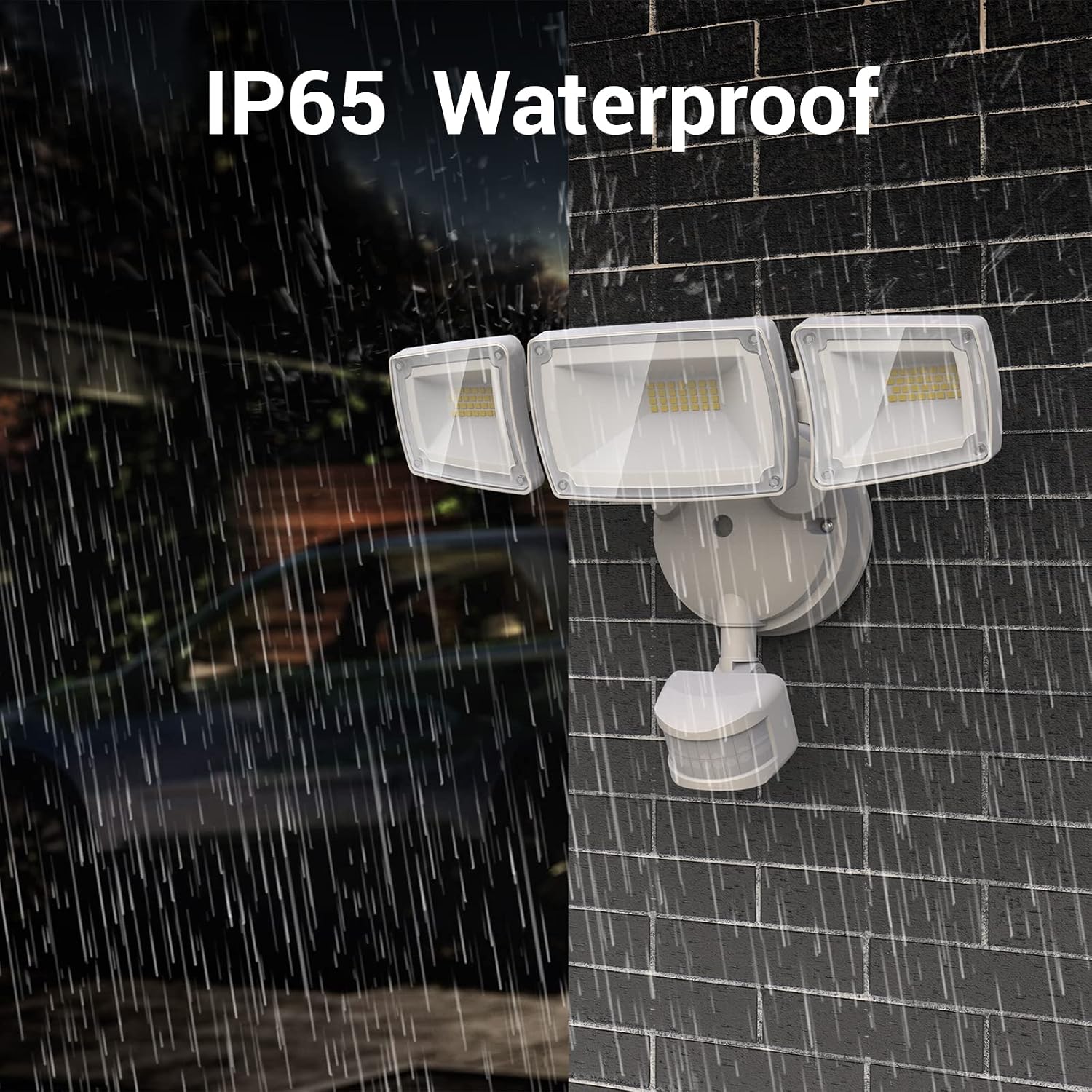
ചിത്രം 3: IP65 വാട്ടർപ്രൂഫ് റേറ്റിംഗ്
4 സുരക്ഷാ വിവരങ്ങൾ
ഈ ഉൽപ്പന്നം ഇൻസ്റ്റാൾ ചെയ്യുന്നതിനോ പ്രവർത്തിപ്പിക്കുന്നതിനോ മുമ്പ് എല്ലാ സുരക്ഷാ നിർദ്ദേശങ്ങളും വായിച്ച് മനസ്സിലാക്കുക. അങ്ങനെ ചെയ്യുന്നതിൽ പരാജയപ്പെടുന്നത് വൈദ്യുതാഘാതം, തീപിടുത്തം അല്ലെങ്കിൽ മറ്റ് പരിക്കുകൾക്ക് കാരണമായേക്കാം.
- മുന്നറിയിപ്പ്: വൈദ്യുതാഘാതത്തിനുള്ള സാധ്യത. ഇൻസ്റ്റാളേഷൻ അല്ലെങ്കിൽ സർവീസിംഗ് നടത്തുന്നതിന് മുമ്പ് ഫ്യൂസിലോ സർക്യൂട്ട് ബ്രേക്കറിലോ വൈദ്യുതി വിച്ഛേദിക്കുക.
- ഉൽപന്നം ശരിയായി നിലത്തുണ്ടെന്ന് ഉറപ്പാക്കുക.
- അസ്ഥിരമായതോ വൈബ്രേഷന് സാധ്യതയുള്ളതോ ആയ പ്രതലങ്ങളിൽ ഇൻസ്റ്റാൾ ചെയ്യരുത്.
- This product is designed for outdoor use and is IP65 rated for water resistance. However, ensure all wiring connections are sealed and protected from moisture.
- Do not look directly into the LED light source when illuminated, as this may cause eye damage.
- ഇൻസ്റ്റലേഷൻ പ്രക്രിയയുടെ ഏതെങ്കിലും ഭാഗത്തെക്കുറിച്ച് നിങ്ങൾക്ക് ഉറപ്പില്ലെങ്കിൽ, യോഗ്യതയുള്ള ഒരു ഇലക്ട്രീഷ്യനെ സമീപിക്കുക.
5. സജ്ജീകരണവും ഇൻസ്റ്റാളേഷനും
The USTELLAR security light is hardwired and designed for easy installation on walls or under eaves. All necessary mounting hardware is included.
5.1 മ ing ണ്ടിംഗ് സ്ഥാനം
- Choose a location that provides optimal coverage for the desired area.
- മൗണ്ടിംഗ് ഉപരിതലം ഉറപ്പുള്ളതാണെന്നും ഫിക്ചറിന്റെ ഭാരം താങ്ങാൻ കഴിയുമെന്നും ഉറപ്പാക്കുക.
- Consider the motion sensor's detection range (up to 60ft) and angle (180°) when positioning.


Figure 4: Wall Mounted and Soffit Mounted Installation Exampലെസ്
5.2 വയറിംഗ് നിർദ്ദേശങ്ങൾ
- ഇൻസ്റ്റാളേഷൻ ആരംഭിക്കുന്നതിന് മുമ്പ് സർക്യൂട്ട് ബ്രേക്കറിൽ പവർ ഓഫ് ചെയ്യുക.
- Connect the wires from the fixture to your household wiring:
- Black wire (Live) to Black wire (Live)
- White wire (Neutral) to White wire (Neutral)
- Green/Yellow wire (Ground) to Green/Yellow wire (Ground)
- Secure connections with the provided wire connectors.
- എല്ലാ വയറുകളും ജംഗ്ഷൻ ബോക്സിലേക്ക് ശ്രദ്ധാപൂർവ്വം തിരുകുക.
5.3 Adjusting Light Heads and Sensor
The three light heads and the motion sensor are independently adjustable to customize your lighting area and detection zone.
- Rotate the light heads to direct illumination where needed.
- Adjust the motion sensor's angle to cover the desired detection area.

Figure 5: Adjustable Light Heads and Motion Sensor

Figure 6: Motion Sensor Detection Range and Angle
6. പ്രവർത്തന നിർദ്ദേശങ്ങൾ
The USTELLAR security light features an IR remote control for convenient adjustment of settings and lighting modes. Ensure the remote is aimed at the motion sensor for optimal functionality, keeping within 16ft and avoiding obstructions.

Figure 7: Remote Control for Easy Adjustment
6.1 വിദൂര നിയന്ത്രണ പ്രവർത്തനങ്ങൾ

Figure 8: Remote Control Overview
- ഓൺ/ഓഫ്: Turns the light on or off. In this mode, the motion detector will not work.
- PIR (Mode 1): Motion Sensor Mode. The light activates at 100% brightness when motion is detected.
- DIM (Mode 2): Dimming Mode. The light turns on at 100% brightness when motion is detected, then decreases to 20% brightness after motion ceases.
- D2D (Mode 3): Dusk to Dawn Mode. The light turns on at 100% brightness at night and automatically turns off in the morning. The motion sensor does not work in this mode.
- HOLD TIME (10s, 1min, 5min, 10min): Sets the duration the light stays on after motion is detected (for PIR and DIM modes).
- LUX (DAY, LUX, NIGHT): Sets the luminance detection threshold. 'DAY' allows the light to work all day, 'NIGHT' only at night.
- SENS (LOW, SENS, HIGH): Adjusts the motion sensor sensitivity.
6.2 Lighting Modes in Detail

Figure 9: PIR (Motion Sensor) Mode

Figure 10: DIM (Dimming) Mode

Figure 11: D2D (Dusk to Dawn) Mode

Figure 12: Always ON Mode
7. പരിപാലനം
Regular maintenance ensures optimal performance and longevity of your USTELLAR security lights.
- വൃത്തിയാക്കൽ: Periodically clean the light fixture and motion sensor lens with a soft, damp അഴുക്ക്, പൊടി അല്ലെങ്കിൽ അവശിഷ്ടങ്ങൾ നീക്കം ചെയ്യാൻ തുണി ഉപയോഗിക്കുക. അബ്രാസീവ് ക്ലീനറുകളോ ലായകങ്ങളോ ഉപയോഗിക്കരുത്.
- പരിശോധന: Annually inspect the wiring and mounting hardware for any signs of wear, damage, or loosening. Tighten screws as needed.
- LED- കൾ: The LED light source is non-replaceable. Do not attempt to open or modify the light panels.
8. പ്രശ്നപരിഹാരം
If you encounter issues with your USTELLAR security light, refer to the following common troubleshooting steps:
| പ്രശ്നം | സാധ്യമായ കാരണം | പരിഹാരം |
|---|---|---|
| ലൈറ്റ് ഓണാക്കില്ല. | വൈദ്യുതിയില്ല, വയറിങ് അയഞ്ഞിരിക്കുന്നു, സെൻസർ തകരാറിലായി. | Check circuit breaker. Ensure all wiring connections are secure. Test sensor sensitivity. |
| വെളിച്ചം തുടർച്ചയായി തുടരുന്നു. | Sensor sensitivity too high, continuous motion in detection area, D2D mode active. | Adjust sensor sensitivity to LOW. Ensure no constant motion. Switch out of D2D mode if not desired. |
| വ്യക്തമായ കാരണമൊന്നുമില്ലാതെ പ്രകാശം ഓണാക്കുന്നു. | Sensor sensitivity too high, environmental factors (wind, small animals). | Reduce sensor sensitivity. Adjust sensor angle to avoid unwanted triggers. |
| റിമോട്ട് കൺട്രോൾ പ്രവർത്തിക്കുന്നില്ല. | Battery low/dead, obstruction, out of range. | Replace CR2 battery. Ensure direct line of sight to sensor. Operate within 16ft. |
9. വാറൻ്റിയും പിന്തുണയും
The USTELLAR 55W Security Lights come with a Limited Warranty. Please refer to the product packaging or contact USTELLAR customer support for specific warranty terms and conditions.
For technical assistance, troubleshooting beyond this manual, or warranty claims, please contact USTELLAR customer support through their official webനിങ്ങളുടെ വാങ്ങലിനൊപ്പം നൽകിയിരിക്കുന്ന സൈറ്റ് അല്ലെങ്കിൽ ബന്ധപ്പെടാനുള്ള വിവരങ്ങൾ.


