ആമുഖം
This manual provides detailed instructions for the operation and maintenance of the EXFO MAX-730C Optical Time Domain Reflectometer (OTDR), specifically the MAX-730C-SM2-IO-EI-EUI-91 model. This compact and lightweight device is designed for efficient fiber optic network testing, featuring OTDR and IOLM functions with 1310/1550/1625nm wavelengths and dynamic ranges of 39/38/39dB. Its rugged design ensures reliable performance in challenging environments.
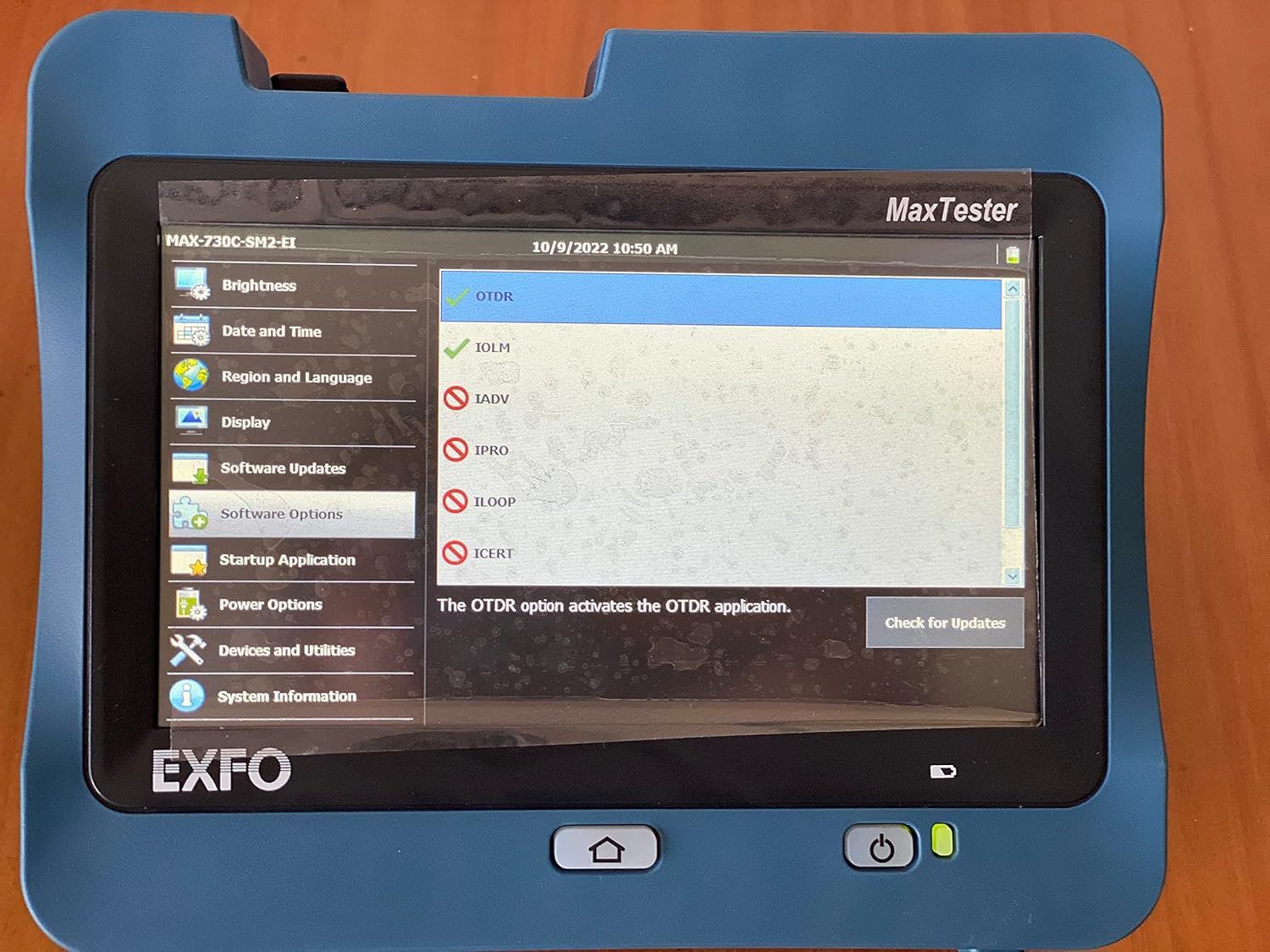
Figure 1: The EXFO MAX-730C OTDR device, displaying its main MaxTester interface with various application options.
സജ്ജമാക്കുക
അൺപാക്കിംഗും പ്രാരംഭ പരിശോധനയും
Carefully unpack the EXFO MAX-730C OTDR and all accessories. Inspect the device for any signs of damage during transit. Report any damage to your supplier immediately.
പവർ ചെയ്യുന്നു
The device is battery-powered. Ensure the battery is sufficiently charged before first use. Connect the provided power adapter to charge the unit if needed. Press and hold the power button located on the front panel to turn on the device.
പ്രാരംഭ കോൺഫിഗറേഷൻ
Upon first power-on, you may be prompted to set basic configurations such as date, time, and language. Navigate through the touchscreen interface to set these parameters.

Figure 2: The device's screen displaying the 'Region and Language' settings, allowing users to select display language, keyboard layout, and date/time formats.
Connecting to Fiber
Locate the fiber optic ports on the device. These are typically located on the top or side of the unit. Carefully connect your fiber optic cables to the appropriate ports (e.g., SM LIVE, SM). Ensure connectors are clean before insertion to prevent damage and ensure accurate readings.

ചിത്രം 3: മുകളിൽ view of the EXFO MAX-730C, highlighting its connectivity options including USB ports, an Ethernet port, and dedicated fiber optic connectors for SM LIVE and SM testing.
പ്രവർത്തിക്കുന്നു
ഇൻ്റർഫേസ് നാവിഗേറ്റ് ചെയ്യുന്നു
The EXFO MAX-730C features a high-resolution, 4.3-inch widescreen color touchscreen. Navigate through menus and applications by tapping on icons and options. The main screen provides access to various functions.

Figure 4: The main application screen of the EXFO MAX-730C, displaying icons for various functions such as OTDR, IOLM, ConnectorMax2, File Manager, and Configuration.
Using OTDR Function
To perform an OTDR test:
- From the main screen, tap the 'OTDR' icon.
- Select the desired test parameters (e.g., wavelength, pulse width, range).
- Ensure the fiber is properly connected.
- Initiate the test. The device will display the fiber trace and event table.
Using IOLM Function
The Intelligent Optical Link Mapper (IOLM) function simplifies fiber testing by providing a clear, icon-based view of the fiber link. To use IOLM:
- Tap the 'IOLM' icon from the main screen.
- Follow the on-screen prompts to set up the test.
- The IOLM will automatically detect and characterize events on the fiber, presenting them in an easy-to-understand graphical format.
ഡാറ്റ മാനേജ്മെൻ്റ്
The device allows for saving test results. Use the 'File Manager' application to organize, view, and transfer your test data. Data can be transferred via USB or Ethernet.
മെയിൻ്റനൻസ്
ഉപകരണം വൃത്തിയാക്കുന്നു
Regularly clean the touchscreen with a soft, lint-free cloth. For stubborn marks, use a screen cleaner designed for electronic displays. Keep the device free from dust and debris.
Fiber Connector Care
Clean fiber optic connectors before each use to ensure accurate measurements and prevent damage to the device's ports. Use appropriate fiber cleaning tools and methods.
ബാറ്ററി കെയർ
To prolong battery life, avoid fully discharging the battery frequently. Store the device in a cool, dry place when not in use for extended periods. Charge the battery periodically if stored for a long time.
സോഫ്റ്റ്വെയർ അപ്ഡേറ്റുകൾ
Check for software updates periodically via the 'Software Updates' option in the settings menu. Keeping the software updated ensures optimal performance and access to new features.
ട്രബിൾഷൂട്ടിംഗ്
ഉപകരണം പവർ ചെയ്യുന്നില്ല
- ബാറ്ററി ചാർജ്ജ് ചെയ്തിട്ടുണ്ടെന്ന് ഉറപ്പാക്കുക. പവർ അഡാപ്റ്റർ കണക്റ്റ് ചെയ്ത് വീണ്ടും ശ്രമിക്കുക.
- പവർ ബട്ടൺ അമർത്തി കുറച്ച് സെക്കൻഡ് പിടിച്ചിട്ടുണ്ടെന്ന് ഉറപ്പാക്കുക.
Inaccurate Test Results
- Clean fiber optic connectors thoroughly.
- Check for proper connection of the fiber to the device.
- Verify test parameters are correctly set for the fiber being tested.
ടച്ച്സ്ക്രീൻ പ്രതികരിക്കുന്നില്ല
- Restart the device by holding the power button until it shuts down, then power it back on.
- സ്ക്രീൻ വൃത്തിയുള്ളതും അവശിഷ്ടങ്ങൾ ഇല്ലാത്തതുമാണെന്ന് ഉറപ്പാക്കുക.
For persistent issues, contact EXFO customer support.
സ്പെസിഫിക്കേഷനുകൾ
| ഫീച്ചർ | വിശദാംശങ്ങൾ |
|---|---|
| മോഡൽ നമ്പർ | MAX-730C-M2 |
| ഉൽപ്പന്ന അളവുകൾ | 19.29 x 11.42 x 15.35 ഇഞ്ച് |
| ഇനത്തിൻ്റെ ഭാരം | 12 പൗണ്ട് |
| പവർ ഉറവിടം | ബാറ്ററി പവർ |
| പ്രദർശിപ്പിക്കുക | ടച്ച്സ്ക്രീൻ, നിറം, 800 x 480 TFT, 178 mm (7 ഇഞ്ച്) |
| തുറമുഖങ്ങൾ | രണ്ട് USB 2.0 പോർട്ടുകൾ |
| OTDR Wavelengths | 1310/1550/1625nm |
| ഡൈനാമിക് റേഞ്ച് | 39/38/39 ഡിബി |
| ബോക്സിൽ ഉൾപ്പെടുത്തിയിട്ടുണ്ട് | ബാറ്ററി |
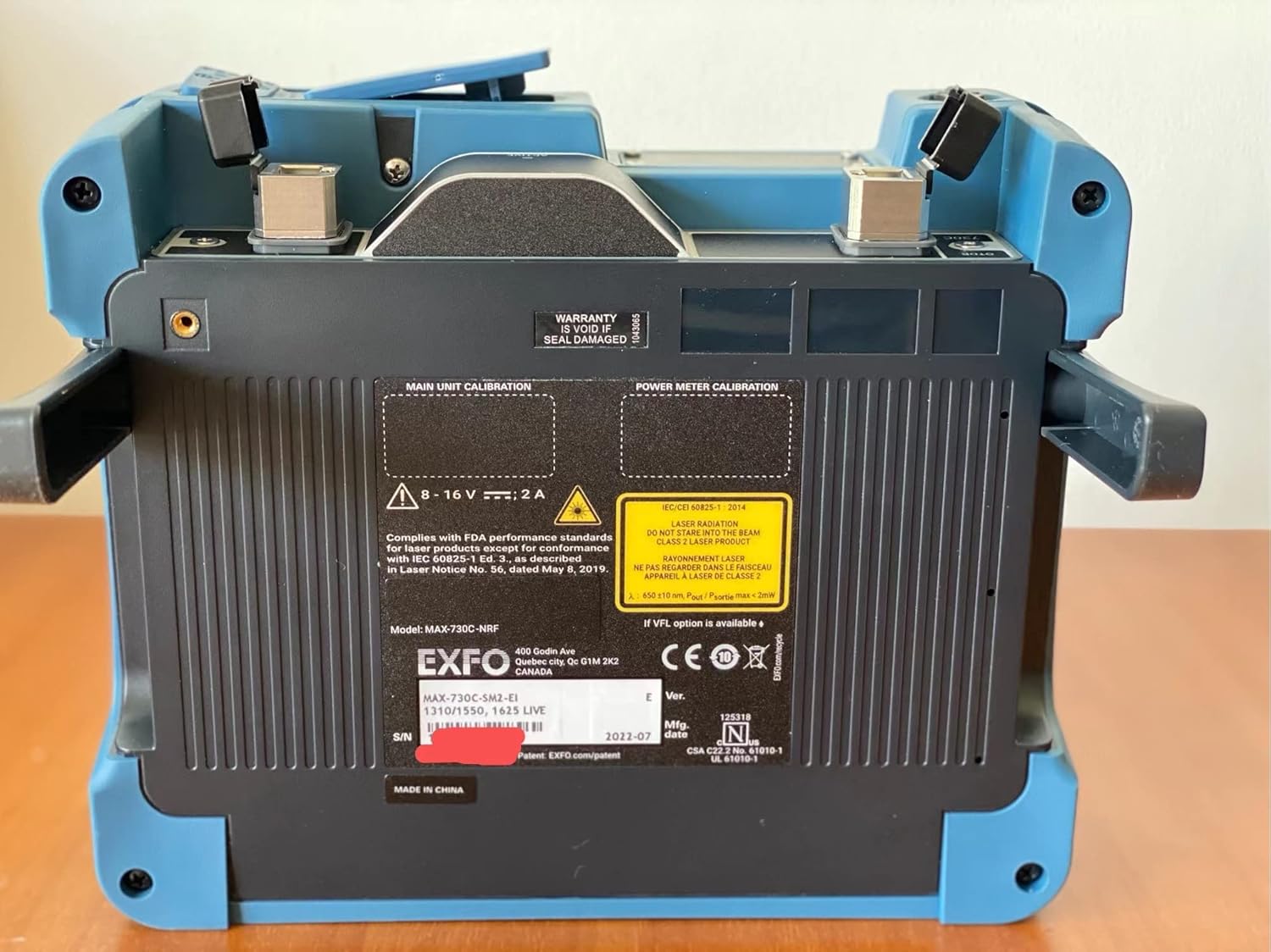
ചിത്രം 5: പിൻഭാഗം view of the EXFO MAX-730C, displaying the product label with essential information such as model number (MAX-730C-M2), serial number, manufacturing date, and compliance markings.
വാറൻ്റി
The EXFO MAX-730C OTDR comes with a manufacturer's warranty. Please refer to the warranty card included with your product or visit the official EXFO website for detailed warranty terms and conditions. Note that the warranty may be void if the seal is damaged, as indicated on the device.
പിന്തുണ
For technical assistance, service, or further inquiries regarding your EXFO MAX-730C OTDR, please contact EXFO customer support through their official website or the contact information provided in your product documentation. Ensure you have your model number (MAX-730C-M2) and serial number ready when contacting support.


