1. പ്രധാന സുരക്ഷാ നിർദ്ദേശങ്ങൾ
Please read all instructions carefully before using the Neo 10-in-1 Steam Mop. Failure to follow these instructions may result in electric shock, fire, or serious personal injury.
- Always disconnect the appliance from the power supply before filling with water, cleaning, or performing maintenance.
- പ്ലഗ് ഇൻ ചെയ്യുമ്പോൾ സ്റ്റീം മോപ്പ് ശ്രദ്ധിക്കാതെ വിടരുത്.
- Do not direct steam at people, animals, or electrical outlets. Steam is very hot and can cause burns.
- Use only distilled or demineralized water in the water tank to prevent mineral buildup and extend the life of the appliance.
- കുട്ടികൾക്കും വളർത്തുമൃഗങ്ങൾക്കും ലഭ്യമല്ലാത്തവിധം ഉപകരണം സൂക്ഷിക്കുക.
- Do not immerse the steam mop in water or any other liquid.
- പവർ കോർഡിന് കേടുപാടുകൾ സംഭവിച്ചിട്ടില്ലെന്ന് ഉറപ്പാക്കുക. കേടായ കോർഡോ പ്ലഗോ ഉപയോഗിച്ച് ഉപകരണം പ്രവർത്തിപ്പിക്കരുത്.
- ഈ ഉപകരണം വീട്ടുപയോഗത്തിന് മാത്രമുള്ളതാണ്. പുറത്ത് അല്ലെങ്കിൽ വാണിജ്യ ആവശ്യങ്ങൾക്ക് ഉപയോഗിക്കരുത്.
2. ഉൽപ്പന്നം കഴിഞ്ഞുview
The Neo 10-in-1 Steam Mop is a versatile cleaning appliance designed for various surfaces. It features a powerful 1500W heating element, a 400ml water tank, and a comprehensive 10-piece accessory kit.

Image: The Neo 10-in-1 Steam Mop shown with its full range of included accessories, highlighting its versatility.
പ്രധാന സവിശേഷതകൾ:
- 1500W പവർ: Ensures quick heating and powerful steam output.
- ദ്രുത ചൂടാക്കൽ: Ready to use in approximately 30 seconds.
- വലിയ വാട്ടർ ടാങ്ക്: 400ml capacity for extended cleaning sessions (up to 30 minutes of steam per tank).
- വേരിയബിൾ സ്റ്റീം കൺട്രോൾ: Adjust steam intensity for different cleaning tasks and surfaces.
- 2-ഇൻ-1 ഡിസൈൻ: Functions as both a steam mop for floors and a detachable handheld steamer for various surfaces.
- 10-പീസ് ആക്സസറി കിറ്റ്: Includes various nozzles, brushes, and tools for comprehensive cleaning.
- നീണ്ട പവർ കേബിൾ: Equipped with a 5-meter cable for extended reach.
- എർഗണോമിക് ഹാൻഡിൽ: സുഖകരമായ പിടിയ്ക്കും ഉപയോഗ എളുപ്പത്തിനുമായി രൂപകൽപ്പന ചെയ്തിരിക്കുന്നു.
- Swivel Head: 180-degree swivel head for easy maneuverability around furniture.

Image: The steam mop demonstrating its dual functionality as an upright mop and a detachable handheld unit, alongside icons for ergonomic handle, 5m cable, and 180-degree swivel head.
ഉൾപ്പെടുത്തിയ ആക്സസറികൾ:

ചിത്രം: വിശദമായ ഒരു ചിത്രം view of the 10-piece accessory set, including various nozzles, brushes, a measuring cup, and mop pads.
- അളക്കുന്ന കപ്പ്
- ജെറ്റ് നോസൽ
- ചെറിയ റൗണ്ട് ബ്രഷ്
- വലിയ റൗണ്ട് ബ്രഷ്
- ഗ്ര r ട്ട് ഉപകരണം
- സ്ക്രാപ്പിംഗ് ടൂൾ
- Fabric Tool with Microfiber Pad
- Window/Glass Cleaning Tool
- കാർപെറ്റ് ഗ്ലൈഡർ
- Microfiber Mop Pads (2 included)
3. സജ്ജീകരണം
അസംബ്ലി:
- ഹാൻഡിൽ അറ്റാച്ചുചെയ്യുക: സ്റ്റീം മോപ്പിന്റെ പ്രധാന ബോഡിയിൽ ഹാൻഡിൽ സുരക്ഷിതമായി ക്ലിക്ക് ചെയ്യുന്നതുവരെ തിരുകുക.
- മോപ്പ് ഹെഡ് ഘടിപ്പിക്കുക: Connect the mop head to the main body. Ensure it is firmly attached.
- മൈക്രോഫൈബർ പാഡ് ഘടിപ്പിക്കുക: Securely attach a clean microfiber mop pad to the bottom of the mop head. The pad typically attaches with hook-and-loop fasteners.
വാട്ടർ ടാങ്ക് നിറയ്ക്കൽ:
- പവർ ഔട്ട്ലെറ്റിൽ നിന്ന് സ്റ്റീം മോപ്പ് പ്ലഗ് ഊരിയിട്ടുണ്ടെന്ന് ഉറപ്പാക്കുക.
- വാട്ടർ ടാങ്ക് ക്യാപ്പ് കണ്ടെത്തുക, സാധാരണയായി പ്രധാന യൂണിറ്റിന്റെ മുൻവശത്തോ വശത്തോ ആയിരിക്കും. ക്യാപ്പ് അഴിക്കുകയോ തുറക്കുകയോ ചെയ്യുക.
- Using the provided measuring cup, fill the water tank with distilled or demineralized water. Do not overfill beyond the maximum fill line.
- വാട്ടർ ടാങ്ക് അടപ്പ് സുരക്ഷിതമായി അടയ്ക്കുക.
Note: Using tap water may lead to mineral buildup, reducing the appliance's efficiency and lifespan. Regular descaling may be required if tap water is used.
4. പ്രവർത്തന നിർദ്ദേശങ്ങൾ
Using as a Steam Mop:
- Ensure the water tank is filled and a clean mop pad is attached.
- Plug the power cord into a grounded electrical outlet. The indicator light will illuminate.
- Wait approximately 30 seconds for the steam mop to heat up. The indicator light may change color or turn off when ready.
- To activate steam, pump the handle or press the steam trigger (depending on model). Move the mop slowly and steadily over the floor surface.
- Adjust the steam intensity using the variable steam control dial if available.
- When finished, unplug the unit and allow it to cool before emptying any remaining water and removing the mop pad.

Image: Multiple Neo Steam Mops demonstrating their suitability for various floor types including carpet, tile, stone, and hard floors.
ഒരു ഹാൻഡ്ഹെൽഡ് സ്റ്റീമറായി ഉപയോഗിക്കുന്നത്:
- Unplug the steam mop. Detach the main handheld unit from the mop base by pressing the release button.
- Select the appropriate accessory for your cleaning task (e.g., jet nozzle for crevices, brush for scrubbing, fabric tool for upholstery). Attach it firmly to the handheld unit.
- Ensure the water tank is filled. Plug in the handheld unit.
- Wait for the unit to heat up. Direct the steam towards the surface to be cleaned, maintaining a safe distance.
- For stubborn areas, hold the steam over the spot for a few seconds.
- When finished, unplug and allow to cool before removing accessories and storing.
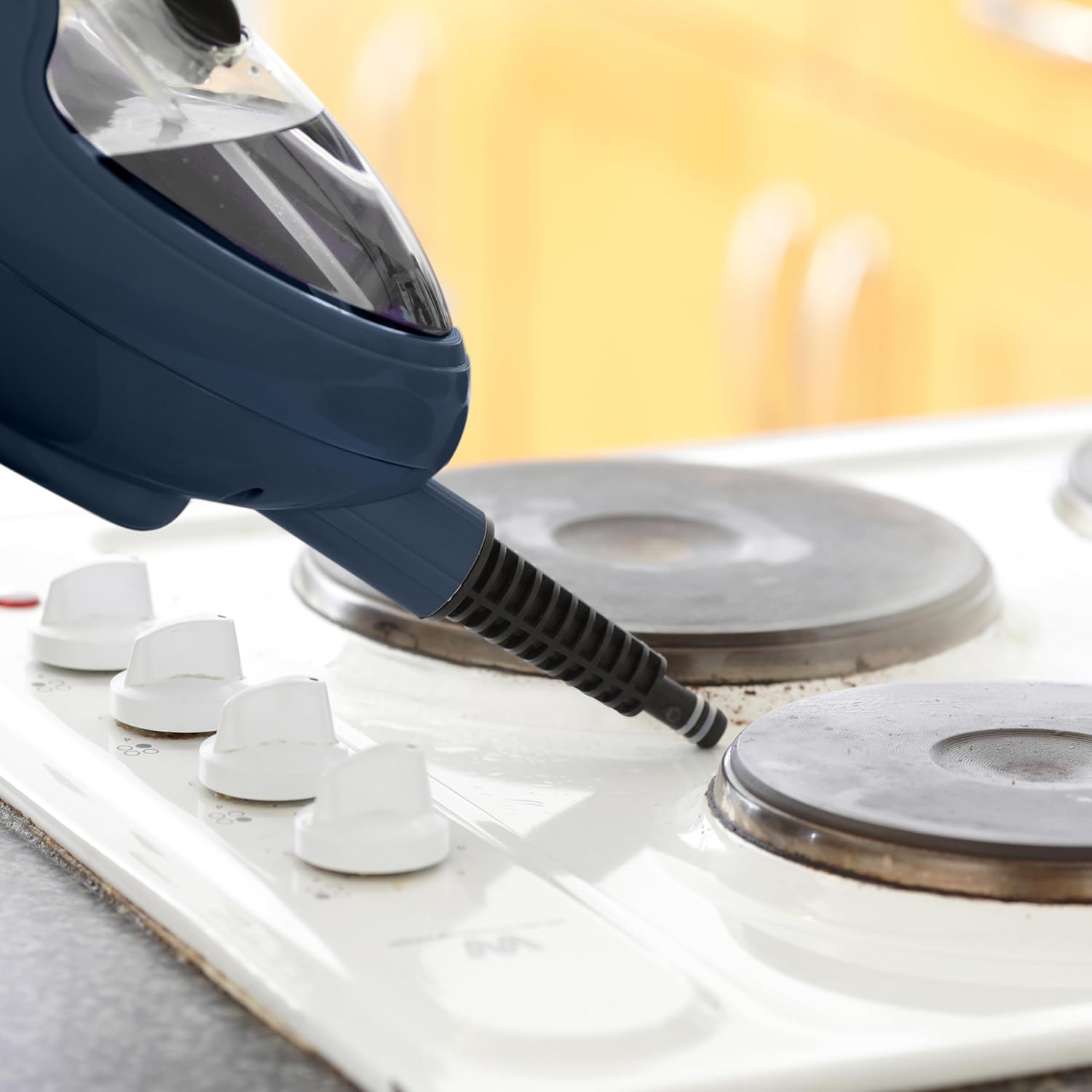
Image: The handheld steam unit being used to clean a stovetop, demonstrating its ability to target specific areas.

Image: The handheld steam unit cleaning a bathroom faucet, illustrating its use for sanitizing fixtures.

Image: The handheld steam unit with a brush attachment cleaning the interior of a microwave, showing its effectiveness on tough grime.
5. പരിപാലനം
യൂണിറ്റ് വൃത്തിയാക്കൽ:
- വൃത്തിയാക്കുന്നതിനുമുമ്പ് ഉപകരണം എപ്പോഴും പ്ലഗ് ഊരി പൂർണ്ണമായും തണുപ്പിച്ചിട്ടുണ്ടെന്ന് ഉറപ്പാക്കുക.
- Wipe the exterior of the steam mop with a soft, damp തുണി. ഉരച്ചിലുകളുള്ള ക്ലീനറുകളോ ലായകങ്ങളോ ഉപയോഗിക്കരുത്.
- Remove and wash microfiber mop pads after each use. They can typically be machine washed with mild detergent and air dried. Do not use bleach or fabric softeners.
- Empty any remaining water from the tank after each use to prevent stagനാന്റ് വെള്ളത്തിന്റെയും ധാതുക്കളുടെയും ശേഖരണം.
Descaling (Mineral Buildup Removal):
Over time, mineral deposits can accumulate inside the steam mop, especially if tap water is used. This can reduce steam output. Descale your unit regularly (e.g., every 1-3 months depending on water hardness and usage).
- Prepare a descaling solution: Mix 1 part white vinegar with 2 parts distilled water.
- Ensure the unit is unplugged and cool. Empty any water from the tank.
- വാട്ടർ ടാങ്കിലേക്ക് ഡെസ്കലിംഗ് ലായനി ഒഴിക്കുക.
- Plug in the unit and allow it to heat up. Run the steam mop until half of the solution has been used.
- Unplug the unit and let it sit for 30 minutes to allow the solution to work.
- Plug it back in and run the remaining solution through.
- Empty the tank and rinse thoroughly with fresh distilled water. Run one full tank of fresh distilled water through the unit to flush out any remaining solution.
സംഭരണം:
- Ensure the steam mop is completely cool and dry before storing.
- വാട്ടർ ടാങ്ക് ശൂന്യമാക്കുക.
- Store the appliance in a cool, dry place, away from direct sunlight and extreme temperatures.
- Wrap the power cord neatly around the designated cord wraps if available.
6. പ്രശ്നപരിഹാരം
| പ്രശ്നം | സാധ്യമായ കാരണം | പരിഹാരം |
|---|---|---|
| നീരാവി ഇല്ല അല്ലെങ്കിൽ കുറഞ്ഞ നീരാവി ഔട്ട്പുട്ട്. |
|
|
| യൂണിറ്റിൽ നിന്ന് വെള്ളം ചോർന്നൊലിക്കുന്നു. |
|
|
| Mop pad not cleaning effectively. |
|
|
| യൂണിറ്റ് ഓണാക്കുന്നില്ല. |
|
|
7 സ്പെസിഫിക്കേഷനുകൾ
| ബ്രാൻഡ്: | നിയോ |
| മോഡൽ നമ്പർ: | STM-MOP |
| ശക്തി: | 1500 വാട്ട്സ് |
| വാല്യംtage: | 2.3E+2 വോൾട്ട് (230V) |
| വാട്ടർ ടാങ്ക് കപ്പാസിറ്റി: | 400 മില്ലി ലിറ്റർ |
| ഇനത്തിൻ്റെ ഭാരം: | 2.3 കിലോഗ്രാം |
| പാക്കേജ് അളവുകൾ: | 40 x 20 x 20 സെ.മീ |
| പ്രത്യേക സവിശേഷതകൾ: | Detachable, Portable |
| ശുപാർശ ചെയ്യുന്ന ഉപരിതലം: | Floor, Window |
| ഉൾപ്പെടുത്തിയ ഘടകങ്ങൾ: | Nozzle, Nylon Brush, Measuring Cup, Dosing Glass (refer to Product Overview for full accessory list) |
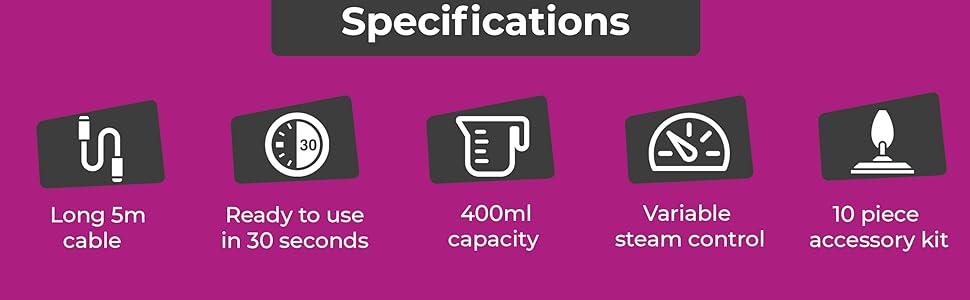
Image: An infographic summarizing key specifications including 5m cable, 30-second heat-up time, 400ml capacity, variable steam control, and the 10-piece accessory kit.
8. വാറൻ്റിയും പിന്തുണയും
Specific warranty details are not provided in this manual. For warranty information, product support, or to purchase replacement parts and accessories, please contact the manufacturer or your retailer directly.
When contacting support, please have your product model number (STM-MOP) and purchase date available.
Manufacturer: Neo


