1. ആമുഖം
The COMPUTHERM E400RF Wi-Fi thermostat is a wireless switching device designed for controlling heating and cooling systems. It can be managed remotely via the internet using a smartphone or tablet. This device offers easy connection to any two-wire room thermostat, gas boiler with a connection point, or any air conditioner or other electrical appliance, supporting both 24V and 230V control circuits.
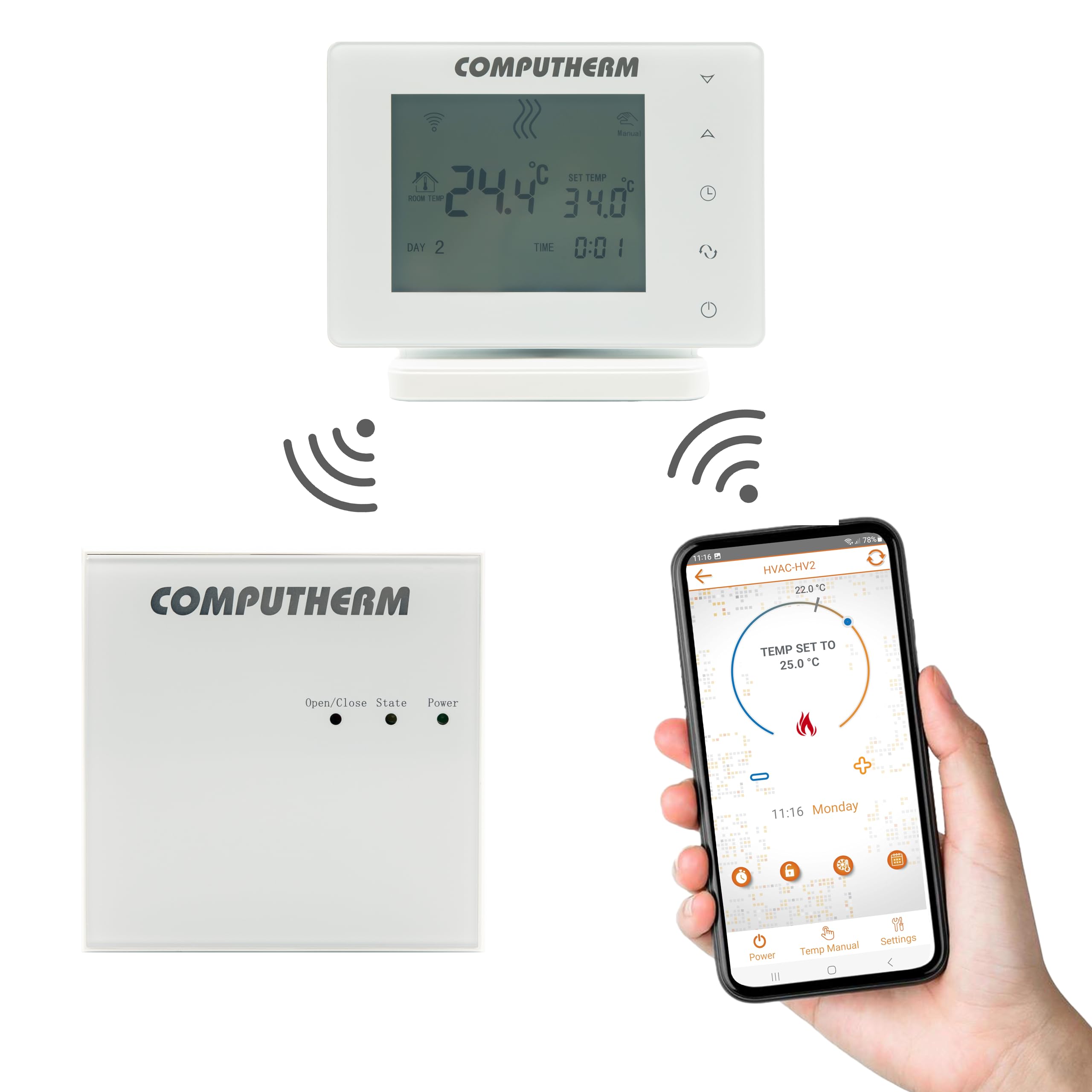
The system comprises two main units: the thermostat (control unit) and the receiver unit, which directly controls the boiler or HVAC system. These units communicate wirelessly via radio frequency, eliminating the need for physical wiring between them. Both units are factory-coordinated and synchronized, each possessing a unique security code to ensure reliable operation.
2. ഉൽപ്പന്നം കഴിഞ്ഞുview
The COMPUTHERM E400RF system includes a sleek, portable thermostat unit and a separate receiver unit. The thermostat features a clear display and touch buttons for local control, while the receiver unit handles the switching of your heating or cooling appliance.

3 പ്രധാന സവിശേഷതകൾ
- നിയന്ത്രണ ഇൻ്റർഫേസ്: Features intuitive touch buttons on the device, control via a dedicated smartphone application, and remote control capabilities.
- പോർട്ടബിലിറ്റി: The thermostat unit can be freely moved within its operational range, offering flexibility in placement.
- പ്രവർത്തന രീതികൾ: Supports both manual temperature setting and programmable scheduling modes.
- Heat Sensor Calibration: Allows for calibration of the temperature sensor to ensure accuracy.
- ഒന്നിലധികം ഉപയോക്തൃ നിയന്ത്രണം: Designed to support control by multiple users.
- ഡിഫ്രോസ്റ്റ് പ്രവർത്തനം: Includes a defrost feature to prevent freezing in cold environments.
- കീ ലോക്ക്: Provides a key lock function to prevent unintended adjustments.
- വയർലെസ് കണക്റ്റിവിറ്റി: Utilizes Wi-Fi for internet control and radio frequency for communication between thermostat and receiver.
4 സ്പെസിഫിക്കേഷനുകൾ
| ഫീച്ചർ | സ്പെസിഫിക്കേഷൻ |
|---|---|
| ബ്രാൻഡ് | കമ്പ്യൂട്ടർ |
| മോഡൽ നമ്പർ | E400RF |
| നിറം | വെള്ള |
| മെറ്റീരിയൽ | പ്ലാസ്റ്റിക് |
| ഇനത്തിൻ്റെ ഭാരം | 377 ഗ്രാം |
| താപനില അളക്കൽ ശ്രേണി | 0 മുതൽ 50 °C വരെ (0.1 °C വർദ്ധനവിൽ) |
| താപനില അളക്കൽ കൃത്യത | ± 0.5 °C |
| സ്വിച്ചിംഗ് സെൻസിറ്റിവിറ്റി | ± 0.1 to ± 1.0 °C (in 0.1 °C increments) |
| താപനില കാലിബ്രേഷൻ ശ്രേണി | ± 3.0 °C (in 0.1 °C increments) |
| Power Supply (Thermostat) | USB-C 5V DC, 1A |
| വയർലെസ് റേഞ്ച് (ഓപ്പൺ എയർ) | ഏകദേശം 250 മീ |
| Thermostat Dimensions (H x W x D with stand) | 130 x 23 x 92 മിമി |
| Switchable Current (Receiver) | 10 എ (3 എ ഇൻഡക്റ്റീവ് ലോഡ്) |
| കണക്റ്റിവിറ്റി ടെക്നോളജി | വൈഫൈ |
| ഘടകങ്ങൾ ഉൾപ്പെടുത്തിയിട്ടുണ്ട് | Thermostat, Receiver Unit, Stand |
| പ്രത്യേക ഉപയോഗങ്ങൾ | ചൂടാക്കൽ, തണുപ്പിക്കൽ സംവിധാനങ്ങൾ |
5. സജ്ജീകരണവും ഇൻസ്റ്റാളേഷനും
5.1 അൺപാക്കിംഗും ഘടക തിരിച്ചറിയലും
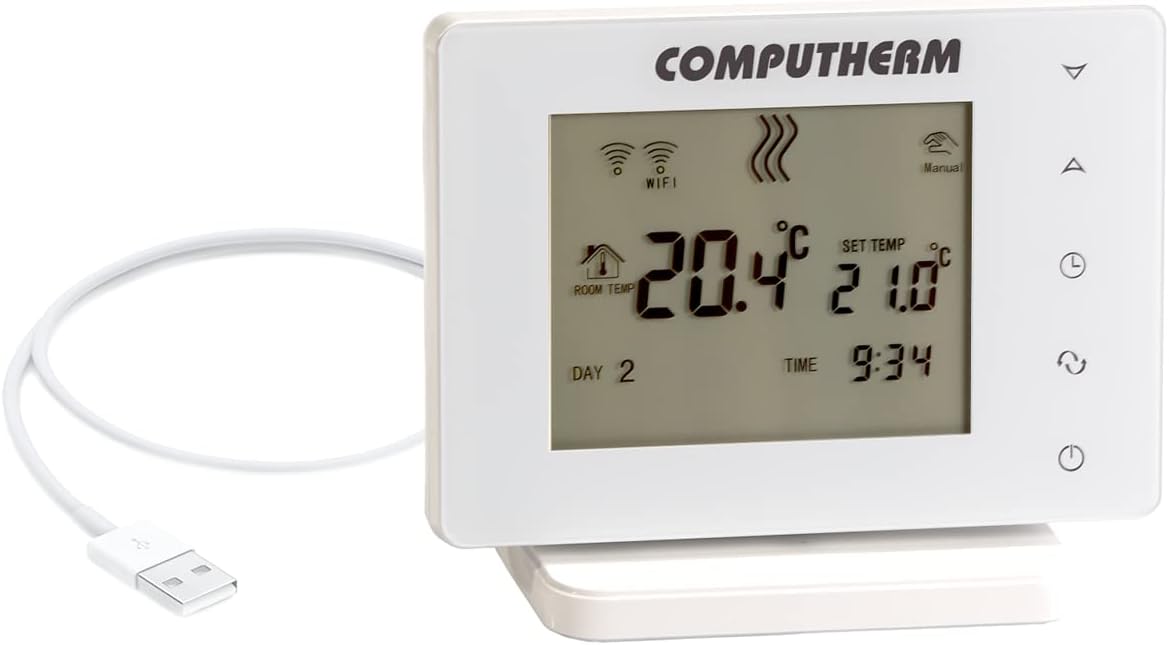
Carefully unpack all components from the box. Ensure you have the thermostat unit, receiver unit, a stand for the thermostat, and a USB-C cable for power.

5.2 Thermostat Placement and Power
- Assemble the thermostat with its stand.
- Place the thermostat in a central location within the heated/cooled area, away from direct sunlight, drafts, or heat sources that could affect temperature readings.
- Connect the thermostat to a power source using the provided USB-C cable and adapter.

5.3 Receiver Unit Wiring
The receiver unit must be wired to your heating or cooling system. This typically involves connecting to a two-wire control circuit of a boiler, air conditioner, or other electrical device. Ensure the power supply matches the system's requirements (24V or 230V). It is recommended that wiring be performed by a qualified electrician.
5.4 Initial Pairing and Wi-Fi Connection
The thermostat and receiver units are factory-paired. If re-pairing is necessary, refer to the detailed instructions in the full user manual. To enable Wi-Fi control, download the COMPUTHERM smartphone application and follow the in-app instructions to connect your thermostat to your home Wi-Fi network.
6. പ്രവർത്തന നിർദ്ദേശങ്ങൾ
6.1 താപനില ക്രമീകരണം
- Via Touch Buttons: Use the up/down arrow buttons on the thermostat to adjust the desired set temperature. The display will show both the current room temperature and the set temperature.
- Via Smartphone App: Open the COMPUTHERM app on your smartphone or tablet. Navigate to your E400RF thermostat and adjust the temperature using the digital controls provided in the application.
6.2 ഓപ്പറേറ്റിംഗ് മോഡുകൾ
- മാനുവൽ മോഡ്: The thermostat maintains the set temperature until manually changed.
- പ്രോഗ്രാം ചെയ്ത മോഡ്: Allows you to set a schedule for temperature changes throughout the day or week. Configure these programs through the smartphone application.
6.3 വിപുലമായ പ്രവർത്തനങ്ങൾ
- സെൻസർ കാലിബ്രേഷൻ: If you suspect the temperature reading is inaccurate, you can calibrate the sensor via the app or device settings.
- ഡിഫ്രോസ്റ്റ് പ്രവർത്തനം: This feature helps prevent pipes from freezing by activating heating if the temperature drops below a certain threshold.
- കീ ലോക്ക്: Activate the key lock to prevent accidental changes to settings, especially useful in households with children.
- മൾട്ടി-യൂസർ ആക്സസ്: Grant access to other family members or authorized users through the smartphone application.
7. പരിപാലനം
The COMPUTHERM E400RF thermostat requires minimal maintenance. To ensure optimal performance and longevity:
- വൃത്തിയാക്കൽ: Gently wipe the thermostat's display and casinമൃദുവായതും ഉണങ്ങിയതുമായ തുണി ഉപയോഗിച്ച് വൃത്തിയാക്കുക. അബ്രാസീവ് ക്ലീനറുകളോ ലായകങ്ങളോ ഉപയോഗിക്കുന്നത് ഒഴിവാക്കുക.
- പരിസ്ഥിതി: Ensure the thermostat is not exposed to extreme temperatures, high humidity, or direct water contact.
- ഫേംവെയർ അപ്ഡേറ്റുകൾ: Periodically check the smartphone application for any available firmware updates for your thermostat to ensure you have the latest features and bug fixes.
8. പ്രശ്നപരിഹാരം
If you encounter issues with your COMPUTHERM E400RF thermostat, consider the following troubleshooting steps:
- തെർമോസ്റ്റാറ്റിലേക്ക് വൈദ്യുതി ഇല്ല: Ensure the USB-C cable is securely connected to both the thermostat and a working power adapter. Check the power outlet.
- No Power to Receiver/HVAC System Not Responding: Verify that the receiver unit is properly wired and receiving power. Check the circuit breaker for your heating/cooling system.
- വൈഫൈ കണക്ഷൻ ഇല്ല: Confirm your home Wi-Fi network is active and the thermostat is within range. Try restarting your Wi-Fi router. Re-establish the Wi-Fi connection through the COMPUTHERM app if necessary.
- Temperature Discrepancy: If the displayed temperature does not match another thermometer, perform a sensor calibration as described in the operating instructions.
- Thermostat and Receiver Not Communicating: Although factory-paired, environmental interference can sometimes affect communication. Ensure both units are within range (approx. 250m in open air, less indoors) and free from major obstructions. If issues persist, consult the full manual for re-pairing instructions.
9. വാറൻ്റി വിവരങ്ങൾ
The COMPUTHERM E400RF thermostat typically comes with a 2 വർഷത്തെ വാറൻ്റി. Please retain your proof of purchase for warranty claims. For specific terms and conditions, refer to the warranty card included in your product packaging or contact the manufacturer/distributor.
സ്പെയർ പാർട്സുകളുടെ ലഭ്യത സംബന്ധിച്ച വിവരങ്ങൾ നിലവിൽ ലഭ്യമല്ല.
10. പിന്തുണ
For further assistance, technical support, or detailed inquiries, please contact the manufacturer, COMPUTHERM, or the distributor, Calorsol GmbH. Contact information can usually be found on the product packaging, the official COMPUTHERM website, or within the smartphone application.


