1. ഉൽപ്പന്നം കഴിഞ്ഞുview
The Roborock Q Revo is an advanced robot vacuum and mop designed to provide comprehensive floor cleaning. It features a multifunctional dock for automated maintenance, powerful suction, and intelligent navigation capabilities.
- Multifunctional Dock: Offers Auto Mop Washing, Hot Air Drying, Auto Tank Refilling, and Self-Emptying for up to 7 weeks of hands-free cleaning.
- Dual Spinning Mops: Operate at 200 RPM with consistent downward pressure to effectively remove stains.
- Auto Mop Lifting: Mops automatically lift by 7mm when vacuuming carpets or returning to the dock, preventing streaks.
- 5500Pa Extreme Suction: Delivers strong suction power to capture dust, dirt, and pet hair from various floor types.
- Reactive Tech Obstacle Avoidance: Detects and avoids potential hazards for a smooth cleaning experience.
- PreciSense LiDAR Navigation: Creates precise 3D maps for efficient cleaning routes and customization.

Figure 1: Roborock Q Revo Robot Vacuum and Mop with its multifunctional dock.
2. സജ്ജീകരണം
2.1 അൺബോക്സിംഗും പ്ലേസ്മെന്റും
Carefully remove all components from the packaging. Place the multifunctional dock on a hard, level surface against a wall, ensuring there is adequate clear space around it for the robot to maneuver (at least 0.5m on both sides and 1.5m in front).
2.2 പവർ കണക്ഷൻ
Connect the power cable to the dock and plug it into a wall outlet. Ensure the dock is powered on.
2.3 പ്രാരംഭ ചാർജിംഗ്
Place the robot vacuum onto the charging contacts of the dock. The robot will begin charging automatically. For first-time use, it is recommended to fully charge the robot before operation.
2.4 ആപ്പ് കണക്ഷൻ
- Download the Roborock App from your mobile device's app store.
- Open the app and follow the on-screen instructions to add your Roborock Q Revo. This typically involves connecting to the robot's temporary Wi-Fi network and then connecting it to your home Wi-Fi.
- കണക്റ്റ് ചെയ്തുകഴിഞ്ഞാൽ, നിങ്ങളുടെ വീടിന്റെ പ്രാരംഭ മാപ്പിംഗിലൂടെ ആപ്പ് നിങ്ങളെ നയിക്കും.

Figure 2: The multifunctional dock, central to the Roborock Q Revo's automated features.
3. Operating the Roborock Q Revo
3.1 ഒരു ക്ലീൻ ആരംഭിക്കൽ
നിങ്ങൾക്ക് പല തരത്തിൽ ഒരു ക്ലീനിംഗ് സൈക്കിൾ ആരംഭിക്കാൻ കഴിയും:
- Via Roborock App: Use the app to initiate a full clean, select specific rooms, or set up custom cleaning routines and schedules.
- ഉപകരണത്തിലെ ബട്ടൺ: Press the power button on the robot to start a full clean. Press again to pause.
- ശബ്ദ നിയന്ത്രണം: The Roborock Q Revo is compatible with Amazon Alexa, Google Home, and Siri Shortcuts. Use voice commands like "Alexa, tell Roborock clean my kitchen."
3.2 ക്ലീനിംഗ് മോഡുകളും സവിശേഷതകളും
The robot offers various cleaning modes and intelligent features:
- വാക്വമിംഗ്: The 5500Pa suction power effectively picks up dust, dirt, and pet hair. The all-rubber brush minimizes hair tangles.
- മോപ്പിംഗ്: Dual spinning mops provide thorough wet cleaning. You can adjust water flow levels via the app.
- Auto Mop Lifting: When the robot detects carpet, the mops automatically lift by 7mm to prevent wetting the carpet while vacuuming.
- Reactive Tech Obstacle Avoidance: The robot uses advanced sensors to detect and navigate around obstacles, reducing the need for pre-cleaning.
- PreciSense LiDAR Navigation & 3D Mapping: The robot creates accurate maps of your home, allowing for efficient navigation and personalized cleaning zones, including "No-Go Zones" and "No-Mop Zones." It supports multi-level mapping for homes with multiple floors.

Figure 3: The dual spinning mops effectively remove stains from hard floors.

Figure 4: The robot's mops automatically lift when transitioning to carpets.
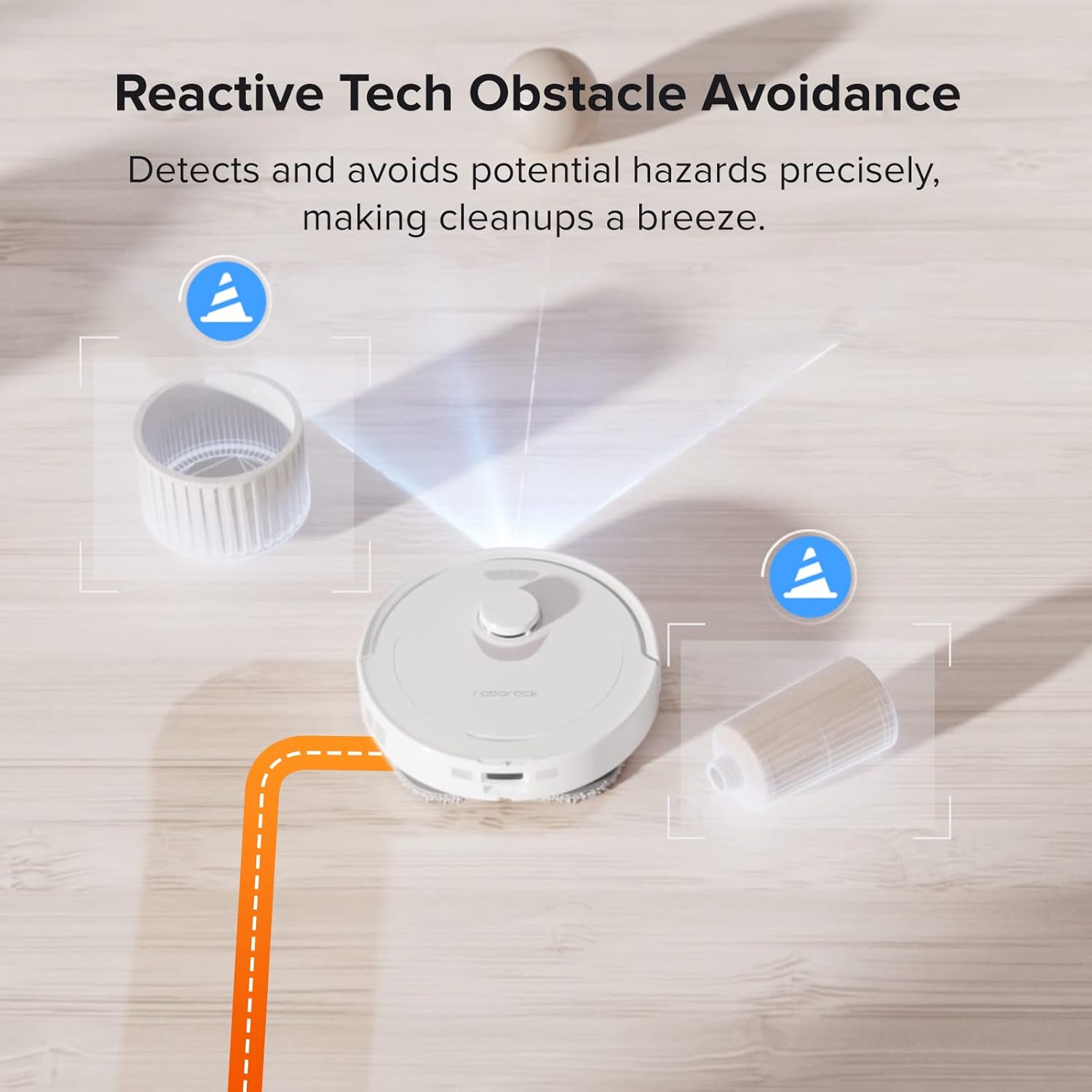
Figure 5: The robot detects and avoids obstacles with precision.
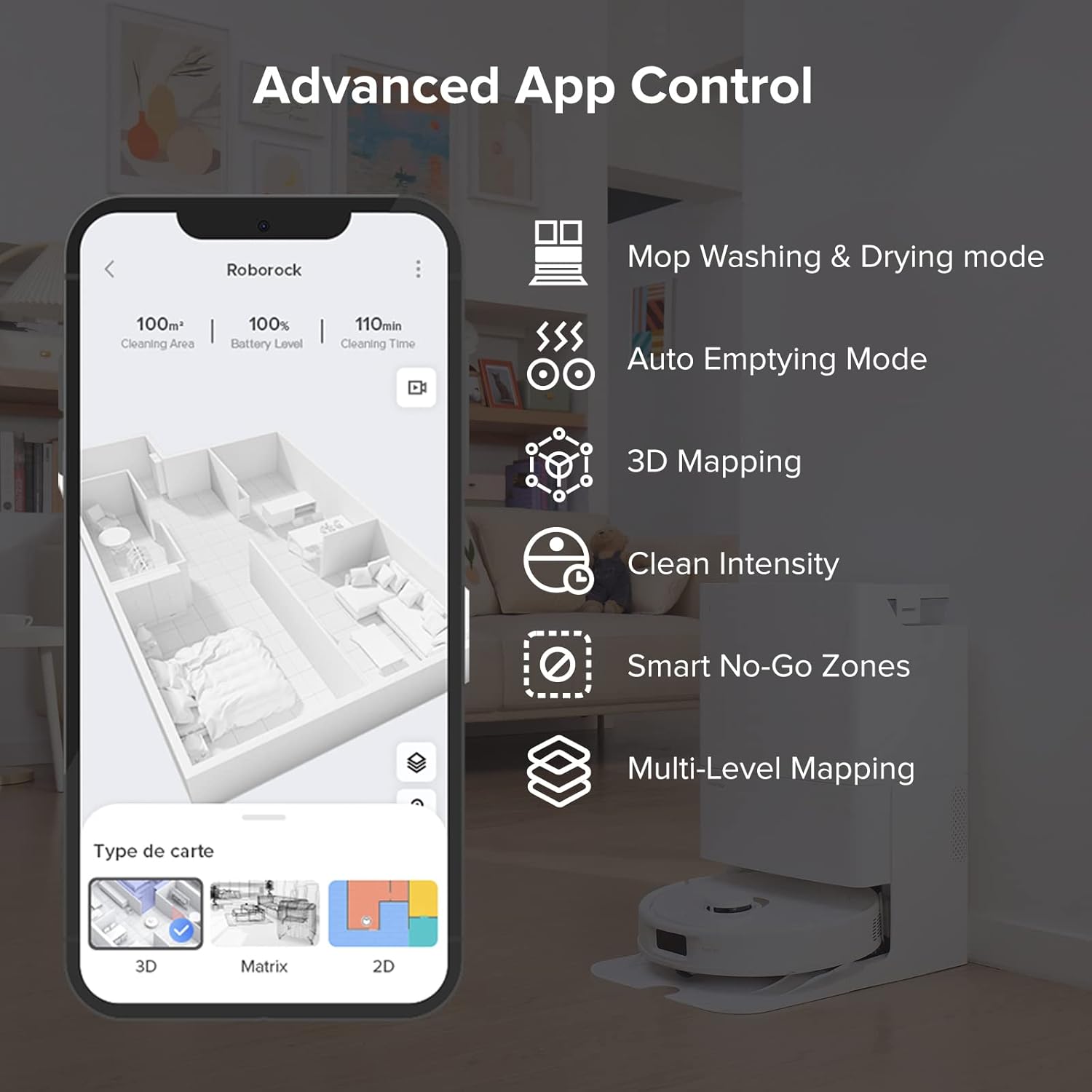
Figure 6: The Roborock app provides comprehensive control and mapping features.
3.3 ഔദ്യോഗിക ഉൽപ്പന്ന വീഡിയോ
Video 1: Roborock Q Revo - It's the simple things. This video demonstrates the ease of use and key features of the Roborock Q Revo robot vacuum and mop.
4. പരിപാലനം
Regular maintenance ensures optimal performance of your Roborock Q Revo. The multifunctional dock significantly reduces manual cleaning tasks.
4.1 Multifunctional Dock Maintenance
- ഓട്ടോ മോപ്പ് വാഷിംഗ്: The dock automatically washes the robot's mops during and after cleaning cycles.
- ചൂടുള്ള വായുവിൽ ഉണക്കൽ: After washing, the mops are dried with hot air to prevent mold and odors.
- സ്വയം ശൂന്യമാക്കൽ: The robot's dustbin is automatically emptied into a 2.7L dust bag in the dock, providing up to 7 weeks of hands-free dust disposal.
- സ്വയം വീണ്ടും നിറയ്ക്കൽ: The robot's water tank is automatically refilled from the dock's 5L clean water tank, extending mopping range.
- Detachable Dock Base: The base of the dock is easily detachable for convenient and thorough cleaning of the mop washing area.

Figure 7: The dock automatically washes the robot's mops.

Figure 8: Hot air drying prevents odors and keeps mops fresh.

Figure 9: The dock automatically empties the robot's dustbin.

Figure 10: The dock automatically refills the robot's water tank.

Figure 11: The detachable dock base allows for easy cleaning of the washing area.
4.2 റോബോട്ട് ഘടക വൃത്തിയാക്കൽ
- പ്രധാന ബ്രഷ്: Periodically remove and clean the main brush to remove tangled hair and debris. The all-rubber brush design helps minimize tangles.
- ഫിൽട്ടർ: The filter is washable. Clean it regularly to maintain suction performance. Ensure it is completely dry before re-inserting.
- സെൻസറുകൾ: Wipe the robot's sensors with a soft, dry cloth to ensure accurate navigation and obstacle avoidance.
5. പ്രശ്നപരിഹാരം
| പ്രശ്നം | സാധ്യമായ കാരണം | പരിഹാരം |
|---|---|---|
| Reduced emptying performance or unusual noise during emptying. | Main brush or main brush cover not properly installed. Filter, air duct, suction inlet, air inlet, dustbin, or dust bag is blocked. | Check and correct installation of the main brush/cover. Clean to remove blockages from the filter, air duct, suction inlet, air inlet, dustbin, or replace the dust bag. |
| Robot does not auto-empty after returning to dock. | Auto-emptying function not triggered if robot returns without cleaning. Robot is in Do Not Disturb (DND) mode. | Ensure the robot completes a cleaning cycle. Adjust cleaning or DND duration in the Roborock App, or start emptying manually via the app. |
| Robot gets stuck or avoids certain areas. | Obstacles in the path (cables, loose strands of carpet). "No-Go Zones" or "No-Mop Zones" configured. | Clear the area of small obstacles. Check and adjust "No-Go Zones" or "No-Mop Zones" in the app. Consider using furniture risers or carpet stickers for problematic areas. |
| Mop pads leave streaks or are not cleaning effectively. | Mop pads are dirty or worn. Insufficient water flow. | Ensure mop pads are clean and properly attached. Replace worn mop pads. Adjust water flow levels in the app. |
6 സ്പെസിഫിക്കേഷനുകൾ
| ഫീച്ചർ | വിശദാംശങ്ങൾ |
|---|---|
| ബ്രാൻഡ് | റോബോറോക്ക് |
| മോഡലിൻ്റെ പേര് | റോബോറോക്ക് ക്യൂ റെവോ |
| നിറം | വെള്ള |
| ഉൽപ്പന്ന അളവുകൾ | 19.2"L x 13.4"W x 22"H |
| ഉൾപ്പെടുത്തിയ ഘടകങ്ങൾ | Multifunctional Dock (1), Mop Cloth (2), Power Cable (1), Robot Vacuum (1), User Manual (1) |
| ഫിൽട്ടർ തരം | കഴുകാവുന്നത് |
| ബാറ്ററി ലൈഫ് | 180 മിനിറ്റ് |
| വാല്യംtage | 120 വോൾട്ട് |
| ശേഷി (വാട്ടർ ടാങ്ക്) | 5 ലിറ്റർ |
| പവർ ഉറവിടം | ബാറ്ററി പവർ |
| അനുയോജ്യമായ ഉപകരണങ്ങൾ | സ്മാർട്ട്ഫോണുകൾ, ആമസോൺ എക്കോ, ഗൂഗിൾ ഹോം |
| ഫോം ഫാക്ടർ | റോബോട്ടിക് |
| ഇനത്തിൻ്റെ ഭാരം | 27.3 പൗണ്ട് |
| നിർമ്മാതാവ് | റോബോറോക്ക് |
| ആദ്യം ലഭ്യമായ തീയതി | ഫെബ്രുവരി 15, 2023 |
7. വാറൻ്റിയും പിന്തുണയും
For detailed warranty information and technical support, please refer to the official Roborock website or contact Roborock customer service directly.
ഉപയോക്തൃ മാനുവലിന്റെ ഇലക്ട്രോണിക് പതിപ്പ് ഡൗൺലോഡ് ചെയ്യാൻ ലഭ്യമാണ്: ഉപയോക്തൃ മാനുവൽ (PDF) ഡൗൺലോഡ് ചെയ്യുക
For further assistance, you may contact the seller: Roborock Technology Co. Ltd.


