1. ആമുഖം
This manual provides detailed instructions for the setup, operation, and maintenance of your ORICO 5-Ports USB 3.0 Hub with SD/TF Card Reader. This device is designed to expand your computer's connectivity, offering high-speed data transfer and versatile port options.
2. ഉൽപ്പന്ന സവിശേഷതകൾ
- ഹൈ-സ്പീഡ് ഡാറ്റ ട്രാൻസ്ഫർ: Equipped with USB 3.0 ports, offering stable data transfer speeds up to 5 Gbps. It is backward compatible with USB 2.0 and 1.0 devices.
- Multi-Port Connectivity: Expands one USB port into three USB-A 3.0 ports and dedicated SD/TF card reader slots. All 5 ports can operate simultaneously without overheating.
- Integrated Card Reader: Features both SD and TF card slots, supporting various card types including Micro SD, Micro SDHC, Micro SDXC, SDHC, SDXC, RS-MMC, SD Card, and MMC Micro. Data transfer speeds up to 104 MB/s.
- ഒതുക്കമുള്ളതും ഉപയോക്തൃ-സൗഹൃദവുമായ ഡിസൈൻ: Slim and compact, designed to accommodate most flash drive sizes simultaneously without blocking adjacent ports. Includes a blue LED indicator for operational status.
- മെച്ചപ്പെടുത്തിയ സംരക്ഷണം: Built-in high-performance chip ensures device and data safety, supporting hot-swapping. Each port includes over-current protection against power surges.
- വിശാലമായ അനുയോജ്യത: Compatible with a broad range of devices and operating systems, including PCs, MacBooks, iMacs, Mac minis, XPS, Flash Drives, Xbox, PlayStation consoles, smartphones, tablets, and systems like Windows, Mac OS, Android, and Linux.
3. സജ്ജീകരണ ഗൈഡ്
The ORICO USB Hub is designed for plug-and-play functionality, requiring no additional drivers for most operating systems.
- ഹോസ്റ്റ് ഉപകരണത്തിലേക്ക് കണക്റ്റുചെയ്യുക: Insert the USB-A connector of the hub into an available USB-A port on your computer, laptop, or compatible device.
- പവർ സൂചകം: A blue LED light on the hub will illuminate, indicating that the device is powered on and ready for use.
- ഉപകരണ തിരിച്ചറിയൽ: Your operating system should automatically detect and configure the hub. You may receive a notification indicating that the device is ready.

Figure 1: ORICO USB 3.0 Hub connected to a laptop, illustrating its multiple ports in use.
4. പ്രവർത്തന നിർദ്ദേശങ്ങൾ
4.1 Using USB-A Ports
Connect your USB devices such as flash drives, external hard drives, keyboards, mice, printers, or other USB-compatible peripherals into any of the three available USB-A 3.0 ports. These ports support data transfer speeds up to 5 Gbps.
കുറിപ്പ്: The USB-A ports on this hub are primarily for data transfer and do not support charging functions for devices like smartphones or tablets.
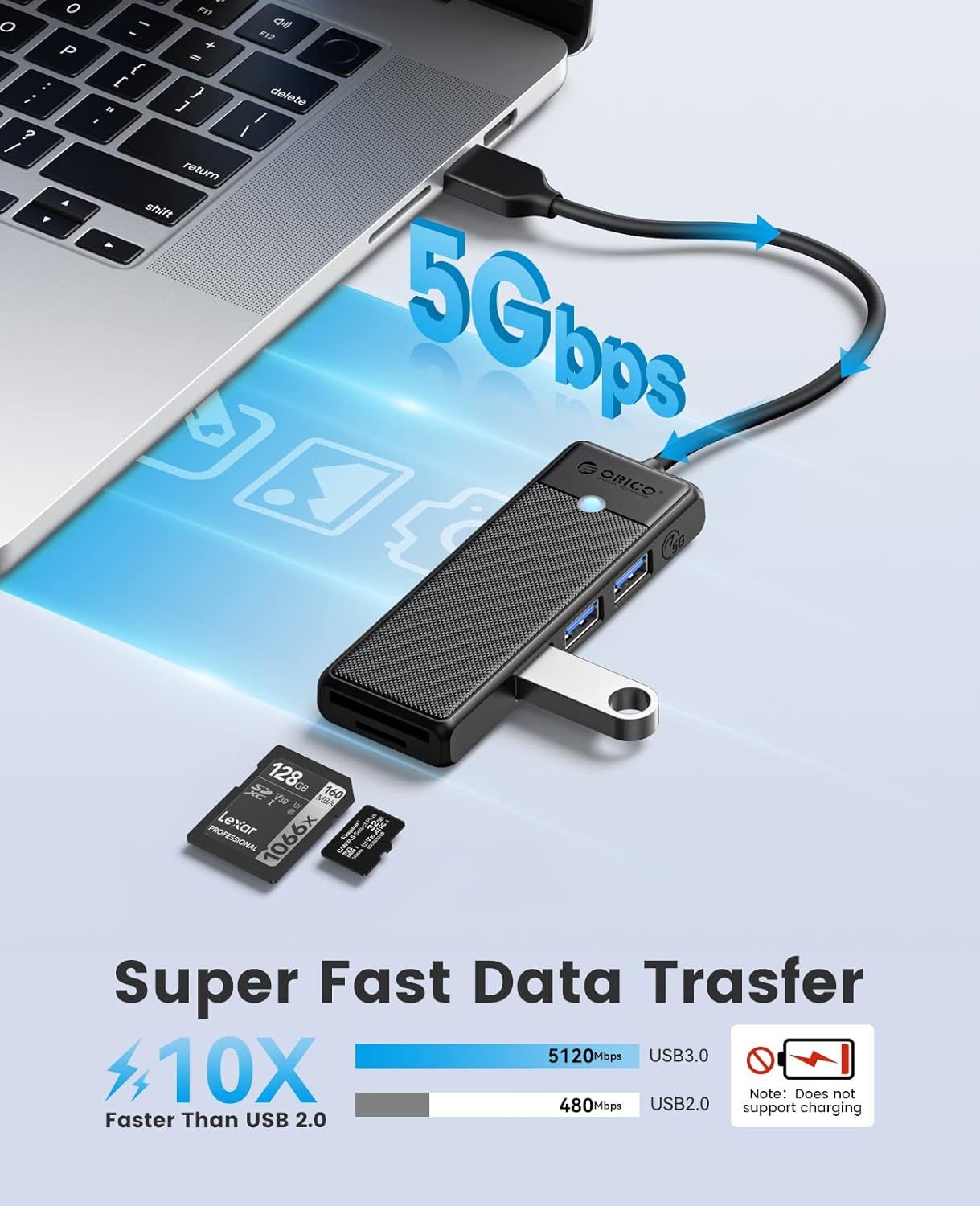
Figure 2: Illustration of the hub's 5Gbps data transfer capability.
4.2 Using SD/TF Card Reader
Insert your SD or TF (Micro SD) card into the corresponding slot on the hub. The card reader supports simultaneous use of both SD and TF cards for data access and transfer at speeds up to 104 MB/s.

Figure 3: Close-up of the SD and TF card slots on the hub.
OTG Functionality: For mobile phones, ensure your device supports OTG (On-The-Go) functionality to utilize the hub's features.
4.3 Plug & Play Operation
The hub is designed for immediate use upon connection. No complex installation or software is required. It also features anti-interference technology to ensure stable connections.

Figure 4: The hub in a typical usage scenario, emphasizing its ease of use.
5 സ്പെസിഫിക്കേഷനുകൾ
| ഫീച്ചർ | വിശദാംശങ്ങൾ |
|---|---|
| മോഡൽ നമ്പർ | USB-A-015 |
| ഉൽപ്പന്ന അളവുകൾ | 3.86 x 1.34 x 0.47 ഇഞ്ച് |
| ഇനത്തിൻ്റെ ഭാരം | 1.41 ഔൺസ് |
| ബ്രാൻഡ് | ഒറിക്കോ |
| നിറം | കറുപ്പ് |
| ഹാർഡ്വെയർ ഇന്റർഫേസ് | USB Type A (Host), USB Type A (Ports), SD, TF |
| പ്രത്യേക ഫീച്ചർ | ഡാറ്റാ കൈമാറ്റം, ഉയർന്ന വേഗത |
| അനുയോജ്യമായ ഉപകരണങ്ങൾ | Laptops, Smartphones, Tablets, PCs, MacBooks, iMacs, Mac minis, XPS, Flash Drives, Xbox, PlayStation consoles, Cameras |
| അനുയോജ്യമായ ഓപ്പറേറ്റിംഗ് സിസ്റ്റങ്ങൾ | വിൻഡോസ്, മാക് ഒഎസ്, ആൻഡ്രോയിഡ്, ലിനക്സ് |
| ഡാറ്റ ട്രാൻസ്ഫർ വേഗത | Up to 5 Gbps (USB 3.0), Up to 104 MB/s (SD/TF) |

ചിത്രം 5: ഓവർview of the hub's universal compatibility.
6. പരിപാലനം
- വൃത്തിയാക്കൽ: Use a soft, dry cloth to clean the exterior of the hub. Avoid using liquid cleaners or solvents.
- സംഭരണം: Store the hub in a cool, dry place away from direct sunlight and extreme temperatures when not in use.
- കൈകാര്യം ചെയ്യൽ: ഉപകരണം താഴെയിടുകയോ ശക്തമായ ആഘാതങ്ങൾക്ക് വിധേയമാക്കുകയോ ചെയ്യുന്നത് ഒഴിവാക്കുക, കാരണം ഇത് ആന്തരിക ഘടകങ്ങളെ തകരാറിലാക്കാം.
- കേബിൾ കെയർ: Do not bend or twist the cable excessively to prevent internal wire damage.
7. പ്രശ്നപരിഹാരം
- ഉപകരണം തിരിച്ചറിഞ്ഞിട്ടില്ല:
- Ensure the hub is securely plugged into a functioning USB port on your host device.
- Try connecting the hub to a different USB port on your device.
- നിങ്ങളുടെ കമ്പ്യൂട്ടർ അല്ലെങ്കിൽ ഹോസ്റ്റ് ഉപകരണം പുനരാരംഭിക്കുക.
- For mobile devices, verify that OTG functionality is enabled in your device settings.
- മന്ദഗതിയിലുള്ള ഡാറ്റ കൈമാറ്റം:
- Ensure you are using a USB 3.0 port on your host device for optimal speeds.
- Check if the connected USB device (e.g., flash drive, external HDD) is also USB 3.0 compatible.
- Avoid connecting too many power-hungry devices simultaneously, as this can affect performance.
- SD/TF Card Not Reading:
- Ensure the card is inserted correctly into the appropriate slot.
- Try using a different SD/TF card to rule out card issues.
- Check if the card is locked (read-only) and unlock it if necessary.
- LED ഇൻഡിക്കേറ്റർ ഓണല്ല:
- Verify that the hub is properly connected to a powered USB port.
- Try a different USB port or host device.
8. വാറൻ്റിയും പിന്തുണയും
For warranty information, technical support, or further assistance, please contact ORICO customer service directly or visit the official ORICO webസൈറ്റ്. വാറൻ്റി ക്ലെയിമുകൾക്കായി നിങ്ങളുടെ വാങ്ങൽ രസീത് സൂക്ഷിക്കുക.
നിർമ്മാതാവ്: ഒറിക്കോ ടെക്നോളജീസ് കമ്പനി ലിമിറ്റഡ്
ആദ്യം ലഭ്യമായ തീയതി: ഏപ്രിൽ 25, 2023
9. ഉൽപ്പന്ന വീഡിയോകൾ
ORICO USB 3.0 Hub with SD/TF Card Reader Overview
ഈ വീഡിയോ ഒരു സംക്ഷിപ്ത വിവരണം നൽകുന്നുview of the ORICO USB 3.0 Hub, highlighting its features including the three USB 3.0 ports and integrated SD/TF card reader. It demonstrates the compact design and ease of use.


