1. ആമുഖം
സ്മാർട്ട് ഹോം റോളർ ബ്ലൈൻഡ് ഓട്ടോമേഷനായി നിങ്ങളുടെ Coulisse ട്യൂബുലാർ ബ്ലൂടൂത്ത് 1.1 nm മോട്ടോറിന്റെ (CM-03) ഇൻസ്റ്റാളേഷൻ, പ്രവർത്തനം, പരിപാലനം എന്നിവയ്ക്കുള്ള വിശദമായ നിർദ്ദേശങ്ങൾ ഈ മാനുവൽ നൽകുന്നു. ഈ മോട്ടോർ 30-50mm ട്യൂബുകൾക്കൊപ്പം ഉപയോഗിക്കുന്നതിനായി രൂപകൽപ്പന ചെയ്തിരിക്കുന്നു, നിങ്ങളുടെ വിൻഡോ കവറുകൾ നിയന്ത്രിക്കുന്നതിന് തടസ്സമില്ലാത്തതും ബുദ്ധിപരവുമായ ഒരു പരിഹാരം വാഗ്ദാനം ചെയ്യുന്നു.
സ്മാർട്ട്ഫോൺ സജ്ജീകരണം, ടൈമർ പ്രോഗ്രാമിംഗ്, ഓപ്ഷണൽ സ്മാർട്ട് ഹോം ഇന്റഗ്രേഷൻ തുടങ്ങിയ സവിശേഷതകളോടെ മോഷൻബ്ലിൻഡ്സ് CM-03 മോട്ടോർ ഓട്ടോമേഷൻ ലളിതമാക്കുന്നു. മോട്ടോറിൽ പ്രാദേശികമായി ഡാറ്റ സംഭരിച്ചുകൊണ്ട് ലാളിത്യം, കേബിൾ രഹിത ഇൻസ്റ്റാളേഷൻ, ഉപയോക്തൃ സ്വകാര്യത എന്നിവയിൽ ശ്രദ്ധ കേന്ദ്രീകരിക്കുന്നതാണ് ഇതിന്റെ ഡിസൈൻ.

ചിത്രം 1.1: സ്പെസിഫിക്കേഷൻസ് ലേബലുള്ള കൂലിസ് ട്യൂബുലാർ ബ്ലൂടൂത്ത് മോട്ടോർ (CM-03).
2 സുരക്ഷാ വിവരങ്ങൾ
ഇൻസ്റ്റാളേഷനും പ്രവർത്തനത്തിനും മുമ്പ് എല്ലാ സുരക്ഷാ നിർദ്ദേശങ്ങളും ശ്രദ്ധാപൂർവ്വം വായിക്കുക. ഈ നിർദ്ദേശങ്ങൾ പാലിക്കുന്നതിൽ പരാജയപ്പെടുന്നത് ഉൽപ്പന്നത്തിന് പരിക്കോ കേടുപാടുകളോ ഉണ്ടാക്കാൻ കാരണമായേക്കാം.
- ഏതെങ്കിലും ഇൻസ്റ്റാളേഷനോ അറ്റകുറ്റപ്പണികളോ നടത്തുന്നതിന് മുമ്പ് വൈദ്യുതി വിതരണം വിച്ഛേദിക്കപ്പെട്ടുവെന്ന് ഉറപ്പാക്കുക.
- മോട്ടോർ ഈർപ്പത്തിനോ ഉയർന്ന താപനിലയ്ക്കോ വിധേയമാക്കരുത്.
- കുട്ടികളെയും വളർത്തുമൃഗങ്ങളെയും ചലിക്കുന്ന ബ്ലൈൻഡുകളിൽ നിന്ന് അകറ്റി നിർത്തുക.
- നിർമ്മാതാവ് വ്യക്തമാക്കിയ ആക്സസറികളും ഭാഗങ്ങളും മാത്രം ഉപയോഗിക്കുക.
- പവർ കേബിളിന് കേടുപാടുകൾ സംഭവിച്ചാൽ, അപകടം ഒഴിവാക്കാൻ നിർമ്മാതാവ്, അതിന്റെ സേവന ഏജന്റ് അല്ലെങ്കിൽ സമാനമായ യോഗ്യതയുള്ള വ്യക്തികൾ അത് മാറ്റിസ്ഥാപിക്കേണ്ടതാണ്.
3. ഉൽപ്പന്ന ഘടകങ്ങൾ
CM-03 മോട്ടോർ സിസ്റ്റത്തിൽ ട്യൂബുലാർ മോട്ടോറും റോളർ ബ്ലൈൻഡ് ട്യൂബുകളിൽ ഇൻസ്റ്റാൾ ചെയ്യുന്നതിനുള്ള വിവിധ ആക്സസറികളും ഉൾപ്പെടുന്നു. ഇൻസ്റ്റാളേഷൻ ആരംഭിക്കുന്നതിന് മുമ്പ് എല്ലാ ഘടകങ്ങളും നിലവിലുണ്ടെന്ന് ദയവായി പരിശോധിക്കുക.

ചിത്രം 3.1: കഴിഞ്ഞുview CM-03 മോട്ടോറിന്റെയും അനുബന്ധ ഘടകങ്ങളുടെയും/ആക്സസറികളുടെയും.
പ്രധാന ഘടകങ്ങളും അനുബന്ധ ഉപകരണങ്ങളും ഉൾപ്പെട്ടേക്കാം:
- CM-03 ട്യൂബുലാർ മോട്ടോർ
- ഡ്രൈവ് പ്ലഗ് (ഉദാ. 38mm DC മോട്ടോറിനുള്ള RC3083-ABC)
- ക്രൗൺ അഡാപ്റ്റർ (ഉദാ. 25-38mm-ന് RC3084-ABC)
- USB-C ചാർജിംഗ് കേബിൾ (CM-41)
- പുൾ കോർഡ് കണക്റ്റർ (CM-37-TR)
- സെറ്റപ്പ്-കോഡ് ടാസൽ കവർ (PU06-*)
നിർദ്ദിഷ്ട അഡാപ്റ്ററുകളും പ്ലഗുകളും നിങ്ങളുടെ റോളർ ബ്ലൈൻഡ് ട്യൂബ് വ്യാസത്തെ (30-50 മിമി) ആശ്രയിച്ചിരിക്കും.
4. സജ്ജീകരണവും ഇൻസ്റ്റാളേഷനും
MotionBlinds CM-03 മോട്ടോർ വേഗത്തിലും എളുപ്പത്തിലും സജ്ജീകരിക്കുന്നതിനായി രൂപകൽപ്പന ചെയ്തിരിക്കുന്നു. ഇൻസ്റ്റാളേഷനും പ്രാരംഭ കോൺഫിഗറേഷനും ഈ ഘട്ടങ്ങൾ പാലിക്കുക.
4.1 മെക്കാനിക്കൽ ഇൻസ്റ്റലേഷൻ
- റോളർ ബ്ലൈൻഡ് ട്യൂബിലേക്ക് മോട്ടോർ തിരുകുക, അത് ഉചിതമായ ഡ്രൈവ് പ്ലഗിലും ക്രൗൺ അഡാപ്റ്ററിലും സുരക്ഷിതമായി യോജിക്കുന്നുവെന്ന് ഉറപ്പാക്കുക.
- നിങ്ങളുടെ ബ്ലൈൻഡ് സിസ്റ്റത്തിന്റെ നിർദ്ദേശങ്ങൾക്കനുസരിച്ച് റോളർ ബ്ലൈൻഡ് അസംബ്ലി നിങ്ങളുടെ വിൻഡോ ഫ്രെയിമിലേക്കോ ആവശ്യമുള്ള സ്ഥലത്തേക്കോ മൌണ്ട് ചെയ്യുക.

ചിത്രം 4.1: ഒരു ബ്ലൈൻഡ് ട്യൂബിനുള്ളിലെ ട്യൂബുലാർ മോട്ടോർ ചിത്രീകരിക്കുന്ന ഡയഗ്രം.
4.2 സ്മാർട്ട്ഫോൺ കോൺഫിഗറേഷൻ (ബ്ലൂടൂത്ത്)
MotionBlinds Bluetooth ആപ്പ് ഉപയോഗിച്ച് നിങ്ങളുടെ Bluetooth മോട്ടോറൈസ്ഡ് വിൻഡോ കവറിംഗ് കോൺഫിഗർ ചെയ്യാൻ ഒരു മിനിറ്റ് മതി.
- നിങ്ങളുടെ സ്മാർട്ട്ഫോണിന്റെ ആപ്പ് സ്റ്റോറിൽ നിന്ന് MotionBlinds Bluetooth ആപ്പ് ഡൗൺലോഡ് ചെയ്യുക.
- ആപ്പ് തുറന്ന് ഓൺ-സ്ക്രീൻ നിർദ്ദേശങ്ങൾ പാലിക്കുക.
- മോട്ടോറിലോ അതിന്റെ പാക്കേജിംഗിലോ ഉള്ള സജ്ജീകരണ കോഡ് സ്കാൻ ചെയ്യുക.
- മോട്ടോർ ജോടിയാക്കുന്നതിനും നിങ്ങളുടെ ബ്ലൈന്റിന്റെ മുകളിലും താഴെയുമുള്ള പരിധികൾ സജ്ജമാക്കുന്നതിനും ആപ്പിലെ കുറച്ച് എളുപ്പ ഘട്ടങ്ങൾ പൂർത്തിയാക്കുക.

ചിത്രം 4.2: സജ്ജീകരണത്തിനായി MotionBlinds Bluetooth ആപ്പ് ഉപയോഗിക്കുന്നു.
കൂടുതൽ വിവരങ്ങൾക്കും സജ്ജീകരണ ഗൈഡുകൾക്കും, നിങ്ങൾക്ക് ഔദ്യോഗിക MotionBlinds ഉറവിടങ്ങൾ സന്ദർശിക്കാം, ഉദാഹരണത്തിന് https://rtube.nl/red1917.
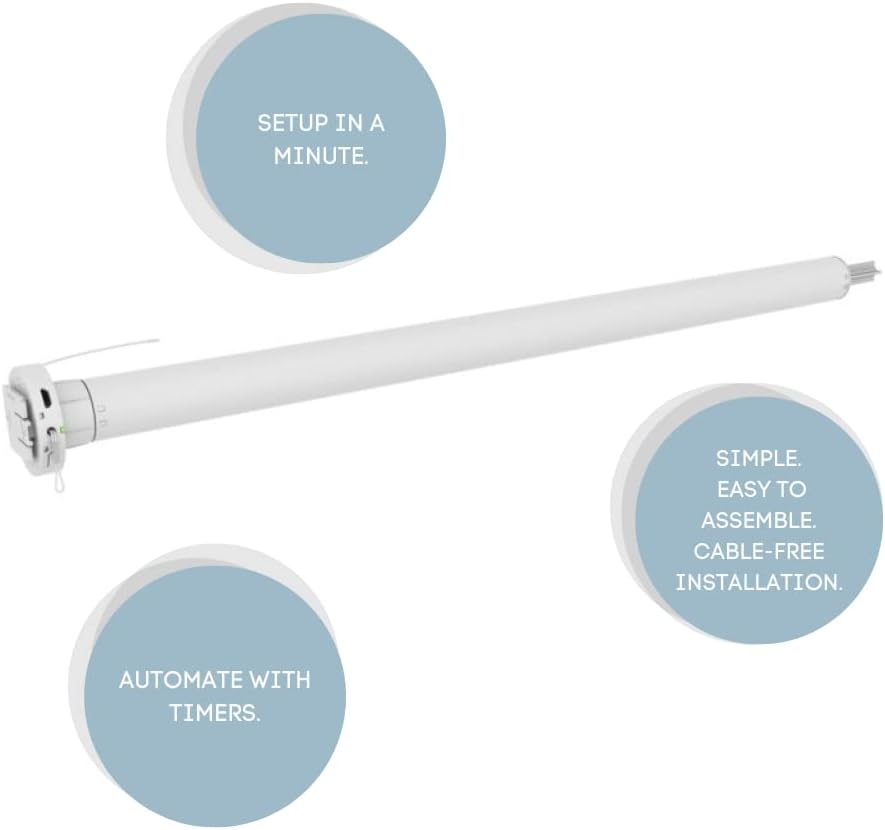
ചിത്രം 4.3: കീ സജ്ജീകരണ സവിശേഷതകളുടെ ദൃശ്യ പ്രാതിനിധ്യം: ഒരു മിനിറ്റിനുള്ളിൽ സജ്ജീകരണം, ടൈമറുകൾ ഉപയോഗിച്ച് ഓട്ടോമേറ്റ് ചെയ്യുക, ലളിതമായ അസംബ്ലി, കേബിൾ രഹിത ഇൻസ്റ്റാളേഷൻ.
5. മോട്ടോർ പ്രവർത്തിപ്പിക്കൽ
സജ്ജീകരിച്ചുകഴിഞ്ഞാൽ, നിങ്ങളുടെ MotionBlinds CM-03 മോട്ടോർ MotionBlinds ബ്ലൂടൂത്ത് ആപ്പ് വഴി നിയന്ത്രിക്കാനോ സ്മാർട്ട് ഹോം സിസ്റ്റങ്ങളിൽ സംയോജിപ്പിക്കാനോ കഴിയും.
5.1 ആപ്പ് നിയന്ത്രണം
നിങ്ങളുടെ ബ്ലൈന്റുകൾ സ്വമേധയാ നിയന്ത്രിക്കാനും (തുറക്കുക, അടയ്ക്കുക, നിർത്തുക) ഇന്റർമീഡിയറ്റ് പൊസിഷനുകൾ സജ്ജമാക്കാനും MotionBlinds Bluetooth ആപ്പ് ഉപയോഗിക്കുക.
5.2 ടൈമറുകൾ ഉപയോഗിച്ച് ഓട്ടോമേറ്റ് ചെയ്യുക
ആപ്പ് വഴി മോട്ടോറിലേക്ക് ടൈമറുകൾ പ്രോഗ്രാം ചെയ്യുന്നത് ബ്ലൈൻഡുകളെ ഓട്ടോപൈലറ്റിൽ വയ്ക്കുന്നത് എളുപ്പമാക്കുന്നു. ഷെഡ്യൂൾ ചെയ്ത സമയങ്ങളിൽ, ബ്ലൈൻഡുകൾ സ്വാഭാവികമായും അവയുടെ മുൻകൂട്ടി നിശ്ചയിച്ച സ്ഥാനങ്ങളിലേക്ക് നീങ്ങുന്നു. ഉപയോക്തൃ സ്വകാര്യത സംരക്ഷിക്കുന്നതിനായി എല്ലാ ഡാറ്റയും ഇന്റലിജൻസും ക്ലൗഡിൽ സംഭരിക്കുന്നതിനു പകരം മോട്ടോറിൽ പ്രാദേശികമായി സംഭരിക്കുന്നു.
5.3 സ്മാർട്ട് ഹോം കണക്റ്റിവിറ്റി (ഓപ്ഷണൽ)
ഗൂഗിൾ ഹോം, ആമസോൺ അലക്സ തുടങ്ങിയ സ്മാർട്ട് ഹോം സിസ്റ്റങ്ങളുമായി നിങ്ങളുടെ ബ്ലൈന്റുകൾ സംയോജിപ്പിക്കുന്നതിന്, നിങ്ങൾക്ക് മോഷൻബ്ലൈൻഡ്സ് വൈ-ഫൈ ബ്രിഡ്ജ് ഇൻസ്റ്റാൾ ചെയ്യാൻ കഴിയും (പ്രത്യേകം വിൽക്കുന്നു). നിങ്ങളുടെ സ്മാർട്ട് ഹോം ഇക്കോസിസ്റ്റത്തിനുള്ളിൽ വോയ്സ് നിയന്ത്രണവും വിപുലമായ ഓട്ടോമേഷൻ സാഹചര്യങ്ങളും ഈ ബ്രിഡ്ജ് അനുവദിക്കുന്നു.

ചിത്രം 5.1: ജനാല കവറുകളിൽ സ്മാർട്ട് ടെക്നോളജി സംയോജനം പ്രദർശിപ്പിക്കുന്നു.
6. പരിപാലനം
Coulisse ട്യൂബുലാർ ബ്ലൂടൂത്ത് മോട്ടോറിന് (CM-03) ദീർഘകാല പ്രകടനം ഉറപ്പാക്കാൻ കുറഞ്ഞ അറ്റകുറ്റപ്പണികൾ ആവശ്യമാണ്.
- വൃത്തിയാക്കൽ: മോട്ടോർ തുടയ്ക്കുക casinഉണങ്ങിയതും മൃദുവായതുമായ തുണി ഉപയോഗിച്ച് വൃത്തിയാക്കുക. അബ്രാസീവ് ക്ലീനറുകളോ ലായകങ്ങളോ ഉപയോഗിക്കരുത്.
- ബാറ്ററി ചാർജിംഗ്: മോട്ടോർ ബാറ്ററിയിൽ പ്രവർത്തിക്കുന്നതാണ്. ബാറ്ററി ഇൻഡിക്കേറ്റർ (ലഭ്യമെങ്കിൽ) കുറഞ്ഞ പവർ സൂചിപ്പിക്കുമ്പോഴോ പ്രകടനം കുറയുമ്പോഴോ നൽകിയിരിക്കുന്ന USB-C കേബിൾ ഉപയോഗിച്ച് മോട്ടോർ റീചാർജ് ചെയ്യുക. പ്രവർത്തനത്തിന് ഏകദേശം 12 മിനിറ്റ് ചാർജ് ചെയ്യണം.
- ഫേംവെയർ അപ്ഡേറ്റുകൾ: ഒപ്റ്റിമൽ പ്രകടനവും പുതിയ സവിശേഷതകളിലേക്കുള്ള ആക്സസും ഉറപ്പാക്കാൻ, നിങ്ങളുടെ മോട്ടോറിനായി ലഭ്യമായ ഏതെങ്കിലും ഫേംവെയർ അപ്ഡേറ്റുകൾക്കായി MotionBlinds Bluetooth ആപ്പ് ഇടയ്ക്കിടെ പരിശോധിക്കുക.
7. പ്രശ്നപരിഹാരം
നിങ്ങളുടെ CM-03 മോട്ടോറിൽ പ്രശ്നങ്ങൾ നേരിടുകയാണെങ്കിൽ, ഇനിപ്പറയുന്ന പൊതുവായ പ്രശ്നങ്ങളും പരിഹാരങ്ങളും പരിശോധിക്കുക:
| പ്രശ്നം | സാധ്യമായ കാരണം | പരിഹാരം |
|---|---|---|
| മോട്ടോർ പ്രതികരിക്കുന്നില്ല | ബാറ്ററി കുറവാണ്; ബ്ലൂടൂത്ത് കണക്ഷൻ പ്രശ്നം; മോട്ടോർ ജോടിയാക്കിയിട്ടില്ല. | മോട്ടോർ ചാർജ് ചെയ്യുക; നിങ്ങളുടെ ഉപകരണത്തിൽ ബ്ലൂടൂത്ത് പ്രവർത്തനക്ഷമമാക്കിയിട്ടുണ്ടെന്നും മോട്ടോർ പരിധിക്കുള്ളിലാണെന്നും ഉറപ്പാക്കുക; ആപ്പ് വഴി മോട്ടോർ വീണ്ടും പെയർ ചെയ്യുക. |
| അന്ധൻ ശരിയായ പരിധികളിലേക്ക് നീങ്ങുന്നില്ല. | പരിധികൾ ശരിയായി സജ്ജീകരിച്ചിട്ടില്ല. | MotionBlinds ആപ്പ് ഉപയോഗിച്ച് മുകളിലെയും താഴെയുമുള്ള പരിധികൾ വീണ്ടും കാലിബ്രേറ്റ് ചെയ്യുക. |
| സ്മാർട്ട് ഹോം സിസ്റ്റവുമായി ബന്ധിപ്പിക്കുന്നതിൽ ബുദ്ധിമുട്ട് | വൈഫൈ ബ്രിഡ്ജ് സജ്ജീകരിച്ചിട്ടില്ല അല്ലെങ്കിൽ കണക്റ്റുചെയ്തിട്ടില്ല; നെറ്റ്വർക്ക് പ്രശ്നങ്ങൾ. | MotionBlinds വൈ-ഫൈ ബ്രിഡ്ജ് ശരിയായി ഇൻസ്റ്റാൾ ചെയ്തിട്ടുണ്ടെന്നും നിങ്ങളുടെ നെറ്റ്വർക്കിലേക്ക് കണക്റ്റ് ചെയ്തിട്ടുണ്ടെന്നും ഉറപ്പാക്കുക; നിങ്ങളുടെ വീട്ടിലെ വൈ-ഫൈ കണക്ഷൻ പരിശോധിക്കുക. |
| മോട്ടോർ അസാധാരണമായ ശബ്ദം പുറപ്പെടുവിക്കുന്നു | ബ്ലൈൻഡ് മെക്കാനിസത്തിൽ തടസ്സം; മോട്ടോർ തകരാറ്. | ബ്ലൈന്റിന്റെ പാതയിൽ എന്തെങ്കിലും തടസ്സങ്ങൾ ഉണ്ടോയെന്ന് പരിശോധിക്കുക; ശബ്ദം തുടരുകയാണെങ്കിൽ, ഉപഭോക്തൃ പിന്തുണയുമായി ബന്ധപ്പെടുക. |
8 സ്പെസിഫിക്കേഷനുകൾ
Coulisse ട്യൂബുലാർ ബ്ലൂടൂത്ത് മോട്ടോറിന്റെ (CM-03) വിശദമായ സാങ്കേതിക സവിശേഷതകൾ:
| ഫീച്ചർ | സ്പെസിഫിക്കേഷൻ |
|---|---|
| മോഡൽ നമ്പർ | CM-03 |
| സാങ്കേതികവിദ്യ | ബ്ലൂടൂത്ത്, 433 മെഗാഹെട്സ് |
| ഇൻപുട്ട് | യുഎസ്ബി-സി 5V, 1.00A, 12W |
| ടോർക്ക് | 1.1 എൻഎം |
| വേഗത | 28 ആർപിഎം |
| പ്രവർത്തന സമയം | 12 മിനിറ്റ് |
| മോട്ടോർ വ്യാസം | 25 മി.മീ |
| മോട്ടോർ നീളം | 580 മി.മീ |
| കുറഞ്ഞ ബ്ലൈൻഡ് വീതി | 635 മി.മീ |
| ട്യൂബ് അനുയോജ്യത | 30-50 മിമി (പ്രത്യേകിച്ച് 38-42-50 മിമി) |
| ഏകദേശം ബ്ലൈൻഡ് വലുപ്പം (സെ.മീ) | 280x250 |
| ബാറ്ററി ശേഷി | 28.08Wh 2600mAh (10.8V) |
| ചാർജിംഗ് ലൈഫ് സൈക്കിൾ | 350 |
| ചാർജിംഗ് സമയം | 12 മാസം |
| ഉൽപ്പന്ന അളവുകൾ | 22.5 x 2 x 2 ഇഞ്ച് |
| ഇനത്തിൻ്റെ ഭാരം | 1.5 പൗണ്ട് |
| മെറ്റീരിയൽ | സ്റ്റെയിൻലെസ്സ് സ്റ്റീൽ |
| നിർമ്മാതാവ് | കൂലിസ് |
| ASIN | B0BWSG56PR-ന്റെ വിവരണം |
| യു.പി.സി | 655457587941 |

ചിത്രം 8.1: ഇൻപുട്ട്, ടോർക്ക്, വേഗത, പ്രവർത്തന സമയം എന്നിവ കാണിക്കുന്ന മോട്ടോറിന്റെ ലേബലിന്റെ ക്ലോസ്-അപ്പ്.
9. വാറൻ്റിയും പിന്തുണയും
വാറന്റി വിവരങ്ങൾക്കും സാങ്കേതിക പിന്തുണയ്ക്കും, ദയവായി MotionBlinds ഉപഭോക്തൃ സേവനവുമായി ബന്ധപ്പെടുക അല്ലെങ്കിൽ ഔദ്യോഗിക Coulisse-നെ ബന്ധപ്പെടുക. webസൈറ്റ്. വാങ്ങിയതിന്റെ തെളിവായി നിങ്ങളുടെ വാങ്ങൽ രസീത് സൂക്ഷിക്കുക.
നിർമ്മാതാവ്: കൂലിസ് ബിവി, വോണ്ടർവെഗ് 48, 7468 ഡിസി എന്റർ, നെതർലാൻഡ്സ്.


