Comprehensive guide for setting up, operating, maintaining, and troubleshooting your Hot Pepper Android 12 Tablet (Model DT40).
1. സജ്ജീകരണം
1.1 അൺബോക്സിംഗും പ്രാരംഭ പരിശോധനയും
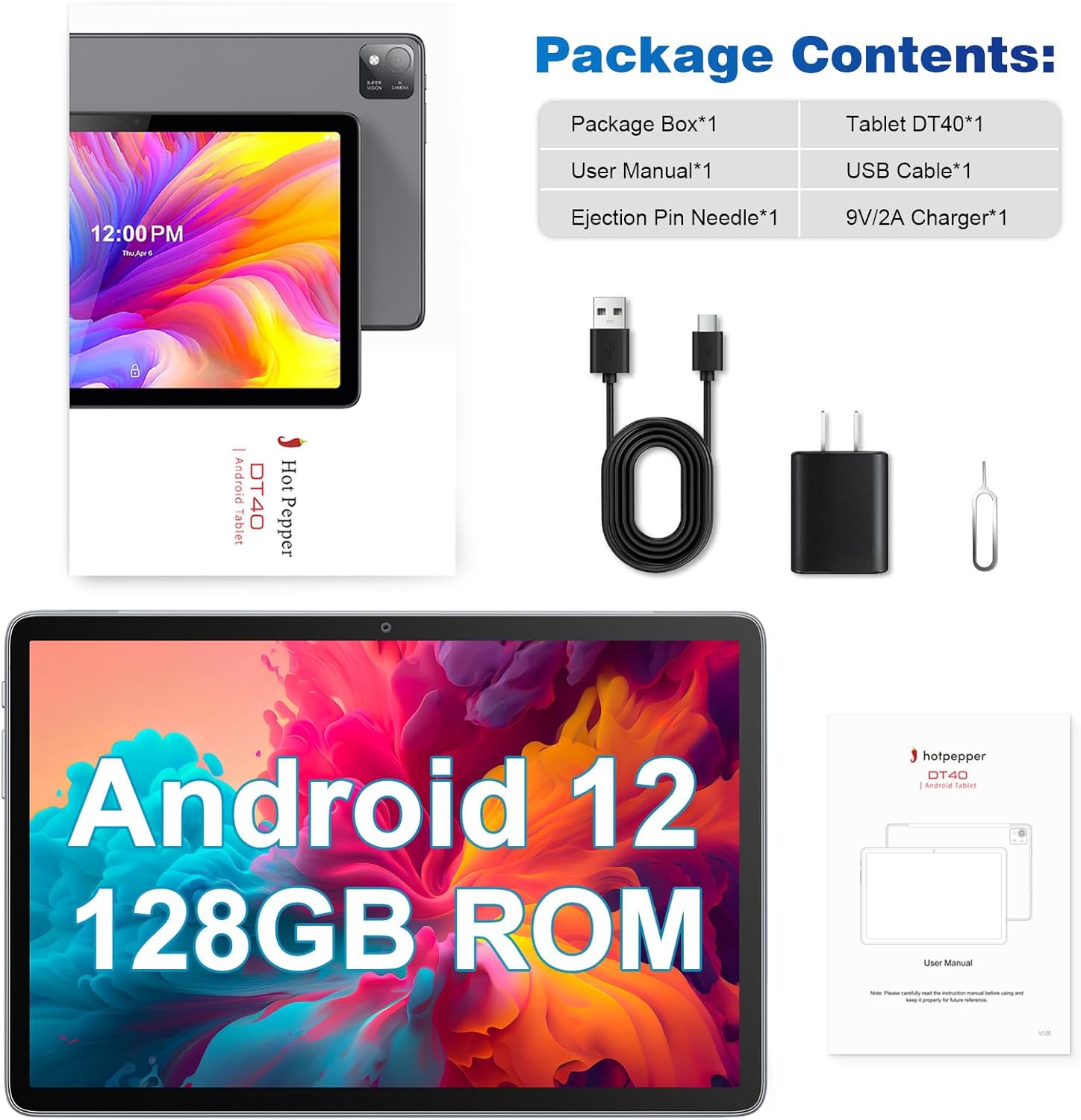
Upon receiving your Hot Pepper Android 12 Tablet, carefully unbox the package and inspect its contents. Ensure all items listed below are present and in good condition.
പാക്കേജ് ഉള്ളടക്കം:
1x പാക്കേജ് ബോക്സ്
1x Tablet DT40
1x USB കേബിൾ
1x ചാർജർ
1x User Manual & Ejection Pin Needle
Figure 1: Contents of the Hot Pepper DT40 Tablet package.
The tablet comes with a protective film on the screen. You may remove this film before use for optimal viewവ്യക്തത.
Video 1: Unboxing and initial boot-up of the Hot Pepper Android 12 Tablet, demonstrating the removal of the protective film and the tablet's first power-on sequence.
1.2 പവറിംഗ് ഓണും പ്രാരംഭ കോൺഫിഗറേഷനും
To power on your tablet, press and hold the power button located on the side until the Hot Pepper logo appears on the screen. Follow the on-screen prompts to complete the initial setup, including language selection, Wi-Fi connection, and Google account sign-in.
Video 2: Demonstration of the tablet's boot sequence and initial setup steps, including navigating the Android 12 interface.
The tablet runs on Android 12, offering enhanced privacy features and a user-friendly interface. You can customize settings and download applications from the Google Play Store after completing the initial setup.
2. നിങ്ങളുടെ ടാബ്ലെറ്റ് പ്രവർത്തിപ്പിക്കൽ
2.1 പ്രകടനവും സംഭരണവും
The Hot Pepper Android 12 Tablet is equipped with an Octa-Core 2.0Ghz MT8183 processor and 6GB RAM, ensuring smooth multitasking and a responsive user experience. It comes with 128GB of internal storage, which can be expanded up to 1TB using a memory card (TF card), providing ampനിങ്ങളുടെ ഇടം fileകൾ, ആപ്ലിക്കേഷനുകൾ, മീഡിയ എന്നിവ.
Figure 2: High-performance CPU and memory configuration for efficient operation.
Figure 3: Storage capacity and expansion options for the tablet.
2.2 ഡിസ്പ്ലേയും ഓഡിയോയും
The tablet features a 10.1-inch IPS display with a resolution of 1920x1200 pixels, offering a comfortable 16:10 screen ratio ideal for watching videos and browsing. The dual stereo speakers provide clear and bright sound for an immersive audio experience.
Figure 4: Key features of the tablet's display and audio system.
Figure 5: The tablet's high-resolution display provides clear visuals.
2.3 ക്യാമറ സവിശേഷതകൾ
Capture your moments with the tablet's 13MP rear camera, which includes a flash for improved low-light photography. The 8MP front camera is ideal for high-quality video calls and selfies.
Figure 6: Tablet camera features for capturing photos and video calls.
2.4 കണക്റ്റിവിറ്റിയും നാവിഗേഷനും
The tablet supports AC dual-band high-speed Wi-Fi (2.4G/5G) for faster and more reliable internet connectivity. It also features GPS, allowing you to use navigation applications like Google Maps, even offline if maps are downloaded.
Video 3: Demonstration of the tablet's GPS functionality for navigation.
2.5 ബാറ്ററി ലൈഫ്
Equipped with a 7,000 mAh rechargeable battery, the tablet provides extended usage for work, learning, and entertainment. It offers approximately 7-8 hours of average battery life, suitable for prolonged use.
ചിത്രം 7: ഓവർview of the tablet's large capacity battery and connectivity features.
2.6 പ്രത്യേക സവിശേഷതകൾ
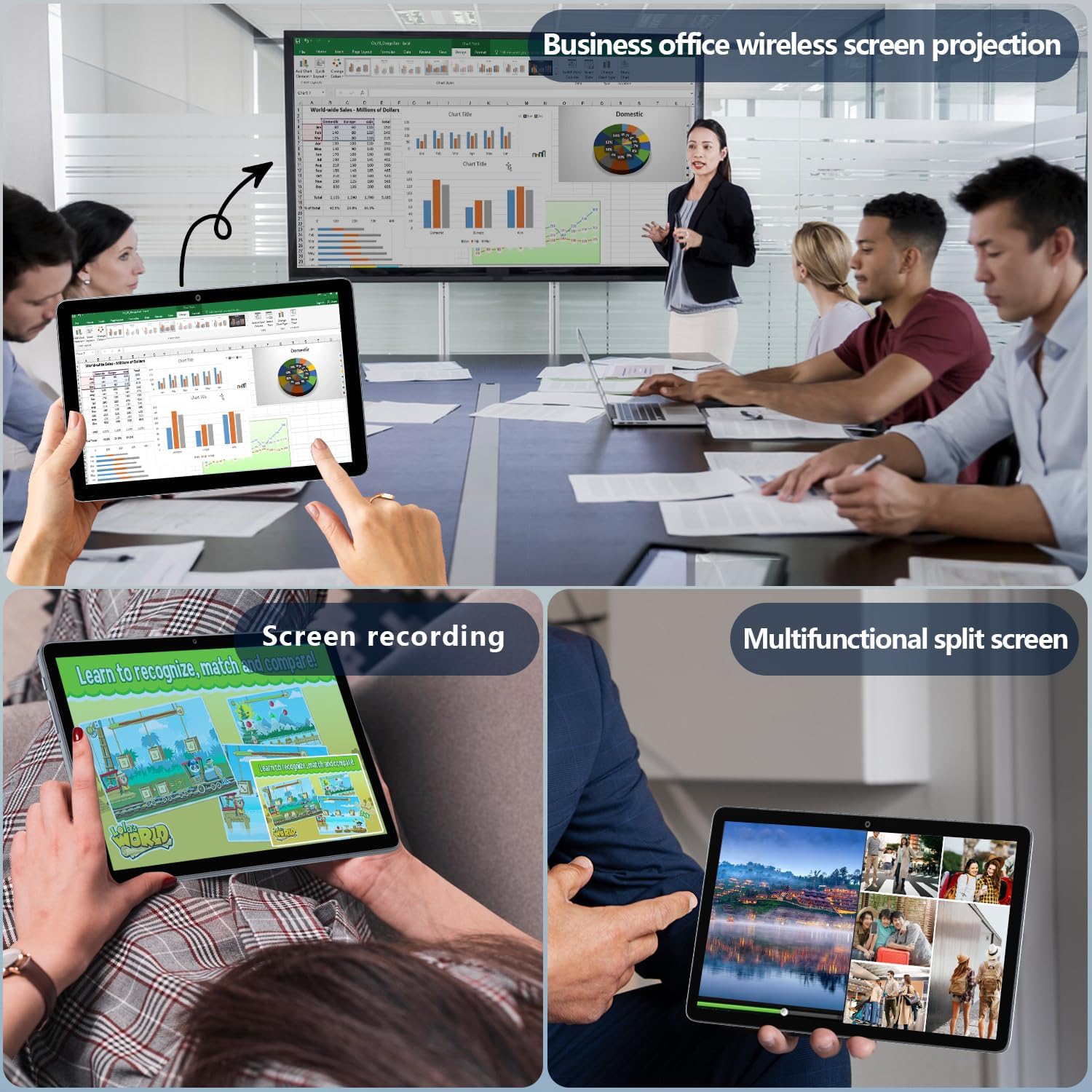
The tablet supports wireless projection, allowing you to easily connect it to a TV or other compatible display for a larger viewing experience. It also features a multifunctional split screen mode for enhanced productivity and screen recording capabilities.
Figure 8: Productivity and entertainment features of the tablet.
For families, the tablet includes digital health and parental controls, enabling you to monitor and guide your children's tablet usage to balance education and entertainment effectively.
3. പരിപാലനം
3.1 നിങ്ങളുടെ ടാബ്ലെറ്റ് ചാർജ് ചെയ്യുന്നു
To charge the tablet, connect the provided USB cable to the Type-C charging port on the tablet and the wall adapter. Plug the wall adapter into a power outlet. For optimal charging and battery longevity, always use the original charging cable and adapter provided with your tablet.
Figure 9: Proper charging method for the tablet.
3.2 സോഫ്റ്റ്വെയർ അപ്ഡേറ്റുകൾ
Regularly check for and install software updates to ensure your tablet has the latest features, security patches, and performance improvements. You can usually find update options in the tablet's settings menu under "System" or "About tablet."
3.3 ശുചീകരണവും പരിചരണവും
നിങ്ങളുടെ ടാബ്ലെറ്റ് വൃത്തിയാക്കാൻ, മൃദുവായ, ലിന്റ് രഹിത തുണി ഉപയോഗിക്കുക. കഠിനമായ പാടുകൾക്ക്, ചെറുതായി dampen the cloth with water or a screen cleaner specifically designed for electronics. Avoid using harsh chemicals or abrasive materials, as these can damage the screen or finish. Keep the tablet away from extreme temperatures and direct sunlight.
4. പ്രശ്നപരിഹാരം
If you encounter any issues with your Hot Pepper Android 12 Tablet, please refer to the following common troubleshooting steps:
ടാബ്ലെറ്റ് ഓണാക്കുന്നില്ല: Ensure the tablet is charged. Connect it to the charger and wait a few minutes before attempting to power it on again. If it still doesn't turn on, try holding the power button for 10-15 seconds for a forced restart.
Applications crashing or freezing: Close the problematic application and reopen it. If the issue persists, restart the tablet. Ensure you have enough free storage space and that the application is updated to its latest version.
വൈഫൈ കണക്റ്റിവിറ്റി പ്രശ്നങ്ങൾ: Check if Wi-Fi is enabled on the tablet. Restart your Wi-Fi router. Forget the network on your tablet and reconnect. Ensure you are within range of the Wi-Fi signal.
മന്ദഗതിയിലുള്ള പ്രകടനം: Close unnecessary background applications. Clear cached data from apps. Consider uninstalling unused applications to free up RAM and storage.
For more complex issues or if the problem persists after trying these steps, please contact customer support as detailed in the Warranty and Support section.
5 സ്പെസിഫിക്കേഷനുകൾ
ഫീച്ചർ
സ്പെസിഫിക്കേഷൻ
ബ്രാൻഡ്
ചൂടുള്ള കുരുമുളക്
മോഡലിൻ്റെ പേര്
Hot Pepper-DT40
ഓപ്പറേറ്റിംഗ് സിസ്റ്റം
ആൻഡ്രോയിഡ് 12
സ്റ്റാൻഡിംഗ് സ്ക്രീൻ ഡിസ്പ്ലേ വലുപ്പം
10.1 ഇഞ്ച്
സ്ക്രീൻ റെസല്യൂഷൻ
1920 x 1200 പിക്സലുകൾ
പ്രോസസ്സർ
2 GHz mediatek_mt8183 (Octa-Core)
റാം
6 ജിബി
ഫ്ലാഷ് മെമ്മറി വലുപ്പം
128 ജിബി
വികസിപ്പിക്കാവുന്ന സംഭരണം
1TB വരെ (TF കാർഡ്)
പിൻഭാഗം Webക്യാം റെസല്യൂഷൻ
13 എം.പി
ഫ്രണ്ട് Webക്യാം റെസല്യൂഷൻ
8 എം.പി
വയർലെസ് തരം
802.11ac (2.4G/5G വൈഫൈ)
ബാറ്ററി ശേഷി
7,000 mAh
ശരാശരി ബാറ്ററി ലൈഫ്
7 മണിക്കൂർ
ഇനത്തിൻ്റെ ഭാരം
1.07 പൗണ്ട്
ഉൽപ്പന്ന അളവുകൾ
9.5 x 6.3 x 0.29 ഇഞ്ച്
നിറം
ചാരനിറം
6. വാറൻ്റിയും പിന്തുണയും
Hot Pepper provides a one-year warranty for your tablet. If you have any questions or require assistance, please contact us through Amazon. We are committed to providing a satisfactory answer within 24 hours during working days.
For further support, you may also visit the official Hot Pepper store on Amazon: Hot Pepper Store.
അനുബന്ധ രേഖകൾ - DT40
Puya Tablet User Manual | Hotpepper AP30 Guide Comprehensive user manual for the Hotpepper Puya Tablet (Model AP30), covering initial setup, software features, hardware overview, product care, and troubleshooting. Learn how to effectively use your new device.
ഹോട്ട് പെപ്പർ ഗോസ്റ്റ് ക്വിക്ക് സ്റ്റാർട്ട് ഗൈഡ് - സ്മാർട്ട്ഫോൺ ഉപയോക്തൃ വിവരങ്ങൾ ഹോട്ട് പെപ്പർ ഗോസ്റ്റ് സ്മാർട്ട്ഫോണിനായുള്ള (മോഡൽ A81C) സമഗ്രമായ ക്വിക്ക് സ്റ്റാർട്ട് ഗൈഡ്. ഫോൺ സവിശേഷതകൾ, അടിസ്ഥാന ആപ്ലിക്കേഷനുകൾ, വൈ-ഫൈ സജ്ജീകരണം, FCC നിയന്ത്രണങ്ങൾ, RF എനർജി എക്സ്പോഷർ, ശ്രവണസഹായി അനുയോജ്യത എന്നിവയെക്കുറിച്ച് അറിയുക. പിന്തുണാ കോൺടാക്റ്റ് വിശദാംശങ്ങൾ ഉൾപ്പെടുന്നു.
Hot Pepper Puya Tablet User Manual User manual for the Hot Pepper Puya Tablet, covering safety warnings, technical specifications, hardware overview, initial setup, software overview, camera, internet browsing, Google services, connecting to a computer, factory settings, control panel settings, product care, and troubleshooting.
ഹോട്ട് പെപ്പർ ചിലാക്ക സ്മാർട്ട്ഫോൺ ഉപയോക്തൃ മാനുവൽ | സവിശേഷതകൾ, സജ്ജീകരണം, സുരക്ഷ ഹോട്ട് പെപ്പർ ചിലാക്ക സ്മാർട്ട്ഫോണിനായുള്ള സമഗ്രമായ ഉപയോക്തൃ മാനുവൽ, സജ്ജീകരണം, സവിശേഷതകൾ, ആശയവിനിമയം, കണക്റ്റിവിറ്റി, സുരക്ഷാ മാർഗ്ഗനിർദ്ദേശങ്ങൾ, എഫ്സിസി പാലിക്കൽ എന്നിവ ഉൾക്കൊള്ളുന്നു. നിങ്ങളുടെ ഉപകരണം എങ്ങനെ ഫലപ്രദമായി ഉപയോഗിക്കാമെന്ന് മനസിലാക്കുക.