ഉൽപ്പന്നം കഴിഞ്ഞുview
The HyperX Pulsefire Haste 2 is a wired gaming mouse designed for high-performance gaming. It features an ultra-lightweight design, a high-precision sensor, and durable switches, optimized for speed and responsiveness.
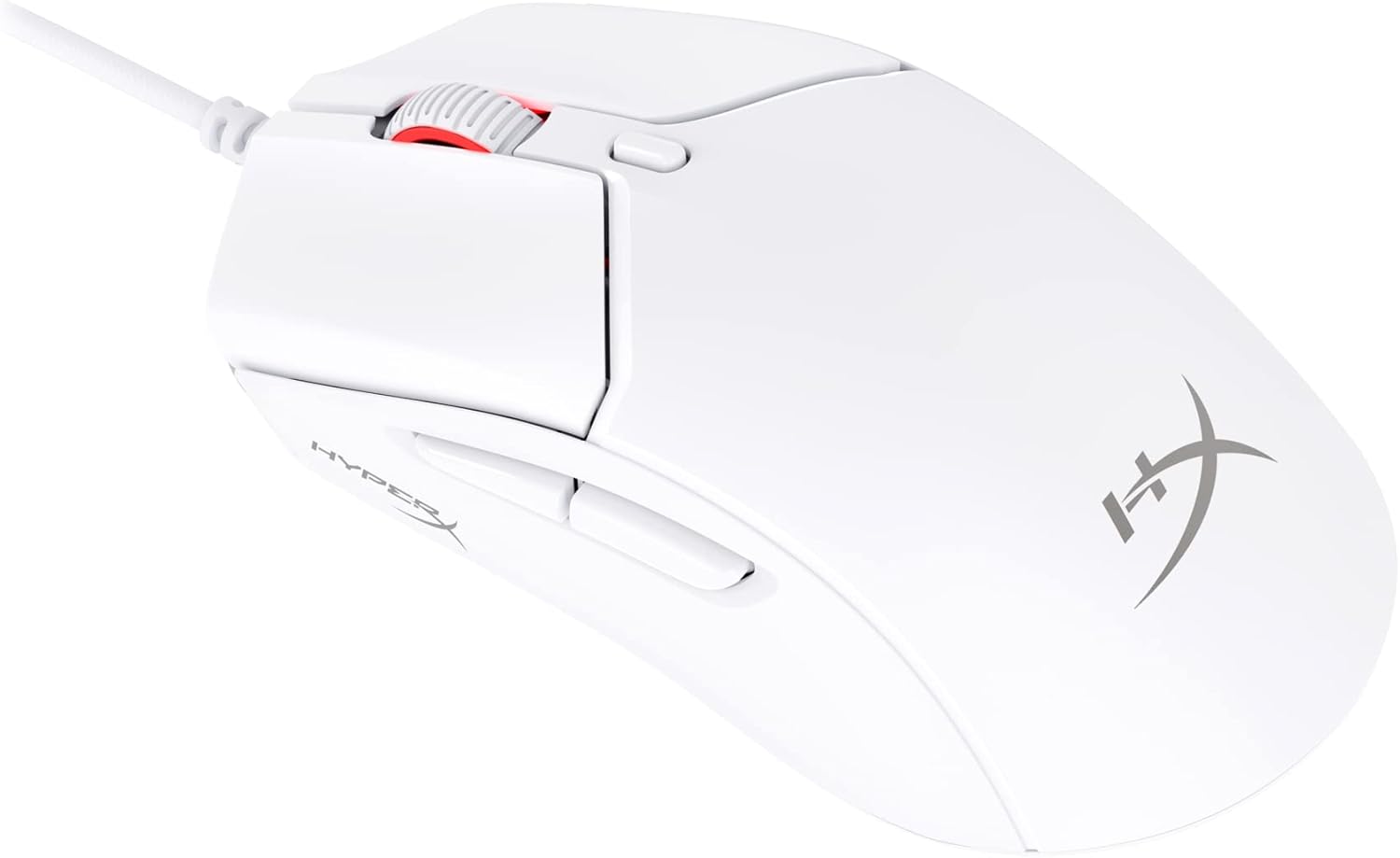
Figure 1: HyperX Pulsefire Haste 2 Wired Gaming Mouse (White)
പാക്കേജ് ഉള്ളടക്കം
പാക്കേജിൽ എല്ലാ ഇനങ്ങളും ഉണ്ടെന്ന് ഉറപ്പാക്കുക:
- HyperX Pulsefire Haste 2 Wired Gaming Mouse
- HyperX Grips (pre-applied or in package)
- Extra PTFE Skates
- Quick Start Guide (refer to the official PDF user guide for full details: ഉപയോക്തൃ ഗൈഡ് PDF)
സജ്ജമാക്കുക
മൗസിനെ ബന്ധിപ്പിക്കുന്നു
- നിങ്ങളുടെ കമ്പ്യൂട്ടറിൽ ലഭ്യമായ USB പോർട്ട് കണ്ടെത്തുക.
- Plug the USB connector of the HyperX Pulsefire Haste 2 mouse into the USB port.
- The mouse is plug-and-play and should be recognized automatically by your operating system (Windows, macOS, Linux).
Applying Grip Tape (Optional)
The mouse includes optional grip tape for enhanced control and comfort. To apply:
- Ensure the mouse surface is clean and dry.
- Carefully peel the backing from the grip tape pieces.
- Align and firmly press the grip tape onto the designated areas (left/right mouse buttons, left/right sides of the mouse).

Figure 2: Anti-Slip Grip Tape Application Area
മൗസ് പ്രവർത്തിപ്പിക്കൽ
അടിസ്ഥാന പ്രവർത്തനങ്ങൾ
The HyperX Pulsefire Haste 2 features standard mouse buttons and a scroll wheel:
- ഇടത് ക്ലിക്ക്: പ്രാഥമിക പ്രവർത്തനം.
- വലത് ക്ലിക്കിൽ: ദ്വിതീയ പ്രവർത്തന/സന്ദർഭ മെനു.
- സ്ക്രോൾ വീൽ: മുകളിലേക്കും/താഴേക്കും സ്ക്രോൾ ചെയ്യുക, മധ്യത്തിൽ ക്ലിക്ക് ചെയ്യുക.
- സൈഡ് ബട്ടണുകൾ: Typically used for forward/back navigation in web browsers or customizable functions.
- DPI ബട്ടൺ: Located behind the scroll wheel, cycles through preset DPI (sensitivity) levels.
HyperX NGENUITY സോഫ്റ്റ്വെയർ
To unlock the full potential of your Pulsefire Haste 2, download and install the HyperX NGENUITY software. This software allows for:
- Customizing DPI settings (up to 26,000 DPI).
- Programming the 6 buttons with macros or custom functions.
- Personalizing RGB lighting effects.
- Adjusting polling rate (up to 8000Hz).

Figure 3: HyperX NGENUITY Software Interface
For software download and detailed instructions, visit the official HyperX webസൈറ്റ്.
മെയിൻ്റനൻസ്
മൗസ് വൃത്തിയാക്കുന്നു
- വൃത്തിയാക്കുന്നതിനുമുമ്പ് നിങ്ങളുടെ കമ്പ്യൂട്ടറിൽ നിന്ന് മൗസ് വിച്ഛേദിക്കുക.
- മൃദുവായ, ലിൻ്റ് രഹിത തുണി ഉപയോഗിക്കുകampഉപരിതലം തുടയ്ക്കാൻ വെള്ളമോ നേരിയ ക്ലീനിംഗ് ലായനിയോ ഉപയോഗിച്ച് നനയ്ക്കുക.
- കഠിനമായ രാസവസ്തുക്കൾ, ഉരച്ചിലുകൾ അല്ലെങ്കിൽ ലായകങ്ങൾ ഉപയോഗിക്കുന്നത് ഒഴിവാക്കുക.
- For the sensor area, use a cotton swab or compressed air to gently remove dust and debris.
Replacing PTFE Skates
The HyperX Pulsefire Haste 2 comes with extra PTFE skates. If the original skates show significant wear, they can be replaced for optimal glide performance.
- Carefully peel off the old PTFE skates using a thin, non-abrasive tool.
- Ensure the mouse's underside is clean and free of adhesive residue.
- Peel the backing from the new PTFE skates and align them precisely with the recesses on the mouse's bottom.
- ശരിയായ അഡീഷൻ ഉറപ്പാക്കാൻ ദൃഢമായി അമർത്തുക.

Figure 4: Mouse Underside with PTFE Skates
ട്രബിൾഷൂട്ടിംഗ്
| പ്രശ്നം | സാധ്യമായ കാരണം | പരിഹാരം |
|---|---|---|
| മൗസ് പ്രതികരിക്കുന്നില്ല | അയഞ്ഞ യുഎസ്ബി കണക്ഷൻ, തകരാറുള്ള യുഎസ്ബി പോർട്ട്, ഡ്രൈവർ പ്രശ്നം. |
|
| കഴ്സറിന്റെ ചലനം ക്രമരഹിതമോ ചാഞ്ചാട്ടമോ ആണ് | Dirty sensor, unsuitable mouse pad surface. |
|
| ബട്ടണുകളോ സ്ക്രോൾ വീലോ പ്രവർത്തിക്കുന്നില്ല | സോഫ്റ്റ്വെയർ സംഘർഷം, ശാരീരിക തടസ്സം. |
|
| RGB ലൈറ്റിംഗ് പ്രവർത്തിക്കുന്നില്ല | സോഫ്റ്റ്വെയർ സെറ്റിംഗ്സ്, പവർ പ്രശ്നം. |
|
സ്പെസിഫിക്കേഷനുകൾ
| ഫീച്ചർ | വിശദാംശങ്ങൾ |
|---|---|
| മോഡലിൻ്റെ പേര് | HyperX Pulsefire Haste 2 Wired Gaming Mouse |
| മോഡൽ നമ്പർ | 6N0A8AA |
| കണക്റ്റിവിറ്റി | വയർഡ് യുഎസ്ബി |
| സെൻസർ | ഹൈപ്പർഎക്സ് 26കെ സെൻസർ |
| ഡിപിഐ | Up to 26,000 (native) |
| ട്രാക്കിംഗ് സ്പീഡ് | 650 ഐപിഎസ് വരെ |
| പോളിംഗ് നിരക്ക് | 8000Hz വരെ |
| ബട്ടണുകൾ | 6 പ്രോഗ്രാം ചെയ്യാവുന്ന ബട്ടണുകൾ |
| സ്വിച്ചുകൾ | HyperX Switches (rated for 100 million clicks) |
| കേബിൾ | HyperFlex 2 Cable (Paracord) |
| സ്കേറ്റ്സ് | Virgin PTFE Skates |
| ഭാരം | Approx. 53g (mouse only) |
| അളവുകൾ (LxWxH) | 124 x 67 x 38 മിമി (4.9 x 2.6 x 1.5 ഇഞ്ച്) |
| ഓപ്പറേറ്റിംഗ് സിസ്റ്റം അനുയോജ്യത | വിൻഡോസ്, മാകോസ്, ലിനക്സ് |

Figure 5: HyperX Pulsefire Haste 2 Dimensions and Weight
വാറൻ്റിയും പിന്തുണയും
HyperX products are backed by a limited warranty. For specific warranty terms and conditions, please refer to the warranty information included with your product or visit the official HyperX webസൈറ്റ്.
For technical support, driver downloads, and frequently asked questions, please visit the HyperX support page:
You can also refer to the official PDF user guide for additional details: ഉപയോക്തൃ ഗൈഡ് PDF


