1. ആമുഖം
This manual provides instructions for the Timex TW2U56500 Men's Digital Watch. This timepiece features a durable resin case and a comfortable blue silicone band, designed for everyday use. It includes a digital display and the INDIGLO Night-Light for visibility in low-light conditions. Please read this manual thoroughly to understand the functions and proper care of your watch.
2 പ്രധാന സവിശേഷതകൾ
- ഡിജിറ്റൽ ഡിസ്പ്ലേ: Clear and easy-to-read time display.
- ഇൻഡീഗ്ലോ രാത്രി വെളിച്ചം: Electroluminescent backlight for illumination in the dark.
- Night-Mode: Activates INDIGLO with any button press for a set duration.
- ജല പ്രതിരോധം: Rated for 10 ATM (100 meters), suitable for swimming and snorkeling.
- നീണ്ടുനിൽക്കുന്ന നിർമ്മാണം: Resin case and blue silicone band for resilience.
- ഷോക്ക് റെസിസ്റ്റന്റ്: ആഘാതങ്ങളെ ചെറുക്കാൻ രൂപകൽപ്പന ചെയ്തിരിക്കുന്നു.
3. പ്രാരംഭ സജ്ജീകരണം
Before using your watch, you may need to set the time and date. The watch typically has multiple buttons for navigation and setting.
3.1 സമയവും തീയതിയും ക്രമീകരിക്കുക
- കണ്ടെത്തുക മോഡ് button (usually on the left side). Press it repeatedly until the time setting mode is displayed (often indicated by flashing digits).
- ഉപയോഗിക്കുക സെറ്റ് or ക്രമീകരിക്കുക button (often on the right side) to select the digit you wish to change (hours, minutes, seconds).
- ഉപയോഗിക്കുക ആരംഭിക്കുക/നിർത്തുക or +/- button to increase or decrease the selected value.
- Repeat steps 2 and 3 for setting the date (month, day, year) if available in the setting sequence.
- എല്ലാ ക്രമീകരണങ്ങളും ശരിയായ ശേഷം, മോഡ് ക്രമീകരണ മോഡിൽ നിന്ന് പുറത്തുകടക്കാൻ വീണ്ടും ബട്ടൺ.

ചിത്രം 1: വശം view of the watch, illustrating the typical placement of control buttons for setting and operation.
4. പ്രവർത്തന നിർദ്ദേശങ്ങൾ
4.1 അടിസ്ഥാന സമയ പ്രദർശനം
In the default time mode, the watch displays the current time (hours, minutes, seconds) and often the day of the week and date.
4.2 Using INDIGLO Night-Light
അമർത്തുക ഇൻഡിഗ്ലോ button (often located on the top left or front of the watch) to illuminate the display for a few seconds. For continuous illumination in Night-Mode, press and hold the INDIGLO button until the Night-Mode icon appears on the display. In Night-Mode, any button press will activate the INDIGLO light for a short period.
4.3 നാവിഗേഷൻ മോഡുകൾ
അമർത്തുക മോഡ് button to cycle through different functions such as:
- ക്രോണോഗ്രാഫ് (സ്റ്റോപ്പ് വാച്ച്): For measuring elapsed time. Use ആരംഭിക്കുക/നിർത്തുക to begin/end and ലാപ്/റീസെറ്റ് to record laps or reset.
- ടൈമർ: For countdown functions. Set the desired time and press ആരംഭിക്കുക/നിർത്തുക.
- അലാറം: To set daily alarms. Use സെറ്റ് ഒപ്പം +/- അലാറം സമയം ക്രമീകരിക്കാനുള്ള ബട്ടണുകൾ.
5. പരിപാലനവും പരിചരണവും
5.1 നിങ്ങളുടെ വാച്ച് വൃത്തിയാക്കൽ
നിങ്ങളുടെ വാച്ച് വൃത്തിയാക്കാൻ, മൃദുവായ, ഡി-ടൈപ്പ് ഉപയോഗിച്ച് തുടയ്ക്കുക.amp cloth. Do not use harsh chemicals or abrasive cleaners, as these can damage the case or strap. For silicone bands, mild soap and water can be used.
5.2 ജല പ്രതിരോധം
Your watch is water-resistant to 10 ATM (100 meters). This means it is suitable for showering, swimming, and snorkeling. Do not press any buttons while the watch is submerged in water, as this can compromise the water seal. Avoid exposing the watch to extreme temperature changes.
5.3 ബാറ്ററി മാറ്റിസ്ഥാപിക്കൽ
വാച്ച് ഒരു CR2032 ബാറ്ററിയാണ് ഉപയോഗിക്കുന്നത്. ഡിസ്പ്ലേ മങ്ങുകയോ പ്രവർത്തനങ്ങൾ ക്രമരഹിതമാകുകയോ ചെയ്യുമ്പോൾ, ബാറ്ററി മാറ്റിസ്ഥാപിക്കേണ്ട സമയമായിരിക്കാം. ശരിയായ സീലിംഗും ജല പ്രതിരോധവും ഉറപ്പാക്കാൻ, യോഗ്യതയുള്ള ഒരു വാച്ച് ടെക്നീഷ്യൻ ബാറ്ററി മാറ്റിസ്ഥാപിക്കൽ നടത്തുന്നതാണ് ഉത്തമം. ബാറ്ററി തരം വിവരങ്ങൾക്ക് വാച്ചിന്റെ പിൻഭാഗം കാണുക.

ചിത്രം 2: പിൻഭാഗം view of the watch, displaying the stainless steel case back with battery type and water resistance details.
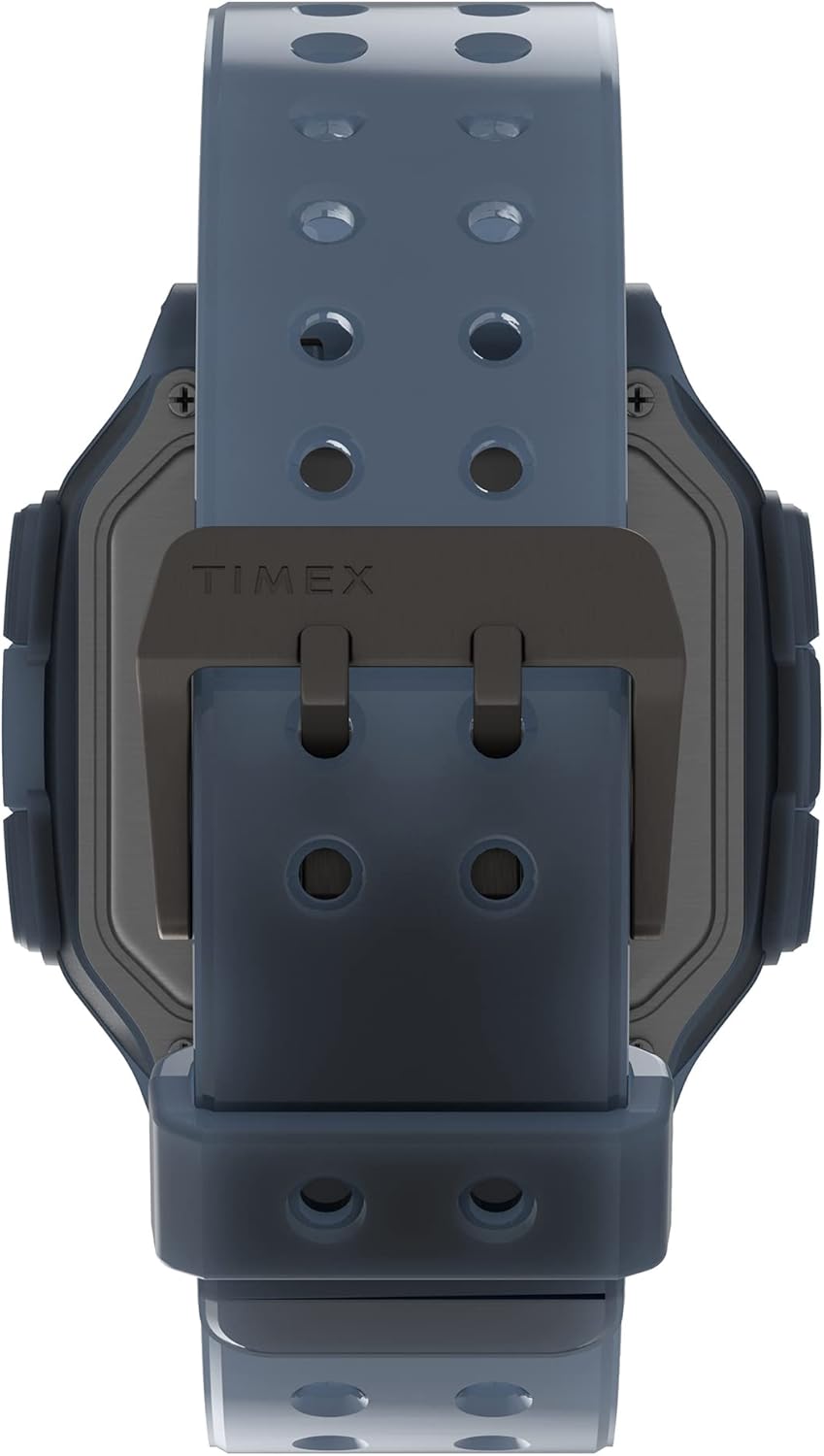
ചിത്രം 3: Detail of the watch's buckle and the back of the case, showing the strap attachment.
6. പ്രശ്നപരിഹാരം
| പ്രശ്നം | സാധ്യമായ കാരണം | പരിഹാരം |
|---|---|---|
| ഡിസ്പ്ലേ ശൂന്യമോ മങ്ങിയതോ ആണ്. | കുറഞ്ഞ ബാറ്ററി. | ബാറ്ററി മാറ്റിസ്ഥാപിക്കുക (CR2032). |
| സമയം തെറ്റാണ്. | സമയം ശരിയായി സജ്ജീകരിച്ചിട്ടില്ല അല്ലെങ്കിൽ ആകസ്മികമായ ക്രമീകരണം. | സമയവും തീയതിയും പുനഃസജ്ജമാക്കാൻ വിഭാഗം 3.1 കാണുക. |
| INDIGLO ലൈറ്റ് പ്രവർത്തിക്കുന്നില്ല. | ബാറ്ററി കുറവ് അല്ലെങ്കിൽ തകരാറ്. | Check battery. If issue persists, contact support. |
| Watch fogging up internally. | Water ingress due to compromised seal. | കൂടുതൽ കേടുപാടുകൾ സംഭവിക്കാതിരിക്കാൻ വാച്ച് ഉപയോഗിക്കുന്നത് ഉടൻ നിർത്തി പ്രൊഫഷണൽ റിപ്പയർ തേടുക. |
7 സ്പെസിഫിക്കേഷനുകൾ
- മോഡൽ നമ്പർ: TW2U56500
- ബ്രാൻഡ്: ടൈമെക്സ്
- കേസ് മെറ്റീരിയൽ: റെസിൻ
- കേസ് വ്യാസം: 47 മി.മീ
- ബാൻഡ് മെറ്റീരിയൽ: സിലിക്കൺ
- ഡിസ്പ്ലേ തരം: ഡിജിറ്റൽ
- ജല പ്രതിരോധം: 10 എടിഎം (100 മീറ്റർ)
- ബാറ്ററി തരം: CR2032
- ഇനത്തിൻ്റെ ഭാരം: 63 ഗ്രാം
- പാക്കേജ് അളവുകൾ: 10.5 x 10.5 x 8 സെ.മീ
8. വാറൻ്റിയും പിന്തുണയും
വിശദമായ വാറന്റി വിവരങ്ങൾക്കും ഉപഭോക്തൃ പിന്തുണയ്ക്കും, ദയവായി ഔദ്യോഗിക ടൈമെക്സ് കാണുക. webസൈറ്റിൽ ബന്ധപ്പെടുകയോ അവരുടെ ഉപഭോക്തൃ സേവനവുമായി നേരിട്ട് ബന്ധപ്പെടുകയോ ചെയ്യുക. വാറന്റി ക്ലെയിമുകൾക്കുള്ള വാങ്ങലിന്റെ തെളിവായി നിങ്ങളുടെ വാങ്ങൽ രസീത് സൂക്ഷിക്കുക.
ഉദ്യോഗസ്ഥൻ Webസൈറ്റ്: www.timex.com