1. ആമുഖം
Welcome to the user manual for the ViewSonic CDE9830 98" 4K UHD Wireless Presentation Display. This document provides essential information for the safe and efficient operation of your display. Please read it thoroughly before use and retain it for future reference.

ചിത്രം 1.1: മുൻഭാഗം view യുടെ ViewSonic CDE9830 display.
2 സുരക്ഷാ വിവരങ്ങൾ
ഡിസ്പ്ലേയ്ക്ക് കേടുപാടുകൾ സംഭവിക്കാതിരിക്കാനും ഉപയോക്തൃ സുരക്ഷ ഉറപ്പാക്കാനും ഇനിപ്പറയുന്ന സുരക്ഷാ മുൻകരുതലുകൾ പാലിക്കുക:
- Ensure proper ventilation around the display. Do not block ventilation openings.
- Use only the power cord supplied with the display or an approved equivalent.
- Do not expose the display to rain or moisture to avoid fire or shock hazards.
- ഡിസ്പ്ലേ തുറക്കരുത് casing. എല്ലാ സേവനങ്ങളും യോഗ്യതയുള്ള സേവന ഉദ്യോഗസ്ഥരെ ഏൽപ്പിക്കുക.
- Clean the display with a soft, dry cloth. Avoid liquid cleaners or aerosol sprays.
3. പാക്കേജ് ഉള്ളടക്കം
പാക്കേജിൽ എല്ലാ ഇനങ്ങളും ഉണ്ടെന്ന് ഉറപ്പാക്കുക:
- ViewSonic CDE9830 Display
- പവർ കേബിൾ
- റിമോട്ട് കൺട്രോൾ
- റിമോട്ട് കൺട്രോളിനുള്ള ബാറ്ററികൾ
- ദ്രുത ആരംഭ ഗൈഡ്
- വാറൻ്റി കാർഡ്
4. സജ്ജീകരണം
4.1 അൺപാക്കിംഗും പ്ലേസ്മെന്റും
Carefully remove the display from its packaging. It is recommended to have at least two people for handling due to its size. Place the display on a stable, level surface or mount it securely according to VESA mounting standards. Ensure adequate space for ventilation around the display.
4.2 ഉപകരണങ്ങൾ ബന്ധിപ്പിക്കുന്നു
Connect necessary cables to the display's input ports. The CDE9830 supports various connections including HDMI, USB-C, RJ45 for network, and RS232 for control.
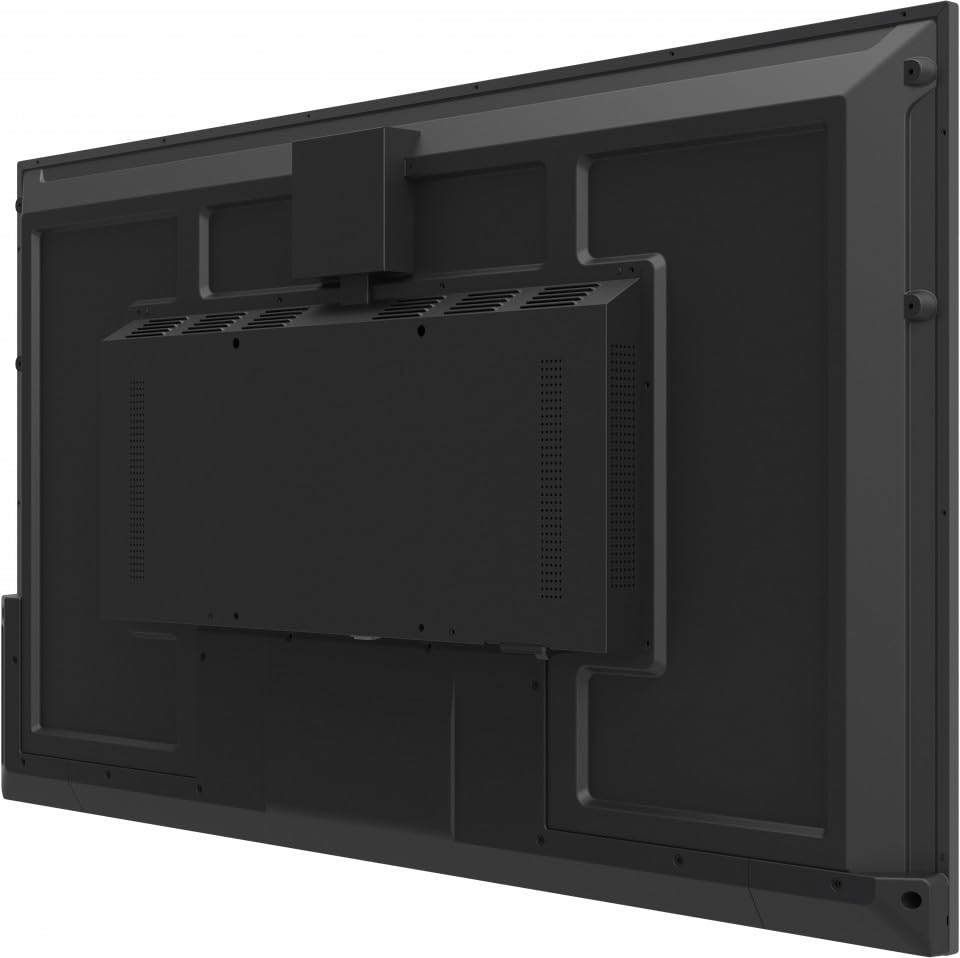
ചിത്രം 4.1: പിൻഭാഗം view of the display, illustrating the location of various ports and mounting points.
- ശക്തി: Connect the power cable to the AC inlet on the display and then to a grounded electrical outlet.
- വീഡിയോ/ഓഡിയോ: Use HDMI or USB-C cables to connect external video sources.
- നെറ്റ്വർക്ക്: വയർഡ് നെറ്റ്വർക്ക് ആക്സസിനായി RJ45 പോർട്ടിലേക്ക് ഒരു ഇതർനെറ്റ് കേബിൾ ബന്ധിപ്പിക്കുക.
- നിയന്ത്രണം: Use the RS232 port for external control systems.
4.3 പ്രാരംഭ പവർ ഓൺ
After all connections are made, press the power button on the display or the remote control. The display will power on and may guide you through an initial setup wizard for language, time zone, and network settings.
5. പ്രവർത്തന നിർദ്ദേശങ്ങൾ
5.1 പവർ ഓൺ/ഓഫ്
Press the power button on the display's control panel or the remote control to turn the display on or off.
5.2 ഇൻപുട്ട് ഉറവിട തിരഞ്ഞെടുപ്പ്
Use the 'Source' button on the remote control or navigate through the on-screen display (OSD) menu to select the desired input source (e.g., HDMI 1, USB-C, Internal Player).
5.3 Wireless Presentation
The CDE9830 supports wireless presentation via Wi-Fi and Bluetooth. Access the wireless settings from the main menu to connect to a network or pair with compatible devices for screen sharing.
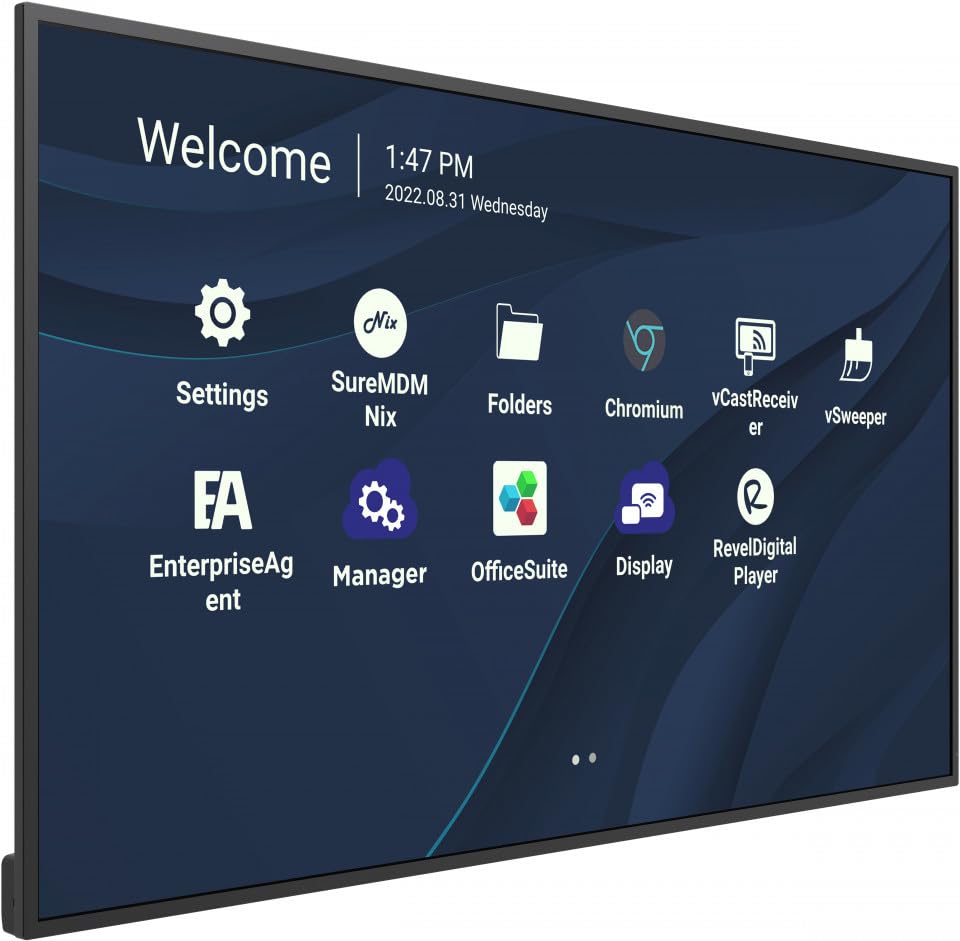
Figure 5.1: The main interface of the display, showing application icons for settings, folders, and various presentation tools.
5.4 മെനു നാവിഗേഷൻ (OSD)
Use the remote control's directional buttons and 'OK' button to navigate the On-Screen Display (OSD) menu. This menu allows adjustment of picture settings, audio, network configuration, and system preferences.
5.5 Portrait/Landscape Mode
The display supports both portrait and landscape orientations. Ensure the physical mounting is appropriate for the desired orientation. The display's software can be configured to match the physical orientation in the system settings.
6. പരിപാലനം
6.1 ഡിസ്പ്ലേ വൃത്തിയാക്കുന്നു
To clean the display screen, gently wipe it with a soft, lint-free cloth. For stubborn marks, slightly dampen the cloth with water. Do not use alcohol, solvents, or abrasive cleaners, as these can damage the screen surface.
6.2 പൊതു പരിചരണം
Keep the display in a clean, dry environment. Avoid exposing it to extreme temperatures or humidity. Ensure ventilation openings are clear of dust and debris.
7. പ്രശ്നപരിഹാരം
നിങ്ങളുടെ ഡിസ്പ്ലേയിൽ പ്രശ്നങ്ങൾ നേരിടുകയാണെങ്കിൽ, ഇനിപ്പറയുന്ന പൊതുവായ പ്രശ്നങ്ങളും പരിഹാരങ്ങളും പരിശോധിക്കുക:
- ശക്തിയില്ല: Check if the power cable is securely connected to both the display and the electrical outlet. Verify the outlet is functional.
- സിഗ്നലില്ല: Ensure the correct input source is selected. Check that video cables (HDMI, USB-C) are securely connected to both the display and the source device.
- Image Issues (e.g., blurry, distorted): Adjust the resolution and refresh rate settings on your source device. Ensure cables are not damaged.
- റിമോട്ട് കൺട്രോൾ പ്രവർത്തിക്കുന്നില്ല: Check the batteries in the remote control and ensure there are no obstructions between the remote and the display's IR receiver.
- നെറ്റ്വർക്ക് കണക്റ്റിവിറ്റി പ്രശ്നങ്ങൾ: Verify the Ethernet cable connection or check Wi-Fi settings in the OSD menu.
പ്രശ്നം നിലനിൽക്കുകയാണെങ്കിൽ, ബന്ധപ്പെടുക ViewSonic customer support for further assistance.
8 സ്പെസിഫിക്കേഷനുകൾ
| മോഡൽ നമ്പർ | CDE9830 |
| ഡിസ്പ്ലേ വലിപ്പം | 98 ഇഞ്ച് |
| റെസലൂഷൻ | 4 കെ യുഎച്ച്ഡി (3840 x 2160) |
| കണക്റ്റിവിറ്റി | USB-C, Wi-Fi, Bluetooth, RJ45, RS232 |
| ഉൽപ്പന്ന അളവുകൾ | 93 x 11 x 56 ഇഞ്ച് |
| ഇനത്തിൻ്റെ ഭാരം | 2.2 പൗണ്ട് |
| പ്രവർത്തന സമയം | 24/7 Commercial Display |
| റിലീസ് തീയതി | 28 ജനുവരി 2023 |
Note: The item weight of 2.2 pounds is as provided in the product data. Actual shipping weight may vary.
9. വാറൻ്റിയും പിന്തുണയും
നിങ്ങളുടെ ViewSonic CDE9830 display is covered by a standard manufacturer's warranty. Please refer to the warranty card included in your package for specific terms and conditions.
For technical support, service inquiries, or to download the latest drivers and manuals, please visit the official ViewSonic support webസൈറ്റ് അല്ലെങ്കിൽ അവരുടെ ഉപഭോക്തൃ സേവന വിഭാഗവുമായി ബന്ധപ്പെടുക.
ViewSonic Support: www.viewsonic.com/us/support


