1. ഉൽപ്പന്നം കഴിഞ്ഞുview
The Hiseeu Micro 64GB SD Card is a high-performance memory solution designed for various devices requiring reliable data storage. It offers fast read and write speeds, making it suitable for recording 4K video and loading applications quickly. Its robust design ensures data safety in diverse environments.
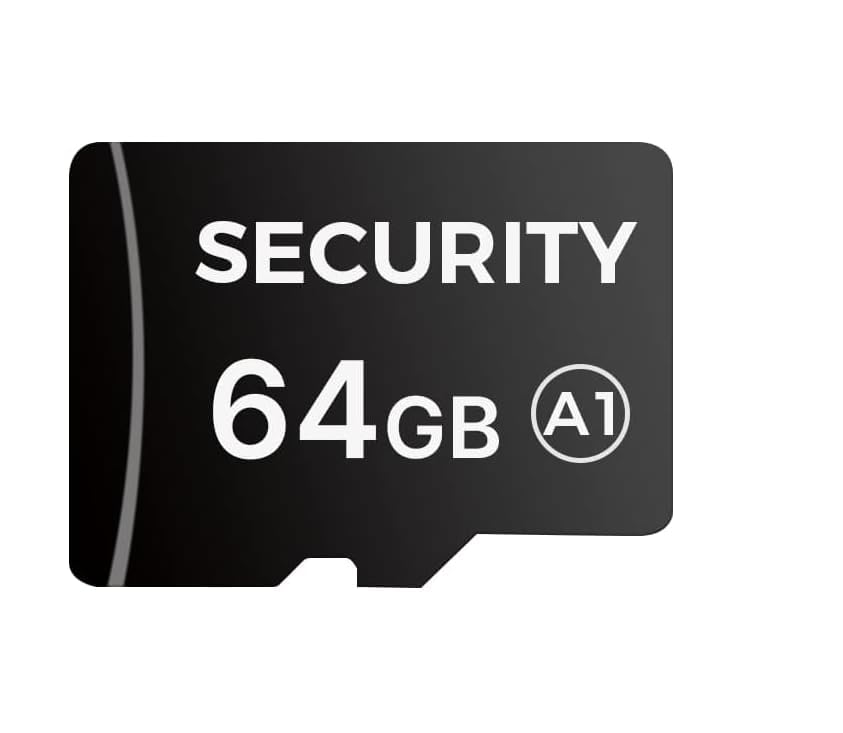
Image: Hiseeu Micro 64GB SD Card. This image displays the physical appearance of the Hiseeu Micro 64GB SD card, highlighting its compact size and branding.
പ്രധാന സവിശേഷതകൾ:
- ശേഷി: 64GB for extensive storage, including 4K video.
- വേഗത: Read speed up to 90MB/s, Write speed up to 25MB/s (Class 10, A1-rated performance).
- ഈട്: Water-resistant, anti-magnetic, shockproof, and resistant to high/low temperatures.
- അനുയോജ്യത: Ideal for security cameras, action cameras, dash cameras, Steam Deck, and Nintendo Switch.
2. സജ്ജീകരണവും ഇൻസ്റ്റാളേഷനും
Follow these steps to properly install your Hiseeu Micro 64GB SD Card into a compatible device.
- SD കാർഡ് സ്ലോട്ട് തിരിച്ചറിയുക: Locate the Micro SD card slot on your device (e.g., camera, dash cam, game console). Refer to your device's manual if unsure.
- കാർഡ് ഓറിയന്റുചെയ്യുക: Ensure the Micro SD card is oriented correctly. The gold contacts on the card should align with the contacts in the device's slot. Avoid forcing the card.
- കാർഡ് ചേർക്കുക: Gently push the Micro SD card into the slot until it clicks into place. Some devices may require a slight push with a fingernail or a small tool.
- കാർഡ് ഫോർമാറ്റ് ചെയ്യുക (ശുപാർശ ചെയ്യുന്നത്): For optimal performance and compatibility, it is highly recommended to format the SD card using your device's internal formatting function. This ensures the card is properly recognized and configured for your specific device.
- മുന്നറിയിപ്പ്: Formatting the card will erase all data on it. Back up any important fileതുടരുന്നതിന് മുമ്പ്.
- ഇൻസ്റ്റാളേഷൻ പരിശോധിക്കുക: After installation and formatting, check your device's settings or storage information to confirm that the 64GB Micro SD card is recognized and available for use.
3. പ്രവർത്തന നിർദ്ദേശങ്ങൾ
Once installed, the Hiseeu Micro 64GB SD Card functions as your device's primary or secondary storage. Its operation is largely dependent on the host device.
പൊതുവായ ഉപയോഗം:
- ഡാറ്റ സംഭരണം: The card will automatically store photos, videos, applications, and other data as configured by your device.
- 4K വീഡിയോ റെക്കോർഡിംഗ്: With its Class 10 and U3 speed ratings, the card supports high-resolution video recording, including 4K. Ensure your device also supports 4K recording to utilize this feature fully.
- ആപ്ലിക്കേഷൻ പ്രകടനം: The A1-rated performance enhances app loading times and overall responsiveness for compatible devices like smartphones or gaming consoles.
- ഡാറ്റ കൈമാറ്റം: To transfer data to or from the card, connect your device to a computer or use a compatible SD card reader.
SD കാർഡ് നീക്കംചെയ്യുന്നു:
Always ensure your device is powered off or the card is safely ejected through the device's software menu before physical removal to prevent data corruption.
- സുരക്ഷിതമായി പുറത്താക്കുക: If your device has a software option to "Eject SD Card" or "Unmount Storage," use it.
- പവർ ഓഫ്: If no software eject option is available, power off the device completely.
- Press to Release: Gently press the Micro SD card inward until it clicks, then release. The card should spring out slightly, allowing you to pull it out.
4. പരിപാലനവും പരിചരണവും
Proper care extends the lifespan and ensures the reliability of your Hiseeu Micro 64GB SD Card.
- ശാരീരിക കൈകാര്യം ചെയ്യൽ: Avoid touching the gold contacts on the card. Hold the card by its edges.
- സംഭരണം: Store the card in a protective case when not in use to prevent dust, scratches, and static discharge.
- പരിസ്ഥിതി സംരക്ഷണം: While the card is designed to be water-resistant, anti-magnetic, shockproof, and temperature-resistant, avoid exposing it to extreme conditions unnecessarily. Keep it away from strong magnetic fields and excessive moisture.
- പതിവ് ബാക്കപ്പുകൾ: Periodically back up important data from the SD card to another storage device (e.g., computer hard drive, cloud storage) to prevent data loss.
- ഫോർമാറ്റിംഗ്: If the card's performance degrades or you encounter frequent errors, reformatting the card (after backing up data) can often resolve issues. Use the device's built-in format function or a reliable SD card formatter on a computer.
5. പ്രശ്നപരിഹാരം
If you encounter issues with your Hiseeu Micro 64GB SD Card, try the following solutions:
കാർഡ് തിരിച്ചറിയാൻ കഴിഞ്ഞിട്ടില്ല:
- കാർഡ് വീണ്ടും ചേർക്കുക: Remove the card and reinsert it carefully, ensuring it is seated correctly.
- ഉപകരണം പുനരാരംഭിക്കുക: Power off and restart your device.
- അനുയോജ്യത പരിശോധിക്കുക: Verify that your device supports Micro SD cards of 64GB capacity. Some older devices may have limitations.
- Try Another Device/Reader: Test the card in a different compatible device or an external SD card reader to determine if the issue is with the card or the original device.
- കോൺടാക്റ്റുകൾ വൃത്തിയാക്കുക: Gently clean the gold contacts on the SD card with a soft, dry, lint-free cloth.
മന്ദഗതിയിലുള്ള പ്രകടനം അല്ലെങ്കിൽ പിശകുകൾ:
- Free Up Space: Ensure the card is not nearly full. Performance can degrade when storage is almost exhausted.
- കാർഡ് ഫോർമാറ്റ് ചെയ്യുക: If data is backed up, format the card using your device's utility or a computer. This can resolve file സിസ്റ്റം അഴിമതി.
- Check for Malware: If used with a computer, scan the card for viruses or malware.
- Verify Device Speed: Ensure your device's card reader or controller supports the card's speed class. Using a high-speed card in a low-speed reader will limit performance.
ഡാറ്റ നഷ്ടം:
- Avoid Further Use: If you suspect data loss, stop using the card immediately to prevent overwriting lost data.
- ഡാറ്റ റിക്കവറി സോഫ്റ്റ്വെയർ: Consider using reputable data recovery software. Note that success is not guaranteed.
6 സ്പെസിഫിക്കേഷനുകൾ
Detailed technical specifications for the Hiseeu Micro 64GB SD Card.
| ഫീച്ചർ | വിശദാംശങ്ങൾ |
|---|---|
| ബ്രാൻഡ് | ഹിസ്യു |
| മോഡലിൻ്റെ പേര് | മൈക്രോ എസ്.ഡി |
| ഫ്ലാഷ് മെമ്മറി തരം | മൈക്രോ എസ്.ഡി |
| മെമ്മറി സ്റ്റോറേജ് കപ്പാസിറ്റി | 64 ജിബി |
| വായന വേഗത | 90 MB/s വരെ |
| റൈറ്റ് സ്പീഡ് | 25 MB/s വരെ |
| സെക്യുർ ഡിജിറ്റൽ അസോസിയേഷൻ സ്പീഡ് ക്ലാസ് | ക്ലാസ് 10 |
| ആപ്ലിക്കേഷൻ പ്രകടന ക്ലാസ് | A1 (1500 random read IOPS, 500 random write IOPS) |
| ഹാർഡ്വെയർ ഇന്റർഫേസ് | സുരക്ഷിത ഡിജിറ്റൽ കാർഡ് |
| പ്രത്യേക സവിശേഷതകൾ | Water-resistant, Anti-magnetic, Shockproof, High/Low Temperature Resistant |
| അനുയോജ്യമായ ഉപകരണങ്ങൾ | Cameras, Security Cameras, Action Cameras, Dash Cameras, Steam Deck, Switch |
| ഇനത്തിൻ്റെ ഭാരം | 0.634 ഔൺസ് (ഏകദേശം 0.02 കിലോഗ്രാം) |
| പാക്കേജ് അളവുകൾ | 5.83 x 3.5 x 0.47 ഇഞ്ച് |
7. വാറൻ്റി വിവരങ്ങൾ
The Hiseeu Micro 64GB SD Card comes with a പരിമിത വാറൻ്റി. For specific terms and conditions, please refer to the warranty documentation included with your purchase or visit the official Hiseeu webസൈറ്റ്. സാധാരണ ഉപയോഗത്തിൽ നിർമ്മാണ വൈകല്യങ്ങൾ ഈ വാറന്റി സാധാരണയായി ഉൾക്കൊള്ളുന്നു.
കുറിപ്പ്: Physical damage, misuse, or unauthorized modifications are generally not covered under warranty.
8. ഉപഭോക്തൃ പിന്തുണ
For further assistance, technical support, or warranty claims, please contact Hiseeu customer service.
- ഓൺലൈൻ പിന്തുണ: Visit the official Hiseeu webപതിവുചോദ്യങ്ങൾ, പിന്തുണാ ഉറവിടങ്ങൾ, കോൺടാക്റ്റ് ഫോമുകൾ എന്നിവയ്ക്കുള്ള സൈറ്റ്.
- ഇമെയിൽ പിന്തുണ: നിങ്ങളുടെ ഉൽപ്പന്ന പാക്കേജിംഗ് അല്ലെങ്കിൽ ഔദ്യോഗിക webഉപഭോക്തൃ പിന്തുണ ഇമെയിൽ വിലാസത്തിനായുള്ള സൈറ്റ്.
- ഫോൺ പിന്തുണ: Check the official Hiseeu webലഭ്യമായ ഫോൺ സപ്പോർട്ട് നമ്പറുകളും പ്രവർത്തന സമയവും അറിയാൻ സൈറ്റ് സന്ദർശിക്കുക.
When contacting support, please have your product model (Micro SD) and purchase details ready.


